
Fluke PLS SLDR User manual

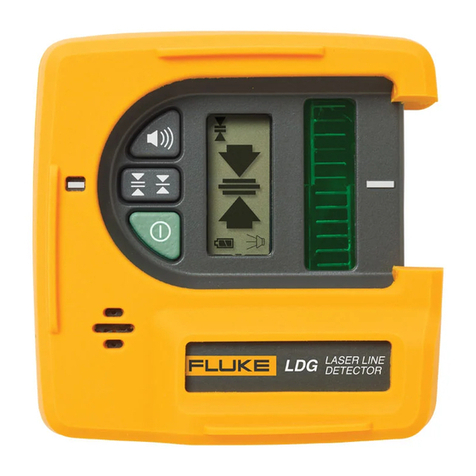
SLDR, SLDG
Laser Detectors
Users Manual
December 2018 (English)
© 2018 Fluke Corporation. All rights reserved. Specifications are subject to change without notice.
All product names are trademarks of their respective companies.

LIMITED WARRANTY AND LIMITATION OF LIABILITY
This Fluke product will be free from defects in material and workmanship for three years from the date of purchase.
This warranty does not cover fuses, disposable batteries, or damage from accident, neglect, misuse, alteration,
contamination, or abnormal conditions of operation or handling. Resellers are not authorized to extend any other
warranty on Fluke’s behalf. To obtain service during the warranty period, contact your nearest Fluke authorized
service center to obtain return authorization information, then send the product to that Service Center with a
description of the problem.
THIS WARRANTY IS YOUR ONLY REMEDY. NO OTHER WARRANTIES, SUCH AS FITNESS FOR A
PARTICULAR PURPOSE, ARE EXPRESSED OR IMPLIED. FLUKE IS NOT LIABLE FOR ANY SPECIAL,
INDIRECT, INCIDENTAL OR CONSEQUENTIAL DAMAGES OR LOSSES, ARISING FROM ANY CAUSE OR
THEORY. Since some states or countries do not allow the exclusion or limitation of an implied warranty or of
incidental or consequential damages, this limitation of liability may not apply to you.
11/99
Fluke Corporation
P.O. Box 9090
Everett, WA 98206-9090
U.S.A.
Fluke Europe B.V.
P.O. Box 1186
5602 BD Eindhoven
The Netherlands
ООО «Флюк СИАЙЭС»
125167, г. Москва,
Ленинградский проспект дом 37,
корпус 9, подъезд 4, 1 этаж
LIMITED WARRANTY AND LIMITATION OF LIABILITY

i
Table of Contents
Title Page
Introduction ........................................................................................................... 1
How to Contact Fluke............................................................................................ 1
Safety Information................................................................................................. 1
Product Familiarization ......................................................................................... 3
Use the Detector ................................................................................................... 6
Maintenance ......................................................................................................... 7
Clean the Product ............................................................................................ 7
Batteries........................................................................................................... 7
Specifications........................................................................................................ 8

SLDR, SLDG
Users Manual
ii

1
Introduction
The SLDR and SLDG Laser Detectors (the Detector or Product) are battery-powered instruments that sense
laser beams that may be difficult to see with the human eye. Use the Product with a laser level to identify new
level and grade marks. The SLDR senses a red laser beam. The SLDG senses a green laser beam.
How to Contact Fluke
To contact Fluke, call one of the following telephone numbers:
• Technical Support USA: 1-800-44-FLUKE (1-800-443-5853)
• Calibration/Repair USA: 1-888-99-FLUKE (1-888-993-5853)
• Canada: 1-800-36-FLUKE (1-800-363-5853)
• Europe: +31 402-675-200
• Japan: +81-3-6714-3114
• Singapore: +65-6799-5566
• China: +86-400-921-0835
• Brazil: +55-11-3530-8901
• Anywhere in the world: +1-425-446-5500
Or, visit the PLS website at www.plslaser.com.
To view, print, or download the latest manual supplement, visit www.plslaser.com.
Safety Information
A Warning identifies conditions and actions that pose hazards to the user; a Caution identifies conditions and
actions that may damage the Product or the equipment under test.
W Warning
To prevent personal injury:
• Read all safety information before you use the Product.
• Carefully read all instructions.
• Do not alter the Product and use only as specified, or the protection supplied by the Product can
be compromised.

SLDR, SLDG
Users Manual
2
• Do not use the Product if it operates incorrectly.
• Do not use the Product if it is altered or damaged.
• Remove the batteries if the Product is not used for an extended period of time, or if stored in
temperatures above 50 °C. If the batteries are not removed, battery leakage can damage the
Product.
Table 1 is a list of the symbols that can be used on the Product or in this manual.
Table 1. Symbols
Symbol Description Symbol Description
Consult user documentation. PConforms to European Union
directives.
WWARNING. RISK OF DANGER Conforms to relevant Australian Safety
and EMC standards.
Battery or battery compartment. Conforms to relevant South Korean
EMC Standards.
~
This product complies with the WEEE Directive marking requirements. The affixed label
indicates that you must not discard this electrical/electronic product in domestic household
waste. Product Category: With reference to the equipment types in the WEEE Directive
Annex I, this product is classed as category 9 "Monitoring and Control Instrumentation"
product. Do not dispose of this product as unsorted municipal waste.

Laser Detectors
Product Familiarization
3
Product Familiarization
Table 2 shows the features of the Product.
Table 2. Features
Item Description Function
Beeper output signal
Fast - Detector is too low.
Solid - Detector is on-grade.
Slow - Detector is too high.
Power button Turns on/off the Product.
Detection accuracy button Sets the detection accuracy level.
DOn-grade marks Align with the laser beam position on the LCD and the offset
notch to confirm the measurement is on-grade.
EBeeper button Turns on/off the beeper.
FFront LCD See Table 3.
GLaser beam reception window Detects a laser beam when faced towards a laser.
HHorizontal clamp guide Use to align the clamp horizontally.
IHorizontal rod clamp screw
thread
Accepts the rod clamp screw to attach the clamp to the
Detector horizontally.
PLS
SLD
5
4
3
2
1
4
7
613
12
8
10
14
a
b
17
16
15
18
9
11

SLDR, SLDG
Users Manual
4
Table 3 lists the functions on the Control Panel.
Item Description Function
JOffset notch Use to transfer reference marks 53.18 mm from the edge of
the detector.
KVertical rod clamp screw thread Accepts the rod clamp screw to attach the clamp to the
Detector vertically.
LVertical clamp guide Use to align the clamp vertically.
MRear LCD Functions the same as the Front LCD. See Table 3.
NBattery door Secures the battery.
ORod clamp screw Turn clockwise to attach the clamp to the Detector.
PAlignment point Secures and aligns the rod clamp to the Detector in either a
horizontal or a vertical position.
QReference indicator Use to align with the on-grade marks on the Detector for
grade rod readings.
RClamp screw knob Secures the clamp to a measuring rod or staff.
Table 3. Control Panel
Item Description
Medium detection accuracy (1.75 mm)
Fine detection accuracy (0.75 mm)
Detector is too high.
DDetector is too low.
EBeeper on/off status
FBattery level status
GLaser beam position
Table 2. Features (cont.)
1
6
7
6
5
2
3
4

Laser Detectors
Product Familiarization
5
Figure 1 shows how to attach the rod clamp to the Product.
Figure 1. Rod Clamp Attachment

SLDR, SLDG
Users Manual
6
Use the Detector
Use the Detector and a laser level to identify new level and grade marks.
To identify new level and grade marks:
1. Put the bottom of the laser level on a stable surface or tripod.
2. Connect the Detector to a measuring rod or staff.
3. Turn on the laser level and the Detector and direct the laser beam toward the laser reception window of the
Detector. See Figure 2.
4. Move the Detector up and down the rod until the laser level on the LCD indicates the Detector is level with the
laser beam. If the beeper is on, the Detector also emits a solid output signal when the Detector is level with
the laser.
5. Secure the Detector to the rod and take measurements as needed.
Figure 2. Level and Detector
1 2 34 5 678910 11 12 13 14 15
1 2 3 4 5 6 7 8910 11 12 13 14 15
OK
OK
OK
OK
This manual suits for next models
1
Table of contents
Other Fluke Security Sensor manuals
Fluke
Fluke TNT 12000 DoseMate User manual
Fluke
Fluke TS 90 User manual
Fluke
Fluke ClirVu CV200 User manual

Fluke
Fluke Amprobe UAT-620 Instruction manual
Fluke
Fluke FiberInspector Pro FI-7000 User manual
Fluke
Fluke 26500090 Instruction manual
Fluke
Fluke C9970 User manual
Fluke
Fluke PRUFTECHNIK DBS30 User manual
Fluke
Fluke LDR User manual
Fluke
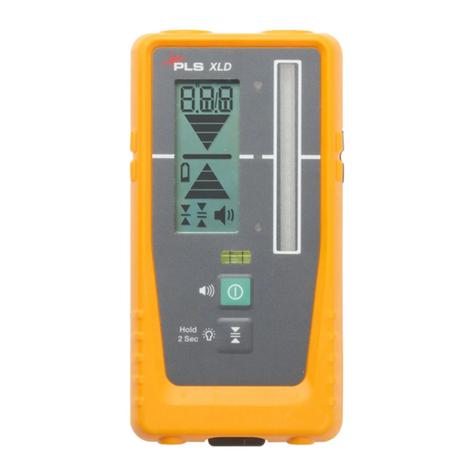
Fluke PLS XLD User manual

















