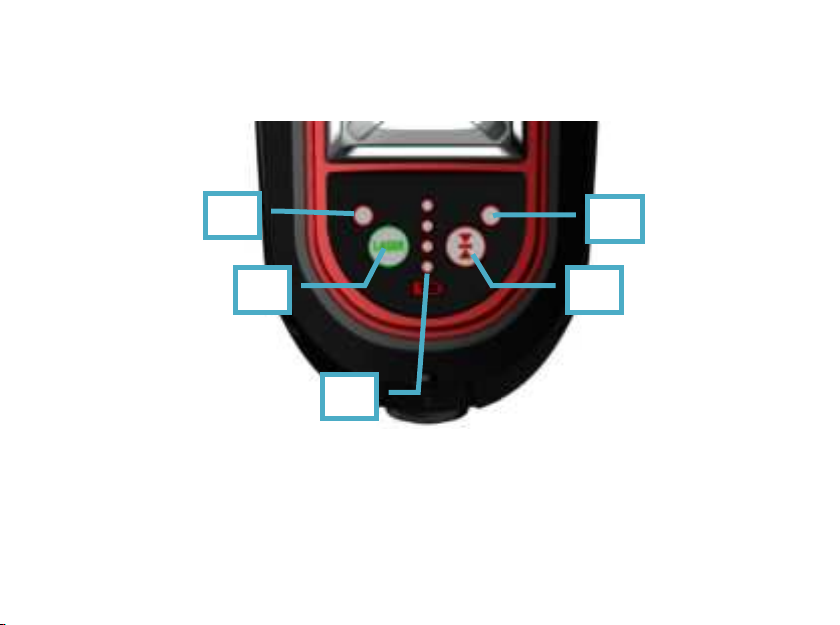
A. Pulse indicator
B. Pulse button
When pulse is on, this indicator A will turn to red, at this moment laser line can be
picked up by laser receiver. Press this key B again to turn off the pulse function
and the light will be off.
C.Power indicators
The indicators can display four levels of power:
100%(4 LED on)-75%(3 LED on)-50%(2 LED on)-25%(1 LED on).
When there has only 1 LED on/25%, laser need to be charged.
Laser will be off when there has no LED on.
D. Line Selection
-Line Selection: By pressing Line Selection Button at the keypad panel can make a
various change/collocation of laser lines. The sequence of it is as below:
Laser will be switched on with H laser.
Press Line Selection Button for one time, Both H & V1 laser will be on.
Press Line Selection Button for two times, All the three laser lines including H, V1