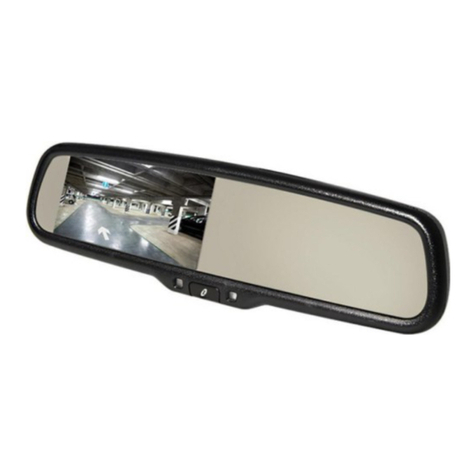
Gazer MMW50 Series User manual

MMW50xx/MMW70xx
MUW5000/MUW7000
USER MANUAL
CAR REARVIEW MIRROR WITH BUILT-IN DVR


RU
ENG
UA
User manual ............................................... 4
Руководство пользователя ........................ 15
Посібник користувача ............................... 26

ENG
4
Contents
1. Warning ................................................................. 5
2. Important information .............................................. 6
3. Package contents .................................................... 7
4. Controls ................................................................. 8
5. Mirror connection .................................................... 9
6. Usage ...................................................................10
7. Work with a mobile application .................................12
8. Specications .........................................................14

5
ENG
Warning
Congratulations on your purchase of Gazer
car rearview mirror with built-in DVR.
Please read this manual carefully, before using the device.
Warnings
•Do not use chemicals to clean the device. Please use a soft cloth to
clean the body, mirror surface and lens.
•Avoid shocks, falls and mechanical damage to the device.
•Do not use or store the device in hot or cold places.
- Storage temperature: of -30 °C to +70 °C
- Operating temperature: of -20 °C to +65 °C
•Do not attempt to repair the appliance yourself. In case of any
damage contact your dealer or service center.
•To install and connect the mirror without voiding your car’s warranty,
please consult with the personnel of service stations where your car
is serviced.
•The manufacturer is not responsible for any losses or missed
opportunities due to use of videos and data obtained with the help
of this device.

ENG
6
Important information
Warning!
•Do not insert or remove the SD card when the device is on. This
can lead to the built-in DVR malfunction. Wait for 30 seconds
after DVR shut down and only then safely remove the memory
card.
•Use at least 0.5 seconds time interval while pressing control
buttons, this guarantees proper functioning of the device.
•When connecting the device, use only the original power supply
cable.
•Use the restart option by (long pressing RST button) in the fol-
lowing cases:
• power indicator is not on when the power supply cable is con-
nected;
• the device does not switch from the standby to the recording
or control mode;
• the device fails to function properly.
•Files protected from overwriting by G-sensor are recorded in a
loop with a 15 les limit. Closely monitor the free space remaining
on the memory card to avoid loss of protected les due to loop
overwriting that takes place within the limits allocated for such
les on the memory card.

7
ENG
Package contents
MMW50xx/MMW70xx
MUW5000/MUW7000
rearview mirrors with a
built-in DVR
Power cord (+12V) for
camera, video source
Mirror connection cable
with a switching and
control unit
Windshield cover for
cable concealment
User manual

ENG
8
Controls
1. Built-in display 4.3”
2. LOCK touch button
3. MIC touch button
4. MODE touch button
5. REC touch button
6. Ambient light sensor
7. ON/OFF button – turns
the monitor on/off; monitor
brightness adjustment (in
the rearview camera display
mode).
8. Status indicator
9. Mirror surface
10. MicroSD memory card slot
11. Mirror socket
12. Switching unit input jack
13. Light sensor around the
car
14. Lens
15. RST button – reset the
device.
WATT+ (yellow)
АСС+ (red)
GND- (black)
REVERSE(green)
1
11
2345
12
9
8
7
6
10
13
14
15
,.*
Camera IN (RCA)
DC+12V Out
REVERSE (green)

9
ENG
Mirror connection
To connect the device, do the following:
•Connect the black wire (GND) to the car chassis, the yellow wire
(BAT+) - directly to the +12 V terminal of the car battery or to the
power line with the constant voltage of +12 V.
•Connect the red wire (ACC+) to the car’s +12 V ACC+ power wire
(ACC power turns on when the car engine starts and turns off when
it stops).
•Connect the green wire (REVERSE) to the +12 V power wire of the
rear lights. In this case, whenever the reverse gear is engaged, the
mirror will switch to the rear-view camera mode.
•Connect the video input jack (Camera IN) with the video output
VIDEO OUT jack of the rear-view camera.
•Connect the switching unit jack to the corresponding jack on the
mirror.

ENG
10
Usage
Features of use
•Designed for installation in the passenger compartment instead of the
stock rear-view mirror, MMW50xx/MMW70xx MUW5000/MUW7000
Gazer rear-view mirror has a built-in 4.3’’ (16:9) monitor and a Full HD
DVR. “XX” symbols in the name of the model indicate the type of the
windshield mount compatible with a specic car model.
•The built-in monitor supports PAL or NTSC video standards and can
automatically detect and switch to the required standard.
•When the built-in DVR is on, the image will be displayed on the monitor
continuously. One can use the ON/OFF button to turn the built-in
display on or off (the DVR will keep on recording).
•Camera IN input is designed for receiving video feed from the
rear-view camera. When the car is backing up (with the rear-view
camera broadcasting the video signal), the image from the camera
will be displayed on the built-in monitor. Camera IN video input is
prioritized: when the DVR and the rear-view camera provide video feed
simultaneously, the monitor automatically switches to the rearview
camera viewing mode. If the monitor was turned off by pressing the
ON/OFF button, it will turn on automatically when the Camera IN
video input receives video feed and turn off when the video feed is
terminated. If the rear-view camera is on and the monitor is receiving
video feed from the camera, the DVR will not stop recording.
•Mirrors have the function of recording video from the rear view camera.
To do this, the camera must be connected to a constant power supply
and always provide a video signal. Video recording takes place in a
resolution of 720x480.
•In Gazer MMW50xx/MMW70xx MUW5000/MUW7000 models, the
brightness of the built in monitor can be adjusted automatically. This
function is enabled by default, and, depending on the lighting conditions
inside the car, the monitor will automatically adjust the brightness of its
screen to the required level.
•When the video feed from the rear-view camera is displayed on the
built-in monitor, one can use the ON/OFF button to adjust the screen
brightness. All custom settings will be saved and remain in effect the
next time the video input is enabled.
•Gazer MMW70xx MUW7000 models have auto dimming function. The
mirror surface of these devices dims automatically whenever it catches
bright light from the headlights of vehicles traveling behind at night.
This protects the driver from dazzling through the rearview mirror, which
This manual suits for next models
3
Table of contents
Languages:
Other Gazer Automobile Accessories manuals