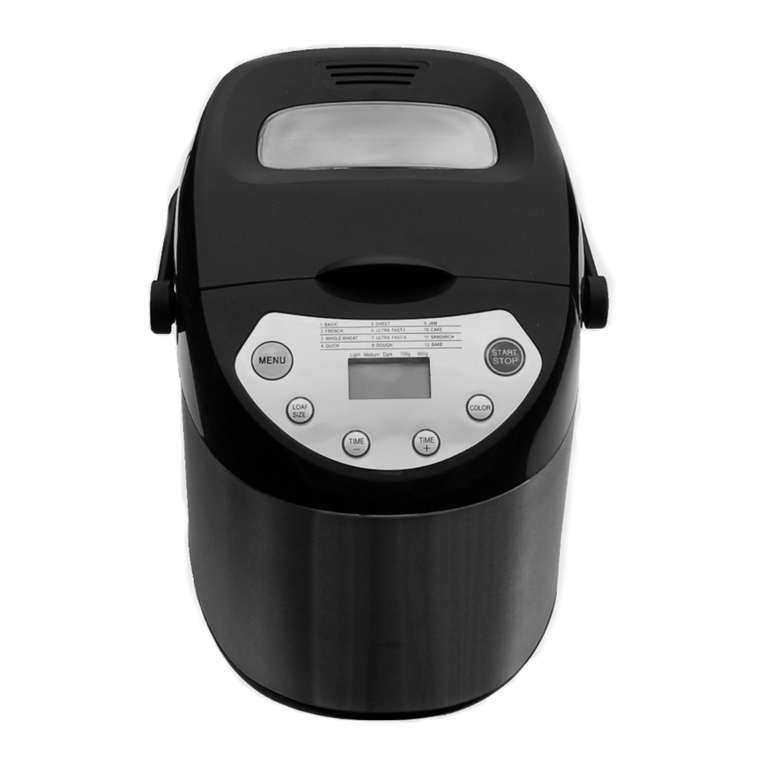
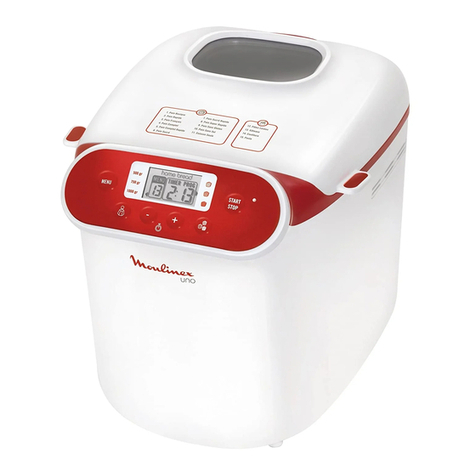
Gemini GBM750W User manual

1
MODEL NO.: GBM750W
550W
Bread Maker
A GILMAN GROUP BRAND

2
IMPORTANT SAFEGUARDS
Before using the electrical appliance, the following basic precautions should always be
followed:
1. READ ALL INSTRUCTIONS.
2. Before using check that the voltage of wall outlet corresponds to that shown on the
rating plate.
3. Do not operate any appliance with a damaged cord or plug or after the appliance
malfunctions, or it is dropped or damaged in any manner. Return the appliance to
manufacturer or the nearest authorized service agent for examination, repair or
electrical or mechanical adjustment.
4. Do not touch hot surfaces.
5. To protect against electric shock, do not immerse cord, plugs, or housing in water or
other liquid.
6. Unplug from outlet when not in use, before putting on or taking off parts, and before
cleaning.
7. Do not let cord hang over edge of table or hot surface.
8. The use of accessory attachments not recommended by the appliance manufac-
turer may cause injuries.
9. Do not place on or near a hot gas or electric burner, or in a heated oven.
10. Do not touch any moving or spinning parts of the machine when baking.
11. Never switch on the appliance without properly placed bread pan lled with
ingredients.
12. Never beat the bread pan on the top or edge to remove the pan as this may dam-
age the bread pan.
13. Metal foils or other materials must not be inserted into the bread maker as this can
give rise to the risk of a re or short circuit.
14. This appliance can be used by children aged from 8 years and above and persons
with reduced physical, sensory or mental capabilities or lack of experience and
knowledge if they have been given supervision or instruction concerning use of
the appliance in a safe way and understand the hazards involved. Children shall
not play with the appliance. Cleaning and user maintenance shall not be made by
children unless they are older than 8 and supervised.
15. Keep the appliance and its cord out of reach of children less than 8 years.
16. Never cover the bread maker with a towel or any other material, heat and steam
must be able to escape freely. A re can be caused if it is covered by, or comes into
contact with combustible material.
17. Do not operate the appliance for other than its intended use.
18. Always use the appliance on a secure, dry level surface.
19. Do not use outdoors.
20. This appliance has been incorporated with a grounded plug. Please ensure the wall
outlet in your house is well earthed.

3
21. This appliance is intended to be used in household and similar applications such
as:
– Staff kitchen areas in shops, ofces and other working environments;
– Farm houses;
– By clients in hotels, motels and other residential type environments;
22. The appliance is not intended to be operated by means of an external timer or
separate remote-control system.
23. Do not operate the unit without bread pan placed in the chamber to avoid damaging
the appliance.

4
St ar t
St op
!
PARTS
INTRODUCTION OF CONTROL PANEL
1.Basi c
2.French
3.Whole wheat
4.Quic k
5.Sweet
6.Gluten fre e
Light Medium Dar k
1.5lb 2l b
7.Ultra fast
8.Doug h
9.Jam
10.Cake
11.Sandwich
12.Bake
LOAF
START
COLOR
STOP
MENU
This indicated the program
you have chosen
Lid
Handle
Viewing window
Bread pan
Control panel
Housing
Measuring spoon
Measuring cup
Kneading blade
Hook
This operation time
for each program
3:00
1
AFTER POWER-UP
As soon as the bread maker is plugged into the power supply, a beep will be heard and
“3:00” appears in the display after a short time. But the two dots between the “3” and
“00” don’t ash constantly. The arrow points to 2lb and MEDIUM. It is the default
setting.

5
START/STOP
The button is used for starting and stopping the selected baking program.
To start a program, press the START/STOP button once. A short beep will be heard
and the two dots in the LCD begin to ash, the working light illuminates and the pro-
gram starts. Any other button is inactivated except the START/STOP button after a
program has begun. This feature will help to prevent any unintentional disruption to the
operation of program.
To stop the program, press the START/STOP button for approx. 2 seconds, then a
beep will be heard, the working light will be extinguished, it means that the program
has been switched off.
PAUSE function
After procedure starts up, you can press START/STOP button once to interrupt at any
time, the operation will be paused but the setting will be memorized, the working time
will be ashed on the LCD. Touch START/STOP button again or within 10 min without
touching any button, the program will continue.
MENU
It is used to set different programs. Each time it is pressed (accompanied by a short
beep) the program will vary. Press the button continuously, the 12 menus will be cycled
to show on the LCD display. Select your desired program. The functions of 12 menus
will be explained as below.
1. Basic: kneading, rise and baking normal bread. You may also add ingredients to
increase avor.
2. French: kneading, rise and baking within a longer rise time. The bread baked in
this menu usually will have a crisper crust and light texture.
3. Whole wheat: kneading, rise and baking of whole wheat bread. It is not advised to
use the delay function as this can produce poor results.
4. Quick: kneading, rise and baking loaf within the time less than Basic bread. But the
bread baked on this setting is usually smaller with a dense texture.
5. Sweet: kneading, rise and baking sweet bread. You may also add ingredients to
add avor.
6. Gluten free: kneading, rise and baking gluten free bread. You may also add ingre-
dients to add avor.
7. Ultra fast: kneading, rise and baking in a shortest time. Usually the bread made is
smaller and rougher than that made with Quick program.
8. Dough: kneading and rise, but without baking. Remove the dough and use for
making bread rolls, pizza, steamed bread, etc.
9. Jam: boiling jams and marmalades. Fruit or vegetables must be chopped before
putting them into the bread pan.
10. Cake: kneading, rise and baking, rise with soda or baking powder.
11. Sandwich: kneading, rise and baking sandwich. For baking light texture bread with
a thinner crust.
12. Bake: only baking, no kneading and rise. Also used to increase the baking time on
selected settings.

6
COLOR
With the button you can select a LIGHT, MEDIUM or DARK color for the crust. Press
this button to select your desired color. This button is not applicable for the programs
Dough and Jam.
LOAF SIZE
Press this button to select the Loaf size of the bread. Please note the total operation
time may vary with the different loaf size. This button is not applicable for the program
Quick, Dough, Jam, Cake and Bake.
DELAY function
If you want the appliance do not start working immediately you can use this button to
set the delay time.
You must decide how long it will be before your bread is ready by pressing the or .
Please note the delay time should include the baking time of program. That is, at the
completion of delay time, there is hot bread can be serviced. At rst the program and
degree of browning must be selected, then pressing “ ” or “ ” to increase or decrease
the delay time at the increment of 10 minutes. The maximum delay is 13 hours.
Example: Now it is 8:30p.m, if you would like your bread to be ready in the next morn-
ing at 7 o’clock, i.e. in 10 hours and 30 minutes. Select your menu, color, loaf size then
press the “ ” or “ ” to add the time until 10:30 appears on the LCD. Then press the
STOP/START button to activate this delay program. You can see the dot ashed and
LCD will count down to show the remaining time. You will get fresh bread at 7:00 in the
morning, if you don’t want to take out the bread immediately, the keeping warm time of
1hour starts.
Note: 1.This button is not applicable for the programs Ultra fast, Jam and Bake.
2. For time delayed baking, do not use any easily perishable ingredients such as
eggs, fresh milk, fruits, onions, etc.
KEEP WARM
Bread can be automatically kept warm for 60 minutes after baking. If you would like to
take the bread out, switch the program off with the START/STOP button.
MEMORY
If the power supply has been broken off during the course of bread making, the
process of bread making will be continued automatically within 10 minutes, even
without pressing Start/stop button. If the break time exceeds 10 minutes the memory
cannot be kept and the bread maker must be restarted, But if the dough is no further
than the kneading phase when the power supply breaks off, you can press the
“START/STOP” straight to continue the program from the beginning .
ENVIRONMENT
The machine may work well in a wide range of temperatures, but there could be a
difference in loaf size between a very warm room and a very cold room. We suggest
the room temperature should be between 15°C and 34°C.

7
1. If the display shows “HHH” after the program has been started, the temperature
inside is still too high (accompanied by 5 beep sounds). Then the program has to
be stopped. Open the lid and let the machine cool down for 10 to 20 minutes.
2. If the display shows“LLL”after pressing the START/STOP button ( except the
programs BAKE), it means the temperature inside is too low (accompanied by 5
beep sounds), stop sound by pressing the START/STOP button, open the lid and
let the machine rest for 10 to 20 minutes to return to room temperature.
3. If the display shows “EE0” after you have pressed START/STOP, the temperature
sensor is disconnected please check the sensor carefully by Authorized expert.
1. Please check if all parts and accessories are complete and free of damage .
2. Clean all the parts according to the latter section “Cleaning and Maintenance”
3. set the bread maker in baking mode and bake empty for about 10 minutes. After
cooling it down clean once more.
4. Dry all parts thoroughly and assembly them, so the appliance is ready for using.
1. Place the pan in position and turn it clockwise until it clicks in correct position. Insert
the kneading blade onto the drive shaft. It is recommended to ll holes with heat-
resisting margarine prior to placing the kneaders, this avoids the dough to stick
below the kneaders and the kneaders could be removed from bread easily.
2. Place ingredients into the bread pan. Please keep to the order mentioned in the
recipe. Usually the water or liquid substance should be put rstly, then add sugar,
salt and our, always add yeast or baking powder as the last ingredient.
Note: the maximum quantities of the our and yeast which may be used refer to the recipe.
FOR THE FIRST USE
WARNING DISPLAY
HOW TO MAKE BREAD
Yeast or soda
Drying redients
Water or liquid
Note: The maximum quantity of our and yeast separately is 490g and 6g.
3. With nger make a small indentation on one side of the our. Add yeast to indenta-
tion, Make sure it does not come into contact with the liquid ingredients or salt.
4. Close the lid gently and plug the power cord into a wall outlet.
5. Press the Menu button until your desired program is selected.
6. Press the COLOR button to select the desired crust color.
7. Press the LOAF button to select the desired size (1.5lb or 2lb ).
8. Set the delay time by pressing or button. This step may be skipped if you want
the bread maker to start working immediately.

8
9. Press the START/STOP button to start working, and the working light comes on.
10. For the program of Basic, French, Whole wheat, Quick, Sweet, Ultra fast, Cake
andSandwich, 10 beep sound will be heard during operation. This is to prompt
you to addingredients. Open the lid and put in some ingredients. It is possible that
steam willescape through the vent slits in the lid during baking. This is normal.
11. Once the process has been completed 10 beeps sound will be heard, and the work-
ing light will extinguish. You can press START/STOP button for approx. 2 seconds
to stop the process and take out the bread. Open the Lid and while using oven
mitts, rmly grasp the bread pan handle. Turn the pan anti-clockwise and gently pull
the pan straight up and out of the machine.
12. Use non-stick spatula to gently loosen the sides of the bread from the pan.
Caution: the Bread pan and bread may be very hot! Always handle with care and
use oven mitts.
13. Turn bread pan upside down onto a clean cooking surface and gently shake until
breadfalls out onto rack.
14. Remove the bread carefully from the pan and cool for about 20 minutes before slicing.
15. If you are out of the room or have not pressed START/STOP button at the end of
operation, the bread will be kept warm automatically for 1 hour, if you would like to
take the bread out, switch the program off with the START/STOP button.
16. When do not use or completely operation, unplug the power cord.
Note: Before slicing the loaf, use the hook to remove out the kneading blade hid-
den on the bottom of loaf. The loaf is hot, never use hand to remove the knead-
ing blade.
1. For Quick breads
Quick breads are made with baking powder and baking soda that activated by moisture
and heat. For perfect quick breads, it is suggested that all liquids be placed in the bot-
tom of the bread pan, dry ingredients on top. During the initial mixing of quick bread,
batters and dry ingredients may collect in the corners of the pan, it may be necessary
to help machine mix to avoid our clumps. If so, use a rubber spatula.
2. About Ultra fast program
The bread maker can bake loaf within 1 hour with ultra fast program. This setting can
bake bread in 58 minutes, the bread is a little more dense in texture. Please noted
ingredient of water should be hot water in the range of 48—50°C, you must use a cook-
ing thermometer to measure the temperature. The water temperature is very critical to
the performance of baking. If the water temperature is too low the bread will not be rise
to expected size; if the water temperature is too high it will kill the yeast prior to rising,
which also will largely affect the baking performance.
SPECIAL INTRODUCTION

9
Disconnect the machine from the power and let it cool down prior to cleaning.
1. Bread pan: Rub inside and outside with a damp cloth. Do not use any sharp or
abrasive agents for the consideration of protecting the non-stick coating. The pan
must be dried completely prior to installing.
2. Kneading blade: If the kneading bar is difcult to remove from the axle, in such an-
event ll the Container with warm water and allow it to soak for approx.30minutes.
The kneader can then be easily removed for cleaning. Also wipe the blade carefully
with a cotton damp cloth, Please note both the bread pan and kneading blade are
dishwashing safe components.
3. Lid and window: clean the lid inside and outside with a slightly damp cloth.
4. Housing: gently wipe the outer surface of housing with a wet cloth. Do not use any
abrasive cleaner to clean as this would degrade the high polish of the surface.
Never immerse the housing into water for cleaning.
5. Before the bread maker is packed away for storage, ensure that it has completely
cooled down, is clean and dry, and put the spoon and the kneading blade in the
drawer, and the lid is closed.
1. Bread our
Bread our has high content of high gluten (so it can be also called high-gluten our
which contains high protein), it has good elastic and can keep the size of the bread
from collapsing after rise. As the gluten content is higher than the common our, so
it can be used for making bread with large size and better inner ber. Bread our is
the most important ingredient of making bread.
2. Plain our
Flour that contains no baking powder, it is applicable for making extouch bread.
3. Whole-wheat our
Whole-wheat our is ground from grain. It contains wheat skin and gluten. Whole-
wheat our is heavier and more nutrient than common our. The bread made by
whole-wheat our is usually small in size. So many recipes usually combine the
whole -wheat our or bread our to achieve the best result.
4. Black wheat our
Black wheat our, also named as“rough our”, it is a kind of high ber our, and it is
similar with whole-wheat our. To obtain the large size after rising, it must be used
in combination with high proportion of bread our.
5. Self-rising our
A type of our that contains baking powder, it is used for making cakes specially.
6. Corn our and oatmeal our
Corn our and oatmeal our are ground from corn and oatmeal separately. They
are the additive ingredients of making rough bread, which are used for enhancing
the avor and texture.
CLEANING AND MAINTENANCE
INTRODUCTION OF BREAD INGREDIENTS

10
7. Sugar
Sugar is very important ingredient to increase sweet taste and color of bread. And it
is also considered as nourishment in the yeast bread. White sugar is largely used.
Brown sugar, powder sugar or cotton sugar may be called by special requirement.
8. Yeast
After yeasting process, the yeast will produce carbon dioxide. The carbon dioxide
will expand bread and make the inner ber soften. However, yeast fast breeding
needs carbohydrate in sugar and our as nourishment.
1 tsp. active dry yeast =3/4 tsp. instant yeast
1.5 tsp. active dry yeast =1 tsp. instant yeast
2 tsp. active dry yeast =1.5 tsp. instant yeast
Yeast must be stored in the refrigerator, as the fungus in it will be killed at high
temperature, before using, check the production date and storage life of your yeast.
Store it back to the refrigerator as soon as possible after each use. Usually the
failure of bread rising is caused by the bad yeast.
The ways described below will check whether your yeast is fresh and active.
(1) Pour 1/2 cup warm water (45-500C) into a measuring cup.
(2)
Put 1 tsp. white sugar into the cup and stir, then sprinkle 2 tsp. yeast over the water.
(3) Place the measuring cup in a warm place for about 10min. Do not stir the water.
(4) The froth should be up to 1 cup. Otherwise the yeast is dead or inactive.
9. Salt
Salt is necessary to improve bread avor and crust color. But salt can also restrain
yeast from rising. Never use too much salt in a recipe. But bread would be larger if
without salt.
10. Egg
Eggs can improve bread texture, make the bread more nourish and large in size,
the egg must be peeled and stirred evenly.
11. Grease, butter and vegetable oil
Grease can make bread soften and delay storage life. Butter should be melted or
chopped to small particles before using.
12. Baking powder
Baking powder is used for rising the Ultra Fast bread and cake. As it does not need
rise time, and it can produce the air, the air will form bubble to soften the texture of
bread utilizing chemical principle.
13. Soda
It is similar with baking powder. It can also used in combination with baking powder.
14. Water and other liquid
Water is essential ingredient for making bread. Generally speaking, water tempera-
ture between 200C and 250C is the best. The water may be replaced with fresh
milk or water mixed with 2% milk powder, which may enhance bread avor and
improve crust color. Some recipes may call for juice for the purpose of enhancing
bread avor, e.g. apple juice, orange juice, lemon juice and so on.
Table of contents
Other Gemini Bread Maker manuals