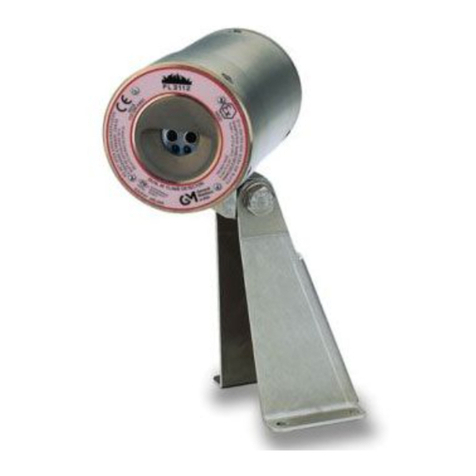
General Monitors FL3100 User manual

Models FL3100/FL3101
UV/IR and UV only
Flame Detectors
The information and technical data disclosed
in this document may be used and
disseminated only for the purposes and to the
extent specifically authorized in writing by
General Monitors.
Instruction Manual 11/01
General Monitors reserves the right to change
published specifications and designs without
prior notice.
!"#$%&'(()&'('
Part No. MANFL3100/3101
Revision G/11-01

Models FL3100/3101
i
Warranty
General Monitors warrants the Models FL3100 and FL3101 to be free from
defects in workmanship or material under normal use and service within two
years from the date of shipment.
General Monitors will repair or replace without charge any such equipment found
to be defective during the warranty period. Full determination of the nature of,
and responsibility for, defective or damaged equipment will be made by General
Monitors personnel.
Defective or damaged equipment must be shipped to General Monitors’ plant or
representative from which the original shipment was made. In all cases this
warranty is limited to the cost of the equipment supplied by General Monitors.
The customer will assume all liability for the misuse of this equipment by its
employees or other personnel.
All warranties are contingent upon proper use in the application for which the
product was intended and does not cover products which have been modified or
repaired without General Monitors’ approval, or which have been subjected to
neglect, accident, improper installation or application, or on which the original
identification marks have been removed or altered.
Except for the express warranty stated above, General Monitors disclaims all
warranties with regard to the products sold, including all implied warranties of
merchantability and fitness and the express warranties stated herein are in lieu of
all obligations or liabilities on the part of General Monitors for damages including,
but not limited to, consequential damages arising out of, or in connection with,
the performance of the product.
Warning
Installation and Maintenance must be carried out by suitably skilled and
competent personnel only.

Models FL3100/3101
ii
System Integrity Verification
General Monitors mission is to benefit society by providing solutions through
industry leading safety products, services and systems that save lives and
protect capital resources from the dangers of hazardous flames, gases and
vapors.
The safety products you have purchased should be handled carefully and
installed, calibrated and maintained in accordance with the respective product
instruction manual. Remember these products are for your safety.
To ensure operation at optimum performance, General Monitors recommends
that certain maintenance items be performed.
Commissioning Safety Systems
Before power up, verify wiring, terminal connections and stability of mounting for
all integral safety equipment including, but not limited to:
•Power supplies
•Control modules
•Field detection devices
•Signaling / output devices
•Accessories connected to field and signaling devices
After the initial application of power (and any factory specified warm-up period) to
the safety system, verify that all signal outputs, to and from devices and modules,
are within the manufacturers’ specifications. Initial testing should be performed
per the manufacturers’ recommendations and instructions.
Proper system operation should be verified by performing a full, functional test of
all component devices of the safety system, ensuring that the proper levels of
alarming occur.
Fault/Malfunction circuit operation should be verified.
Periodic Testing of Field Devices
Periodic testing/calibrating should be performed per the manufacturers’
recommendations and instructions. Testing/Calibrating procedures should
include, but not be limited to:
•Verify integrity of all optical surfaces and devices
•For flame detectors, use the appropriate test lamp
When testing produces results outside of the manufacturers’ specifications,
replacement of the suspect device(s) should be performed as necessary.
Maintenance intervals should be independently established through a
documented procedure, including a Maintenance log maintained by plant
personnel or third party testing services.

Models FL3100/3101
iii
Periodic System Verification
The following system verifications should be performed at least annually:
Verify wiring, terminal connections and stability of mounting for all integral safety
equipment including, but not limited to:
•Power supplies
•Control modules
•Field detection devices
•Signaling / output devices
•Accessories connected to field and signaling devices
Proper system operation should be verified by performing a full, functional test of
all component devices of the detection system, ensuring that the proper levels of
alarming occur.
Fault/Malfunction circuit operation should be verified.
Maintenance intervals should be independently established through a
documented procedure, including a maintenance log maintained by plant
personnel or third party testing services.

Models FL3100/3101
Quick Start Guide
iv
1.0 Quick Start Guide
1.1 Mount and wire the detector (see pages 2 through 17).
Pay special attention to the conduit seal entry (Canadian Electrical Code Handbook Part
1, Section 18-154). Also, lithium based grease is applied to the O-ring seal between the
back-plate and housing, as additional protection to avoid water ingression into the
housing. Mount detector using swivel mount or mounting bracket hardware.
Figure Q-A 961-004 Union Swivel Mounting Hardware
Figure Q-B 71172 Rear View Wall Mounting Assembly
EP SWIVEL MOUNTING HARDWARE
P/N 961-003
3/4-14 NPT
360° SWIVEL ELBOW
DF/IR UNIT SHOWN
(FL3102)
3/4 CONDUIT
12.5[317.5]
CONDUIT SEAL MUST BE
WITHIN 18'' OF UNIT
WALL MOUNTING
REAR VIEW
2.80[71.12]
2.80[71.12] 4.66[118.4
]
4X Ø.26[6.6]
REF HOLE :

Models FL3100/3101
Quick Start Guide
v
Figure Q-C 71172 Rear View Bracket Assembly
Figure Q-D Field Terminations
Terminal Block 2 Terminal Block 1
10
9
8
7
6
5
4
3
2
1
Term #
1
2
3
4
5
6
7
8
9
10
Term #
4X M6 X 14
BRACKET ASSEMBLY
4X M6 WASHER
5.00[127.0]
3.75[95.3]
30° 60°
30°

Models FL3100/3101
Quick Start Guide
vi
1.2 Apply power to the detector.
Two light emitting diodes (LED’s) are visible through the UV window (the larger window on
UV/IR units). Immediately upon powering up the detector, both LED’s will start blinking
alternately for 10 seconds. The unit will then enter the “Ready” mode. During the “Ready"
mode, the green LED will flash off 1 second, every 10 seconds.
1.3 Test the detector using the TL100 (UV only) or
TL103 (UV/IR)
Test the integrity of your system by using either the TL100 UV test lamp (part# TL100-
000-000-020) or the TL103 UV/IR test lamp (part# TL103-000-000-130). The original
configuration (i.e. sensitivity and relay options) can be changed by using the “Switch
Selectable Options” (Figure 3-A), then changing the dip-switch settings located on the
bottom of the power board (SW1).
NOTE - The instrument is now ready to operate! Please consult the manual for
more information on the instrument’s many features.
NOTE - If you have any problems in the set-up or testing of the detector, please
refer to the “Trouble Shooting Section”, or call the factory direct.
Worldwide Service is available by calling:
Lake Forest, California Phone: +1-949-581-4464
(24 hr. service) Fax: +1-949-581-1151
Houston, Texas Phone: +1-281-855-6000
Fax: +1-281-855-3290
Ireland Phone: +353-91-751175
Fax: +353-91-751317
Singapore Phone: +65-748-3488
Fax: +65-748-1911
United Arab Emirates Phone: +971-4-8815751
Fax: +971-4-8817927
United Kingdom Phone: +44-1625-619583
Fax: +44-1625-619098

Models FL3100/3101
vii
Table of Contents
Warning ..........................................................................................i
System Integrity Verification...............................................................................ii
1.0 Quick Start Guide...................................................................................iv
1.1 Mount and wire the detector (see pages 2 through 17)..............iv
1.2 Apply power to the detector. .......................................................vi
1.3 Test the detector using the TL100 (UV only) or.............................
TL103 (UV/IR) ................................................................vi
Table of Contents .......................................................................................vii
Table of Figures ........................................................................................ix
2.0 Product Description................................................................................1
2.1 General Description......................................................................1
3.0 Installation .........................................................................................2
3.1 Tools Required.............................................................................2
3.2 Choosing Product Locations ........................................................2
3.3 Mounting and Wiring ....................................................................5
4.0 Operation .......................................................................................16
4.1 Checklist.....................................................................................16
4.2 Start Up ......................................................................................16
4.3 System Test ...............................................................................16
4.4 User Selectable Options/Factory Defaults.................................17
5.0 Maintenance .......................................................................................19
5.1 General Maintenance.................................................................19
5.2 Cleaning the Lenses/Light Rods ................................................19
5.3 Sensitivity Check........................................................................20
5.4 Storage.......................................................................................22
6.0 Trouble Shooting...................................................................................23
6.1 Trouble Shooting........................................................................23
6.2 Final Assembly...........................................................................25
7.0 Customer Support.................................................................................27
8.0 MODBUS Interface ................................................................................28
8.1 Baud Rate ..................................................................................28
8.2 Data Format ...............................................................................28
8.3 MODBUS Read Status Protocol (Query/Response)..................28
8.3.1 MODBUS Read Query Message ..................................28
8.3.2 MODBUS Read Response Message............................29
8.4 MODBUS Write Command Protocol (Query/Response)............29
8.4.1 MODBUS Write Query Message...................................29
8.4.2 MODBUS Write Response Message............................30
8.4.3 Function Codes Supported ...........................................30
8.5 Exception Responses and Exception Codes.............................30
8.5.1 Exception Responses....................................................31
8.6 Command Register Locations....................................................32
8.6.1 Operational Mode Commands......................................32

Models FL3100/3101
viii
8.7 FL3100, FL3101 Operational Mode Command Register Details.36
8.7.1 Analog ...........................................................................36
8.7.2 Mode..............................................................................36
8.7.3 Status/Error...................................................................36
8.7.4 UV/IR Only ....................................................................36
8.7.5 Model Type....................................................................37
8.7.6 Software Revision .........................................................37
8.7.7 COPM Fault...................................................................37
8.7.8 EEPROM Override........................................................37
8.7.9 Options..........................................................................38
8.7.10 Comm 1 Address...........................................................38
8.7.11 Comm 1 Baud Rate.......................................................39
8.7.12 Comm 1 Data Format....................................................39
8.7.13 UV Signal Count............................................................39
8.7.14 IR Signal Count.............................................................40
8.7.15 UV Fault Total ...............................................................40
8.7.16 IR Fault Total.................................................................40
8.7.17 Remote Reset ...............................................................40
8.7.18 Remote Alarm Test.......................................................40
8.7.19 Clear COPM Faults.......................................................40
8.7.20 Comm 1 & 2 Total Receive Errors ................................40
8.7.21 Comm 1 or 2 Bus Activity Rate %.................................41
8.7.22 Comm 1 & 2 Function Code Errors...............................41
8.7.23 Comm 1 & 2 Starting Address Errors............................41
8.7.24 Comm 1 Only Total Receive Errors ..............................41
8.7.25 Comm 1 & 2 RXD CRC Lo Errors.................................41
8.7.26 Comm 1 & 2 RXD CRC Hi Errors..................................41
8.7.27 Comm 1 Only Overrun Errors .......................................41
8.7.28 Comm 1 Only Noise Flag Errors...................................41
8.7.29 Comm 1 & 2 Framing Errors.........................................41
8.7.30 Comm 1 or 2 Message Interval.....................................42
8.7.31 Comm 2 Only Total Receive Errors ..............................42
8.7.32 Comm 1 Only SCI Errors ..............................................42
8.7.33 Clear Comm 1 & 2 Errors..............................................42
8.7.34 Comm 2 Address...........................................................42
8.7.35 Comm 2 Baud Rate.......................................................42
8.7.36 Comm 2 Data Format....................................................43
9.0 Appendix .......................................................................................44
9.1 Principle of Operation.................................................................44
9.1.1 UV Detector - FL3100 & FL3101.................................44
9.1.2 UV/IR Flame Detector - FL3100..................................45
9.2 Specifications .............................................................................46
9.2.1 System Specifications...................................................46
9.2.2 Mechanical Specifications.............................................47
9.2.3 Electrical Specifications ................................................48
9.2.4 Environmental Specifications........................................49
9.3 Approvals ...................................................................................49
9.4 Accessories................................................................................49
9.4.1 Mounting Swivel/Union..................................................49
9.4.2 Mounting Bracket ..........................................................49
9.4.3 Optical Air Guard...........................................................49
9.5 Storage.......................................................................................49

Models FL3100/3101
ix
Table of Figures
Figure Q-A 961-004 Union Swivel Mounting Hardware.................................iv
Figure Q-B 71172 Rear View Wall Mounting Assembly................................iv
Figure Q-C 71172 Rear View Bracket Assembly............................................v
Figure Q-D Field Terminations........................................................................v
Figure 2-A Model FL3100 .............................................................................1
Figure 2-B Model FL3101 ..............................................................................1
Figure 3A-1 FL3100 (UV/IR) Field of View.......................................................3
Figure 3A-2 FL3101 (UV) Field of View...........................................................4
Figure 3A-3 FL3101 (UV) Field of View...........................................................5
Figure 3-B 961-004 Swivel Elbow Drawing
(Class I, Div 1 & 2, Groups C & D)............................................6
Figure 3-C 71072 Mounting Bracket Drawing
(Class I, Div 1 & 2, Groups B, C & D or Zone 1 and 2).............6
Figure 3-D 71072 Mounting Bracket Drawing
(Class I, Div 1 & 2, Groups B, C & D or Zone 1 and 2).............7
Figure 3-E FL3100 & FL3101 Outline Drawing..............................................7
Figure 3-F FL3100 & FL3101 Outline Drawing..............................................8
Figure 3-G FL3100 & Fl3101 Field Terminations...........................................8
Figure 3-H Terminal Designations..................................................................9
Figure 3-I Detector Housing and Base .........................................................9
Figure 3-J Terminal Block Operation...........................................................10
Figure 3-K Protection Circuits for Relay Contacts .......................................10
Figure 4-A Dip Switch Options.....................................................................17
Figure 4-B1 Dip Switch Location....................................................................18
Figure 4-B2 Dip Switch Location....................................................................18
Figure 5-A UV and IR Windows...................................................................20
Figure 6-A 71100 FL3100 (UV/IR), Final Assembly.....................................25
Figure 6-B 71125 FL3101 (UV), Final Assembly.........................................26
Figure 9-A Spectral Response of UV and IR Detectors...............................44

Models FL3100/3101
1
2.0 Product Description
2.1 General Description
Fire is a phenomenon of combustion. Combustion is the continuous chemical
reaction of a reducing agent (fuel) and an oxidizing agent (oxygen, etc.) with the
evolution of thermal energy (heat). Fire is usually manifested in heat (IR),
smoke, light (visible), and flame (UV). Flame is the gaseous region of a fire
where vigorous combustion chain reactions take place. These reactions emit
radiation covering the Infrared, Ultraviolet and the Visible Spectral Regions.
The General Monitors Model FL3100 is an Ultraviolet/Infrared (UV/IR) Flame
Detector (Figure 2-A). It detects the Ultraviolet and Infrared spectral regions of
flame to produce a system which is highly immune to false alarms caused by
lightning, arc-welding, hot objects, and other sources of radiation.
The Model FL3101, is an Ultraviolet (UV) flame detector (Figure 2-B). It only
responds to UV and has been optimized for speed of response.
Both units may be used with the General Monitors TA40X Modules, FL802
controller, or with other equipment which accepts the 4 to 20mA output. They
may also be interfaced directly with alarm/suppression devices or with switched
input modules using integral relays.
NOTE - Model FL802 is not CE Marked and, therefore, cannot be supplied to the
EU.
The Models FL3100 and FL3101 features include:
!Compact unitized design
!Continuous optical path monitoring (COPM)
!4-20mA, alarm relays and MODBUS RTU RS-485 standard (Dual
MODBUS optional)
!Wide field of view
!High false alarm immunity
!Visual indicators
Figure 2-A Model FL3100 Figure 2-B Model FL3101

Models FL3100/3101
2
3.0 Installation
WARNING - Installation and Maintenance must be carried out by suitably skilled
and competent personnel only.
3.1 Tools Required
1. “T” allen head wrench to remove detector head from detector base (included
with flame detector).
2. Flat head screwdriver maximum 3/16” (5 mm) width for terminal block
connections.
3. Adjustable wrench for conduit, or cable gland connections.
3.2 Choosing Product Locations
Several variables are involved in selecting the locations to install detectors to
ensure proper flame detection. There are no hard and fast rules defining the
optimum location. Following are some general suggestions that should be
considered in regard to particular conditions at the site where the unit(s) are
being installed:
Detector Field of View
The Models FL3100 and FL3101 Flame Detectors have a maximum cone of
vision of 120°and 140°maximum respectively. This cone has its vertex at the
center of the detector (see Figures 2A-1, 2A-2, and 2A-3).
Optical Sensitivity Range
The distance at which the detector will respond to a flame is a function of the
intensity of that flame. The maximum distance is 50 feet (15.2m) for a gasoline
fire with a surface area of 1 square foot (0.093m2).
Environmental Factors
1. Mounting should be as free from shock and vibration as possible and
convenient for visual inspection and cleaning.
2. Detectors mounted in dirty atmospheric conditions will require frequent
inspection, cleaning, and sensitivity checking.
3. Observe the ambient temperature range for the specific model (see Section
9-2 Environmental Specifications). For outdoor installations or other areas
exposed to intense, direct solar radiation, the detector may reach
temperatures well above specifications. For these installations, a shade or
cover may be required to keep the detector temperature within specifications.
4. Make sure the field-of-view of the detector is not obstructed by the cover or
nearby objects.
5. Avoid conditions which would allow ice build-up on the optical detector
windows. Complete icing over of the detector window(s) can result in fault
conditions.
6. Mount away from sources of electrical noise where possible.
7. A constant UV source detected by the unit will cause the detector to go into
FAULT after 9 – 10 minutes of exposure. Source must be removed or
detector reposi-tioned. (UV detectors can pick-up arc welding up to 2–3
miles away).

Models FL3100/3101
3
15°
HORIZONTAL
SENSITIVITY
HORIZONTAL
(±5°)
0°
50%
75%
100%
±60°
±30°
±45°
±15°
60°
45°
10'
15'
40'
35'
30'
25'
20'
30° 15° 50'
45'
0°
25'50'50'
50'
50'
30'
<20'25'
50'
50'
50'
<5'
15'
<5'
<5'
75%
TABLE CHART
100% 50%
60°
45°
30°
-45°
-30°
-15°
-60°
0°
50'
+15°
40'
45'
35'
+30°
+45°
25'
30'
20'
10'
15'
+60°
VERTICAL
TABLE CHART
100%
75%
50%
(±5°)
SENSITIVITY
±60° 20'
VERTICAL
±45°
±30°
±15°
0°
50'
50'
50'
50'
100%
<20' <20'
30'
50'
50'
50'
<20'
25'
25'
25'
75% 50%
75%
100%
75%
50%
100%
50%
8. Users should be aware that any UV detector may be triggered by other
sources of EMI, for instance X-rays, sunlight, reflected sunlight, Gamma
rays, lightning, arc welding, industrial lighting, fluorescent lighting, etc., and
due regard should be paid to the possible presence of such radiation.
Figure 3A-1 FL3100 (UV/IR) Field of View

Models FL3100/3101
4
Figure 3A-2 FL3101 (UV) Field of View
10'
15'
20'
30'
35'
40'
45'
50'
60°
45°
15°
0°
15°
30°
75°
70°
75°
70°
60°
45°
30°
25'
SENSITIVITY
(±5°)
± 30°
± 60°
± 70°
± 45°
HORIZONTAL
± 15°
75%
50%
100%
50'
TABLE CHART
50'
25'
50'
50'
20'
50'
± 75°
100%
0°
<20'<20'
HORIZONTAL
50'
50'
<20'
50'
50'
<20'
50'
50'
50%
50'
50'
50'
50'
75%
100%
50 & 75%

Models FL3100/3101
5
Figure 3A-3 FL3101 (UV) Field of View
3.3 Mounting and Wiring
WARNING - The conduit entries should be sealed per the Canadian Electrical
Code Handbook (Part 1, Section 18-154) or NEC 500-3d. Additional benefit of
conduit seals is the prevention of water entering the housing through the conduit
entry.
WARNING - Unused cable entry holes must be sealed with an approved
stopping plug. Red caps supplied by GM are for dust protection only and must
not be left on unit when installed.
The Model FL3100/FL3101 Flame Detector should be mounted pointing
downward so that dust/moisture will not accumulate on the optical window(s).
The detector(s) should be mounted in locations, which will inhibit people or
objects from obscuring the detector’s cone of vision.
Detectors should be mounted such that the conduit or cable gland entries are
pointed downward. See above warning for conduit entries. For cable glands and
stopping plugs, the threads should be sealed with Castrol EP and boots fitted
over the cable gland to prevent water ingress at the cable-to-gland junction.
Mounting hardware should be used as shown in Figures 3-B, 3-C and 3-D. The
overall dimensions of the detector and mounting hardware are shown in Figures
3-E and 3-F.
0°
VERTICAL
50'
75%
50'
50'
50'
50'
<20'
<20'
-45°
-60° -70°
-30°
-15°
50'
-7
5
°
100%
75%
50%
- 70°
- 75°
- 45°
- 60°
25'
<20'
50'
VERTICAL
- 15°
- 30°
0°
50'
50'
50'
100%
50'50'50'50'
<20'
<20'
50'
+ 70°
+ 75°
+ 60°
+ 45°
<20'20'
<20' <20'
50' 30'
<20'
<20'
20'
50'
50'
50'
50%
+ 30°
+ 15°
VERTICAL
0°
TABLE CHART
50'
50'
50'
50'
50'
100%
50'
75%
50'
50'
50%
50'
20'
50'
+15°
35'
40'
45'
25'
30'
+30°
+45°
15'
10'
+60°
+70° +75°
(±5°)
SENSITIVITY
50%
100%
75%

Models FL3100/3101
6
NOTE - General Monitors does not recommend the use of cable shoes or crimps
on any junction box or housing wiring terminals. Poor crimping can cause a bad
connection when the unit experiences temperature variations. Good practice is
to just terminate unused cable wires following insulation removal.
Figure 3-B 961-004 Swivel Elbow Drawing (Class I, Div 1 & 2, Groups C & D)
Figure 3-C 71072 Mounting Bracket Drawing (Class I, Div 1 & 2, Groups B, C & D or Zone 1
and 2)
EP SWIVEL MOUNTING HARDWARE
P/N 961-003
3/4-14 NPT
360° SWIVEL ELBOW
DF/IR UNIT SHOWN
(FL3102)
3/4 CONDUIT
12.5[317.5]
CONDUIT SEAL MUST BE
WITHIN 18'' OF UNIT
WALL MOUNTING
REAR VIEW
2.80[71.12]
2.80[71.12] 4.66[118.4
]
4X Ø.26[6.6]
REF HOLE :

Models FL3100/3101
7
4X M6 X 14
BRACKET ASSEMBLY
4X M6 WASHER
5.00[127.0]
3.75[95.3]
30° 60°
30°
Figure 3-D 71072 Mounting Bracket Drawing (Class I, Div 1 & 2, Groups B, C & D or Zone 1
and 2)
Figure 3-E FL3100 & FL3101 Outline Drawing
6.2[157.5]
2X 3/4 NPT ENTRY
1.50[38.1]
.75[19.1]

Models FL3100/3101
8
5.5
[139.7]
5.0[127.0]
6.2[157.5]
2.94[74.7]
4X M6 X 1
1.67[42.4]
.75[19.1]
1.63[41.4]
Figure 3-F FL3100 & FL3101 Outline Drawing
Figure 3-G FL3100 & Fl3101 Field Terminations
TB1
10
9
8
7
6
5
4
3
2
1
COM
+24VDC
COM
+24VDC
DATA2-
0-20mA
DATA2+
ALMTEST
RESET
DATA-
DATA+
9
10
8
6
7
5
4
2
3
1
TB2
FLT 2
FLT 1
FLT C
WARN C
WARN 1
WARN 2
ALM 1
ALM 2
ALM C
CHAS GND
FIELD TERMINATIONS

Models FL3100/3101
9
Figure 3-H Terminal Designations
Figure 3-I Detector Housing and Base
Power Supply
1
2
3
4
5
6
7
8
9
10
2
6
8
9
10
7
4
5
3
1
-+
CONTROL
DEVICE
PLC, DCS, ETC
RS232 COM.
COM.
NORMALLY OPEN SWITCH
CHASSIS GROUND
(ONLY IF REQUIRED)
*ALARM RELAY
*WARN RELAY
*FAULT RELAY
* PLEASE SEE FIGURE 2-J
FOR RELAY PROTECTION
CIRCUITS
UNIT #2
(IF POWERED IN SERRIES)
COM.
COM.
+24V DC
+24V DC
0-20 mA
ALARM TEST
RESET
DATA -
DATA +

Models FL3100/3101
10
Figure 3-J Terminal Block Operation
Terminal Connections
All wire connections are made through the base entries to the terminal block (see
Figure 3-J). The terminal block accepts 14 AWG to 22 AWG (2.1 to 0.3mm2)
stranded or solid core wire. Each wire should be stripped to .25” (.64cm). To
connect the wire to the terminal block, insert the conductor into the connection
space as shown in Figure 3-J and tighten the corresponding screw terminal.
There are twenty terminal connections. The following pages contain descriptions
and specifications for each connection.
WARNING - Relay contacts must be protected against transient and over-voltage
conditions (see Figure 3-K below).
Figure 3-K Protection Circuits for Relay Contacts
This manual suits for next models
1
Table of contents
Other General Monitors Security Sensor manuals

General Monitors
General Monitors TS4000 User manual

General Monitors
General Monitors FL3102 User manual

General Monitors
General Monitors IR5500 User manual

General Monitors
General Monitors IR400 User manual

General Monitors
General Monitors FL4000H User manual

General Monitors
General Monitors FL3112 User manual

General Monitors
General Monitors IR5500 Operating instructions

General Monitors
General Monitors TL104 User manual

General Monitors
General Monitors FL4000 User manual

General Monitors
General Monitors FL3110 User manual