HD2304 - 7 - V1.8
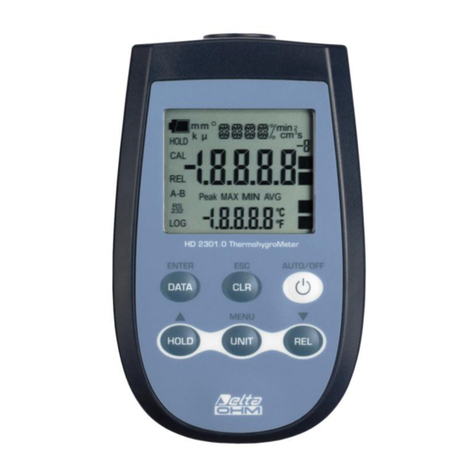
The inst rum ent has an AutoPowerOff funct ion that autom at ically t urns t he inst rum ent
off aft er about 8 m inutes if no key is pressed dur ing t he int ervening t im e.
Press sim ult aneously t he ON / OFF key and t he H OLD key t o d isable t h is funct ion.
I n t his case, r em em ber t o t urn t he inst rum ent off using t he ON / OFF key: disabling of
t he aut om at ic turning off is shown by t he blink ing bat tery sym bol.
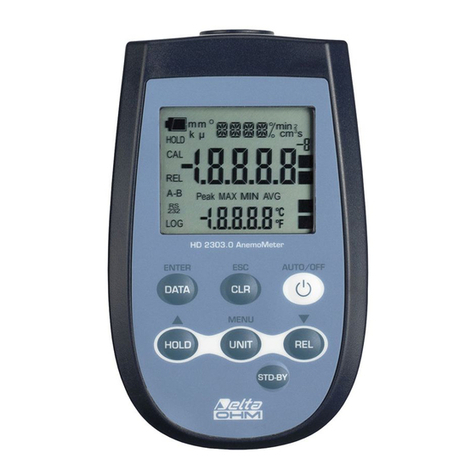
The CLR key has t wo funct ions:
•CLEAR ( CLR) : allow s t o r eset the m axim um ( MAX) , m inim um ( MI N) and
av erage ( AVG) value of t he capt ured m easurem ents;
•ESC: once t he MENU has been opened wit h the D ATA+ UN I T keys, t he CLR
key will allow t o cancel t he par am et ers set using t he and arrows.
The DATA key is used for the following functions:
•DATA: during norm al m easurem ent, By pressing t his key once t he m axim um
( MAX) v alue of t he m easurem ent s capt ured by t he probe connect ed t o t he
inst rum ent is displayed, updat ing it w it h t he acquisit ion of new sam ples. By
pressing t his key again, t he m inim u m ( MI N) value is displayed and by pressing
this key a third t im e t he average ( AVG) value is displayed.
The acquisit ion frequency is once a second.
The MAX, MI N and AVG values rem ain in the m em ory unt il t he inst rum ent is on,
even after exit ing the DATA calculat ion funct ion. When the inst r um ent is off, t he
previously m em orized data are cleared. Upon t urning on, t he inst rum ent
autom atically st arts m em or izing t he MAX, MI N and AVG values.
To reset the previous values and st art wit h a new m easurem ent session, press
until t he FUN C_ CLRD m essage appears.
•EN TER: once t he MENU has been opened with the D ATA+ UN I T keys, t he
DATA k ey w ill perform t he ENTER funct ion and t he MENU can be br ow sed and
t he displayed param et er confirm ed. Dur ing elect rode calibr at ion, it allows t o
decrease the nom inal buffer value.
The H OLD key is used for t he following funct ions:
•HOLD : by pressing this key t he current m easurem ent is frozen and t he "HOLD"
m essage will appear in t he upper left-hand corner of t he display. To ret urn t o
t he current m easurem ent, press t he key again.
•: once t he MENU has been opened wit h t he D ATA+ M EN U key, t he key w ill
allow to increase t he value of t he select ed param et er.
D isa blin g of t he a ut om a t ic t ur ning off