2
0835ML Luglio 2021 - July 2021
KLIMAdoMotIc
RipetitoRe wiReless di segnale ZigBee
ZigBee wireless signal repeater
Ke410
Installazione - Installation
Avvertenza. Warning.
• Installare in ambienti chiusi protetti dalle intemperie.
• Non consentire l’utilizzo ai bambini.
• Evitare il contatto con l’acqua.
• In caso di emergenza, per esempio rottura accidentale dell’involucro,
disalimentare il dispositivo.
• Install indoor in rooms protected from atmospheric events.
• Not for use by children.
• Prevent contact with water.
• In case of emergency, for example accidental cracking of casing,
disconnect the device from power supply.
• Prima di collegare il ripetitore alla presa di corrente assicurarsi che non ci
siano apparecchi ad esso collegati.
Make sure no other devices are connected to the repeater before connecting it to
the power supply outlet.
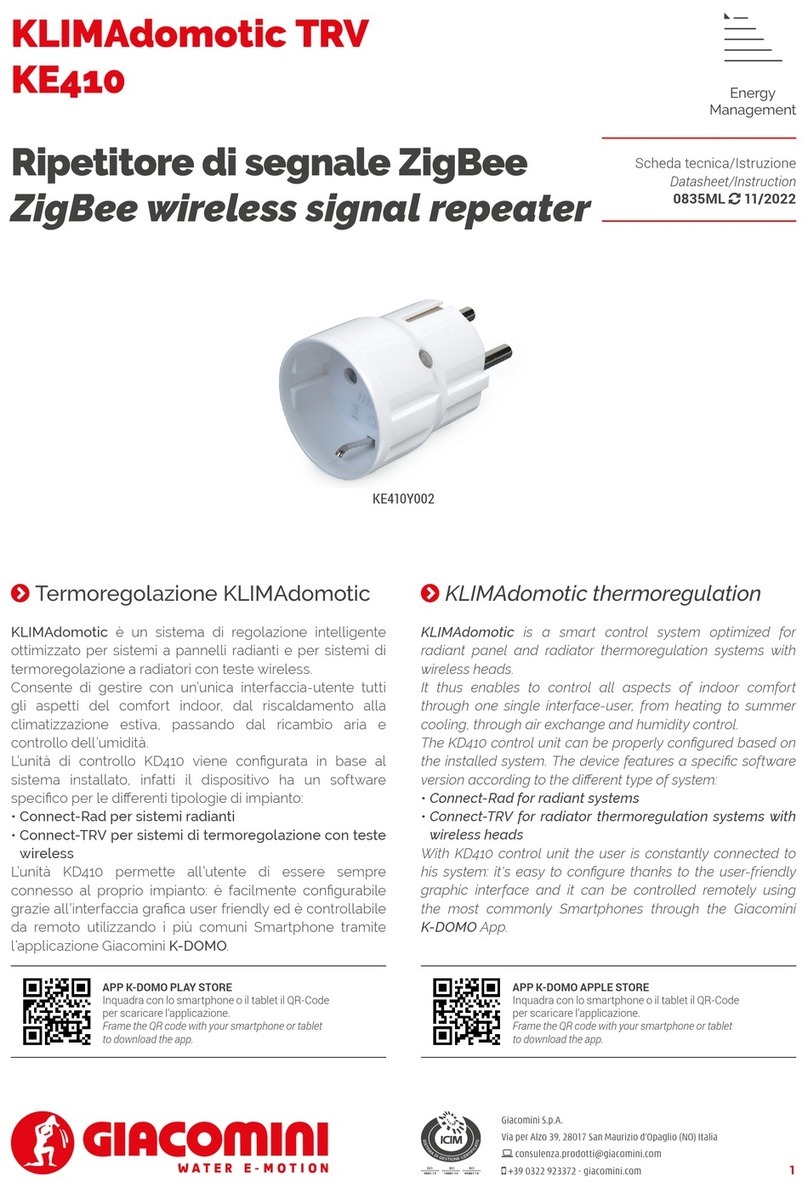
• Per aggiungere KE410, con le impostazioni di fabbrica, ad una rete ZigBee
già esistente, è suciente alimentarla inserendola nella presa di corrente.
Essa avvierà in automatico, per un massimo di 15 minuti, la ricerca di una rete
ZigBee a cui collegarsi.
Durante la fase di ricerca, il LED lampeggerà ogni secondo di colore ROSSO.
Quando il dispositivo si sarà associato ad una rete, la ricerca sarà conclusa ed
il LED smetterà di lampeggiare, spegnendosi (o tornando di colore VERDE se
inizialmente lo era). In caso di timeout (15 minuti) la ricerca rete può essere
riavviata premendo il LED.
To add the KE410, with factory settings, to an existing ZigBee network, simply
power it up by plugging it into the power socket.
It will automatically start searching for a ZigBee network to connect to for a
maximum of 15 minutes.
During the search phase, the LED will flash RED every second.
When the device is associated with a network, the search will be completed and
the LED will stop flashing, turning off (or returning to GREEN if initially it was).
In case of timeout (15 minutes) the network search can be restarted by pressing
the LED.
• Successivamente recarsi al display KD410 ed aggiungere il dispositivo “ZB
Extender”. Il led verde sso indica che la sincronizzazione è avvenuta.
Then go to the KD410 display and add the “ZB Extender” device. The fix green LED
indicates that the synchronization has been completed.
Indicaizoni LED - LED indications
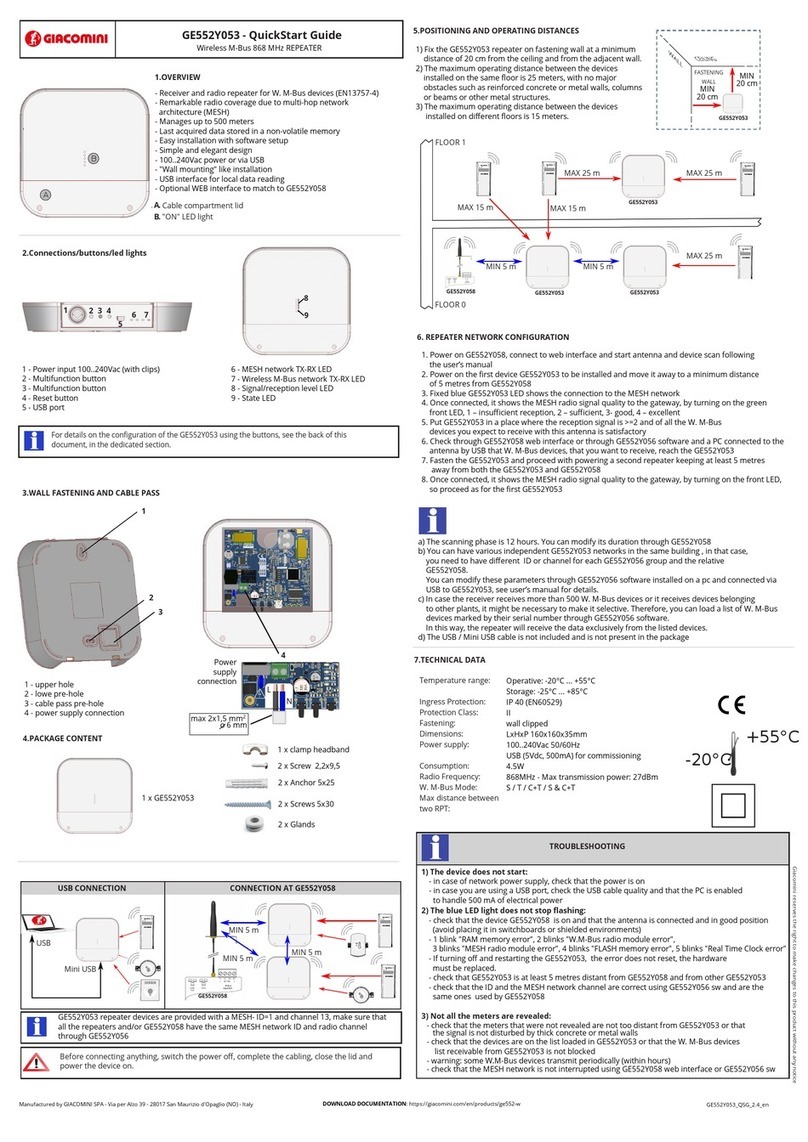
Il pulsante/LED locale, oltre ad eseguire il factory reset, permette di
commutare il relè di uscita, invertendone lo stato ad ogni pressione.
Il pulsante/LED funge anche da segnalazione di stato:
The button/LED, in addition to performing the factory reset, allows you to switch
the output relay, inverting its status each time it is pressed.
The button/LED also acts as a status signal:
LED Descrizione
Description
Spento
OFF
Relè aperto, uscita disattivata
Relay open, output deactivated
Verde
Green
Relè attivo, uscita attiva
Relay active, output active
Singolo lampeggio rosso
Single red blinking
Joining, ricerca rete ZigBee in corso
Joining, ZigBee network searching
Tutte le segnalazioni di colore rosso risulteranno di colore
ARANCIONE se il LED inizialmente era VERDE.
All the red signals will be ORANGE if the LED was initially GREEN.
Reset impostazioni di fabbrica - Reset to factory conguration
In caso di funzionamento anomalo o prima collegare il dispositivo ad una
nuova rete ZigBee, è necessario eettuare un reset del dispositivo:
• Collegare il dispositivo alla presa di corrente.
• Premere e mantenere premuto il pulsante/LED (15 secondi circa) no a
quando il LED esegue un lampeggio continuo di colore ROSSO, dopodiché
rilasciarlo.
Importante: non rilasciare il pulsante/LED al primo o al doppio lampeggio
rosso. In caso contrario, ripetere l’operazione. Il pulsante/LED va rilasciato
durante il lampeggio continuo di colore ROSSO. Se il rilascio viene
eseguito quando il LED si è spendo ripetere la procedura.
• Al rilascio vericare che il pulsante/LED si accenda per un breve periodo di:
GIALLO > VERDE > GIALLO > VERDE > SPENTO.
Non disalimentare il dispositivo in questa fase.
• Dopo il factroy reset, il KE410 inizierà la ricerca di una rete ZigBee a cui
collegarsi. La fase di ricerca è segnalata dal lampeggio rosso (o arancione,
nel caso in cui lo stato iniziale del LED fosse verde) del pulsante/LED.
In case of abnormal operation or first connect the device to a new ZigBee
network, it is necessary to reset the device:
• Connect the device to the power outlet.
• Press and hold the button/LED (about 15 seconds) until the LED flashes RED
continuously, then release it.
Important: do not release the button/LED at the rst or double red ash.
If did, repeat the operation. The button/LED must be released during
continuous RED ashing. If the release is performed when the LED is o,
repeat the procedure.
• Upon release, check that the button/LED lights up for a short period of:
YELLOW > GREEN > YELLOW > GREEN > OFF.
Do not disconnect the device at this stage.
• After the factroy reset, the KE410 will start searching for a ZigBee network to
connect to. The search phase is signaled by the red (or orange, if the initial state
of the LED was green) flashing of the button / LED.