15 16
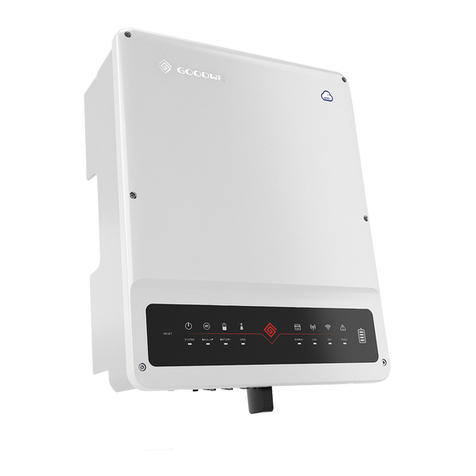
PV Master is an external monitoring/ configuration
application for GoodWe hybrid inverters, used on smart
phones or pad for both Android and iOS system, main
functions as below:
1. Edit system configuration to make the system work as
customer needs
2. Monitor and check performance of the hybrid system
3. Wi-Fi configuration
Please download PV Master OPERATION INSTRUC-
TIONS from www.goodwe.com
3.3 PV Master APP OPERATION
Note: All the errors about battery happen only on Lithium battery with BMS communication
• ERROR MASSAGE
4.1 ERROR MASSAGE AND TROUBLESHOOTINGS
The error massages below will be displayed onthe LCD or PV Master App or report by Email if the
error really happen
OTHERS04
ERROR MASSAGE EXPLANATION REASON SOLUTIONS
PV Over Voltage DC total voltage of
PV string is too high
The total voltage
(short-circuit voltage) of
each PV string is
higher than the max DC
input voltage of the hybrid
converter.
Check PV string VOC is lower than Max PV Input
Voltage of the hybrid converter
If VOC of PV string is high, please decrease panels to
make sure VOC is with the max DC input voltage of
the hybrid converter.
Over Temperature
Temperature inside
of the hybrid
converter is too high
hybrid converter working
environment leads to a high
temperature condition
1. Try to decrease surrounding temperature
2. Make sure the installation complies with the
instruction on inverter user manual
3. Try to close inverter for 15 mins, then start up again.
DC Bus High BUS voltage is
over-high
/
Try to restart hybrid converter, check if it still happens,
if not, means it is just an occasional situation or contact
GoodWe
◈ PV Input Connection: Confirm the connection between BP converter and PV panels : polarity ( +/-)
not reversed, refer to pic 15
◈ Battery Connection: Confirm the connection between BP converter and battery : polarities ( +/-)
not reversed, refer to pic 16
◈ Smart Meter& CT Connection: Make sure CT are connected between house loads and grid, and
follow the House→Grid direction sign on CT. (Pic 17)
◈ Battery Settings, BMS Communication and Safety Country:
After connecting Solar-WiFi* (* means the last 8 characters of the inverter serial No.), check on PV
Master APP (in “Param” column) to make sure battery type is right what you have installed. If not,
please change it in “Set” column (Pic 18)
For Lithium batteries, BMS status should be “Communi-
cation OK”
Note: If BMS Status says “NG”, then please make sure
battery communication cable wiring connection and all
settings are all right, refer to battery connection SOP in
S-BP QUICK INSTALLATION INSTRUCTIONS
Checking Before Starting bp Up
Pic 18
• TROUBLESHOOTINGS
OTHERS
OTHERS
Pic 17Pic 15 Pic 16
Hybrid Converter
From PV Panels To Solar Inverter
PV﹢
PV﹣
Solar Inverter
House→Grid
(K) (L)