manuals.online logo
Brands
  1. Home
  2. •
  3. Brands
  4. •
  5. Gtech
  6. •
  7. Vacuum Cleaner
  8. •
  9. Gtech CY 01 User manual

Gtech CY 01 User manual

Other Gtech Vacuum Cleaner manuals

Gtech Pro2 User manual

Gtech

Gtech Pro2 User manual

Gtech Multi Mk.2 User manual

Gtech

Gtech Multi Mk.2 User manual

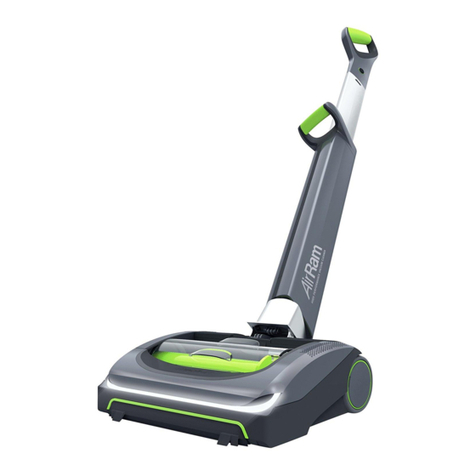
Gtech AirRam AR34 User manual

Gtech

Gtech AirRam AR34 User manual

Gtech SW04 Operator's manual

Gtech

Gtech SW04 Operator's manual

Gtech AirRam AR29 User manual

Gtech

Gtech AirRam AR29 User manual

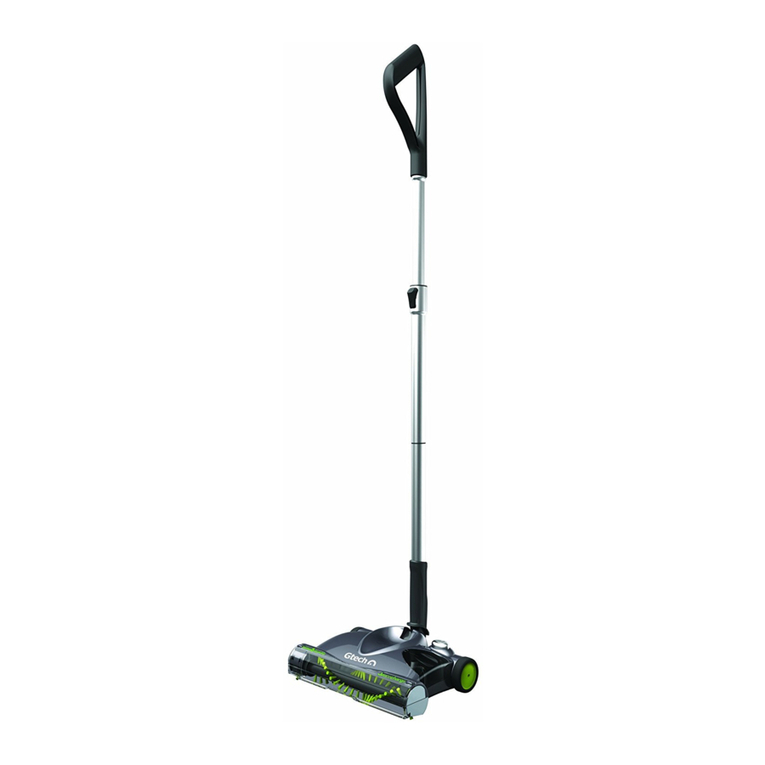
Gtech Lithium Power Sweeper User manual

Gtech

Gtech Lithium Power Sweeper User manual

Gtech MULTI ATF001 User manual

Gtech

Gtech MULTI ATF001 User manual

Gtech AirRam K9 AR30 User manual

Gtech

Gtech AirRam K9 AR30 User manual

Gtech HV01 Operator's manual

Gtech

Gtech HV01 Operator's manual

Gtech Advanced Power Sweeper User manual

Gtech

Gtech Advanced Power Sweeper User manual

Gtech Multi K9 ATF011 User manual

Gtech

Gtech Multi K9 ATF011 User manual

Gtech AirRam AR20 User manual

Gtech

Gtech AirRam AR20 User manual

Gtech ATF024 User manual

Gtech

Gtech ATF024 User manual

Gtech SW05 Operator's manual

Gtech

Gtech SW05 Operator's manual

Gtech Pro K9 User manual

Gtech

Gtech Pro K9 User manual

Gtech Pro2 ATF308 K9 User manual

Gtech

Gtech Pro2 ATF308 K9 User manual

Gtech AirRAM User manual

Gtech

Gtech AirRAM User manual

Gtech MULTI ATF036 User manual

Gtech

Gtech MULTI ATF036 User manual

Gtech HV04 Operator's manual

Gtech

Gtech HV04 Operator's manual

Gtech AirRAM AR01 User manual

Gtech

Gtech AirRAM AR01 User manual

Gtech Multi ATF004 User manual

Gtech

Gtech Multi ATF004 User manual

Gtech Pro2 User manual

Gtech

Gtech Pro2 User manual

Gtech Power Floor K9 ATF039 User manual

Gtech

Gtech Power Floor K9 ATF039 User manual

Gtech Multi K9 ATF037 User manual

Gtech

Gtech Multi K9 ATF037 User manual

Popular Vacuum Cleaner manuals by other brands

Shark KD400WM owner's guide

Shark

Shark KD400WM owner's guide

Shark CORDLESS SV780_N 14 user manual

Shark CORDLESS

Shark CORDLESS SV780_N 14 user manual

Philips FC9176/08 manual

Philips

Philips FC9176/08 manual

Kenmore KW3030 user manual

Kenmore

Kenmore KW3030 user manual

AMiO YF-101 user manual

AMiO

AMiO YF-101 user manual

Beko VRT 94929 VI user manual

Beko

Beko VRT 94929 VI user manual

Shark CORDLESS SV780 Series quick start guide

Shark CORDLESS

Shark CORDLESS SV780 Series quick start guide

Lumme LU-3203 instruction manual

Lumme

Lumme LU-3203 instruction manual

Melissa 640-040/051 instruction manual

Melissa

Melissa 640-040/051 instruction manual

Makita DVC152L instruction manual

Makita

Makita DVC152L instruction manual

Bosch BSN1 instruction manual

Bosch

Bosch BSN1 instruction manual

King Canada 8560LST Service manual & parts list

King Canada

King Canada 8560LST Service manual & parts list

EUFY RoboVac 11c+ owner's manual

EUFY

EUFY RoboVac 11c+ owner's manual

Panasonic MC-E4101 Service manual

Panasonic

Panasonic MC-E4101 Service manual

Panasonic MC-V9658 operating instructions

Panasonic

Panasonic MC-V9658 operating instructions

Bosch BGB 2 Series instruction manual

Bosch

Bosch BGB 2 Series instruction manual

Hoover dog & cat TURBO manual

Hoover

Hoover dog & cat TURBO manual

FGE Far Tools NET UP 20 manual

FGE

FGE Far Tools NET UP 20 manual

manuals.online logo
manuals.online logoBrands
  • About & Mission
  • Contact us
  • Privacy Policy
  • Terms and Conditions

Copyright 2025 Manuals.Online. All Rights Reserved.

Operating Instructions
Cylinder Vacuum Cleaner
Table of contents
Table of contents..............................................................................
Important safeguards ......................................................................
Unpacking: Part location.................................................................
Assembly..........................................................................................
Cleaning: using the vacuum cleaner...............................................
- How to plug in and use...........................................................
- Using the brush on the head..................................................
- Using the scorpion hard floor head..........................................
- Using the pet hair tool..............................................................
- Using the crevice tool.............................................................
- Using the dusting brush..........................................................
- Changing the dust bag...........................................................
Care and maintenance.....................................................................
- Cleaning the inlet filter............................................................
- Cleaning the exhaust filter......................................................
Troubleshooting guide....................................................................
Spares...............................................................................................
Technical specifications..................................................................
p1.
p2.
p3.
p4.
p5.
p6.
p7.
p8.
p9.
p10.
1
Manual Version: 2005-01
Designed and edited in the UK
Printed in PRC
Important Safeguards
2
êIMPORTANT:
READ ALL INSTRUCTIONS BEFORE USE.
RETAIN INSTRUCTIONS FOR FUTURE REFERENCE.
êWARNING:
When using an electrical appliance, basic safety precautions should
always be observed, including the following, to reduce the risk of fire,
electrical shock, or injury:
aDo not use or store the unit outdoors or on wet surfaces.
aDo not leave the cleaner when plugged in. Turn off the appliance and
unplug the cord when not in use and before servicing.
aDo not use with a damaged cord or plug.
aIf the appliance is not working as it should, has been dropped, damaged,
left outdoors, or dropped in water, return it to a service centre before using.
aDo not pull or carry by cord, use cord as a handle, close door on cord, or
pull cord around sharp edges or corners. Do not run vacuum cleaner over
cord. Keep cord away from heated surfaces.
aDo not pull cord to disconnect from socket; grasp the plug and pull to
disconnect.
aTurn off the appliance before unplugging.
aDo not handle appliance with wet hands.
aNot to be used as a toy; pay close attention when used by or near children.
aUse only as described in this manual.
aDo not use without dust bag or filters in place.
aDo not use with any opening blocked; keep openings free of dust, lint, hair
and anything that may hinder the airflow.
aKeep hair, clothing, fingers, and all parts of body clear of moving parts.
aDo not pick up anything that is flammable, burning or smoking.
aUnplug electrical appliances before vacuuming them.
aUse extra care when cleaning on stairs.
aUse only with the manufacturers recommended attachments.
aThe plug must be fitted with a 13A fuse.
aRepairs should be carried out by a service agent or a suitably qualified
person in accordance with relevant safety regulations. Repairs by
unqualified persons could be dangerous.
FOR HOUSEHOLD USE ONLY

Unpacking: Part location
1
6
5
7
1. Vacuum cleaner, main unit
2. Combi-head
3. Scorpion hard floor head
4. Pet hair tool
5. On/off button
6. Cord rewind button
7. “Bag full” indicator light
8. Carry handle
9. Cover latch
8
10
12
11
13
15
16
14
18
19
10. Attachment for flexible hose
11. Exhaust filter
12. Power cord
13. Flexible hose
14. Hose End Connector
15. Upper handle
16. Crevice tool
17. Dusting brush
18. Tool clip
19. Telescopic tubes
20. Brush pedal
Getting Started
3
2
9
20
3
4
14
17
4
Getting Started
Assembly
Assembling the tubes:
aPush the tubes firmly together (by twisting slightly).
aPush the head and upper handle onto the ends of the tube.
aFit the Crevice tool and the dusting brush onto the tool clip, and snap the tool
clip onto the handle.
Connecting the flexible hose:
aPush the hose end connector of the flexible hose onto the attachment part on
the vacuum cleaner and twist to lock.
aFollow the same procedure to attach the flexible tube to the upper handle.
aTo remove the flexible hose from the vacuum cleaner, twist the hose end
connector and pull to release. Do not pull the hose itself!
5
Using the vacuum cleaner
Operation
On/Off
Cord rewind
How to plug in and use:
aPull out the power cord to the desired length and plug into a socket.
aTo start press the on/off button of the vacuum cleaner. To stop press button again.
aRemove the plug from the socket. Pull the plug only, not the cord.
aPress the cord rewind button to rewind the power cord.
Operation
Combi-head: The combi-head has a pedal which allows you to alter its function
according to the type of floor to be cleaned.
a Hard floor position (tiles, parquet floors...) Press on the pedal to lower the
brush. (Pedal tilted back)
a Carpet or rug position. Press on the pedal to lift the brush up.
Hard floors
Carpets or rugs
6
Operation
Scorpion hard floor head: The scorpion head is ideal for use on hard floors, for
example hard wood floors, tiles, linoleum, polished concrete, etc.
Pet hair tool: The pet hair tool is ideal for cleaning hair from chairs, upholstery and
carpets. The pet hair tool can be fitted onto the handle or the extension tubes for
extra reach.
Fit the scorpion head onto
the end of the tubes.
Dust and large objects are
collected in the ‘v’ shape,
with finer dust being able to
be collected down the
channels of the head.
Dust and large objects are
collected in the ‘v’ shape,
with finer dust being able to
be collected down the
channels of the head.
7
Operation
Crevice tool: The crevice tool can be used for vacuuming in those normally
inaccessible places like a window frame, a crevice in a wall or creases in the car
seats.
Dusting brush: The dusting brush can be used for vacuuming picture frames,
furniture outlines, books and other uneven objects. The dusting brush can fitted to
the extension tubes for extra reach.
The crevice tool
can be fitted
onto the handle
or extension
tubes for extra
reach.
8
Changing the dust bag:
êTURN OFF THE APPLIANCE AND UNPLUG THE POWER CORD
FROM THE SOCKET! Pull the plug only, not the cord.
The dust bag needs changing when the ‘bag full’ indicator light illuminates. Even if
the dust bag does not appear to be full at this stage, it should be changed. It
could be that a great deal of fine dust has blocked up the pores of the dust bag.
aTurn off the appliance and unplug the power cord.
aOpen the bag cover by pushing the cover latch and lifting the cover.
aTo remove the dust bag, slide it out of the bag holder, by pulling the
cardboard of the dust bag upwards. Discard the bag.
aTo refit a new bag, push the cardboard support of a new bag fully into the
bag holder.
iSPARE DUST BAGS (part number:CY-B1) CAN BE PURCHASED FROM
GTECH CUSTOMER SERVICES:
Tel; 0870 794 4001 Email; sales@greytechnology.co.uk
www.greytechnology.co.uk
iUSE ONLY SPARE PARTS AS SUPPLIED BY THE MANUFACTURER

Operation
êThe dust bags are disposable. Once full, dispose of the bag and
replace with a new, clean bag. Do not re-use as blocked bags will
reduce the efficiency of the vacuum cleaner.
êThe cover will not close without a bag being fitted, or if bag is not
fitted correctly.
9
Care and maintenance
Latch
Cleaning the inlet filter: The filter needs to be cleaned regularly to ensure
optimal operation of the appliance.
êTURN OFF THE APPLIANCE AND UNPLUG THE POWER CORD!
aThis filter is situated inside the cleaner between the dust bag and the motor
aTo remove the filter, slide it upwards out of its mounts.
aThis filter is washable. After washing, make sure that the filter is
completely dry before replacing it in the appliance!
Cleaning the exhaust filter: The filter needs to be cleaned regularly to ensure
optimal operation of the appliance.
aTo remove the exhaust filter, remove the filter holder by pushing the latch on
the right of the filter holder sideways (left) towards the filter.
aRemove the exhaust filter from the filter holder.
aThis filter is washable. After washing, make sure that the filter is
completely dry before replacing it in the appliance!
Care
iSPARE FILTERS CAN BE PURCHASED FROM GTECH CUSTOMER
SERVICES:
Tel: 0870 794 4001 Email; sales@greytechnology.co.uk
www.greytechnology.co.uk
iUSE ONLY SPARE PARTS AS SUPPLIED BY THE MANUFACTURER