manuals.online logo
Brands
  1. Home
  2. •
  3. Brands
  4. •
  5. Gyros
  6. •
  7. Toy
  8. •
  9. Gyros S32 Manual

Gyros S32 Manual

Other Gyros Toy manuals

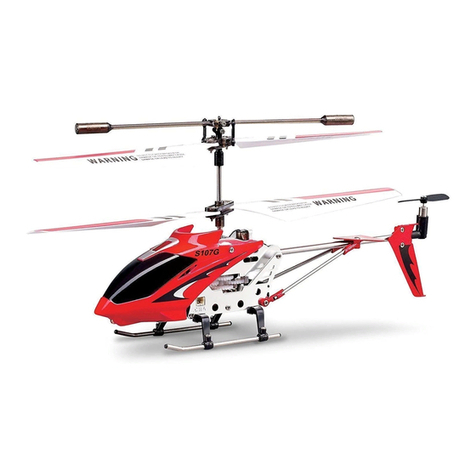
Gyros S 107C Manual

Gyros

Gyros S 107C Manual

Gyros S301G Datasheet

Gyros

Gyros S301G Datasheet

Gyros UJ300 User manual

Gyros

Gyros UJ300 User manual

Gyros SYMA S107H Wind Hawk User manual

Gyros

Gyros SYMA S107H Wind Hawk User manual

Gyros S109G User manual

Gyros

Gyros S109G User manual

Gyros S030G Manual

Gyros

Gyros S030G Manual

Gyros S106G User manual

Gyros

Gyros S106G User manual

Gyros S301G Datasheet

Gyros

Gyros S301G Datasheet

Gyros S027G User manual

Gyros

Gyros S027G User manual

Gyros S107H User manual

Gyros

Gyros S107H User manual

Gyros S 107N User manual

Gyros

Gyros S 107N User manual

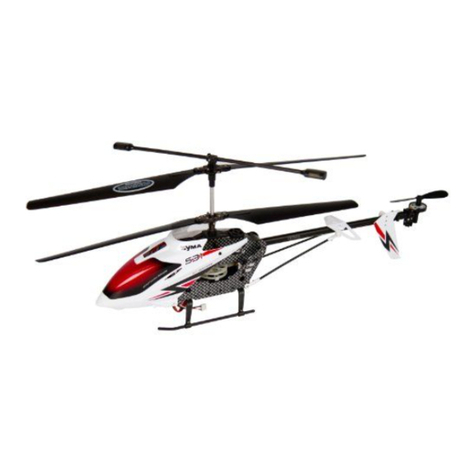
Gyros S31 Datasheet

Gyros

Gyros S31 Datasheet

Gyros 102G User manual

Gyros

Gyros 102G User manual

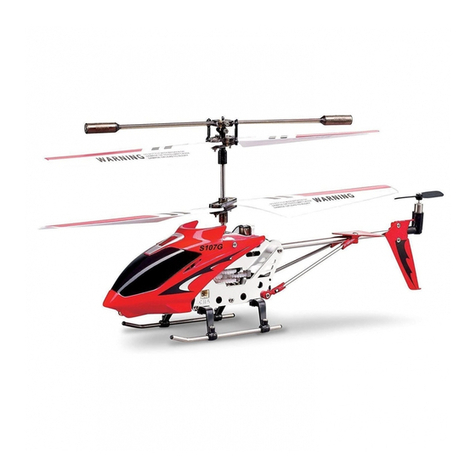
Gyros S107G User manual

Gyros

Gyros S107G User manual

Gyros S032G User manual

Gyros

Gyros S032G User manual

Gyros S800G Datasheet

Gyros

Gyros S800G Datasheet

Gyros S110G User manual

Gyros

Gyros S110G User manual

Gyros S301G Datasheet

Gyros

Gyros S301G Datasheet

Gyros S032G Datasheet

Gyros

Gyros S032G Datasheet

Gyros S33 Datasheet

Gyros

Gyros S33 Datasheet

Gyros S027G Datasheet

Gyros

Gyros S027G Datasheet

Gyros S023G Datasheet

Gyros

Gyros S023G Datasheet

Gyros S107G User manual

Gyros

Gyros S107G User manual

Gyros S108G User manual

Gyros

Gyros S108G User manual

Popular Toy manuals by other brands

FUTABA GY470 instruction manual

FUTABA

FUTABA GY470 instruction manual

LEGO 41116 manual

LEGO

LEGO 41116 manual

Fisher-Price ColorMe Flowerz Bouquet Maker P9692 instruction sheet

Fisher-Price

Fisher-Price ColorMe Flowerz Bouquet Maker P9692 instruction sheet

Little Tikes LITTLE HANDIWORKER 0920 Assembly instructions

Little Tikes

Little Tikes LITTLE HANDIWORKER 0920 Assembly instructions

Eduard EF-2000 Two-seater exterior Assembly instructions

Eduard

Eduard EF-2000 Two-seater exterior Assembly instructions

USA Trains EXTENDED VISION CABOOSE instructions

USA Trains

USA Trains EXTENDED VISION CABOOSE instructions

Modellbau Laffont Z1601 Assembly instructions

Modellbau Laffont

Modellbau Laffont Z1601 Assembly instructions

NOCH 12905 instruction manual

NOCH

NOCH 12905 instruction manual

Eduard Ki-61-Id quick start guide

Eduard

Eduard Ki-61-Id quick start guide

Viessmann Vollmer 45616 Mounting instruction

Viessmann

Viessmann Vollmer 45616 Mounting instruction

Vollmer 42004 Mounting instruction

Vollmer

Vollmer 42004 Mounting instruction

Phoenix Model CLASSIC-EP instruction manual

Phoenix Model

Phoenix Model CLASSIC-EP instruction manual

H-KING Sopwith Camel British WW1 Fighter instruction manual

H-KING

H-KING Sopwith Camel British WW1 Fighter instruction manual

MODSTER Predator 4x4 Crawler user manual

MODSTER

MODSTER Predator 4x4 Crawler user manual

DHK Hobby 8136 User instruction manual

DHK Hobby

DHK Hobby 8136 User instruction manual

THUNDER TIGER Raptor 50 V2 kit manual

THUNDER TIGER

THUNDER TIGER Raptor 50 V2 kit manual

Timberkits Skateboarder instructions

Timberkits

Timberkits Skateboarder instructions

Hangar 9 Funtana 125 Assembly manual

Hangar 9

Hangar 9 Funtana 125 Assembly manual

manuals.online logo
manuals.online logoBrands
  • About & Mission
  • Contact us
  • Privacy Policy
  • Terms and Conditions

Copyright 2025 Manuals.Online. All Rights Reserved.

In this instruction of material, the specification or parts within the accessories bag is for
reference only. The company will not be responsible for any change of printed part and
notify the consumers. Any update or change please refer to the website of SYMA
(www.symatoys.com).
REMOTE CONTROL HELICOPTER
Low-voltage protection: When the helicopter battery is low, the helicopter control system
battery will be protected, and stop the supply of helicopter rotor; low power protection,
the need to charge to secure a new flight of the helicopter.
Overcurrent protection: When the helicopter blades in the rotating state by collision or
jammed, the helicopter circuit overcurrent protection.
1. Please recheck the ground, keep away from the crowds, animals and other barriers.
2. Turn the remote control on, after a while, the LEDs will be flashing. Push the motive handle must
be pushed to the maximum control route of travel first, then adjust it to the lowest; When the
remote control LEDs keep lighting, it means the helicopter is going to fly.
3.Open remote control power switch, then the remote status light was flashing and accompanied by
the rhythmic sound, and then push up the up / down variable speed joystick to the top, then its
back to the most low-end; the status of the remote controlThe indicator is lit and the sound stopped,
the remote control to enter the preparatory off state.
4. Push the motive handle slowly, then the helicopter will fly up.

Charging time: can be 60~90 minutes flying about 6 minutes!
电池
PC USB
First turn off the power switch of the helicopter, "USB cable charging plug to the charging port is
connected to the helicopter, and then" USB cable " The USB end into the USB port of a PC computer
to charge or connect the USB power adapter for charging (USB power adapter sold separately);
charging, USB line indicator lights switch off automatically after charging is completed ; charging
time is 60-90 minutes.

Remote Control Keypad and LCD Manual
1
2
3
456
7
8
910
11 12
13
14
15
16
17 18
5
1
2
3
4
5
6
7
8
9
10 11
1 36
Antenna
Power Indicator
H/L Speed Switch
Left Function Lever
(Throttle Lever)
Power On/Off
Right Function Lever
(Direction Lever)
Turn Lft/Right Fine-tuning
Tail Blade Fine-tuning
LCD Manual
Helicopter shows
(Power-on display)
Signal Shows
(Normal to full case)
Turn Left Shows
(Power-on without display)
Throttle shows
(Power-on start in middle)
H/L Speed Shows
(Changed by "H/L Speed Switch")
Battery Indicator(According to
the power of batteries)
Forward Shows(Power-on start
in the centering)
Turn Right Shows(Power-on without
display)
Tail Blade Fine-tuning(Power-on
start in middle)
Backward Shows(Power-on
without display)
Turn Left/Right Fine-tuning Shows
(Power-on start in centering)
Rotates
Anticlockwise
Rotates
Anticlockwise
Rotates Anticlockwise
Rotates
Clockwise
Rotates Clockwise
In hovering,when the tail
blade rotates clockwise
anticlockwise,please use
this button for fine-tuning
as figure shows.
When the helicopter lose
hovering with automatic
anticlockwise/clockwise
rotation,please use the
right/left inching switch
yo keep balance.
1.Beginner mode (the default setings
low speed)
2.Advanced mode:Press the button
on top left of controller, enter or
exit from the mode. Advanced
mode high speed brings more
pleasure to you
H/L Speed Switch
Transmitter
Problem Cause Check this
No reaction
from the
helicopter
1. Not enough power for the helicoper.
2. Not enough power for the controller.
3. The channel was different from helicopter and the
controller.
4. The gyro of the helicopter can't find out the right
point.
1. the remote control are running low.
2. antenna Weld.
1. replace the remote control batteries.
2. antenna re-welding.
Not reaction
from the
helicopter
when was fly
S32-01A
Head cover A
S32-01B
Head cover B
S32-01C
Head cover C
S32-02A
Tail decoration A
S32-02B
Tail decoration B
S32-02C
Tail decoration C
S32-05B
Connect buckle
S32-11
Tail components
S32-13A
S32-17
Motor A
S32-13B
Motor B
S32-14
3.7V Li-Poly
S32-15
Circuit board
S32-16
USB Charger
S32-12A S32-12B
Tail hold tube
S32-12C
Metal frame set
S32-12D
Main shaft
S32-06
Ascend and descend
S32-07
Gear A B
S32-10A
Battery case
S32-10B
Motor cover
S32-03A
Main blades
S32-03B
Tail blade
S32-04
Main frame
S32-05A
Balance bar
1. helicopter for charging.
2. replace the remote control batteries.
3. Close the remote control and the aircraft power
supply, re-code.
4.The helicopter flat on the ground, re-open the helicopter
power until the helicopter gyro re-tested.