5
© Copyright 2014. Hall Research, Inc.
All rights reserved.
UHBX-3S and UHBX-6S
Miscellaneous
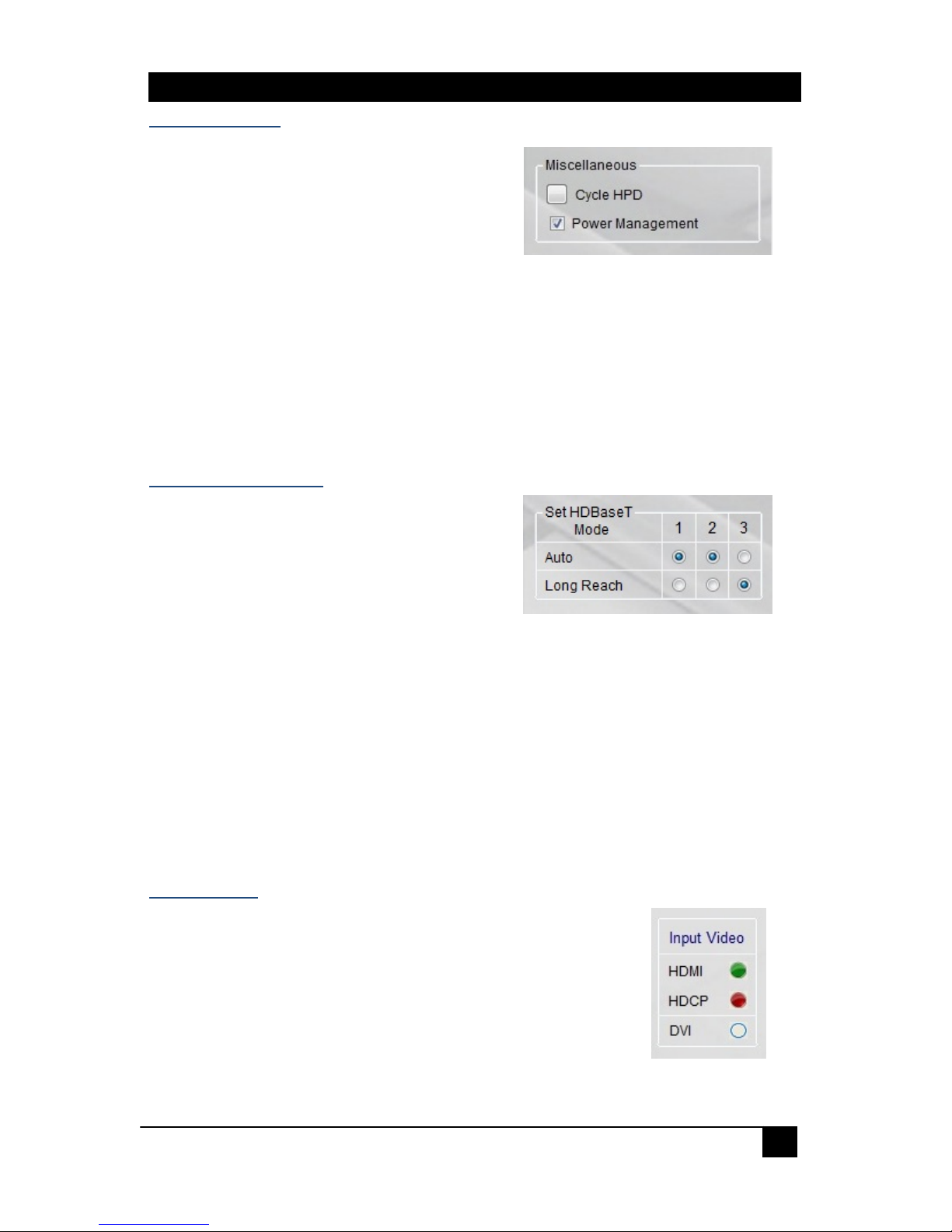
Cycle HPD – Use this button to send a
500ms Hot Plug Detect pulse signal to the
video source. It has the same effect of
unplugging the HDMI input cable and
plugging it back in. This forces the source
to re-initialize its HDMI video output connection (read EDID, and implement HDCP if
required).
Power Management – When selected, the UHBX-3S/6S device will check for the
presence of source +5V and sink HPD. If neither +5V nor HPD is detected, the
HDBaseT extender module at the output will be in low power mode. When not
selected, the HDBaseT extender module at the output will always be either in Auto
or Long Reach mode.
Set HDBaseT Mode
The HDBaseT output can be individually set to
either Auto or Long Reach mode.
Auto - When set to Auto, the HDBaseT
output will follow the current mode on the
receiver. By default, it is the HDBaseT
mode.
Long Reach - When set to Long Reach, the HDBaseT output will have the
strongest signal from the sender to the receiver. However, this mode does not
support deep color or 4K video.
2.4. Status
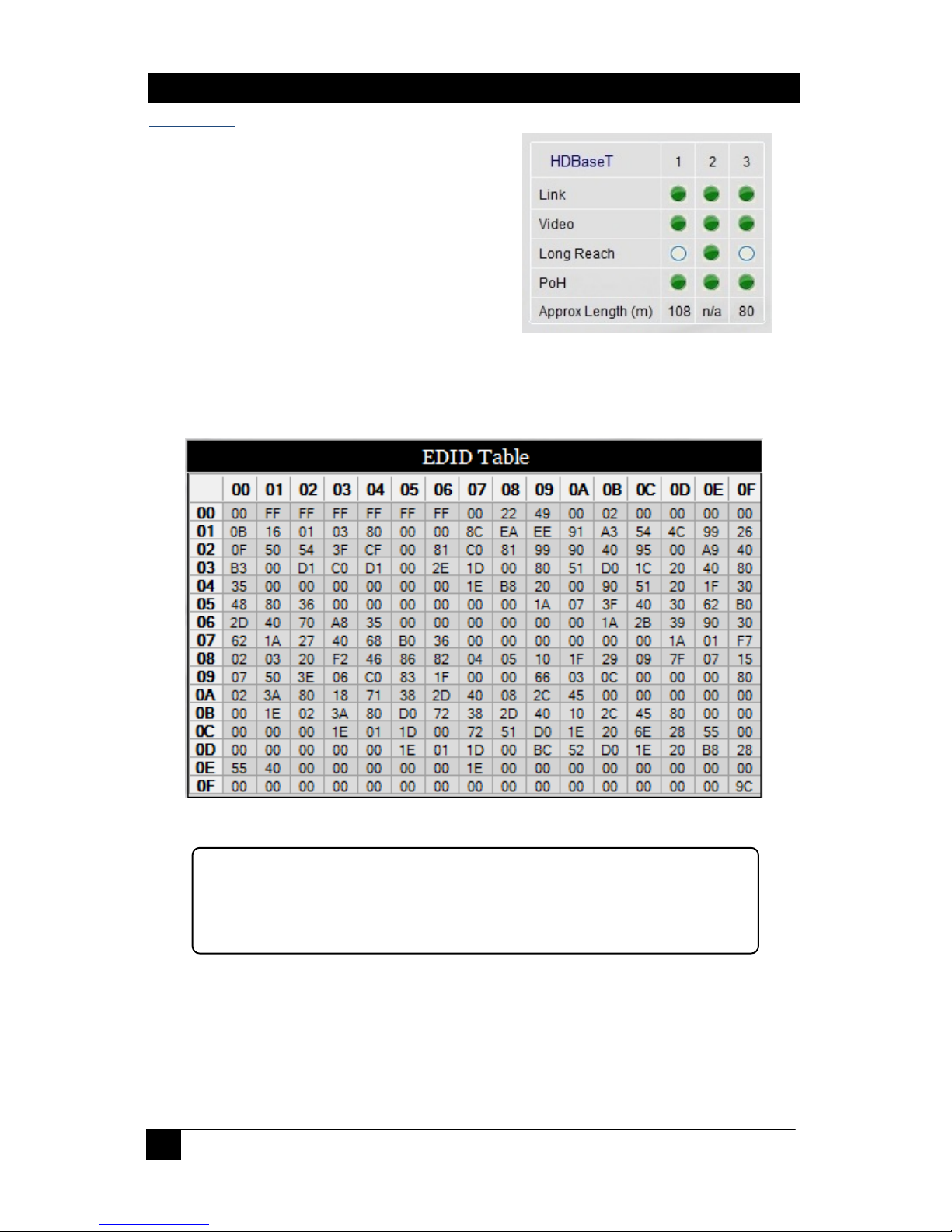
The UHBX-3S/6S Manager provides you an instant status update on input video, the
HDBaseT connection, and the current EDID passed to the video source.
Input Video
LED indicators display the input video status.
When on, the video type indicated has been detected.
When off, no video input is being received.
The HDCP LED whether the input video has HDCP Encryption
enabled or disabled.