© 2018 mPTech. All rights reserved. HAMMER 4+
4
Internet connection................................................................................................................ 12
Launch a WiFi connection ................................................................................................................ 12
Web browser .......................................................................................................................................... 12
Facebook .................................................................................................................................................. 13
E-mail ......................................................................................................................................................... 13
5. Other phone features............................................................................................................13
Time and date settings ........................................................................................................13
Accidental change of language .........................................................................................14
Displays setting.......................................................................................................................14
Call settings..............................................................................................................................14
Configuration of the alarm / alarms ...............................................................................14
Calculator...................................................................................................................................14
Factory settings ......................................................................................................................14
Torch ............................................................................................................................................ 15
Call history ................................................................................................................................ 15
Audio Player..............................................................................................................................15
Radio............................................................................................................................................16
Calendar .....................................................................................................................................16
Bluetooth ...................................................................................................................................16
Pairing bluetooth devices..................................................................................................................17
Sending files via Bluetooth..............................................................................................................17
Camera ........................................................................................................................................17
Taking pictures .......................................................................................................................................17
Recording videos ...................................................................................................................................17
Phone icons..............................................................................................................................................17
Troubleshooting.......................................................................................................................18
6. Proper phone maintenance. ...............................................................................................18
Proper use of the battery....................................................................................................18
Device maintenance...............................................................................................................18
Safety information.................................................................................................................19
Road safety............................................................................................................................................. 19
Surroundings security........................................................................................................................ 19
Technological criteria.............................................................................................................19
Information on certificates (SAR) .................................................................................... 20
Correct disposal of electrical and electronic equipment ........................................ 20
Correct disposal of used batteries.................................................................................. 20
Declaration of conformity with European Union Directives .................................... 21
Package content
Before you start using your phone, make sure all of the following items are included
in the box:
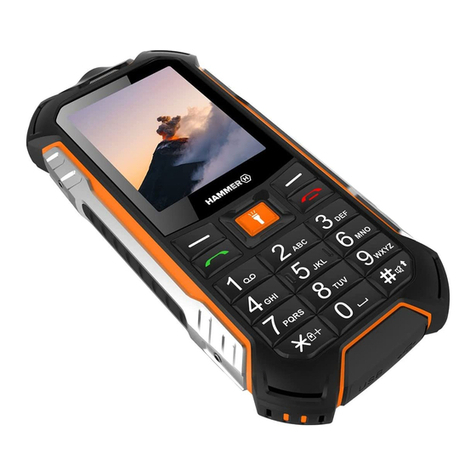
•HAMMER 4+ Phone
•battery,
•charger (adapter + USB cable),
•a tool for opening the battery cover,
•user manual
If any of the above items is missing or damaged, please contact your dealer. There
is a sticker containing the IMEI and serial number on the packaging of Hammer 4+ set.