manuals.online logo
Brands
  1. Home
  2. •
  3. Brands
  4. •
  5. Hitachi
  6. •
  7. Controllers
  8. •
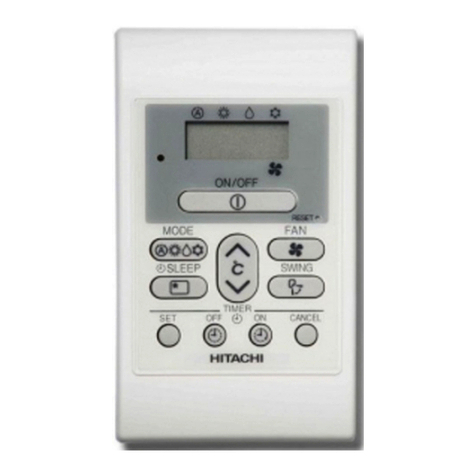
  9. Hitachi PC-ARF1 Instruction Manual

Hitachi PC-ARF1 Instruction Manual

Other manuals for PC-ARF1

1

Other Hitachi Controllers manuals

Hitachi S10 Series User manual

Hitachi

Hitachi S10 Series User manual

Hitachi PC-ARFG-E User manual

Hitachi

Hitachi PC-ARFG-E User manual

Hitachi HD64465 User manual

Hitachi

Hitachi HD64465 User manual

Hitachi SJ-P1 Series User manual

Hitachi

Hitachi SJ-P1 Series User manual

Hitachi ATW-YCC-03 User manual

Hitachi

Hitachi ATW-YCC-03 User manual

Hitachi HIDIC EH-150 User manual

Hitachi

Hitachi HIDIC EH-150 User manual

Hitachi PSC-A32MN User manual

Hitachi

Hitachi PSC-A32MN User manual

Hitachi EH-150 Series Instructions for use

Hitachi

Hitachi EH-150 Series Instructions for use

Hitachi RWM-2R1E User manual

Hitachi

Hitachi RWM-2R1E User manual

Hitachi HF-W100E/IoT User manual

Hitachi

Hitachi HF-W100E/IoT User manual

Hitachi EH-RMP2 Instructions for use

Hitachi

Hitachi EH-RMP2 Instructions for use

Hitachi ECO COMPACT PC-ARC-E User manual

Hitachi

Hitachi ECO COMPACT PC-ARC-E User manual

Hitachi ATW-YCC-03 User manual

Hitachi

Hitachi ATW-YCC-03 User manual

Hitachi EH-150 Series User manual

Hitachi

Hitachi EH-150 Series User manual

Hitachi HARC-MODBUS User manual

Hitachi

Hitachi HARC-MODBUS User manual

Hitachi H20-T Specification sheet

Hitachi

Hitachi H20-T Specification sheet

Hitachi FL.NET User manual

Hitachi

Hitachi FL.NET User manual

Hitachi EH-150 Type I Instructions for use

Hitachi

Hitachi EH-150 Type I Instructions for use

Hitachi SPX-WDC5 User manual

Hitachi

Hitachi SPX-WDC5 User manual

Hitachi Eco Compact PC-ARC-A User manual

Hitachi

Hitachi Eco Compact PC-ARC-A User manual

Hitachi CIS02-H User manual

Hitachi

Hitachi CIS02-H User manual

Hitachi HIDIC EH-150 Instructions for use

Hitachi

Hitachi HIDIC EH-150 Instructions for use

Hitachi PC-ARFG2-M Instruction Manual

Hitachi

Hitachi PC-ARFG2-M Instruction Manual

Hitachi EHV+ Series Instructions for use

Hitachi

Hitachi EHV+ Series Instructions for use

Popular Controllers manuals by other brands

Sunricher SR-ZV9003T3-RGBW-US Installation

Sunricher

Sunricher SR-ZV9003T3-RGBW-US Installation

Ksenia intro Installation and configuration manual

Ksenia

Ksenia intro Installation and configuration manual

Inovance CAN200 Series manual

Inovance

Inovance CAN200 Series manual

Gauzy LC6 FLEX Controller Installation and operation guide

Gauzy

Gauzy LC6 FLEX Controller Installation and operation guide

Viking SLP-1 Technical practice

Viking

Viking SLP-1 Technical practice

CKD KBX-30E-U Series instruction manual

CKD

CKD KBX-30E-U Series instruction manual

Sharp Energy Sun Flux User manual & installation guide

Sharp Energy

Sharp Energy Sun Flux User manual & installation guide

Yamaha RCX40 user manual

Yamaha

Yamaha RCX40 user manual

AB Quality PowerFlex 400 Frames D-H Service bulletin

AB Quality

AB Quality PowerFlex 400 Frames D-H Service bulletin

Yamaha MJC8 owner's manual

Yamaha

Yamaha MJC8 owner's manual

AL-KO ATC operating instructions

AL-KO

AL-KO ATC operating instructions

Savant SmartControl 2 Deployment guide

Savant

Savant SmartControl 2 Deployment guide

GameSir T3S user manual

GameSir

GameSir T3S user manual

Kostal inveor operating manual

Kostal

Kostal inveor operating manual

Emerson Yarway 20-55 Operating and safety instructions

Emerson

Emerson Yarway 20-55 Operating and safety instructions

CoCo ACM-LV24 Quick installation guide

CoCo

CoCo ACM-LV24 Quick installation guide

Brooks SLA5810/20 Installation and operation manual

Brooks

Brooks SLA5810/20 Installation and operation manual

SIGMA TEK SR 011 Technical manual

SIGMA TEK

SIGMA TEK SR 011 Technical manual

manuals.online logo
manuals.online logoBrands
  • About & Mission
  • Contact us
  • Privacy Policy
  • Terms and Conditions

Copyright 2025 Manuals.Online. All Rights Reserved.

P5417086
IMPORTANT:
READ AND UNDERSTAND
THIS MANUAL BEFORE
USING THIS WIRED
CONTROLLER.
KEEP THIS MANUAL FOR
FUTURE REFERENCE.
Installation
&
Maintenance
Manual
Wired Controller
- PC-ARF1 -
OK
Menu
Back/Help
ECO
On/Off
A/C
MODE SPEED
TEMP
COOL
LOUV. Adj.
Meeting Room
LOUV.
FLTR
2 P5417086
Important Notice
●HITACHI pursues a policy of continuing improvement in design and performance in its products.
As such, HITACHI reserves the right to make changes at any time without prior notice.
●HITACHI cannot anticipate every possible circumstance that might involve a potential hazard.
●This controller is designed for standard air conditioning applications only.
Do not use this controller for anything other than the purposes for which it was intended for.
● The installer and system specialist shall safeguard against leakage in accordance with local pipetter and
electrical codes. The following standards may be applicable, if local regulations are not available. International
Organization for Standardization: (ISO 5149 or European Standard, EN 378). No part of this manual may be
reproduced in any way without the expressed written consent of HITACHI.
●If you have questions, please contact your distributor or dealer.
●This manual provides common descriptions, basic and advanced information to maintain and service this controller
which you operate as well for other models.
●This manual should be considered as a permanent part of the controller and should remain with the controller.
Product Inspection upon Arrival
1. Upon receiving this product, inspect it for any damages incurred in transit. Claims for damage, either apparent or
concealed, should be led immediately with the shipping company.
2. Check the model number, electrical characteristics (power supply, voltage, and frequency rating), and any
accessories to determine if they agree with the purchase order.
3. The standard utilization for this controller is explained in these instructions. Use of this equipment for purposes
other than what it designed for is not recommended.
4. Please contact your local agent or contractor as any issues involving installation, performance, or maintenance
arise. Liability does not cover defects originating from unauthorized modications performed by a customer
without the written consent of HITACHI. Performing any mechanical alterations on this product without the con-
sent of the manufacturer will render your warranty null and void.
1. Safety Summary
Signal Words
Indicates a hazardous situation that, if not avoided, could result in death or serious injury.
Indicates a hazardous situation that, if not avoided, could result in minor or moderate injury.
Indicates information considered important, but not hazard-related (for example,
messages relating to property damage).
General Precautions
To reduce the risk of serious injury or death, read these instructions thoroughly and
follow all warnings or cautions included in all manuals that accompanied the product and
are attached to the unit. Refer back to these safety instructions as needed.
● This system, including this controller, should be installed by personnel certied by HITACHI. Personnel must be
qualied according to local, state and national building and safety codes and regulations. Incorrect installation
could cause leaks, electric shock, re or an explosion. In areas where Seismic Performance requirements are
specied, the appropriate measures should be taken during installation to guard against possible damage or
injury that might occur in an earthquake. If the controller is not installed appropriately correctly, injuries may
occur because of a falling controller.
●Use appropriate Personal Protective Equipment (PPE), such as gloves, protective goggles and electrical
protection equipment and tools suited for electrical operation purposes.
P5417086 3
●When transporting, be careful when picking up, moving and mounting these controllers. Although the controller
may be packed using plastic straps, do not use them for transporting from one location to another.
Do not stand on or put any material on the controller.
●When installing the controller cabling to the units, do not touch or adjust any safety devices inside the indoor
or outdoor units. All safety features, disengagement, and interlocks must be in place and functioning correctly
before the equipment is put into operation. If these devices are improperly adjusted or tampered with in any way,
a serious accident can occur. Never bypass, wire around, or jump-out any safety device or switch.
●Use only HITACHI recommended, provided as standardized, or replacement parts.
●HITACHI will not assume any liability for injuries or damage caused by not following steps outlined or described
in this manual. Unauthorized modications to HITACHI products are prohibited as they…
◦May create hazards which could result in death, serious injury or equipment damage;
◦Will void product warranties;
◦ May invalidate product regulatory certications;
Take the following precautions to reduce the risk of property damage.
●Do not touch the main circuit board or electronic components in the controller or remote devices.
Make sure that dust and/or steam does not accumulate on the circuit board.
●When installing the controller in a hospital or other facility where electromagnetic waves are generated from
nearby medical and/or electronic devices, be prepared for noise and electronic interference Electromagnetic
Interference (EMI). Do not install where the waves can directly radiate into the electrical box, controller cable, or
controller. Inverters, appliances, high-frequency medical equipment, and radio communications equipment may
cause the controller to malfunction. The operation of the unit may also adversely affect these same devices.
Install the unit at least 3m away from such devices.
●Locate the controller at a distance of at least 1m between the indoor unit and electric lighting. Otherwise, the
receiver part of the unit may have difculty receiving operation commands.
●If the wired controller is installed in a location where electromagnetic radiation is generated, make sure that the
wired controller is shielded and cables are sleeved inside conduit tubing.
● If there is a source of electrical interference near the power source, install noise suppression equipment (lter).
●During the test run, check the unit’s operation temperature. If the unit is used in an environment where the
temperature exceeds the operation boundary, it may cause severe damage. Check the operation temperature
boundary in the manual of Indoor Unit.
●Read this installation and maintenance manual for properly electrical wiring work.
Installation Precautions
Take the following precautions to reduce the risk of electric shock, re or explosion
resulting in serious injury or death:
● If the remote sensors are not used with this controller, then do not install this controller…
▫In a room where there is no thermostat.
▫Where the controller is exposed to direct sunshine or direct light.
▫Where the controller is in close proximity to a heat source.
▫Where hot/cold air from the outdoors, or a draft from elsewhere (such as air vents, diffusers or grilles) can
affect air circulation.
▫In areas with poor air circulation and ventilation.
●Perform a test run using the controller to ensure normal operation. Safety guards, shields, barriers, covers, and
protective devices must be in place while the compressor/unit is operating. During the test run, keep ngers and
clothing away from any moving parts.
After installation work for the system has been completed, explain the “Safety Precautions,” use, and maintenance of
the unit to the customer according to the information in all manuals that accompanied the system. All manuals and
warranty information must be given to the user or left near the Indoor Unit.

4 P5417086
Electrical Precautions
Take the following precautions to reduce the risk of electric shock, re or explosion
resulting in serious injury or death:
●Only use electrical protection equipment and tools suited for this installation.
●Insulate the wired controller against moisture and temperature extremes.
● Use specied cables between units and the controller.
●Communication cabling shall be a twist pair cable with shield tube (1P-0.75mm2or more).
Shielded cable must be considered for applications and routing in areas of high EMI and other sources of po-
tentially excessive electrical noise to reduce the potential for communication errors. When shielded cabling is
applied, proper bonding and termination of the cable shield is required as per HITACHI guidelines. Plenum and
riser ratings for communication cables must be considered per application and local code requirements.
●The polarity of the input terminals is important, so be sure to match the polarity when using contacts that have
polarity.
●Highly dangerous electrical voltages may be used in this system. Carefully refer to the wiring diagram and these
instructions when wiring. Improper connections and inadequate grounding can cause serious injury or death.
●Before installing the controller or remote devices, ensure that the indoor and outdoor unit operation has been
stopped. Further, be sure to wait at least ve minutes before turning off the main power switch to the indoor or
outdoor units. Otherwise, water leakage or electrical breakdown may result.
●Do not open the service cover or access panel to the indoor or outdoor units without turning OFF the main
power supply. Before connecting or servicing the controller or cables to indoor or outdoor units, open and tag all
disconnect switches. Never assume electrical power is disconnected. Check with a meter and equipment.
●Use an exclusive power supply at the controller’s rated voltage.
●Be sure to install circuit breakers (ground fault interrupter, isolating switch, molded case circuit breaker, and so
forth) with the specied capacity. Ensure that the wiring terminals are tightened securely to recommended torque
specications.
●Clamp electrical wires securely with a cord clamp after all wiring is connected to the terminal block.
In addition, run wires securely through the wiring access channel.
●When installing the power lines, do not apply tension to the cables. Secure the suspended cables at regular
intervals, but not too tightly.
●Make sure that the terminals do not come into contact with the surface of the electrical box.
If the terminals are too close to the surface, it may lead to failures at the terminal connection.
●Do not clean with, or pour water into, the controller as it could cause electric shock and/or damage the unit.

Do not use strong detergent such as a solvent. Clean with a soft cloth.
●Check that the ground wire is securely connected. Do not connect ground wiring to gas piping, water piping,
lighting conductor, or telephone ground wiring.
P5417086 5
[2.3 Installation Procedures]
1. Insert the edge of the slotted screwdriver into the groove at the bottom of the holding bracket, push and turn the
slotted screwdriver to separate and remove the controller from the holding bracket.
Groove Part
Groove for Attaching Controller
Rear Cover
2. Installation Work
[2.1 Selection of Installation Place]
1. Select a suitable staging area in which to assemble the unit. With the customer’s approval, determine the best
placement of the assembled unit. Choose a safe, sequestered area where the inquisitive can't reach it, and keep it

out the way of any direct air discharge.

[2.2 Prior to Installation]
1. This packing contains the following parts.
[A] Wired Controller (Qty.: 1, For Operation Control)
[B] Screw <M4x16L> (Qty.: 2, For securing the mounting bracket to the wall.)
[C] Ring Core (Qty.: 1)
[D] Band (Qty.: 1, For Fixing Cable to Ring Core)
[E] Operation Manual (Qty.: 1)
More than 50m
m
The box is to verify your work. Check-off each task to verify that it has been done.
Figure Seen from Bottom Side
Slotted
Screw Driver
Approx. 6mm
A. In Case of Exposing the Controller Cable
2. Attach the controller to the holding bracket and connect the cable as follows.
Band Stopper
(Field-Supplied)
Cable
Attach the stopper (plastic band)
to the cable at the inside of
the draw-out hole.
Trace-out Hole
Feed the cable with its
sheath peeled through
the groove.
Peel away the insulatio
n
at the end of the cable
and clamp the M3 (field
-
supplied) solderless
terminals .
Secure the holding bracke
t
onto the wall with
screws (accessory).
6 P5417086
3. Cut away the insulation at the end of the cable and
clamp the M3 solderless terminals (eld-supplied).
3. Attach the controller body to the mounted holding bracket.
Be careful not to pinch the cable when attaching it.
1. Prepare the optional eld-supplied Implanted
Junction Box.
B. When Using Junction Box
Optional M-size
Junction Box
M4 Screws
(Field-Supplied)
Optional S-size
Junction Box
Connect the terminals.
Remove
the protection film
.
2. Feed the cable through the conduit tubing in the wall.
4. Peel away the protective lm from the liquid crystal display.
P5417086 7
ATTENTION:
Disconnect all power at the main power source before performing electrical work. Failure to do this can result in re,
damage to internal components and severe or fatal electrical shock.
3. Electrical Wiring
A. Communication cabling shall be a twist pair cable with shield tube (1P-0.75mm2or more). (The maximum total cable
length is 500m)
Shielded cable must be considered for applications and routing in areas of high EMI and other sources of potentially
excessive electrical noise to reduce the potential for communication errors. When shielded cabling is applied, proper
bonding and termination of the cable shield is required as per HITACHI guidelines. Plenum and riser ratings for
communication cables must be considered per application and local code requirements. The use of any other grade
of cable other than that specied above can result in damage from electronic interference (EMI).
B. Maintain a distance more than 30cm between the communication cables, (controller cable and communication
cables) and power source of the indoor units. If this is not done, the unit can malfunction due to electromagnetic
interference (EMI) generated by incoming power cables from the power source.
C. In systems where multiple indoor units are in synchronized control under a single controller, assign the refrigerant
cycle numbers and address for indoor units without duplication.
D. Refer to the “Unit No. Setting” of each Installation and Maintenance manual provided with indoor unit when
performing electrical wiring work between the controller and indoor units for setting the refrigerant cycle number and
the indoor unit address.
E. No gap should exist between the controller cable and the cable access inlet of the controller box casing. If there is a
gap, cover and seal the gap with vinyl tape. Failure to insulate against the penetration of moisture and insects can
result in degraded performance and damage to the unit.
F. If case of operating with two controllers (Primary and Secondary), set the primary and secondary controllers by
selecting the appropriate function for those controllers. Refer to Section 5. After this is set, turn OFF the power
supply to all indoor units connected to these controllers.
G. The control timer cannot be used together with this controller.
Twist Pair Cable (1P-0.75mm2)
Diameter: φ7
Color: Ivory
50mm 100mm
Solderless Terminal
(X Type)
1.25-3X
Max. 16 Indoor Units
Controller
AB
AB
Controller
(Secondary)
M3
Screws
Electrical Box
of Indoor Unit
Electrical Box
of Indoor Unit
Terminal Block Terminal Block
M3.5
Screws
M3.5
Screws
AA
BB
Twist Pair Cable with Shield Tube: 1P- 0.75mm
2
or more
● Remote Control Cable <Option>
Model: PRC- K
The number of indicates the length (m) of the cable
( = 2, 3, 5, 8, 10, 15, 20, 30, 50, 75, 100).
The cable of 30m and over is available by ordering.
(Contact the closest branch of HITACHI
.
)
[3.1 Standard Wiring]
1) Attach the ring core (color: black, accessory) when installing the
indoor unit as follows.
[Procedures]
Insert the control cable into the hole of ring core and wind it at
two turns as shown in the right gure before connecting it to the
terminal block. Fix the control cable with the band (accessory).
[3.2 Electrical Wiring for Multiple Units]
TB2
Ring Core
Band
Control Cab
le
12A B
8 P5417086
Back
Test Run Setting: 2 units
MODE : COOL
SPEED :
ON RtrnSel. Adj.
4. Checking Procedures
● The Test Run screen is displayed.
6. Canceling “Test Run” Mode
* The total number of the indoor units connected is indicated on the LCD (liquid crystal display).
* If a number other than a correct number is displayed, the auto-address function does not work properly
due to improper wiring or electrical interference and so forth.
Turn OFF the power supply, check the following items and perform the correct connection.
(Do not repeat turning ON and OFF within 10 seconds.)
1. The power supply to the indoor unit was not turned ON or there is an incorrect wiring issue.
2. There was an incorrect connection issue regarding interconnecting cables between indoor units or of
the controller cable.
3. There was an incorrect setting of the rotary switch and DIP switches (the settings were overlapped),
on the printed circuit board (PCB) for the indoor unit.
5. Test Run
● Press “ ” (On/Off) again to activate Test Run.
● Press “ ” and set each item.
1. When the unit is not in operation, press “Back/Help”.
2. When the unit is in operation, press “ ” (On/Off).
1. Turn ON the power supply for all the indoor units.
2. For models equipped with an auto-address function, wait approximately 3 minutes.
This function is being automatically performed.
(There is a built-in ve minute requirement according to the setting condition.
When repeatedly trying connecting, turn OFF the indoor unit power supply and turn it ON again.)
After that, select using language from the “Menu”.
Refer to the Section 8.18.2 “Language Setting” of the operation manual for details.
3. Press and hold “Menu” and “Back/Help” simultaneously for at least three seconds.
The Test Run menu is displayed.
4. Select “Test Run” by pressing “ ” and press “OK”. The Test Run screen is displayed.
NOTE:
When “00” is displayed, the auto-address function may be activated.
Cancel “Test Run” mode and set it again.
P5417086 9
7. Select “Yes” and press “OK”.
The Test Run menu is displayed after the setting is
conrmed.
If “No” is selected, the screen returns to “4”.
• Setting from Test Run Menu
OK
Input/Output:01-03
Input 1 00 CN3 1-2
Input 2 00 CN3 2-3
Output1 00 CN7 1-2
Output2 00 CN7 1-3
Output3 00 CN8 1-2
Item Setting Connector
Adj. Entr RtrnSel. Back
OK
Input/Output:01-03
Input 1 00 CN3 1-2
Input 2 00 CN3 2-3
Output1 01 CN7 1-2
Output2 00 CN7 1-3
Output3 00 CN8 1-2
Item Setting Connector
Adj. Entr RtrnSel. Back
1. Press and hold “Menu” and “Back/Help” simultaneously
for at least three seconds during the normal mode (when
unit is not operated). The Test Run menu is displayed.
2. Select “Function Selection” or “Input/Output” from the
Test Run menu and press “OK”.
OK
Test Run Menu
Elevating Grille Setting
Input/Output
Thermistor Selection
Function Selection 01
/
03
Test Run
Entr RtrnSel. Back
OK
Function Selection
01-01
All
01-02
01-03
01-04
Entr RtrnSel. Back
3. Select the indoor unit by pressing “ ” and touch
“OK”.
(This screen is NOT displayed when the number of an
indoor unit connected with the controller is “1”.
In this case, “4” is displayed.)
Function Selection
4. Press “ ” and select the item.
5. Press “ ” and change the setting.
Input/Output Setting
4. Press “ ” and select the item.
5. Press “ ” and change the setting.
OK
Confirm function
selection setting?
Function Selection:01-03
YesNo
Sel. Entr Rtrn
Back
6. Press “OK” so that the conrmation screen is displayed.
8. Press “Back/Help” on the Test Run menu to return to the
normal mode. (Figure for Function Selection)
To set other units, press “Back/Help” at “4” and “5” so that the screen returns to “3”.
(If the number of an indoor unit connected with the controller is “1”, the screen returns to “1”.)
5. Function Selection and Input/Output Setting from the Controller
OK
Function Selection:01-03
b1 00 01
31
b2 00
b3 00
b4 00
b5 00
Item Setting
/
Adj. Entr RtrnSel. Back
Function Selection:01-03
01
31
b1 00
b2 00
b3 01
b4 00
b5 00
Item Setting
/
Adj. Entr RtrnSel. Back
OK Back
10 P5417086
● Table A: Optional Setting Items for Function Selection
No. Items Optional Function Individual
Setting
Setting
Condition Contents Setting
1 b1
Cancellation of Heating
Temperature Compensation
due to Uneven Heat Load ○
00
01
02
03
04
Standard (Set Temp. +4oC) (*1)
Removal (Set Temp.)
Set Temp. +2oC (*2)
Set Temp. +3oC
Set Temp. +1oC
2 b2 Circulator Function during
Heating Thermo-OFF ○00
01
Not Available
Available
3 b3 Not Prepared -- Not Used (Use as 00 conditions)
4 b4 Change of Filter Cleaning Time ○
00
01
02
03
04
Standard (It depends on the model)
100 hrs
1,200 hrs
2,500 hrs
No Indication
5 b5 Fixing of Operation Mode ×00
01
Standard
Fixed
6 b6 Fixing of Setting Temperature ×00
01
Standard
Fixed
7 b7 Fixing of Operation as
Exclusive Cooling Unit ×00
01
Standard
Fixed
8 b8 Automatic COOL/HEAT Operation ×00
01
Not Available
Available
9 b9 Fixing of Fan Speed ×00
01
Standard
Fixed
10 bA Not Prepared - - Not Used
11 bb Cooling Temperature Compensation
due to Uneven Heat Load ○
00
01
02
Standard (No Compensation)
Set Temp. –1oC
Set Temp. –2oC
12 bC Not Prepared - - Not Used (Use as 00 conditions)
13 bd Not Prepared - - Not Used (Use as 00 conditions)
14 bE Not Prepared - - Not Used (Use as 00 conditions)
15 C1 Not Prepared - - Not Used (Use as 00 conditions)
16 C2 Not Prepared - - Not Used
17 C3 Not Prepared - - Not Used
18 C4 Not Prepared - - Not Used
19 C5
Hi Speed
(Except for Hi Speed during Heating
Thermo-OFF) ○
00
01
02
Standard
Hi Speed 1 (*3)
Hi Speed 2
20 C6 Hi Speed during Heating Thermo-
OFF ○00
01
Not Available
Available
21 C7
Canceling of Enforced 3 Minutes
Minimum Operation Time of
Compressor ○00
01
Standard
Cancelation
22 C8 Thermistor of Wired Controller ○
00
01
02
00
01
02
< If Wired Controller Thermistor is Selected ˃
Control by Indoor Suction Thermistor
Control by Thermistor of Wired Controller
Control by Average Value of Indoor Suction
Thermistor and Thermistor of Wired Controller
< If Remote Sensor is Selected ˃
Control by Average Value of Indoor Suction
Thermistor and Remote Sensor
Control by Remote Sensor
Same as "00"
23 C9 Not Prepared - - Not Used
24 CA Not Prepared - - Not Used
25 Cb Selection of Forced Stoppage Logic ○00
01
Forced Stoppage Input: A Contact
Forced Stoppage Input: B Contact
26 CC Not Prepared - - Not Used (Use as 00 conditions)
27 Cd Not Prepared - - Not Used (Use as 00 conditions)
28 CE Not Prepared - - Not Used (Use as 00 conditions)