8 9
HOW TO USE
1. On/Off and Speed Settings
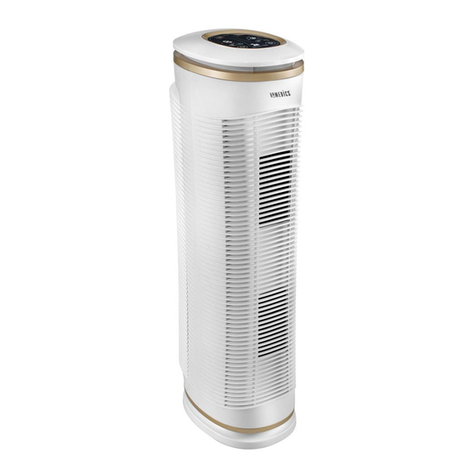
To turn the air purifier on, press the ON/OFF button on the control panel. When the air purifier is on,
the ON/OFF button on the control panel will be lit and the air purifier will start to operate on LOW speed.
Once the air purifier is ON, press the SPEED + button to increase the fan speed to the MED setting.
Press again to increase the fan speed to HIGH setting. To decrease the fan speed, press the SPEED –
button until your desired setting is reached. The fan speed setting is indicated by the illuminated ring
around the paw symbol.
To turn the air purifier OFF, simply press the ON/OFF button on the control panel.
2. Timer
There are four possible timer settings: 2 hours, 4 hours, 8 hours, and 12 hours. To activate the timer
press the TIMER+ button on the control panel. Each time the + button is pressed, it will display the
successive settings. To return to a setting already passed, press the TIMER– button. Once a timer
setting has been selected, it will remain displayed on the TIMER screen. To operate continuously, cycle
down through all timer settings until no timer setting is displayed.
3. Oscillation
To activate the oscillation feature, press the button. To stop oscillation, press the button a second
time. Unit will not automatically realign with foot when oscillation is stopped. To achieve alignment,
stop oscillation at the moment the body becomes aligned with the foot.
4. Replace HEPA Filter
The REPLACE HEPA FILTER indicator illuminates when to replace the True HEPA Filters.
5. Replace Odor Filter
The REPLACE ODOR FILTER indicator illuminates when to replace the PetPlus Odor Filters.
REPLACING TRUE HEPA FILTERS
For optimal performance, replace every 12 months under normal usage conditions. Once the True HEPA filters
have been replaced, press and hold the REPLACE HEPA FILTER button until it beeps to reset the indicator.
To purchase genuine HoMedics replacement True HEPA filters, model # AT-OFL, go back to your retailer
where you purchased your air purifier, or visit (US) www.homedics.com.
REPLACING PETPLUS ODOR FILTERS
For optimal performance, replace every 6 months under normal usage conditions. Once the Odor Filters
have been replaced, press and hold the REPLACE ODOR FILTER button until it beeps to reset the indicator.
To purchase genuine HoMedics replacement PetPlus Odor filters, model #AT-PETODR, go back to your
retailer where you purchased your air purifier, or visit (US) www.homedics.com.
CLEANING THE PRE-FILTER
For best performance vacuum the Pre-Filter once a month
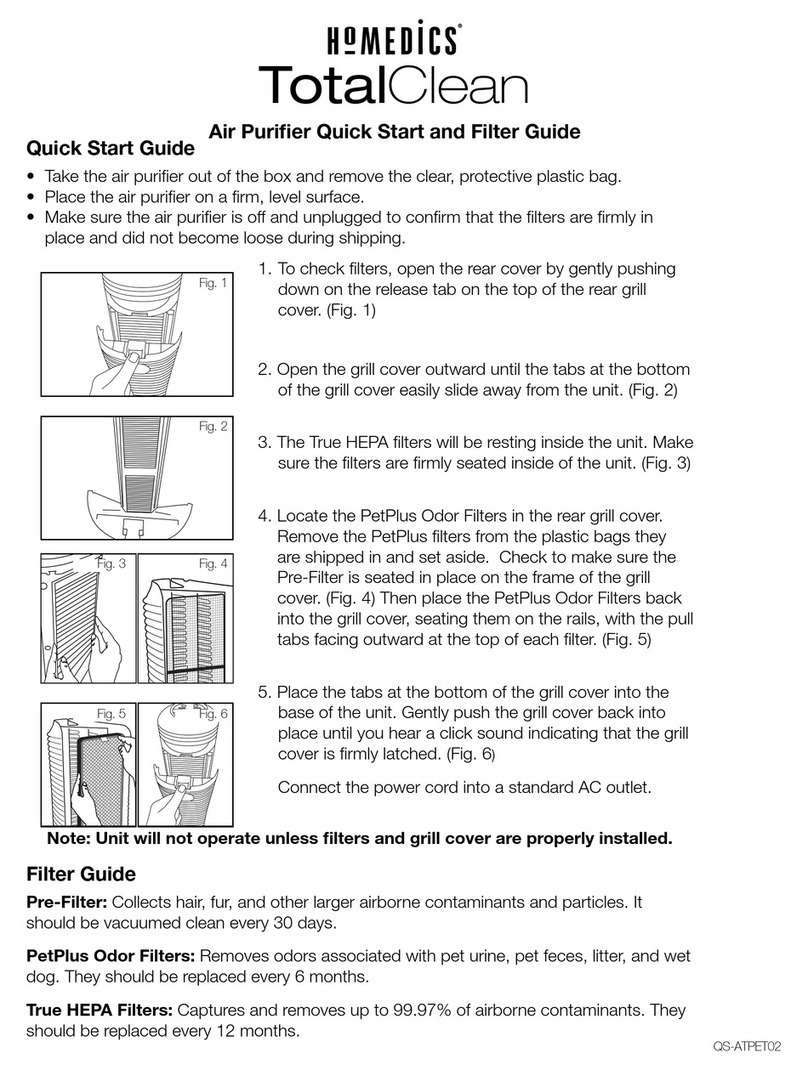
1. Open the rear grille cover by gently pushing down on the
tab on the top of the grille cover
2. Open the cover outward until the tabs at the bottom of
the grille cover easily slide away from the unit.
3. Remove the PetPlus Odor filters and set aside. Remove
the Pre-Filter from the grille cover.
4. Use the brush attachment with your vacuum cleaner.
Run the attachment along both sides of the Pre-Filter,
cleaning it thoroughly.
5. Then place the Pre- Filter back in the grille cover, making
sure it is seated in place on the frame. Place the PetPlus
Odor Filters back into the grille cover, seating them on
the rails with the pull tab facing outward at the top of
each filter.
6. Place the tabs at the bottom of the grille cover into the
base of the unit. Gently push the grille cover back into
place until you hear a click sound indicating that the
grille cover is firmly latched.
CAUTION: DO NOT WASH ANY OF THE FILTERS. DO NOT
IMMERSE IN WATER.