manuals.online logo
Brands
  1. Home
  2. •
  3. Brands
  4. •
  5. Hotpoint
  6. •
  7. Washer Dryer
  8. •
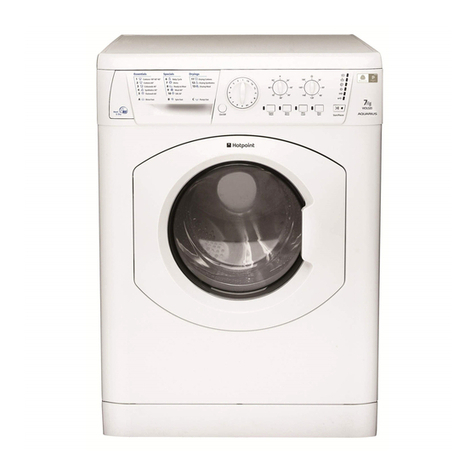
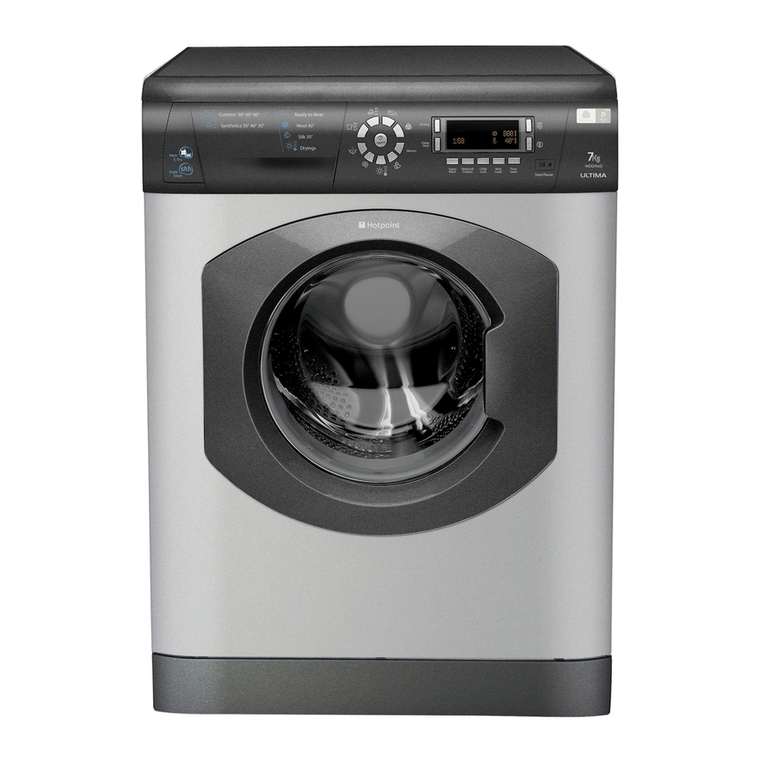
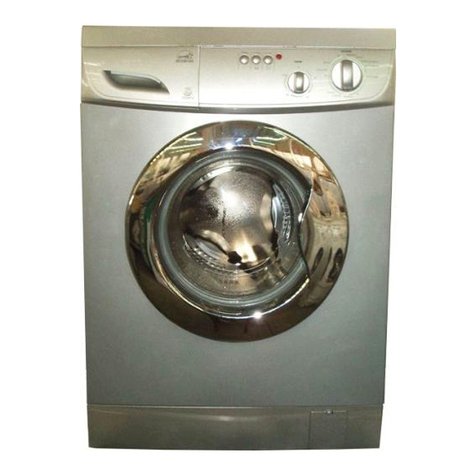
  9. Hotpoint Ultima 6kg Ultima User manual

Hotpoint Ultima 6kg Ultima User manual

This manual suits for next models

1

Other Hotpoint Washer Dryer manuals

Hotpoint WDD 960 P User manual

Hotpoint

Hotpoint WDD 960 P User manual

Hotpoint WDL 520 P/G/A/K User manual

Hotpoint

Hotpoint WDL 520 P/G/A/K User manual

Hotpoint AQM8L 29 I User manual

Hotpoint

Hotpoint AQM8L 29 I User manual

Hotpoint FDG 8640 Manual

Hotpoint

Hotpoint FDG 8640 Manual

Hotpoint Ultima WD71 User manual

Hotpoint

Hotpoint Ultima WD71 User manual

Hotpoint WDD 960 P User manual

Hotpoint

Hotpoint WDD 960 P User manual

Hotpoint BHWD 129 User manual

Hotpoint

Hotpoint BHWD 129 User manual

Hotpoint HB49726 Instruction Manual

Hotpoint

Hotpoint HB49726 Instruction Manual

Hotpoint ARMXXF 1690 User manual

Hotpoint

Hotpoint ARMXXF 1690 User manual

Hotpoint BHWD 125 User manual

Hotpoint

Hotpoint BHWD 125 User manual

Hotpoint RD 1076 J User manual

Hotpoint

Hotpoint RD 1076 J User manual

Hotpoint AQD970D49 User manual

Hotpoint

Hotpoint AQD970D49 User manual

Hotpoint WDL 540 P User manual

Hotpoint

Hotpoint WDL 540 P User manual

Hotpoint AQUALTIS AQM8D 69 I User manual

Hotpoint

Hotpoint AQUALTIS AQM8D 69 I User manual

Hotpoint ARMXXL 125 User manual

Hotpoint

Hotpoint ARMXXL 125 User manual

Hotpoint Aquarius User manual

Hotpoint

Hotpoint Aquarius User manual

Hotpoint WDF 740 G User manual

Hotpoint

Hotpoint WDF 740 G User manual

Hotpoint WD72 User manual

Hotpoint

Hotpoint WD72 User manual

Hotpoint ARMXXF 1690 User manual

Hotpoint

Hotpoint ARMXXF 1690 User manual

Hotpoint WDUD 9640 User manual

Hotpoint

Hotpoint WDUD 9640 User manual

Hotpoint WDD 10760 User manual

Hotpoint

Hotpoint WDD 10760 User manual

Hotpoint WD52 User manual

Hotpoint

Hotpoint WD52 User manual

Hotpoint WDL520P User manual

Hotpoint

Hotpoint WDL520P User manual

Hotpoint WDL520P User manual

Hotpoint

Hotpoint WDL520P User manual

Popular Washer Dryer manuals by other brands

Whirlpool WFC8090GX Use and care guide and installation instructions

Whirlpool

Whirlpool WFC8090GX Use and care guide and installation instructions

Whirlpool LTE5243DQ6 User instructions

Whirlpool

Whirlpool LTE5243DQ6 User instructions

Bosch XQG100-WDU285H00W User manual and installation instructions

Bosch

Bosch XQG100-WDU285H00W User manual and installation instructions

Beko HTE10736XS user manual

Beko

Beko HTE10736XS user manual

AEG L76685NWD user manual

AEG

AEG L76685NWD user manual

LG FWV1128WTSA owner's manual

LG

LG FWV1128WTSA owner's manual

Electrolux WTSL 6 E201 user manual

Electrolux

Electrolux WTSL 6 E201 user manual

AEG OKO_LAVAMAT 1260 User instruction book

AEG

AEG OKO_LAVAMAT 1260 User instruction book

Blomberg LRI285411 user manual

Blomberg

Blomberg LRI285411 user manual

Franke FWD 1400-6EI user manual

Franke

Franke FWD 1400-6EI user manual

Hitachi BD-W3300 instruction manual

Hitachi

Hitachi BD-W3300 instruction manual

Whirlpool FWDG96148SBS GCC Daily reference guide

Whirlpool

Whirlpool FWDG96148SBS GCC Daily reference guide

Equator EZ 1720 owner's manual

Equator

Equator EZ 1720 owner's manual

NEFF V6540X1EU Instruction manual and installation instructions

NEFF

NEFF V6540X1EU Instruction manual and installation instructions

Dawlance Spinner DS 9000 CM owner's manual

Dawlance

Dawlance Spinner DS 9000 CM owner's manual

Hoover WDYNS 654D-80 Instruction book

Hoover

Hoover WDYNS 654D-80 Instruction book

Dexter Laundry C Series Parts & service manual

Dexter Laundry

Dexter Laundry C Series Parts & service manual

Cetron STE26N5MNBBP0 manual

Cetron

Cetron STE26N5MNBBP0 manual

manuals.online logo
manuals.online logoBrands
  • About & Mission
  • Contact us
  • Privacy Policy
  • Terms and Conditions

Copyright 2025 Manuals.Online. All Rights Reserved.

To the Installer:
Before installation, fill in the product details on the back cover of this
book. The information can be found on the rating plate.
To the User:
You must read these instructions prior to installing and using the
appliance and then retain them for future reference.
Instructions for Installation and Use
6kg Washer Dryer
Ultima
Description
●Please record the odel number and
Serial number of your machine on the
back cover of this book for future
reference.
- The Serial number can be found on
the inside door trim.
Back feet
Mains cable
Cold water inlet points
and attached fill hoses
(blue connectors
Drainage hose
Hooked end support
‘Y’ piece connector
Rating plate
Two transit fixings
!BOTH must be removed
BEFORE you use your
machine (
see page 6
).
!DO NOT remove either of the
attached fill hoses OR the ‘Y’ piece
connector, even if you have both
Hot and Cold water supplies (
see
page 7
).
Plumbing indicator line
2
GB
Interlocking door and
release lever.
Front adjustable feet
Dispenser drawer Control panel
(●Varies by Model
Contents
Description, 2
Wash Labels Explained, 4
Installation, 5-8
Unpacking
Remove the transit fixings
Location
Levelling
Water connection
Drainage connection
Electrical connection
Before you start using your machine
Control Panel Features, 9
Programmes and Option odifiers, 10-16
Starting a wash and dry programme
Drying
Programme table
Special features
Option modifiers
Detergents and Laundry, 17
Detergent dispenser
Care and aintenance, 18
Cleaning your machine
Fuses
Changing the plug
Precautions and Advice, 19-20
General safety
Saving energy and respecting the environment
Disposal
Safety advice
Technical details chart
Something Wrong? - Troubleshooting, 21-23
Service, 24
Before calling for assistance
Spare parts
Key Contacts
WASHER DRYER
!Keep this instruction book on hand in order to refer to it when necessary. Take it with you when you move,
and should you sell this appliance or pass it on to another party, make sure that this booklet is supplied
along with the appliance so that the new owner may be informed about warnings and suggestions on how
the machine works.
3
Description Contents
Programmes
and Option
odifiers
Control Panel
FeaturesInstallation
Wash Labels
Explained Detergents
and Laundry Care and
aintenance Precautions
and Advice
Something
Wrong -
Troubleshooting Service
GB
Wash Labels Explained
The number inside the wash tub shows the maximum water temperature, in ˚C.
If there are no bars, the garment can be spun and rinsed as normal.
One bar indicates a reduced spin speed programme should be used.
Two bars mean the clothes need a mild wash action, but can be spun and rinsed normally. Such
items should not be wrung out by hand.
If the tub contains a hand, wash the item on a Hand Wash programme.
A triangle means that you can safely use a cold, dilute solution of bleach.
A triangle with a cross over it means the item cannot be bleached.
A circle inside a square means you can tumble dry the garment.
The dots indicate temperature
- one dot for lower heat.
- two dots for higher heat.
A cross over this symbol shows you should not tumble dry the garment.
A circle means the garment is suitable for dry-cleaning.
A letter inside the circle is to tell the dry-cleaner which chemical wash and method to use.
4
GB
Installation
5
Description Contents
Programmes
and Option
odifiers
Control Panel
Features
Installation
Wash Labels
Explained Detergents
and Laundry Care and
aintenance Precautions
and Advice
Something
Wrong -
Troubleshooting Service
GB
!Read these instructions carefully: the following
pages contain important information on installation
and suggestions on how the appliance works.
Unpacking
1. Using scissors, cut
carefully along one corner
post to remove the film.
2. Lift off the polystyrene
top cap and remove the
four corner posts.
3. Carefully lay the left
side of the machine down
onto the top cap.
!We recommend that a
second person helps to raise
and lower the machine.
4. Remove the
polystyrene base.
!This is a part of the
polystyrene base and
should have stayed intact
when you removed the
base.
!If it has broken off and
is still in the machine...
remove it... while the
machine is still laying on
its side on the top cap.
5. Stand the machine
upright.
!We recommend that a
second person helps to raise
and lower the machine.
!Continue to read the rest
of these instructions
carefully; the following
pages contain important
information on installation
and troubleshooting.
!Protect the environment - please dispose of the
packaging material carefully and considerately.
!I PORTANT check
when unpacking your
machine:
Installation
Did you know?...
●...the transit fixings are fitted to ensure that your machine is undamaged during delivery.
●...both of the transit fixings UST BE removed before using the machine, be sure to remove TWO bolts,
TWO washers, TWO rubber grommets and TWO nylon spacers, not doing so will lead to excessive
vibration, movement of the machine and could eventually lead to internal damage.
●...the majority of problems with noisy machines are due to the transit fixings not being removed.
●...you will be charged for a service engineers visit if a problem with your machine is caused by incorrect
installation or misuse.
Remove the transit fixings
I PORTANT: Follow these instructions to remove the
TWO transit fixings (see Description for location .
!Situated one either
side of the rear panel,
BOTH transit bolts
UST be removed
before use.
!Failure to do so may cause damage to your machine.
!It is important the TWO transit fixings come out intact.
!Be sure to remove TWO bolts,
TWO washers, TWO rubber
grommets and TWO nylon
spacers (see pic .
1. Unscrew the bolt using a
13mm spanner.
2. STOP when 3 threads can be
seen.
3. Hold, slide sideways and pull to
remove.
4. For safety, insert one of the
the plastic covers (supplied with
your machine) over the hole.
!Repeat steps 1 to 4 to remove the second transit bolt.
!PPaacckkaaggiinngg mmaatteerriiaallss aarree nnoott cchhiillddrreenn''ss ttooyyss..
Location
Where you install your machine will affect its
performance:
!or your safety and to comply with electrical
regulations, seek professional advice if you want to
install your machine in a bath or shower room.
●Make sure that the electrical socket and water
taps are easily accessible. You should switch off
the machine’s electrical and water supplies
when you are not using it for extended periods.
●Make sure that you allow enough space for the
machine. Select a space at least 60cm wide,
60cm deep and 85cm high. Also leave enough
space to open the door fully, so that you can load
and unload it easily.
●Where possible, the machine should be positioned
on a solid floor to minimise vibration.
!Take care when you move the machine not to rip any
floor coverings. The weight of the machine may cause
indentations in some floor coverings.
Location of transit bolts.
6
GB
Water Connection
Connecting the cold water inlet hoses with the ‘Y’
piece connector.
!Remember: please use the new hoses supplied,
fitted to the machine. Old hoses may cause leaks due
to worn out washers or may be split due to water
pressure.
!Remember: This is a cold-fill machine... BOTH fill
hoses (blue connectors) fitted to the rear of the
machine UST be connected to the COLD water
supply (via the ‘Y’ piece connector).
!Before making connections to the cold water
supply, allow the water to run freely from the supply
tap until it is perfectly clear.
1. Screw the ‘Y’ piece connector onto the cold water
supply until tight.
2. Fit a 3/4" sealing cap to the hot water supply, to
prevent unused supply leaking.
3. Turn ON the COLD water supply tap and check for
leaks, tighten if necessary.
4. Leave the unused HOT water supply turned OFF.
!We recommend fitting a 3/4" sealing cap
to the hot water supply tap (if present , to
ensure there are no leaks. Sealing caps
can be purchased from Hotpoint Service
on 08709 077 077 or all good DIY and
Plumbing outlets.
Installation
Benefits of cold fill
●Modern detergents are designed to give the best
cleaning results at low temperatures. Biological
detergents contain enzymes which are active
between 30˚C and 53˚C, giving greater results at
lower temperatures.
●Cold water relaxes fabrics, whilst hot water can
seal in stains.
●Improved stain removal with cold water.
●The most commonly used programme at present is
40˚C, which will take on cold water even if hot and
cold were available.
●You can heat the water required to finish the wash
cycle, which makes it more economical than taking
water heated in a tank by an immersion heater or
gas boiler.
Hints and tips
!Make sure there are no kinks or bends in the hose.
!The water pressure at the supply tap must be within
the values indicated in the Technical Details table
(see page 20 .
!If the water inlet hoses are not long enough, you can
purchase an extended hose from Hotpoint Service on
08709 077 077.
!Always use a new inlet hose.
!Check the water inlet hose at least once a year,
replace if cracked as worn hoses could split under
water pressure.
!Turn on the water supply and check that the
connections do not leak. If there is a leak, turn off
the water supply, disconnect the hoses and check
that the sealing washers are in place. Refit the hoses
and turn on the water supply.
Levelling
Your machine will be noisy if the two front feet are not
adjusted so that the machine stands firm and level.
!The machine must be levelled from side to side and
from front to back.
1. Move your machine into its final location, taking
care not to trap or kink the hoses.
2. Turn one or both front feet
anti-clockwise by hand until the
feet cannot be turned any more.
When adjusting the feet, use a
spirit level to check the machine
stands level, from side to side
and from front to back.
The spring on each foot will stop
them coming loose.
!If it is placed on a fitted or loose carpet, adjust the
feet in such a way as to allow enough room for
ventilation beneath the machine.
Did you know?...
●...the most common cause of problems with water connection is that the customer has not turned the
supply tap on..
●...it is very important to ensure that your hoses or cables are not kinked or squashed when the machine
is pushed back into its location, as this can lead to your machine failing to fill or empty the water.
●...the majority of problems with noisy machines are due to the feet not being adjusted correctly to
level the machine.
Cold water fill hose (Blue Connectors
‘Y’ piece connector
COLD
WATER
SUPPLY
7
Description Contents
Programmes
and Option
odifiers
Control
Panel
Features
Installation
Wash Labels
Explained Detergents
and Laundry Care and
aintenance Precautions
and Advice Service
GB
Something
Wrong -
Troubleshooting

Installation
Drainage Connection
!Although you may need to move the hooked end
support along the grey drainage hose, DO NOT remove
it.
!Whichever drainage method you use, make sure that
the hooked end support is fixed level to, or above the
‘Plumbing Indicator Line’ (see Description page 2 .
We recommend one of the following:
Standpipe method:
1. Make sure the standpipe
height is a minimum 500mm up to
a maximum 1200mm from the
floor.
2. Insert the drainage hose
approximately 100mm into the
standpipe.
Under sink method:
1. Cut off the blocked end of the
under sink drainage unit, or
remove the blanking plug if fitted.
2. Fix the hooked end support a
minimum of 800mm from the
floor.
3. Use a hose clip (eg. a jubilee
clip to securely attach the grey
drainage hose end to the under
sink drainage unit.
Electrical connections
Before plugging the appliance into the mains socket,
make sure that:
●the socket is earthed and in compliance with the
applicable law.
●the socket is able to sustain the appliances
maximum power load indicated in the Technical
Details table (see page 20 .
●the supply voltage is included within the values
indicated in the Technical Details table (see page 20 .
●the socket is compatible with the machines plug.
If this is not the case, replace the socket or the
plug, ensuring a 13A fuse is fitted.
!The machine should not be installed in an outdoor
environment, not even when the area is sheltered,
because it may be very dangerous to leave it exposed
to rain and thunderstorms.
!When the machine is installed, the mains socket
must be within easy reach and should be connected to
a suitable electrical supply.
!Do not use extensions or multiple sockets.
!The power supply cable must never be bent or
dangerously compressed.
!The power supply cable must only be replaced by an
authorised serviceman.
!The company denies all liability if and when these
standards are not respected.
Before you start using your machine
The first wash cycle
Once the appliance has been installed and before you
use it for the first time, run a wash cycle without
detergent and no laundry. This will check your
installation, connections and drainage and will
thoroughly clean the interior before you carry out an
actual wash programme on your laundry.
This will take approximately 21/2hours to complete.
!Run the 95˚ White Cotton programme 'B', without
laundry and without detergent.
!During this cycle check for any leaks from under the
machine. If present ensure all hoses are securely
tightened.
Did you know?...
●...it is very important to ensure that your hoses or cables are not kinked or squashed as this can lead
to your machine failing to fill or empty the water.
●...it is very important to respect the dimensions given within the drainage connection methods (see above).
●...if using the undersink drainage method remember to cut off the blocked end, or remove the blanking plug.
●...you will be charged for a service engineers visit if a problem with your machine is caused by incorrect
installation or misuse.
Hooked end
support
Hose clip
minimum:
500mm
maximum:
1200mm
minimum:
800mm
from floor
8
GB
Control Panel Features
9
Description Contents
Programmes
and Option
odifiers
Control Panel
Features
Installation
Wash Labels
Explained Detergents
and Laundry Care and
aintenance Precautions
and Advice
Something
Wrong -
Troubleshooting Service
GB
Ultima
Ultima control panel features
●Option buttons: To select the options available (see Programme Table and Option Modifiers .
●LCD display: Shows all information relating to your programme selections: wash temperature and spin speed,
chosen options, along with time remaining. It will also indicate if the door is locked (when ‘keyhole’ symbol lit,
the door cannot be opened and the stage of the programme the machine has reached (wash, rinse or spin .
●ON/OFF Pause button: To turn the washing machine on and off. If pressed when the machine is running the
programme will be paused, press again and the machine will restart.
●ON/OFF light: Shows that the machine is in use or is on ready for you to select a programme.
●START/CANCEL button: To start the selected programme - or to cancel a running programme, if incorrect
settings were selected.
●Programme selector buttons: To select the programme you require. Press the button the required number
of times to select the programme you want (For more information please see ‘Starting a wash programme’
section, Programmes and Option Modifiers .
Detergent dispenser
drawer
Status indicator
lights
START/CANCEL
button
Option
buttons
LCD display
Programme selector
buttons
ON/OFF Pause
button
On/Off
light
Starting a Programme
!Do not allow children to play with the machine or
tamper with the controls.
!Do not overload the machine. This may damage the
laundry and reduce the quality of the wash.
The maximum load (Cotton is 6kg WASH / 5kg DRY.
!Do not try to open the dispenser drawer during any
programme.
!Do not try to open the machine door when the ‘Door
Locked’ indicator is lit.
Starting a typical wash and dry programme
10
GB
1. Switch the machine on by
pressing the ON/OFF Pause
button.
2. Sort your laundry into groups
by washcare labels. Load the
machine.
Close the machine door by
pushing it until it clicks.
3. Add detergent and fabric
conditioner to the dispenser
drawer.
!Refer to detergent
manufacturer’s dosage
instructions.
4. Select the programme:
- press the programme
selector button the required
number of times (see
Programme Table .
!The LCD display will change on
each press to show the
temperature of the selected programme.
5. Select any optional wash
feature(s) (see Option Modifiers
you require by pressing the
appropriate button(s .
- Indicator lights on the LCD
display will show what you have
chosen.
6. Reduce the wash temperature of your selected
programme:
- Press the Temp button, each press will reduce the
wash temperature by 5˚C.
The new temperature will be shown in the LCD display.
7. Reduce the spin speed of your selected
programme:
- Press the Spin button, each press will reduce the
spin speed.
The new spin speed will be shown in the LCD display.
8. Select drying time or level choose either:
●Auto ‘Sensor Dry’ - Press the Sensor Dry
button once, ‘Auto’ will appear in the display.
●Timed drying - Press the Timed button, until
the required time is shown in the display.
9. In addition to showing you all
information relating to your
programme selections, the LCD
display will show you the stage
of a programme in progress, the
time remaining until the end of a
programme in hours and minutes (counting down
each minute and the door lock status.
- If ‘Time Delay’ option was selected the display will
show the time remaining until the start of the wash
programme in hours (counting down each hour .
10. Start the programme by
pressing the START/CANCEL
button for at least 3 seconds.
!The ‘Door Locked’ indicator, will light up.
●To stop/change a programme once the machine
has started:
- Press the START/CANCEL button until a beep is
heard.
- The machine will start to empty.
When the machine has finished emptying:
- Selector the new programme required (you may need
to add detergent .
- Press the START/CANCEL button to start the
new programme.
11.During the programme,
the status indicator lights will
show you what stage in the
programme the machine has
reached (wash, rinse, spin, dry .
12. A short time after the programme has finished
the ‘Door Locked’ indicator will go out and you can
open the machine door.
13. Switch the machine off by pressing the ON/OFF
Pause button.