manuals.online logo
Brands
  1. Home
  2. •
  3. Brands
  4. •
  5. HP
  6. •
  7. Network Hardware
  8. •
  9. HP MSR954 Series Assembly instructions

HP MSR954 Series Assembly instructions

Other manuals for MSR954 Series

1

This manual suits for next models

2

Other HP Network Hardware manuals

HP Ethernet Network Interface Card hn230e User manual

HP

HP Ethernet Network Interface Card hn230e User manual

HP StorageWorks X9720 Service manual

HP

HP StorageWorks X9720 Service manual
HP StorageWorks AB466A User manual

HP

HP StorageWorks AB466A User manual

HP Bc1500 - BladeSystem - Blade PC Manual

HP

HP Bc1500 - BladeSystem - Blade PC Manual

HP StorageWorks HA-Fabric Manager User manual

HP

HP StorageWorks HA-Fabric Manager User manual

HP iSCSI User manual

HP

HP iSCSI User manual

HP StorageWorks X9320 Service manual

HP

HP StorageWorks X9320 Service manual

HP Presario X1000 - Notebook PC User instructions

HP

HP Presario X1000 - Notebook PC User instructions

HP StorageWorks 1/8 Tape Autoloader User manual

HP

HP StorageWorks 1/8 Tape Autoloader User manual

HP StorageWorks T5521A Manual

HP

HP StorageWorks T5521A Manual

HP AJ878A - StorageWorks 320 GB Hard Drive User manual

HP

HP AJ878A - StorageWorks 320 GB Hard Drive User manual

HP A5920AF-24XG Bk(pwr)-Frt(prt) Assembly instructions

HP

HP A5920AF-24XG Bk(pwr)-Frt(prt) Assembly instructions

HP E1459A User manual

HP

HP E1459A User manual

HP BladeSystem C-Class Interconnect Component User instructions

HP

HP BladeSystem C-Class Interconnect Component User instructions

HP 400338-001 - KVM Switch User manual

HP

HP 400338-001 - KVM Switch User manual

HP StorageWorks X1000 G2 How to use

HP

HP StorageWorks X1000 G2 How to use

HP Enterprise Aruba 7210 Assembly instructions

HP

HP Enterprise Aruba 7210 Assembly instructions

HP StorageWorks x9300 Service manual

HP

HP StorageWorks x9300 Service manual

HP X1600 - StorageWorks Network Storage System 5.4TB SAS Model NAS... User manual

HP

HP X1600 - StorageWorks Network Storage System 5.4TB SAS Model NAS... User manual

HP X1800sb G2 User instructions

HP

HP X1800sb G2 User instructions

HP Compaq NC6133 User instructions

HP

HP Compaq NC6133 User instructions

HP J9666A User manual

HP

HP J9666A User manual

HP Bc1500 - BladeSystem - Blade PC User manual

HP

HP Bc1500 - BladeSystem - Blade PC User manual

HP 180 Degree Turn User manual

HP

HP 180 Degree Turn User manual

Popular Network Hardware manuals by other brands

socomec SNMP Card II quick start guide

socomec

socomec SNMP Card II quick start guide

NVR SYSTEMS 4-CH user manual

NVR SYSTEMS

NVR SYSTEMS 4-CH user manual

Draytek VigorSwitch G1240 quick start guide

Draytek

Draytek VigorSwitch G1240 quick start guide

Westermo TD-34 LV installation manual

Westermo

Westermo TD-34 LV installation manual

LaCie Network Space MAX Quick install guide

LaCie

LaCie Network Space MAX Quick install guide

ZoneVu ZSI-450-IP Installation guide & user manual

ZoneVu

ZoneVu ZSI-450-IP Installation guide & user manual

QNAP Turbo NAS Application notes

QNAP

QNAP Turbo NAS Application notes

OpenEye MV Series quick start guide

OpenEye

OpenEye MV Series quick start guide

Huawei SmartAX MT880a quick start guide

Huawei

Huawei SmartAX MT880a quick start guide

Proxim Tsunami QuickBridge 2454-R installation guide

Proxim

Proxim Tsunami QuickBridge 2454-R installation guide

Bay Networks CLAM quick start guide

Bay Networks

Bay Networks CLAM quick start guide

Innodisk SATADOM-SH 3SE Series manual

Innodisk

Innodisk SATADOM-SH 3SE Series manual

Cisco CGR 1000 Series Getting connected guide

Cisco

Cisco CGR 1000 Series Getting connected guide

Matrix Switch Corporation MSC-HD161DEL product manual

Matrix Switch Corporation

Matrix Switch Corporation MSC-HD161DEL product manual

National Instruments NI 653x user manual

National Instruments

National Instruments NI 653x user manual

B&B Electronics ZXT9-IO-222R2 product manual

B&B Electronics

B&B Electronics ZXT9-IO-222R2 product manual

Yudor YDS-16 user manual

Yudor

Yudor YDS-16 user manual

D-Link ShareCenter DNS-320L datasheet

D-Link

D-Link ShareCenter DNS-320L datasheet

manuals.online logo
manuals.online logoBrands
  • About & Mission
  • Contact us
  • Privacy Policy
  • Terms and Conditions

Copyright 2025 Manuals.Online. All Rights Reserved.

EL-MF877-00 Page 1
Template Revision B
Product End-of-Life Disassembly Instructions
Product Category: Networking Equipment
Marketing Name / Model
[List multiple models if applicable.]
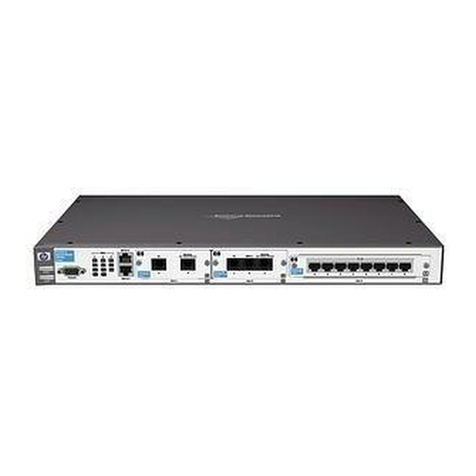
HP MSR954,RTUZ2954WLW,Router Host(JH299A)
Purpose: The document is intended for use by end-of-life recyclers or treatment facilities. It provides the basic instructions
for the disassembly of HP products to remove components and materials requiring selective treatment, as defined by EU
directive 2002/96/EC, Waste Electrical and Electronic Equipment (WEEE).
1.0Items Requiring Selective Treatment
1.1 Items listed below are classified as requiring selective treatment.
1.2 Enter the quantity of items contained within the product which require selective treatment in the right column, as
applicable.
Item Description Notes
Quantity
of items
included
in product
Printed Circuit Boards (PCB) or Printed Circuit
Assemblies (PCA)
With a surface greater than 10 sq cm
1
Batteries
All types including standard alkaline and lithium coin
or button style batteries
0
Mercury-containing components
For example, mercury in lamps, display backlights,
scanner lamps, switches, batteries
0
Liquid Crystal Displays (LCD) with a surface greater
than 100 sq cm
Includes background illuminated displays with gas
discharge lamps
0
Cathode Ray Tubes (CRT)
0
Capacitors / condensers (Containing PCB/PCT)
0
Electrolytic Capacitors / Condensers measuring
greater than 2.5 cm in diameter or height
0
External electrical cables and cords
0
Gas Discharge Lamps
0
Plastics containing Brominated Flame Retardants
weighing > 25 grams (not including PCBs or PCAs
already listed as a separate item above)
0
Components and parts containing toner and ink,
including liquids, semi-liquids (gel/paste) and toner
Include the cartridges, print heads, tubes, vent
chambers, and service stations.
0
Components and waste containing asbestos
0
Components, parts and materials containing
refractory ceramic fibers
0
Components, parts and materials containing
radioactive substances
0
2.0 Tools Required
List the type and size of the tools that would typically be used to disassemble the product to a point where components
and materials requiring selective treatment can be removed.
EL-MF877-00 Page 2
Template Revision B
Tool Description
Tool Size (if
applicable)
Screw driver
2#
3.0 Product Disassembly Process
3.1 List the basic steps that should typically be followed to remove components and materials requiring selective treatment:
1. Unscrew the screws on mounting angle 1, and then remove mounting angle 1.
2. Remove the cover 2.
3. Remove all of the inner cables.
4. Unscrew the screws on PCB 3, and then remove PCB 3.
5. Unscrew the screws on PCB 7, and then remove PCB 7.
6. Remove film 5 from panel 2.
7. Remove all of the labels.
3.2 Optional Graphic. If the disassembly process is complex, insert a graphic illustration below to identify the items
contained in the product that require selective treatment (with descriptions and arrows identifying locations).
Figure1 Remove mounting angle
EL-MF877-00 Page 3
Template Revision B
Figure2 Treatment to the product
3.3 Material of the facility built
Facility
Components
Material
Weight(g)
Weight
percentage
Selective treatment for materials
and components
Details
1.
Mountangle
Fe
175
14.7%
Fe recycling
2
Top case
Fe
350
29.5%
Fe recycling
3.
Main board
Complex
PCB
220
18.5%
The surface of PCB is greater
than 10 square centimeters
4
Bottom case
Fe
290
38.8%
Fe recycling
5
Film
PC
5
0.4%
Containing brominated flame
retardants
6
Bracket
Fe
8
0.5%
7
Power PCB
Complex
PCB
125
10.5%
The surface of PCB is greater
than 10 square centimeters
8
AC Power jack
PA
16
1.2%
Containing brominated flame
retardants
4. Revised record
Date
Version
Author
Modify content
2015.6.10
V0
He Changlu
Initial version