Before testing, notify the proper authorities that the smoke detector system is undergoing maintenance and will
temporarily be out of service. Disable the zone or system undergoing maintenance to prevent unwanted alarms. Detectors
must be tested after installation and as part of periodic maintenance.
OTE: Before testing the detector, check to ensure the LEDs blink. If they do not, the detector has lost power (check the
wiring), it is defective (return it for repair), or the detector sensitivity is outside the listed limits.
The sensor can be tested in the following ways:
Smoke Entry test: Aerosol Generator (Gemini 501)
The GEMI I model 501 aerosol generator can be used for smoke entry testing. Set the generator to represent 4%/ft to
5%/ft obscuration as described in the GEMI I 501 manual. Using the bowl shaped applicator, apply aerosol until the
panel alarms.
A sensor that fails any of these tests should be cleaned as described under CLEA I G, and retested. If the sensor fails
after cleaning, it must be replaced.
When testing is complete, restore the system to normal operation and notify the proper authorities that the system is back
in operation.
Maintenance
Before removing the detector, notify the proper authorities that the smoke detector system is undergoing maintenance
and will be temporarily out of service.
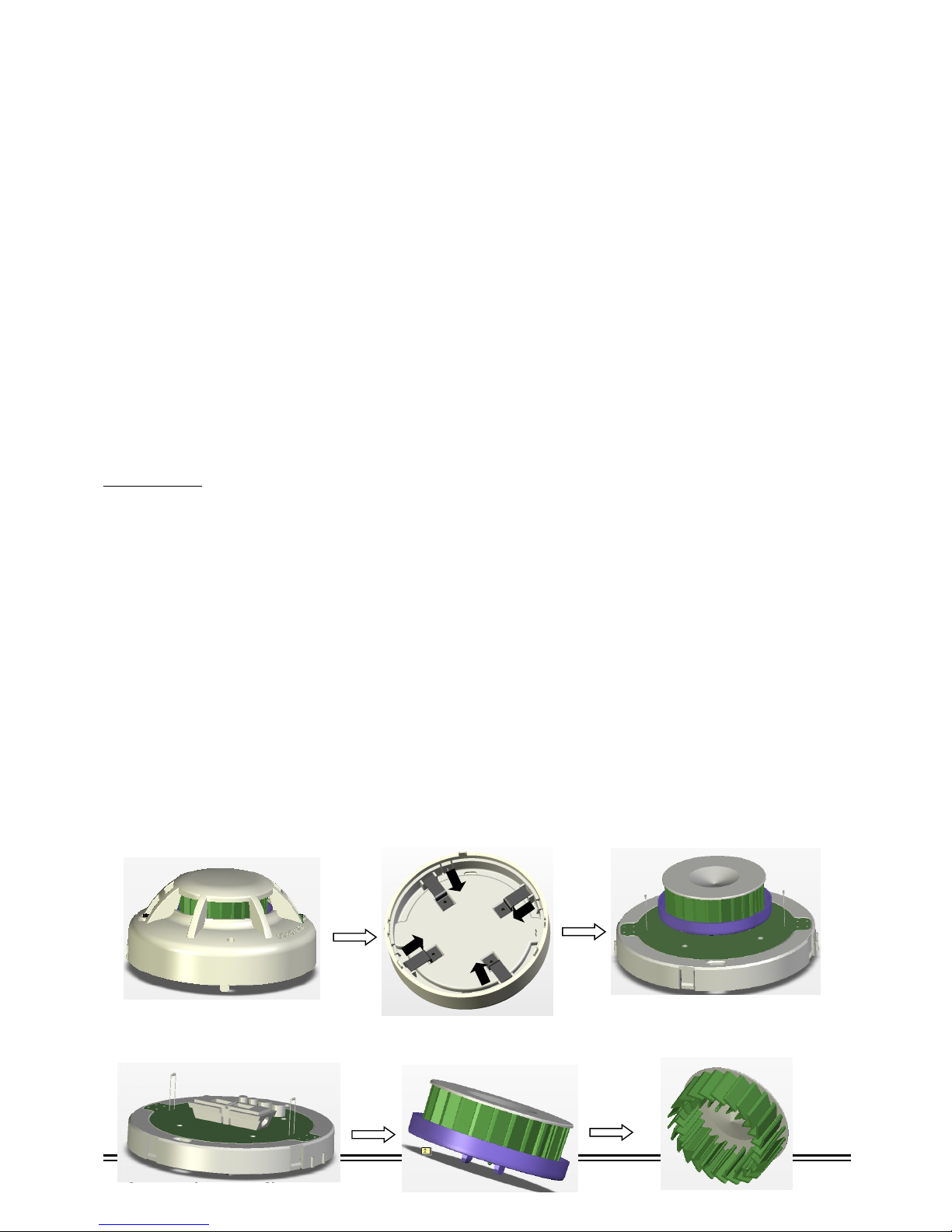
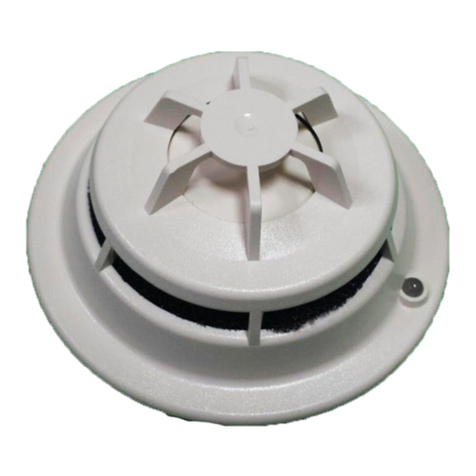
1. Counterclockwise rotation detector, remove it from the mounting base is removed.
2. Remove the detector cover by pressing firmly on each of the four removal tabs that hold the cover in place.
3. Vacuum the screen carefully without removing it. If further cleaning is required continue with Step 4, otherwise skip
to Step 7.
4. Remove the chamber cover/screen assembly by pulling it straight out.
5. Use a vacuum cleaner or compressed air to remove dust and debris from the sensing chamber.
6. Reinstall the chamber cover/screen assembly by sliding the edge over the sensing chamber. Turn until it is firmly in
place.
7. Replace the cover using the LEDs to align the cover and then gently pushing it until it locks into place.
8. Reinstall the detector.
9. Test the detector as described in TESTI G.
10. Reconnect disabled circuits.
11. otify the proper authorities that the system is back on line.
HLogic Security Technology Co., Ltd www. hstfire .com Document Ref: M1115-04 Issue: 5.3 07/2015
Remove the detector from base. Remove the detector cover
Remove the chamber from detector To clean the chamber