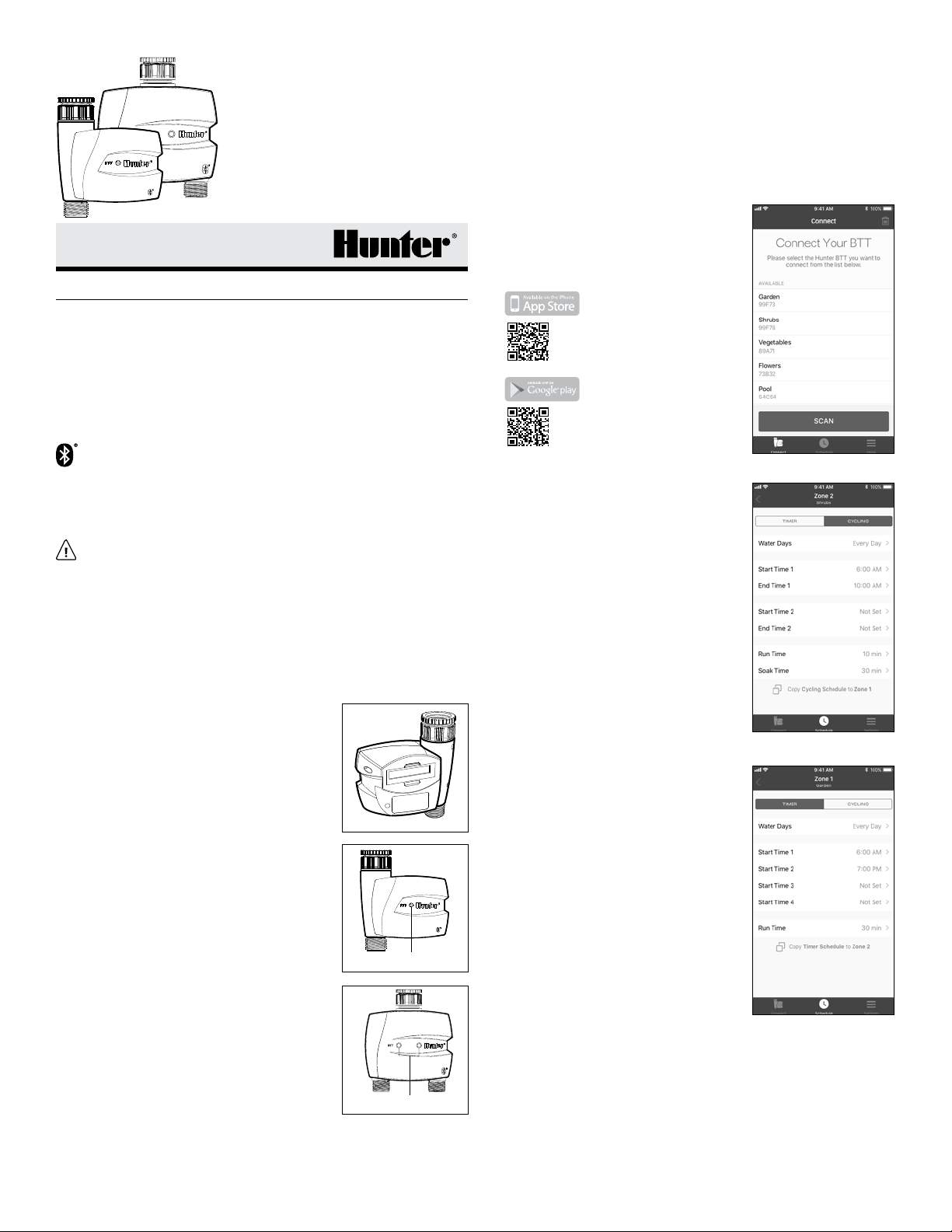
4. Changing the Language: Select Settings
tab and press App Settings then
Language. Select the desired language.
Save and Conrm.
5. Suspend: Set optional RAIN DELAY from
0-99 days. Save and Conrm.
6. O Mode: To shut down Cycling Mode,
select the O tab and Conrm.
7. Zone O Mode: For Manual Irrigation,
select the Dashboard and press the play
button, set a value of 1-360 minutes.
Press Start and OK.
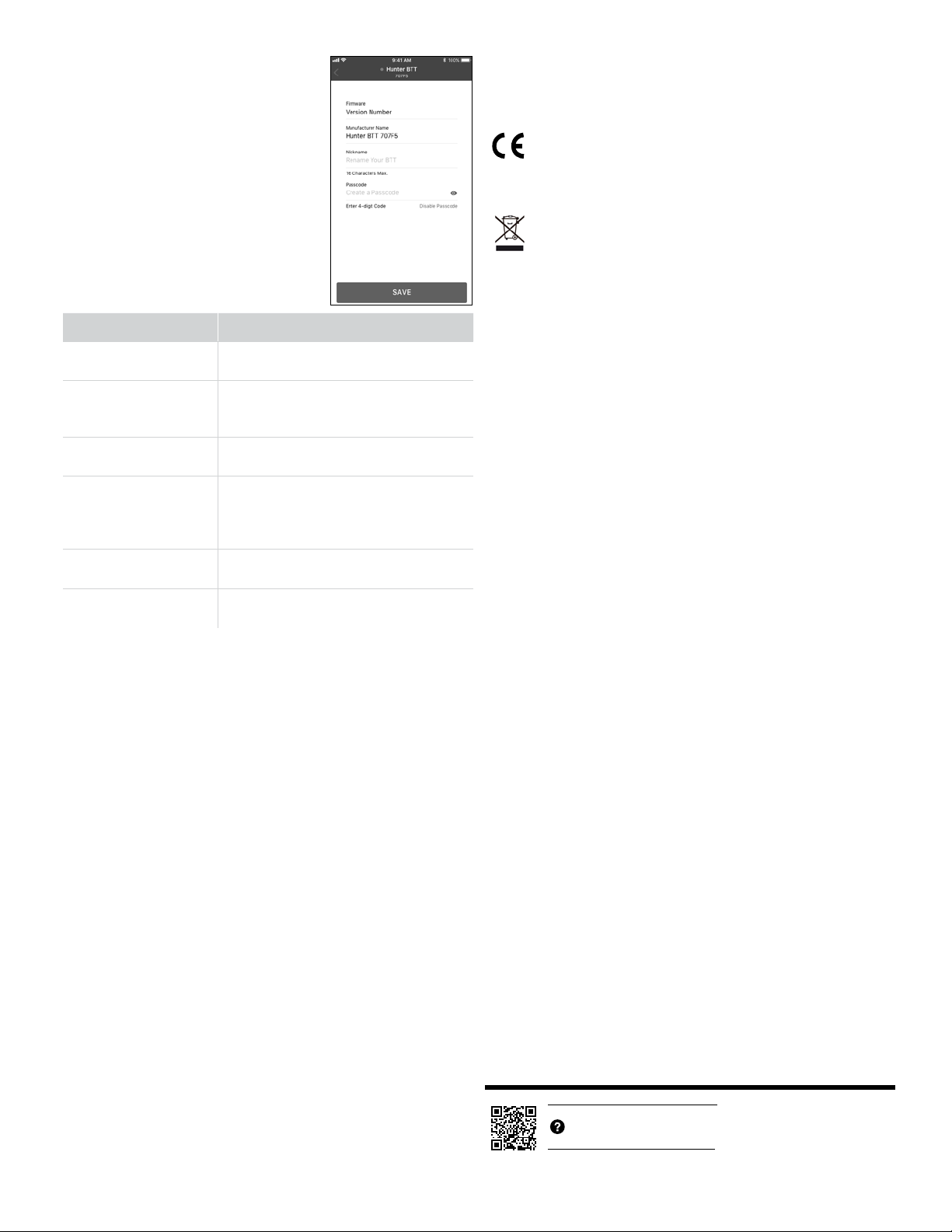
Troubleshooting
Problem Solution
Manual button press not
responding
Replace the batteries.
(2 AA alkaline batteries)
Device not appearing
in scan list or loses
connection
Move within 32' (10 m) of device.
Replace the batteries.
(2 AA alkaline batteries)
App indicates watering,
but none is occurring
Turn on water supply.
Reconnect device.
Automatic irrigation does
not start at start time
Verify that BTT is programmed for
automatic watering.
Correct AM/PM of start time.
Correct water days.
Device waters more than
one time
Eliminate device start times as needed.
Correct the Soak Time in Cycling mode.
Incorrect Passcode Remove and replace batteries.
Go back to the app and connect.
FCC Notice
This equipment generates, uses, and can radiate radio frequency energy
and, if not installed and used in accordance with the manufacturer’s
instruction manual, may cause interference with radio and television
reception. This equipment has been tested and found to comply with the
limits for a Class B digital device pursuant to Part 15 of the FCC Rules. This
device complies with Part 15 of the FCC Rules. Operation is subject to the
following two conditions:
1. This device may not cause harmful interference.
2. This device must accept any interference received, including
interference that may cause undesired operation.
Notice: The FCC regulations provide that changes or modications not
expressly approved by Hunter Industries Inc. could void your authority to
operate this equipment. These limits are designed to provide reasonable
protection against harmful interference in a residential installation.
However, there is no guarantee that interference will not occur in a
particular installation. If this equipment does cause harmful interference
with radio or television reception, which can be determined by turning
the equipment o and on, you are encouraged to try to correct the
interference by one or more of the following measures:
• Reorient the receiving antenna.
• Relocate the system with respect to the receiver.
• Move the system away from the receiver.
• Plug the system into a dierent outlet so that the system
and the receiver are on dierent branch circuits.
• Consult the dealer or an experienced radio/TV technician
for help.
If necessary, consult a representative of Hunter Industries Inc. or an
experienced radio/television technician for additional suggestions.
Changes or modications not expressly approved by Hunter Industries
could void the user’s authority to operate this device.
Industry Canada Notice
Operation is subject to the following two conditions:
1. This device may not cause harmful interference.
2. This device must accept any interference received, including
interference that may cause undesired operation.
CE Notice
Hunter Industries hereby declares that this product is in compliance with
the essential requirements and other relevant provisions of Directive
2014/53/EU and all other EU directive requirements.
This symbol means the product must not be discarded as household
waste, and should be delivered to an appropriate collection facility for
recycling. Proper disposal and recycling helps protect natural resources,
human health, and the environment. For more information on disposal
and recycling of this product, contact your local municipality, disposal
service, or the shop where you bought this product. Please dispose of used
batteries properly, following local regulations. Do NOT incinerate.
Management Regulation for Low-power Radio-frequency Devices
Article XII
According to “Management Regulation for Low-power Radio-frequency
Devices” without permission granted by the NCC, any company,
enterprise, or user is not allowed to change frequency, enhance
transmitting power or alter original characteristic as well as performance
to approved low-power radio frequency devices.
Article XIV
The low power radio-frequency devices shall not inuence aircra
security and interfere legal communications; if found, the user shall cease
operating immediately until no interference is achieved. The said legal
communications means radio communications operated in compliance
with the Telecommunications Act.
Equipment Protection
• Water pressure requirements: Make sure your water pressure
is 7116 PSI (0.5–8 Bar)
• Make sure water is clean and particle-free.
• Maximum inlet water temperature: 100°F (38°C)
• Operating temperature: 41°F to 140°F (5°C to 60°C)
• Protect against freezing: Do not allow water to freeze in the
Tap Timer or in any connected hose.
• Chemicals: Do not use the Tap Timer with or to dispense
any chemicals of any kind.
• Do not open: The Tap Timer requires no maintenance and contains no
user-serviceable parts.
• Periodic inspection of connections is recommended to
prevent water leaks.
• Approvals: IPX6
The Bluetooth word mark and logos are registered trademarks owned by Bluetooth
SIG, Inc. and any use of such marks by Hunter Industries Corporation is under license.
IOS is a trademark or registered trademark of Cisco in the U.S. and other countries
and is used under license.
Apple,the Apple logo, and iPhone are trademarks of Apple Inc., registered in the U.S.
and other countries.
App Store is a service mark of Apple Inc. Google, the Google logo, Google Play, and
Android are trademarks of Google LLC.
© 2019 Hunter Industries Inc. Hunter and the Hunter logo are trademarks of Hunter
Industries, registered in the U.S. and other countries.
hunterindustries.com RC-074-QG-BTT B EN 5/19
http://hunter.direct/btthelp