manuals.online logo
Brands
  1. Home
  2. •
  3. Brands
  4. •
  5. Iconix
  6. •
  7. Accessories
  8. •
  9. Iconix FX1 User manual

Iconix FX1 User manual

Other Iconix Accessories manuals

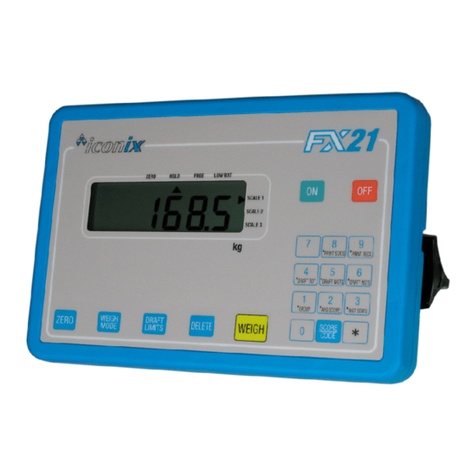
Iconix FX21 User manual

Iconix

Iconix FX21 User manual

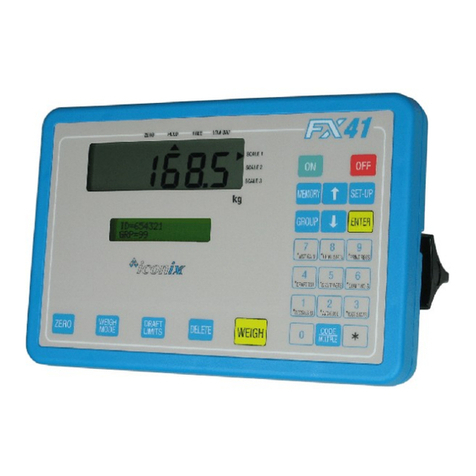
Iconix FX41 User manual

Iconix

Iconix FX41 User manual

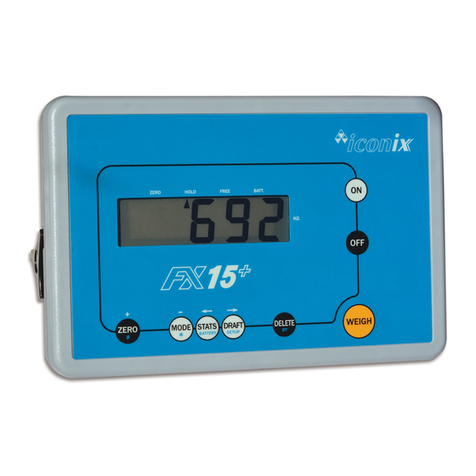
Iconix FX15+ User manual

Iconix

Iconix FX15+ User manual

Popular Accessories manuals by other brands

Quincy lab 140AE-1 operating manual

Quincy lab

Quincy lab 140AE-1 operating manual

HomePro ZIR000 user manual

HomePro

HomePro ZIR000 user manual

DOL 20SCR Technical user guide

DOL

DOL 20SCR Technical user guide

RAB Smart Task installation manual

RAB

RAB Smart Task installation manual

Kemppi KMS 300 quick guide

Kemppi

Kemppi KMS 300 quick guide

Stearns 57,500 Series Installation and service instructions

Stearns

Stearns 57,500 Series Installation and service instructions

iGuzzini TWILIGHT COPENAGHEN manual

iGuzzini

iGuzzini TWILIGHT COPENAGHEN manual

Adelaide Annexe & Canvas Avan Deluxe installation guide

Adelaide Annexe & Canvas

Adelaide Annexe & Canvas Avan Deluxe installation guide

OHAUS 5000 instruction manual

OHAUS

OHAUS 5000 instruction manual

HOME8 WLS1300 quick start guide

HOME8

HOME8 WLS1300 quick start guide

MAXBOTIX MaxSonar quick start guide

MAXBOTIX

MAXBOTIX MaxSonar quick start guide

ioSmart iSmart56 Installation and user guide

ioSmart

ioSmart iSmart56 Installation and user guide

Focusrite Scarlett 18i8 user guide

Focusrite

Focusrite Scarlett 18i8 user guide

Velleman ED38105 user manual

Velleman

Velleman ED38105 user manual

JumpSport SkyBounce user manual

JumpSport

JumpSport SkyBounce user manual

Prima-Temp PRIYA Instructions for use

Prima-Temp

Prima-Temp PRIYA Instructions for use

Tefcold BC85I-BC85I W user manual

Tefcold

Tefcold BC85I-BC85I W user manual

Vaisala WMS302 user guide

Vaisala

Vaisala WMS302 user guide

manuals.online logo
manuals.online logoBrands
  • About & Mission
  • Contact us
  • Privacy Policy
  • Terms and Conditions

Copyright 2025 Manuals.Online. All Rights Reserved.

ICONIX NEW ZEALAND LIMITED
www.iconix.co.nz
345 Thames Hi hway Oamaru New Zealand
Phone: 64-3-437 2548 Fax: 64-3-437 2175
GETTING STARTED
1. Either: Attach the battery cable to the indicator and
clip onto a 12 Volt DC battery (car, tractor
battery etc). ENSURE CORRECT POLARITY
(red clip to positive, black clip to ne ative).
Or: Plu the Iconix AC Adaptor (optional
accessory) into the indicator for mains
powered operation.
2. Connect the two loadbar cables to the loadbar
sockets on the underside of the indicator.
3. Press the ON/ZERO key. The scale will return to zero
automatically. When complete, the ZERO pointer 
will show that the scale is at zero.
If a lar e load (such as a partly filled wool bale in a
wool press) remains on the scale from previous use,
the last wei ht will be displayed. The operator can
continue the wei hin session from where last
finished. Alternatively, press ON/ZERO to return the
scale to zero.
4. Check that the ZERO pointer  is displayed.
Load the animal onto the platform.
Press the WEIGH key. The animal is accurately
wei hed and the result is locked on the display.
5. Remove the animal from the wei hin platform. The
last animal’s wei ht remains locked on the display.
Check that the ZERO pointer  is displayed between
animal wei hin s. If the ZERO pointer does not
appear, hold the next animal back, keep hands etc
clear of the crate and press the ON/ZERO key. The
scale will return to zero and the wei hin session can
proceed.
6. At the end of the wei hin session, switch OFF the
indicator. Remove the battery and loadbar cables.
ENSURE THAT THE CAPS ARE FIRMLY
REPLACED ON THE LOADBAR CONNECTORS
WEIGHING MODES
Free Mode
At switch-on the scale operates in FREE mode,
which is suitable for static load wei hin . The
display is continuously updated with the wei ht
currently on the scale. The scale can be returned to
FREE mode by pressin the ON/ZERO key, notin
that the scale should be empty, since the scale will
be zeroed.
Hold Mode
A press of the WEIGH key switches the scale to
HOLD mode, which is suitable for live animal
wei hin . A press of the WEIGH key starts an
avera in process which then displays the accurate
wei ht of a movin animal. The wei ht is locked on
the display until the next key press.
SYSTEM CARE
The FX1 wei hin system has been desi ned to
work reliably for lon periods of time under adverse
conditions. However like any equipment, common
sense and care will assist in keepin it in ood
operatin condition.
Fit caps to cable ends and indicator sockets
when not in use to protect from dirt and
moisture. Han the cable ends up, out of the
mud and dust.
Dama e may occur if the capacity of the scale
is exceeded.
Loadbar cables must be kept in ood condition.
SITE PREPARATION
The choice of wei hin site is important for
accurate wei hin results and ease of use.
A well chosen level site will ensure the best
conditions for accurate wei hin .
The loadbars must be bolted to the platform or
crate and be firmly attached to the round or
concrete pad.
Any rockin or twistin of the platform could
result in wei hin errors.
Adequate clearance around the platform is
essential. Any bindin or rubbin with posts or
ates will produce wei hin errors.
The race bracket is best mounted on a fence or
post and not the crate.
Mount the indicator in a well lit position for
best readability.
A well chosen site will help animals flow
smoothly throu h the system with the
minimum of fuss.
Mountin the indicator away from the crate will
help to keep hands free of the crate when the
wei h cycle is started.
FX1 INST 30JUN04

ELECTRONIC
WEIGHING
SYSTEM
ICONIX NEW ZEALAND LIMITED
www.iconix.co.nz
345 Thames Hi hway Oamaru New Zealand
Phone: 64-3-437 2548 Fax: 64-3-437 2175
SPECIFICATIONS
SUPPLY VOLTAGE 12V DC ( 19V DC maximum)
LOW BATTERY WARNING
When the battery volts drop to 11.5V the LOW BAT
pointer  appears. Replace the battery and continue.
The indicator shuts down at about 10.5V.
MAXIMUM LOAD 2000 k – Standard loadbars
3000 k – Heavy Duty loadbars
OPERATING TEMPERATURE -5° to +50°C
ACCURACY ±0.5% of wei ht ± 1 division
(1 division = 0.1, 0.2, 0.5 k etc dependin on wei ht
ran e)
MINIMUM CAPACITY 20 k
The 0 – 20 k ran e is available but is not part of the
EMC (RF immunity) specification.
RESOLUTION
Standard load ars
0 – 20 k 0.1 k steps
20 – 50 k 0.2 k steps
50 – 200 k 0.5 k steps
200 – 500 k 1 k steps
500 – 2000 k 2 k steps
Heavy Duty load ars
0 – 100 k 0.5 k steps
100 – 200 k 1 k steps
200 – 1000 k 2 k steps
1000 – 3000 k 5 k steps
ZERO TRACKING
Small residual wei hts left on the scale between
wei hin s (dun and dirt buildup) are automatically
“zero-tracked” out and the scale returned to zero. As
this occurs, the ZERO pointer will indicate that ZERO
has been reached.
The zero-trackin amount is set to 0.5% of the wei ht
displayed after the last press of the WEIGH key, with a
maximum amount of 2.2k .
At switch-on the zero-trackin amount is initialised to
0.015% of capacity (0.3k for 2000k loadbars).
STANDARD LOADBAR SET 2000kg
LOADBAR DIMENSION
A B
600 mm
1000 mm
570
970
546
946
HEAVY DUTY LOADBAR SET 3000kg
Len th
Width
Hei ht
1000
200
115
FX1 INST 30JUN04
ELECTRONIC
WEIGHING
SYSTEM
A B
TOP BOTTOM
LOAD
AREA
LOAD
AREA
12515 60
126
152
80 800 80
960
160
200
160
200
Ø
16
Ø
14
TOP
BOTTOM