manuals.online logo
Brands
  1. Home
  2. •
  3. Brands
  4. •
  5. idatastart
  6. •
  7. Remote Starter
  8. •
  9. idatastart OEM-IDS(RS)-BM1-[ADS-BM1]-EN User manual

idatastart OEM-IDS(RS)-BM1-[ADS-BM1]-EN User manual

This manual suits for next models

2

Other idatastart Remote Starter manuals

idatastart ADS-BZ1 User manual

idatastart

idatastart ADS-BZ1 User manual
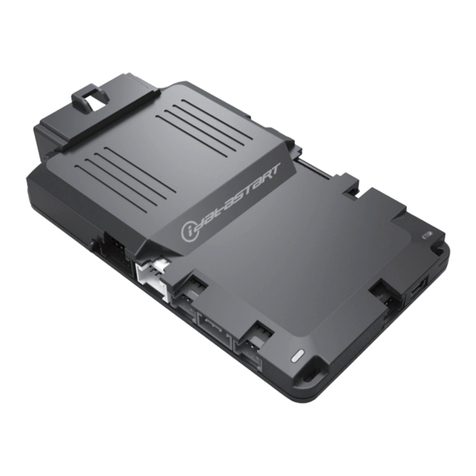
idatastart HC2352AC User manual

idatastart

idatastart HC2352AC User manual

idatastart BM1 User manual

idatastart

idatastart BM1 User manual

idatastart CMHCXA0 User manual

idatastart

idatastart CMHCXA0 User manual
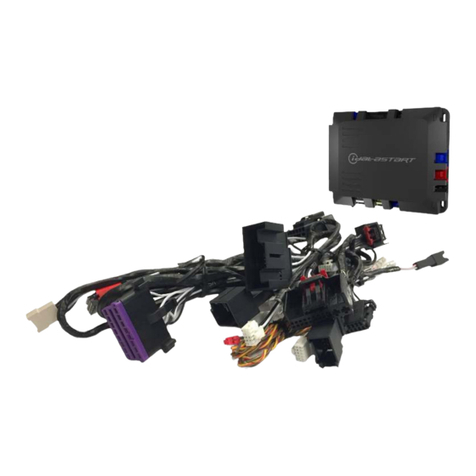
idatastart VWX000A User manual

idatastart

idatastart VWX000A User manual
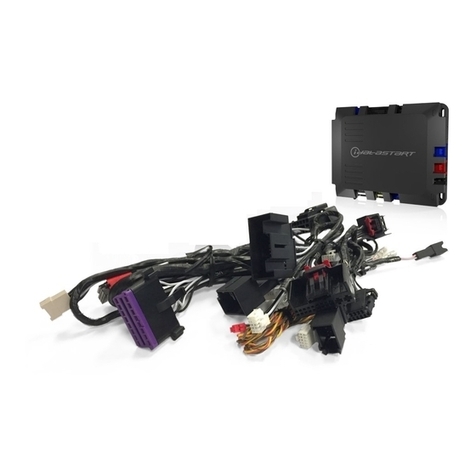
idatastart VW2410A User manual

idatastart

idatastart VW2410A User manual
idatastart HC2352AC User manual

idatastart

idatastart HC2352AC User manual

idatastart COM-IDS(RS)-BM1-EN User manual

idatastart

idatastart COM-IDS(RS)-BM1-EN User manual

idatastart BM1 User manual

idatastart

idatastart BM1 User manual
idatastart CMVWXA0 User manual

idatastart

idatastart CMVWXA0 User manual

idatastart ADS-CH4 User manual

idatastart

idatastart ADS-CH4 User manual
idatastart ADS-BZ1 User manual

idatastart

idatastart ADS-BZ1 User manual
idatastart HC3 User manual

idatastart

idatastart HC3 User manual

idatastart HC2352AC User manual

idatastart

idatastart HC2352AC User manual

idatastart HC1151A User manual

idatastart

idatastart HC1151A User manual

idatastart TR2650A User manual

idatastart

idatastart TR2650A User manual

idatastart TR1150A User manual

idatastart

idatastart TR1150A User manual
idatastart VW2410A User manual

idatastart

idatastart VW2410A User manual

idatastart TR2550A User manual

idatastart

idatastart TR2550A User manual
idatastart CMBMXA0 User manual

idatastart

idatastart CMBMXA0 User manual
idatastart HC User manual

idatastart

idatastart HC User manual

idatastart COM-IDS(RS)-BZ3-[CMBMXA0]-EN User manual

idatastart

idatastart COM-IDS(RS)-BZ3-[CMBMXA0]-EN User manual

idatastart TR3420BF User manual

idatastart

idatastart TR3420BF User manual

Popular Remote Starter manuals by other brands

FamilyTool FMT002JST instruction manual

FamilyTool

FamilyTool FMT002JST instruction manual

PowerJump LMD-021 user manual

PowerJump

PowerJump LMD-021 user manual

AstroStart 803U user manual

AstroStart

AstroStart 803U user manual

Durite 0-649-20 Leaflet

Durite

Durite 0-649-20 Leaflet

Linear ACCESS AK-21 Installation and programming instructions

Linear

Linear ACCESS AK-21 Installation and programming instructions

Soundstream TARANTULA RS.2 installation guide

Soundstream

Soundstream TARANTULA RS.2 installation guide

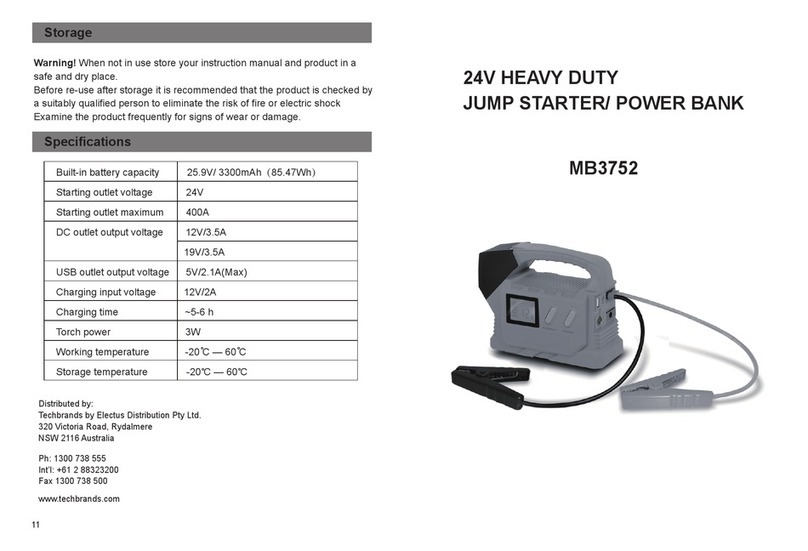
Jaycar Electronics MB3752 instruction manual
Jaycar Electronics

Jaycar Electronics MB3752 instruction manual

Ultra Start 72 Series owner's manual

Ultra Start

Ultra Start 72 Series owner's manual
ADS FLASHLOGIC FLRSVW1 Product guide

ADS

ADS FLASHLOGIC FLRSVW1 Product guide
Black Widow Security BW RAS 400 installation manual

Black Widow Security

Black Widow Security BW RAS 400 installation manual

Vector Power City DK080706 Owner's manual & warranty

Vector

Vector Power City DK080706 Owner's manual & warranty

Code Alarm CA-535 owner's manual

Code Alarm

Code Alarm CA-535 owner's manual
EINHELL EGS 3600 Directions for use

EINHELL

EINHELL EGS 3600 Directions for use

Schumacher INSTANT POWER IP-75C owner's manual

Schumacher

Schumacher INSTANT POWER IP-75C owner's manual

EINHELL BT-PS 1000 Directions for use

EINHELL

EINHELL BT-PS 1000 Directions for use
Mazda 0000-8F-H28 installation instructions

Mazda

Mazda 0000-8F-H28 installation instructions

DEI 450ESP owner's guide

DEI

DEI 450ESP owner's guide

Directed Electronics AutoCommand 28624TN Owner's installation guide

Directed Electronics

Directed Electronics AutoCommand 28624TN Owner's installation guide

manuals.online logo
manuals.online logoBrands
  • About & Mission
  • Contact us
  • Privacy Policy
  • Terms and Conditions

Copyright 2025 Manuals.Online. All Rights Reserved.

Revision Date
20141212
Document numbeR
notice The manufacturer will accept no responsability for any electrical
damage resulting from improper installation of this product, be that either
damage to the vehicle itself or to the installed device. This device must be in-
stalled by a certified technician. Please review the Installation Guide carefully
before beginning any work.
beFoRe instaLLation
1- Connect module to computer
2- Login to Weblink account
3- Flash firmware to module (module is not preloaded with firmware)
4- Use accessories accordingly (accessories are sold separately)
U.S. Patent No. 8,856,780
instaLL guiDe
OEMIDSRSBM1ADSBM1EN
haRDwaRe
ADSBM1
accessoRies
ADSUSB REQUIRED
FiRmwaRe
OEMIDSRSBM1ADSBM1
www.idatastart.comAutomotive Data Solutions Inc. © 2014
18934
U.S. Patent No. 8,856,780
VEHICLE LIST - 1 OF 1
* If equipped with a factory hood switch.
** If equipped with an electric E-brake and it is activated, vehicle will shudown when a door is opened during RS sequence.
*** If equipped with the Confort Access System, the door handles will not be functional during RS sequence.
MAKE
MODEL
YEAR
INSTALL TYPE
FEATURES
REMOTE START FROM OEM REMOTES
SECURE TAKEOVER**
DATA IMMOBILIZER BYPASS
ARM OEM ALARM
DISARM OEM ALARM
DOOR LOCK
DOOR UNLOCK
PRIORITY UNLOCK
TRUNK/HATCH RELEASE
POWER LIFTGATE
PARKING LIGHT CTRL
RAP SHUTDOWN CTRL
TACHOMETER STATUS MONITORING
BRAKE PEDAL STATUS MONITORING
VSS STATUS MONITORING
GLOW PLUG STATUS MONITORING
DOOR STATUS MONITORING
TRUNK STATUS MONITORING
HOOD STATUS MONITORING*
BMW
1 Series PTS AT 08-13 1 • • • • • • • • • • • • • • • • •
3 Series PTS AT*** 06-11 1 • • • • • • • • • • • • • • • • •
3 Series Coupe PTS AT*** 07-13 1 • • • • • • • • • • • • • • • • •
5 Series PTS AT 05-10 1 • • • • • • • • • • • • • • • • •
6 Series PTS AT 05-10 1 • • • • • • • • • • • • • • • • •
1M PTS AT 11 1 • • • • • • • • • • • • • • • • •
M3 PTS AT*** 08-12 1 • • • • • • • • • • • • • • • • •
M3 Coupe PTS AT*** 08-13 1 • • • • • • • • • • • • • • • • •
M5 PTS AT 06-10 1 • • • • • • • • • • • • • • • • •
M6 PTS AT 06-10 1 • • • • • • • • • • • • • • • • •
X1 PTS AT*** 12-14 1 • • • • • • • • • • • • • • • • •
X5 PTS AT 07-13 1 • • • • • • • • • • • • • • • • •
X5 Diesel PTS AT 07-13 1 • • • • • • • • • • • • • • • • • •
X5 M PTS AT 10-13 1 • • • • • • • • • • • • • • • • •
X6 PTS AT 08-14 1 • • • • • • • • • • • • • • • • •
X6 M PTS AT 10-14 1 • • • • • • • • • • • • • • • • •
Z4 PTS AT*** 09-14 1 • • • • • • • • • • • • • • • • •
MINI
Clubman PTS AT*** 08-14 1 • • • • • • • • • • • • • • • • •
Cooper PTS AT*** 07-14 1 • • • • • • • • • • •••• •••
Cooper Convertible PTS AT*** 08-14 1 • • • • • • • • • • • • • • • • •
Countryman / ALL-4 PTS AT 11-14 2 • • • • • • • • • • • • • • • • •
Coupe PTS AT*** 12-14 1 • • • • • • • • • • • • • • • • •
Paceman PTS AT 13-14 2 • • • • • • • • • • • • • • • • •
Roadster PTS AT*** 12-14 1 • • • • • • • • • • • • • • • • •
NOTES
I This fi rmware covers Automatic Transmission
(AT) vehicles only.
www.idatastart.comAutomotive Data Solutions Inc. © 2014 OEMIDSRSBM1ADSBM1EN
Page 2 oF 18
• 20141212
DOC.: #18934
U.S. Patent No. 8,856,780
www.idatastart.comAutomotive Data Solutions Inc. © 2014 OEMIDSRSBM1ADSBM1EN
Page 3 oF 18
• 20141212
BOX CONTENTS - 1 OF 1
2
1
3
4
21 3 4
2
1
3
21 3
7
9
3
10
8
11
13
14
12
15
17
18
19
20
16
6
4
1
2
5
3
6
4
1
2
5
3
6
4
1
2
5
7 93
108
1113
1412
1517
181664
1
2
5
ADS-HRNBMW01-2
7
9
3
10
8
6
4
12
5
2
1
2
1
3
4
2
1
3
4
2
1
3
4
7
9
3
10
8
11 12
6
4
12
5
MODULE
BOX CONTENTS
18 PIN WHITE CONNECTOR - ADAPTER CABLE
AFTERMARKET HOOD SWITCH AND CABLE
STICKER 1
EXPANSION PACK
STICKER 2
10 PIN WHITE CONNECTOR
12 PIN BLACK CONNECTOR
PROGRAMMING
BUTTON
LED 1 LED 2
XP LED 1
LED LED
XP LED 2
RED
BLUE
BLACK
BLACK
RF PORT/WEBLINK PORT
BLACK
BLUE
BLACK
BLACK
BLACK
TOP VIEW TOP VIEWBOTTOM VIEW
BLACK
USB
BLUE
TELEMATIC
PORT
WHITE
BLACK
EXPANSION PACK ASSEMBLY
EXPANSION CABLE
WHITE
T-HARNESS 1
T-HARNESS 2
T-HARNESS 2
THE ADS-HRNBMW01-2 CABLE IS INCLUDED IN KITS
MANUFACTURED AFTER 11/12/2013. CONTACT YOUR
AUTHORIZED DEALER, IF THIS CABLE IS NOT INCLUDED.
WEBLINK CABLE (required accessory sold separately)
WEBLINK CABLE
COMPUTER
USB PORT
4 PIN BLACK CABLE
MODULE
WEBLINK PORT
DOC.: #18934
U.S. Patent No. 8,856,780
technicaL note - 1 OF 1
imPoRtant instaLL viDeo gaLLeRY avaiLabLe onLine
Before installing this product, consult our Install Video Gallery and watch:
• Vehicle Disassembly Procedure videos
• Module Connection Procedures videos
• Module Programming Procedures videos
Simply visit our forum and register at
http://www.12voltdata.com/forum/viewtopic.php?f=340&t=9683&sid=a61772b486e4584ad6f058b171ffa425
www.idatastart.comAutomotive Data Solutions Inc. © 2014 OEMIDSRSBM1ADSBM1EN
Page 4 oF 18
• 20141212
DOC.: #18934
U.S. Patent No. 8,856,780
01
02
03
04
05
06
07
08
09
10
11
12
13
14
15
16
MODULE INSTALLATION PROCEDURE - 1 OF 1
START vehicle. Verify all vehicle
functionalities. If the vehicle displays error
messages or any malfunction: stop the
installation and service the vehicle.
Turn ignition to OFF position. Remove keyfob
from keyport.
Verify all keyfob functionalities (Door Lock,
Door Unlock, Trunk Release and Comfort
Access System if equipped).
Insert the expansion pack into module.
Connect the module to the computer with the
WEBLINK cable. Flash the module with the
latest firmware then flash the expansion pack.
Connect and secure every connector to the
vehicle, as shown in STEP 1 of the WIRING
DIAGRAM.
WARNING: Any vehicle harness that is
disconnected during installation, must be
re-connected before performing any system
tests. Failure to comply will result in vehicle
displaying error messages. An OEM scantool
will be required to clear the error messages.
START vehicle. Verify all vehicle
functionalities.
WARNING: If the vehicle displays error
messages or any malfunction, stop the
installation, verify every connection and if the
problem persists, call technical support.
Turn ignition to OFF position. Remove keyfob
from keyport.
Connect and secure every connector to the
module, as shown in STEP 2 of the WIRING
DIAGRAM.
Connect and secure every connector of the
expansion cable to the module, as shown in
STEP 3 of the WIRING DIAGRAM.
If required, connect an accessory as shown
in the COMPATIBLE ACCESSORIES section of
the guide.
If the vehicle is not equipped with a factory
hood switch, install an aftermarket hood
switch as shown in STEP 4 of the WIRING
DIAGRAM.
Put sticker 1 on a clean and visible surface
in the engine bay and put sticker 2 under the
dashboard near the OBDII connector.
Module installation procedure completed.
www.idatastart.comAutomotive Data Solutions Inc. © 2014 OEMIDSRSBM1ADSBM1EN
Page 5 oF 18
• 20141212
DOC.: #18934
U.S. Patent No. 8,856,780
B1B1
C1C1
1
2
3
4
A1A1
CONNECT TO MODULE
STEP 3 CONNECT TO MODULE
STEP 4
TYPE 1 - WIRING DIAGRAM - 1 OF 1
BRAKE HARNESS
RELAY
RELAY
C2 HARNESS
B2 HARNESS
C1 CONNECTOR
B1 CONNECTOR
BRAKE SWITCH
CONNECT THE FOLLOWING TO THE VEHICLE
START THE VEHICLE WITH THE OEM KEYFOB
TO TEST THE CONNECTIONS
WHITE 18 PIN
WARNING: THE ADAPTER CABLE IS NOT REQUIRED
BLACK 4 PIN
BLACK 6 PIN
WARNING:
THESE CONNECTORS
HAVE TWO [2X] LOCKING
MECHANISMS.
INSERT THE CONNECTOR
IN ITS HOUSING AND
APPLY GENTLE PRESSURE
ON BOTH EXTREMITIES
TO SECURE THE
CONNECTION. (TWO AUDIBLE
CLICKS WILL BE HEARD.)
MODULE
BLACK 20 PIN
STEP 1
STEP 2
1-TO CONNECT THE MODULE: FOLLOW STEPS 1 TO 4
2-TO DISCONNECT THE MODULE: FOLLOW STEPS 4 TO 1
WARNING
07 GRAY/WHITE - HOOD STATUS (-) INPUT
08 GRAY/BLACK (NOT USED)
WHITE 10 PIN
IF NOT EQUIPPED
WITH AN OEM HOOD SWITCH,
INSTALL AN AFTERMARKET HOOD SWITCH
CONNECT IF REQUIRED
HOOD SWITCH
MINI: BEHIND INSTRUMENT PANEL, DRIVER SIDE
BMW: UNDER DASH, DRIVER SIDE
COMFORT ACCESS SYSTEM MODULE
www.idatastart.comAutomotive Data Solutions Inc. © 2014 OEMIDSRSBM1ADSBM1EN
Page 6 oF 18
• 20141212
DOC.: #18934
U.S. Patent No. 8,856,780
TYPE 2 - WIRE CHART - 1 OF 1
MAKE
MODEL
YEAR
WIRE
DESCRIPTION
CONNECTOR
NAME
CONNECTOR
COLOR
CONNECTOR
TYPE
POSITION
WIRE
COLOR
POLARITY
MODULE
LOCATION
COMPONENT
LOCATOR
MINI
Countryman / ALL-4 PTS AT 11-14
12V X14261 ~ 51 pin 02 Red/Yellow (+) Driver kick panel ~
Ground X14261 ~ 51 pin 47 Brown or Brown/Black (-) Driver kick panel ~
CanH X14261 ~ 51 pin 46 Orange/Green (DATA) Driver kick panel ~
CanL X14261 ~ 51 pin 45 Green (DATA) Driver kick panel ~
Paceman PTS AT 13-14
12V X14261 ~ 51 pin 02 Red/Yellow (+) Driver kick panel ~
Ground X14261 ~ 51 pin 47 Brown or Brown/Black (-) Driver kick panel ~
CanH X14261 ~ 51 pin 46 Orange/Green (DATA) Driver kick panel ~
CanL X14261 ~ 51 pin 45 Green (DATA) Driver kick panel ~
www.idatastart.comAutomotive Data Solutions Inc. © 2014 OEMIDSRSBM1ADSBM1EN
Page 7 oF 18
• 20141212
DOC.: #18934
U.S. Patent No. 8,856,780
1
2
3
4
A1A1
3
4
5
6
1
2
17
18
19
20
7
8
15
16
11
12
13
14
9
10
23
24
25
26
21
22
37
38
39
40
27
28
35
36
31
32
33
34
29
30
43
44
45
46
41
42
47
48
51
49
50
X14261
5 AMPS
2 31 4 5 6 7
8910 12 1311 14
X14261
CONNECT TO MODULE
STEP 2
CONNECT TO MODULE
STEP 3
TYPE 2 - WIRING DIAGRAM - 1 OF 1
BRAKE HARNESS
RELAY
RELAY
KEYPORT HARNESS
BRAKE SWITCH
DRIVER KICK PANEL
CONNECT
IF WIRE
IS PRESENT
CONNECT THE FOLLOWING TO THE VEHICLE
START THE VEHICLE WITH THE OEM KEYFOB
TO TEST THE CONNECTIONS
CUT AND REMOVE CONNECTORS
FROM T-HARNESS
WHITE 18 PIN WHITE 18 PIN
ADAPTER CABLE
BLACK 4 PIN
BLACK 6 PIN
WARNING:
THESE CONNECTORS
HAVE TWO [2X] LOCKING
MECHANISMS.
INSERT THE CONNECTOR
IN ITS HOUSING AND
APPLY GENTLE PRESSURE
ON BOTH EXTREMITIES
TO SECURE THE
CONNECTION. (TWO AUDIBLE
CLICKS WILL BE HEARD.)
PINK (NOT USED)
RED
BLACK
PINK/YELLOW
PINK/RED
BLACK
GROUND - 47
GROUND - 47
CANH - 46
CANL - 45
12V (+) - 02
MODULE
BLACK 20 PIN
STEP 1
1-TO CONNECT THE MODULE: FOLLOW STEPS 1 TO 4
2-TO DISCONNECT THE MODULE: FOLLOW STEPS 4 TO 1
WARNING
07 GRAY/WHITE - HOOD STATUS (-) INPUT
08 GRAY/BLACK (NOT USED)
WHITE 10 PIN
IF NOT EQUIPPED
WITH AN OEM HOOD SWITCH,
INSTALL AN AFTERMARKET HOOD SWITCH
CONNECT IF REQUIRED
HOOD SWITCH
STEP 4
KEYPORT CONNECTOR
www.idatastart.comAutomotive Data Solutions Inc. © 2014 OEMIDSRSBM1ADSBM1EN
Page 8 oF 18
• 20141212
DOC.: #18934
U.S. Patent No. 8,856,780
01
02
03
04
05
06
07
08
09
10
11
12
13
14
15
MODULE PROGRAMMING PROCEDURE - 1 OF 1
LED 1 is solid RED. Insert keyfob 1 into
keyport.
Within 10 seconds, LED 1 will flash GREEN
once (1x).
Remove keyfob 1 from keyport.
LED 1 will turn solid RED. Wait 5 seconds.
Insert keyfob 1 into keyport.
Within 10 seconds, LED 1 will flash GREEN
rapidly.
Remove keyfob 1 from keyport.
WARNING: Follow steps 4, 3, 2 as shown in the
wiring diagram to disconnect the module from
the vehicle.
Connect module to computer and proceed
with KLON programming.
WARNING: Follow steps 2, 3, 4 as shown in
the wiring diagram to connect the module to
the vehicle.
LED 1 will turn solid RED.
Insert keyfob 1 into keyport.
LED 1 will turn solid GREEN for 2 seconds.
Remove keyfob 1 from keyport.
Module Programming Procedure completed.
www.idatastart.comAutomotive Data Solutions Inc. © 2014 OEMIDSRSBM1ADSBM1EN
Page 9 oF 18
• 20141212
DOC.: #18934
U.S. Patent No. 8,856,780
>>
01
02
03
ENGINE
START
STOP
STOP ACC ON START
ON
04
05
ENGINE
START
STOP
STOP ACC ON START
STOP
06
07
>>
VALET MODE PROGRAMMING PROCEDURE - 1 OF 1
NOTE: In Valet Mode, the Remote starter is not
functional. Keyless entry, Lock and Unlock will
remain functional. See RF kit user manual for
alternate valet mode programming.
Insert keyfob into keyport.
Time restriction. Complete next step within 7
seconds.
Cycle ignition ON five times [5x OFF/ON]
rapidly. Parking Light will flash once [1x].
Wait, Parking Light will flash twice [2x], pause
for 1.5 second, then will flash once [1x] to
indicate that the valet mode is ON or twice [2x]
to indicate that the valet mode is OFF.
Turn ignition to STOP position.
Remove keyfob from keyport.
Valet Mode Programming Procedure
completed.
To exit valet mode: repeat steps 1 to 6.
www.idatastart.comAutomotive Data Solutions Inc. © 2014 OEMIDSRSBM1ADSBM1EN
Page 10 oF 18
• 20141212
DOC.: #18934