7
Danger
Please utilise extreme caution when performing work within the compressor. Wear appropriate PPE
(Personal Protective Equipment), follow lock out-tag out procedures, and ensure all safety procedures.
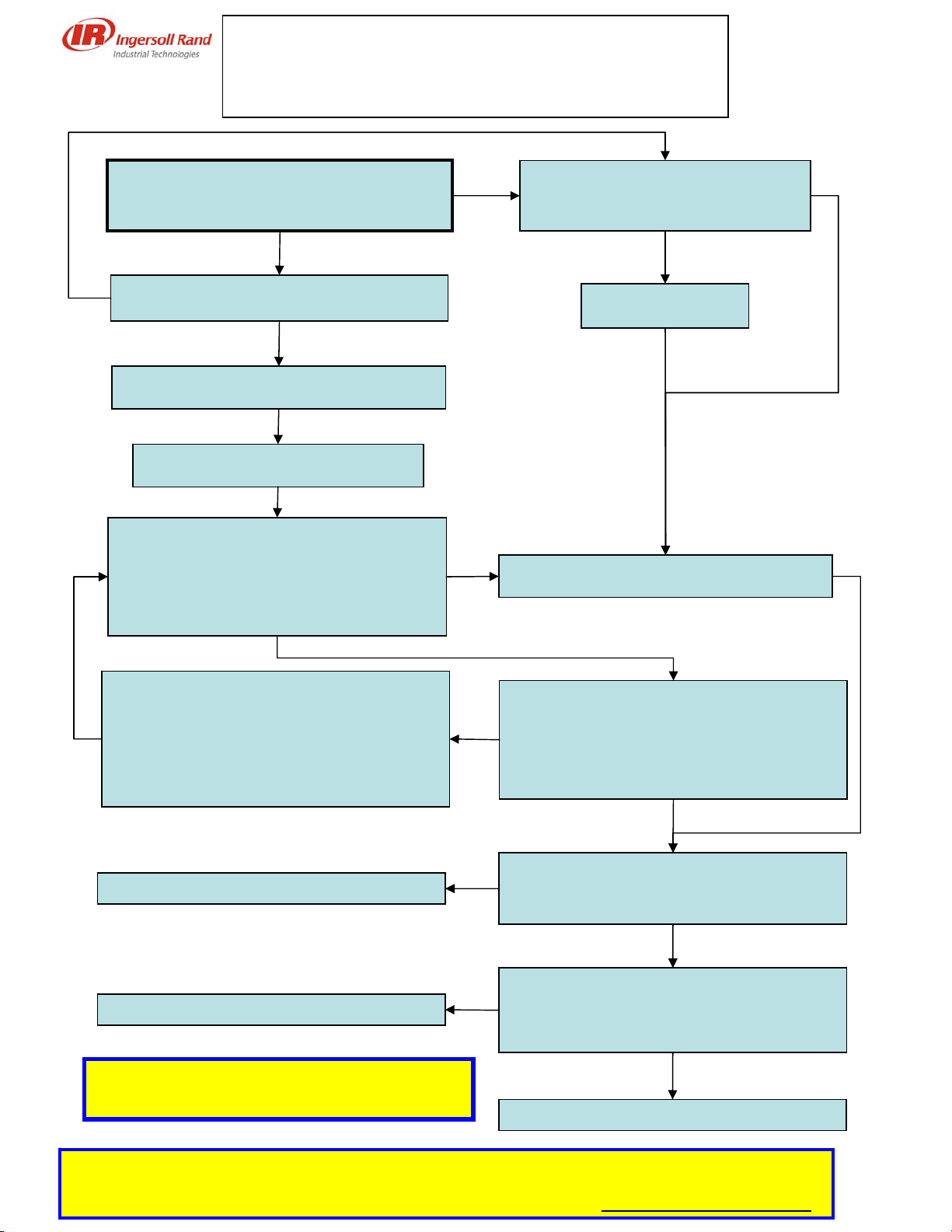
Compressor Trips on “Sec Disable” while
technician on site? – Toggle switch still on
“start” position and E-stop pulled ?
Check connections on E-stop (ESA1
and ESA2) – Connections OK?
No
Do not touch the toggle switch nor the E-stop.
8.09=“enable”? (8.02 must be=“active”)
Yes
Fix connection
No
Problem likely to be linked to: E-Stop / Wiring
or connection issues
No
Yes
Switch the toggle switch to the stop
position
Turn toggle switch to “stop” – Push & pull the
E-stop 10 times – Read 8.09 after each try
8.09 = “Enable” when E-stop pulled
& 8.09 = “Disable” when E-stop pushed ?
(Note : the “sec. disable” will be reset after
the first sequence of push/pull)
Problem may occur only when compressor is
running
Yes
Yes
Disconnect ESA1 & ESA2 so that the E-Stop is
no longer connected to the pins 13 & 14 –
Make contact between these two connectors
8.09 = “Enable” when ESA1 & ESA2 are in
contact
& 8.09 = “Disable” when no contact?
No
E-stop does not work properly – Change E-
Stop and restart the procedure
(with a multimeter, you can check the
resistance between ESA1& ESA2 Must read 0
ohm when the E-stop is pulled and OL ohm
when the E-stop is pushed)
Yes
Remove drive cover and check connections
(especially pins 13 & 14) – Connections loose
or misconnected cables?
No
Tighten the cables and re-conduct procedure -
Problem solved? (8.09 = “Enable” when E-stop
pulled out
& 8.09 = “Disable” when E-stop pulled in)
Yes
Contact IR customer’s service
No
Contact IR customer’s service No
Problem was due to misconnected cables Yes
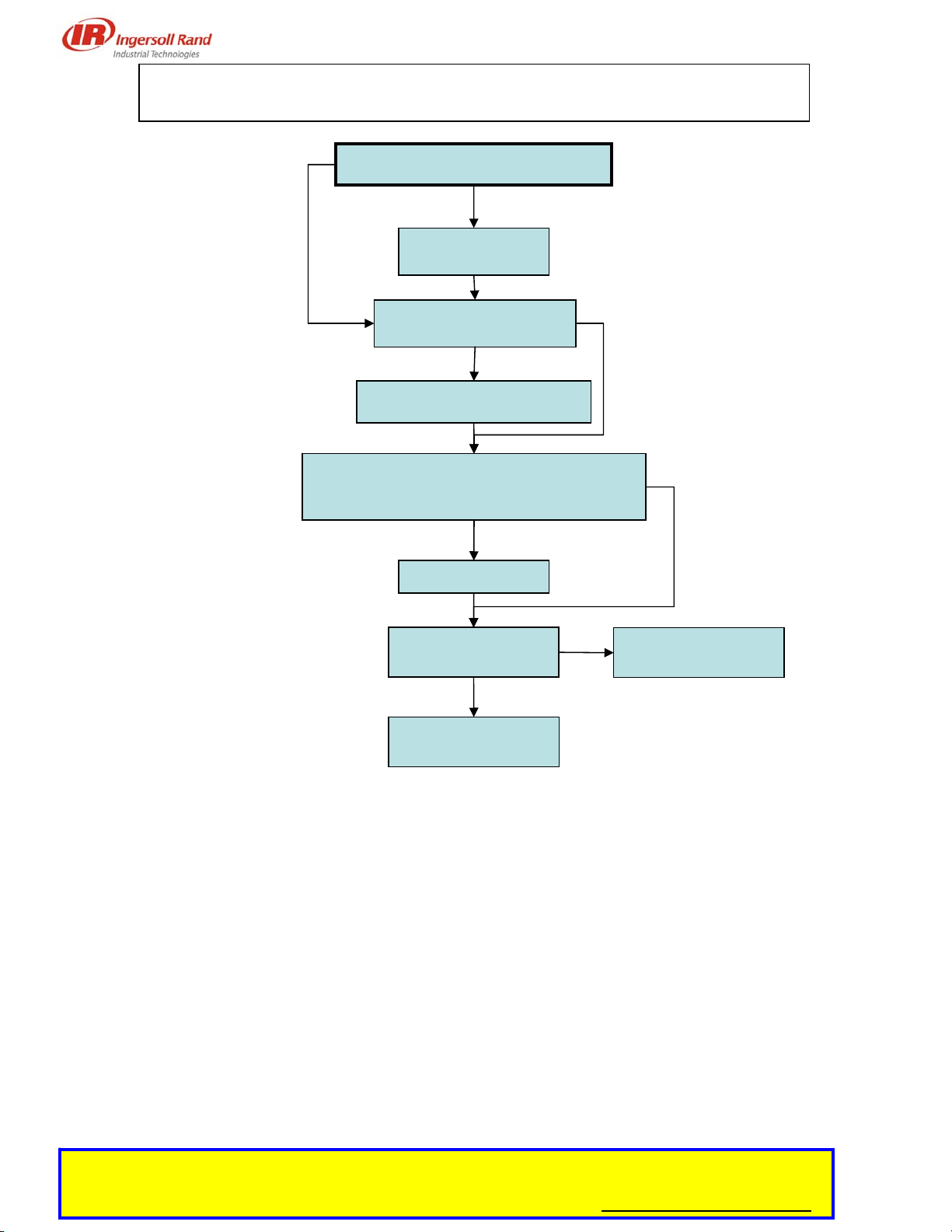
“SECURE DISABLE” FAULT TREE
Unit trips while running
Power outage is unlikely
More than 3 consecutive “sec.disable” fault in the memory
See Appendix 1 for detailed explanation
on Sec Disable fault message