manuals.online logo
Brands
  1. Home
  2. •
  3. Brands
  4. •
  5. Insignia
  6. •
  7. DVD Player
  8. •
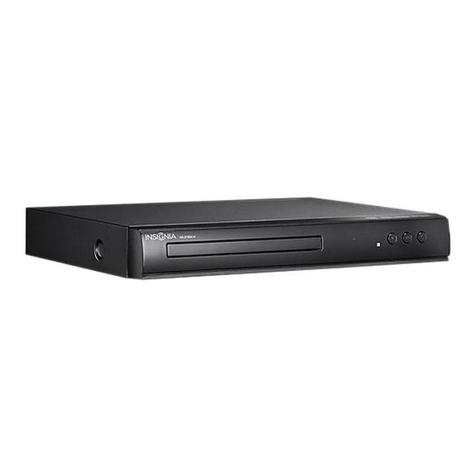
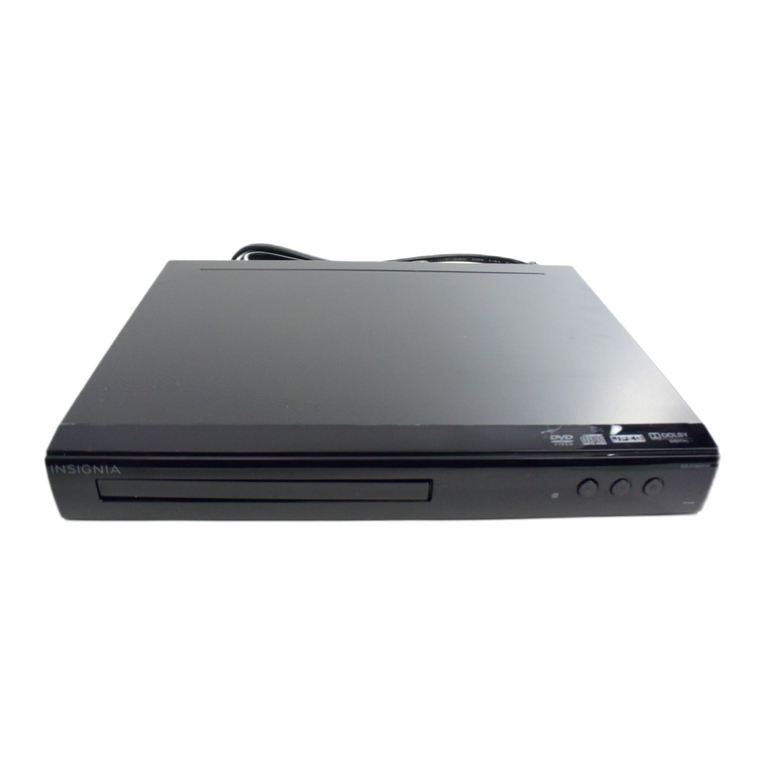
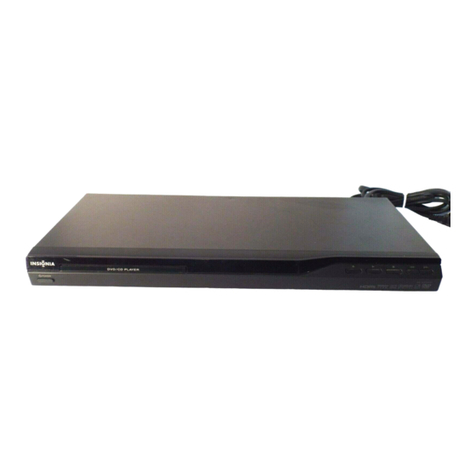
  9. Insignia NS-D150A13 User manual

Insignia NS-D150A13 User manual

Other manuals for NS-D150A13

6

Other Insignia DVD Player manuals

Insignia NS-MVDS7 Quick start guide

Insignia

Insignia NS-MVDS7 Quick start guide

Insignia NS-D160A14 User manual

Insignia

Insignia NS-D160A14 User manual

Insignia NS-HDVD18 User manual

Insignia

Insignia NS-HDVD18 User manual

Insignia NS-BRDVD Technical manual

Insignia

Insignia NS-BRDVD Technical manual

Insignia NS-HDVD18 User manual

Insignia

Insignia NS-HDVD18 User manual

Insignia NS-DVD1 User manual

Insignia

Insignia NS-DVD1 User manual

Insignia NS-D160A14 User manual

Insignia

Insignia NS-D160A14 User manual

Insignia NS-CADVD User manual

Insignia

Insignia NS-CADVD User manual

Insignia NS-1UCDVD User manual

Insignia

Insignia NS-1UCDVD User manual

Insignia NS-D150A13 User manual

Insignia

Insignia NS-D150A13 User manual

Insignia NS-UPDVD User manual

Insignia

Insignia NS-UPDVD User manual

Insignia NS-FSDVD User manual

Insignia

Insignia NS-FSDVD User manual

Insignia NS-DD10PDVD19 User manual

Insignia

Insignia NS-DD10PDVD19 User manual

Insignia NS-A3111 - AV System User manual

Insignia

Insignia NS-A3111 - AV System User manual

Insignia NS-D150A13 Parts list manual

Insignia

Insignia NS-D150A13 Parts list manual

Insignia NS-D160A14 User manual

Insignia

Insignia NS-D160A14 User manual

Insignia NS-D150A13 Owner's manual

Insignia

Insignia NS-D150A13 Owner's manual

Insignia NS ES6111 - Micro System Quick start guide

Insignia

Insignia NS ES6111 - Micro System Quick start guide

Insignia IS-PDDVD7 User manual

Insignia

Insignia IS-PDDVD7 User manual

Insignia NS-D160A14 Operating manual

Insignia

Insignia NS-D160A14 Operating manual

Insignia NS-D160A14 Operating manual

Insignia

Insignia NS-D160A14 Operating manual

Insignia NS-D160A14 User manual

Insignia

Insignia NS-D160A14 User manual

Insignia NS-C2115 User manual

Insignia

Insignia NS-C2115 User manual

Insignia NS-D160A14 Operating manual

Insignia

Insignia NS-D160A14 Operating manual

Popular DVD Player manuals by other brands

Yamaha DVD S540 - Progressive Scan DVD Player Service manual

Yamaha

Yamaha DVD S540 - Progressive Scan DVD Player Service manual

Yamakawa DVD-MP12i user manual

Yamakawa

Yamakawa DVD-MP12i user manual

Philips DVP3042/12 user manual

Philips

Philips DVP3042/12 user manual

Philips DVP5900/37B Quick use guide

Philips

Philips DVP5900/37B Quick use guide

Roadstar DVD-2020H Service manual

Roadstar

Roadstar DVD-2020H Service manual

Beko DVD 2006 user manual

Beko

Beko DVD 2006 user manual

Atak DVDA2015 instruction manual

Atak

Atak DVDA2015 instruction manual

LG DV257K owner's manual

LG

LG DV257K owner's manual

auna 10005069 manual

auna

auna 10005069 manual

Philips MCD700/61 user manual

Philips

Philips MCD700/61 user manual

Sony DVP-F11 Service manual

Sony

Sony DVP-F11 Service manual

Toshiba SD-2300U owner's manual

Toshiba

Toshiba SD-2300U owner's manual

LENCO DVP-740 X2 user manual

LENCO

LENCO DVP-740 X2 user manual

Tevion 44330 user guide

Tevion

Tevion 44330 user guide

Aiwa XD-DV370 operating instructions

Aiwa

Aiwa XD-DV370 operating instructions

Sony DVP S530D operating instructions

Sony

Sony DVP S530D operating instructions

Denon DVM-1805 - DVD Changer operating instructions

Denon

Denon DVM-1805 - DVD Changer operating instructions

Toshiba SD-3815 owner's manual

Toshiba

Toshiba SD-3815 owner's manual

manuals.online logo
manuals.online logoBrands
  • About & Mission
  • Contact us
  • Privacy Policy
  • Terms and Conditions

Copyright 2025 Manuals.Online. All Rights Reserved.

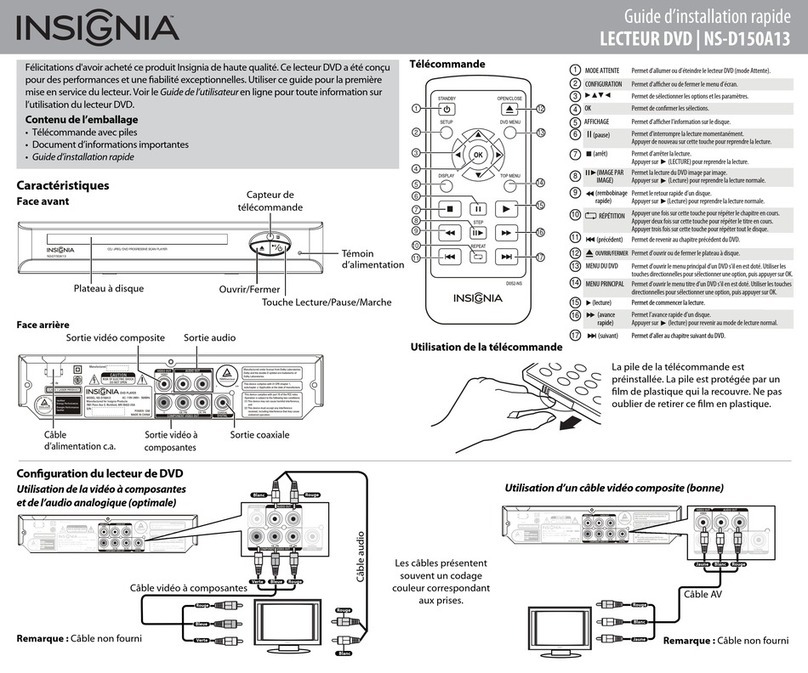
Congratulations on your purchase of a high-quality Insignia product. Your DVD
player is designed for reliable and trouble-free performance. Use this guide for
initial setup of your player. See your online User Guide for more information on
using your DVD player.
Package contents
Quick Setup Guide
DVD PLAYER | NS-D150A13
Remote control
Back view
STANDBY Press to turn your DVD player on or o (standby mode).
SETUP
OK
(play)
1
2
5
6
7
8
9
10
11
1
2
3
4
5
(pause)
6
(fast reverse)
7
8
9
OPEN/CLOSE
DVD MENU
11
12
13
15
(next)
16
(stop)
17
(previous)
REPEAT
10
14
(fast forward)
• Remote control & battery
• Important Information document
• Quick Setup Guide
Features
Front view
Disc Tray Open/Close
Play/Pause/Standby/On
Remote Control
Sensor
Power
Indicator
3
4
12
13
14
15
16
17
Using the remote control
DISPLAY
(fast reverse)
TOP MENU
(STEP)
Press to open or close the on-screen menu.
Press to select options and settings.
Press to conrm selections.
Press to display disc information.
Press to pause playback. Press again to resume playback
Press to stop playback. Press (play) to resume playback.
Press to play the DVD one video frame at a time.
Press (play) to resume playback.
Press to fast reverse on the disc.
Press (play) to resume playback.
Press once to repeat the current chapter. Press twice to repeat
the current title. Press three times to repeat the entire disc.
Press to start playing a disc.
Press to go to the previous DVD chapter.
Press to open or close the disc tray.
Press to open the DVD root menu, if the DVD has one. Use
the arrow buttons to select an option, then press OK.
Press to open the DVD title menu, if the DVD has one.
Use the arrow buttons to select an option, then press OK.
Press to fast forward on the disc.
Press (play) to resume normal playback.
Press to go to the next DVD chapter.
Setting up your DVD player
Note: Cable not provided
AC Power cable
Note: Cables not provided
Using component video and analog audio (best) Using composite video (good)
Audio Out
Component Video Out
Coaxial Out
Composite Video Out
AV cable
Component video cable
Audio cable
Cables are often
color-coded to match
color-coded jacks.
Red
White
Red
White
White RedYellow
White
Red
Yellow
Blue RedGreen
Blue
Red
Green
The remote control comes with
the battery installed. A plastic
sheet covers the battery to
protect it. Make sure that you
remove the plastic sheet.
ENGLISH 12-0526
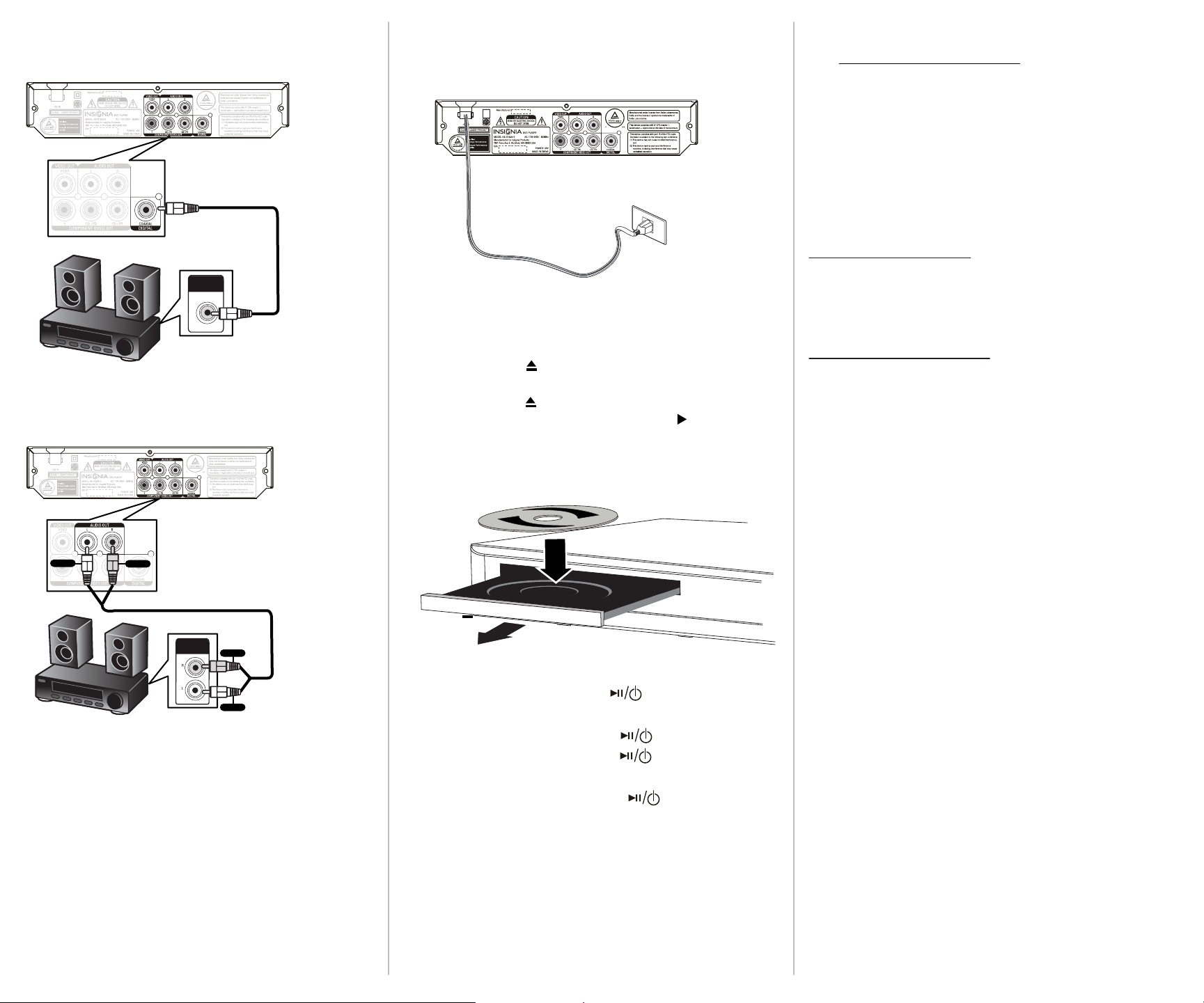
Connecting a Home Theater System
One-year limited warranty
Visit www.insigniaproducts.com for details.
Need additional help?
See your online User Guide! A copy of your User Guide is not
provided in the box but is available online.
Go to www.insigniaproducts.com, click Support & Service,
enter your model number in the Product Search eld,
then click Search.
Check out our online community forum at
www.insigniaproducts.com for helpful information from other
Insignia owners.
We’re here for you
www.insigniaproducts.com
For customer service, call:
877-467-4289 (U.S./Canada markets)
Distributed by Best Buy Purchasing, LLC
7601 Penn Avenue South, Richeld, MN USA 55423-3645
© 2012 BBY Solutions, Inc.
All rights reserved. INSIGNIA is a trademark of BBY Solutions, Inc.
Registered in some countries. All other products and brand names
are trademarks of their respective owners.
ANALOG
AUDIO IN
Note: Cable not provided
DIGITAL
AUDIO IN
Note: Cable not provided
Using Digital audio
Using Analog audio
Playing a disc
1 Turn on your DVD player and your TV.
2Select the input source on your TV that you connected your DVD
player to (component video or composite video).
3Press OPEN/CLOSE to open the disc tray.
4 Load the disc into the tray with the label side up.
5Press OPEN/CLOSE to close the tray. Playback starts
automatically. If playback does not start, press (play) on
the remote control or the player to start playing the disc.
•While the disc is loading, you can press (play/pause/Standby/On)
on the front of your DVD player to pause the DVD.
•When you are ready to play the DVD, press (play/pause/Standby/On).
•If you pause the DVD, then press and hold (play/pause/Standby/On)
for three seconds, your DVD player goes into standby mode.
•If your DVD player is in standby mode, press
(play/pause/Standby/On)
on the front of your DVD player to start playing the DVD.
Digital coaxial
audio cable
Analog audio
cable
Connecting Power
Plug the AC power cord into a power outlet.
Red
White

Red
White