manuals.online logo
Brands
  1. Home
  2. •
  3. Brands
  4. •
  5. Intek
  6. •
  7. Radio
  8. •
  9. Intek M-760 PLUS User manual

Intek M-760 PLUS User manual

Other manuals for M-760 PLUS

1

Other Intek Radio manuals

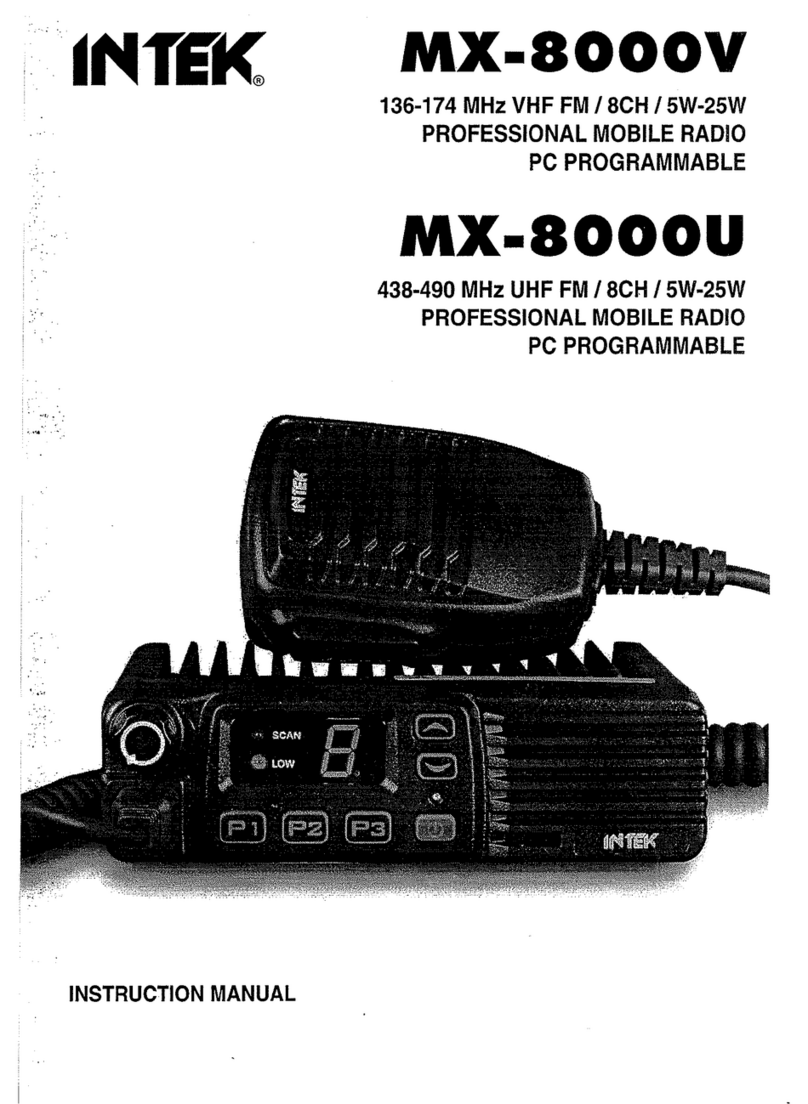
Intek MX-8000U User manual

Intek

Intek MX-8000U User manual

Intek MX-8000V User manual

Intek

Intek MX-8000V User manual

Intek M-150 Plus User manual

Intek

Intek M-150 Plus User manual

Intek MX-825V User manual

Intek

Intek MX-825V User manual

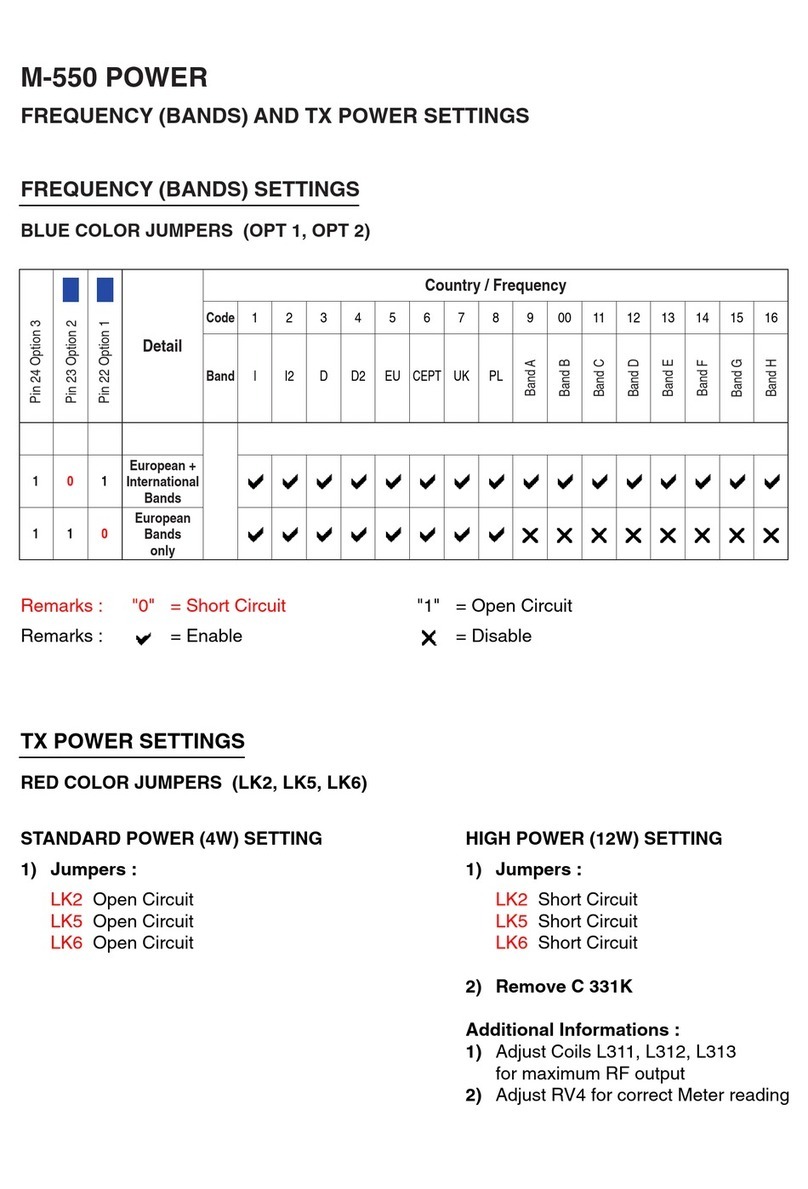
Intek M-550 Power Use and care manual

Intek

Intek M-550 Power Use and care manual

Popular Radio manuals by other brands

EisSound KBSound iSelect user manual

EisSound

EisSound KBSound iSelect user manual

Midland 1001LWX owner's manual

Midland

Midland 1001LWX owner's manual

Konig HAV-SR41 manual

Konig

Konig HAV-SR41 manual

Roberts exprssion manual 

Roberts

Roberts exprssion manual 

VDigi DD3.0 Operation manual

VDigi

VDigi DD3.0 Operation manual

Radio Shack 21-1863 owner's manual

Radio Shack

Radio Shack 21-1863 owner's manual

Roberts Stream 207 instruction manual

Roberts

Roberts Stream 207 instruction manual

Sony Walkman SRF-M97 Service manual

Sony

Sony Walkman SRF-M97 Service manual

Stanley FatMax FMC770 manual

Stanley

Stanley FatMax FMC770 manual

auna DAB-Radio 10026947 manual

auna

auna DAB-Radio 10026947 manual

SOUNDMASTER UR190 instruction manual

SOUNDMASTER

SOUNDMASTER UR190 instruction manual

HYT TC-320 user manual

HYT

HYT TC-320 user manual

B-Tech GMRS-V2 manual

B-Tech

B-Tech GMRS-V2 manual

Weierwei VEV-V8 user manual

Weierwei

Weierwei VEV-V8 user manual

SOUNDMASTER DAB750 instruction manual

SOUNDMASTER

SOUNDMASTER DAB750 instruction manual

Telefunken TF-1505 instruction manual

Telefunken

Telefunken TF-1505 instruction manual

Makita LXRM03 instruction manual

Makita

Makita LXRM03 instruction manual

PRESIDENT TEDDY R. owner's manual

PRESIDENT

PRESIDENT TEDDY R. owner's manual

manuals.online logo
manuals.online logoBrands
  • About & Mission
  • Contact us
  • Privacy Policy
  • Terms and Conditions

Copyright 2025 Manuals.Online. All Rights Reserved.

Model No: M760 Plus
Customer:INTEK RevNo:A
1
M-760 Plus
Service Manual
.
Model No: M760 Plus
Customer:INTEK RevNo:A
2
Table of Contents Page
Specifications …………………………………………………………….……3
Test and Alignment Procedure ……………………………………….….…….4
Block Diagram ………………………………………………………….……13
Schematic Diagram ……………………………………………….………. 14
Printed Circuit Board ……………………………………………………… 21
Channel Frequency Charts ……………………………………….…………23
Parts List ……………………………………………………………………32
Semiconductor Voltage Chart ………………………………………………...38
Model No: M760 Plus
Customer:INTEK RevNo:A
3
SPECIFICATIONS
1. GENERAL
Channels………………………...…………………………….................. …….400 Ch AM/FM 4W
Frequency Range………………………………...……………… …. …..…25.615 to 30.105 MHz
FrequencyControl……………………………………………………..…………..……………..…PLL
Operating Temperature Range……………………..……………………………….…-10° / +55°C
DC Input Voltage…………………………...……………………………………....13.2 V DC ±15%
Size………………………………………….……………..……….…180(L) X 35(H) X 140(D) mm
Weight……………………………………………………..………………..……...…………0.850 kg
2. RECEIVER
Receiving System……………………………..Dual Conversion Super Heterodyne Intermediate
Frequency…………………………………………………….…1st IF: 10.695 MHz, 2nd IF: 455 MHZ
Sensitivity……………………………………….....….0.5 µV for 20 db SINAD in FM mode Audio
Distortion……………………………………..………..……..…………….Less Than 8% @ 1 KHz
ImageRejection………………………………………………………………………..………...65 dB
Adjacent ChannelRejection…………………………………………….……………………...65 dB
Signal/ Noise Ratio………………………………………………………………………….….45 dB
Current Drain at standby……………………………………………………………………..325 mA
3. TRANSMITTER
Output Power……………………………………………………..……….....….4W @ 13.2 V DC
Modulation……………………………………………………...…….……FM: 1.8 KHz ±0.2 KHz
Frequency response…………………………………………………....From 400 Hz to 2.5 KHz
Output impedance…………………………………..…………………………………RF 50 ohm
Unbalance Signal/ Noise Ratio……………………………………………………………..40 dB
MIN Current Drain…………………………………………………………………….….1300 mA
Model No: M760 Plus
Customer:INTEK RevNo:A
4
OPERATION INSTRUCTIONS
Having properly installed your batteries and hooked-up the antenna, you are now ready to operate your radio for
optimum reception and voice transmission.
Turn the power “ON” with ON/OFF switch.
Set the desired channel.
Adjust the squelch control knob to reduce any undesirable background noise when no signal is being received.
To do this, select a channel where no signal are present, or wait until signals cease on your channel. Then, rotate
the squelch control knob clockwise to a point where the background noise disappears.
Note: When the squelch is set properly, the speaker will remain quiet until a signal is received. In
order to receive weak signals, do not set the squelch too high.
Adjust the volume to the desired listening level.
To Transmit
Press and hold the push-to-talk button. Speak slowly and clearly in a normal voice two to three inches from the
microphone. A buit-in modulation control circuit will automatically adjust the microphone input level. There is no
need to speak loudly.
To Receive
Release the push-to-talk button.
Model No: M760 Plus
Customer:INTEK RevNo:A
5
THEORY OF OPERATIONS
TRANSMITTER
A. RF Amplification
The output of double AMP Q14 is fed through tuning IFT L8 to the base of pre driver AMP Q15. The output is
then supplied through tuning circuit L9 to RF driver AMP Q16. The output of Q16 is supplied with tuning circuit
L10 and C116,C67,C95 and goes to the base of final RF AMP Q17. The output of Q17 is supplied to the antenna
through L-C tuning circuit.
B. Circuit for Suppression of Spurious Radiation
The tuning circuit between the output of final AMP Q17 and antenna, 4-stage “PHI” network L13,
C142,C71,C72,L14,C74,C75,L15,C77,C78,L16,C79,C80,L24 serves as a spurious radiation suppressor . This
network also serves to match the impedance between TX power AMP Q17 and the antenna.
C. Circuit for Limiting Power
After finished all alignment, the constant voltage supply circuit limits the available power 4 W or slightly less.
RV4 and corresponding three transistors control supply voltage of RF amplifier and other circuits.
Tune all the trimmer parts for maximum indication of RF power meter and adjust RV4 to make 4 w indication of
RF power meter.
The tuning is adjusted so that the actual power is from 3.5 to 4.0 W. There are no other additional controls for
adjusting the TX output power.
D. Modulation Control
a. FM
The mic input is fed to mic audio amplifier IC KIA324 which drives modulation varicap diode D403 in the VCO
circuit. RV1 limits the incoming modulation audio levels to inhibit over modulation. While reading the modulation
factor on the modulation analyzing equipment, adjust RV1 shall not exceed +-1.7 KHz/Dev. After 20 dB up from
1.25 KHz/1.2 KHz/Dev. Audio level
b. AM
Modulation signals are filtered with RC network and goes to the audio power AMP IC IC103 to make nominal
signal level to achieve wanted modulation. To control incoming audio signal, diode D7 and corresponding ALC
circuit limits the modulation shall not exceed +/-90% adjust RV3 +/-90% modulation under 1.0 KHz AF 60%
mod plus 20 dB of audio signal.
Model No: M760 Plus
Customer:INTEK RevNo:A
6
E. Receiver
CB receiver is dual conversion supper-heterodyne type with the first IF 10.695 MHz and second IF 455 KHz.
Receiver is separated two blocks, 1st IF section and 2nd IF section. The PLL synthesizer supplies first local
frequency 16.270 ~ 16.710 MHz.(for EU) and 16.90625 MHz ~ 17.29625 MHz (for UK) With the provided first
local frequencies to Q2,Q3 mixes the incoming RF signal to generate first IF signal. Mixed signals were filtered
with the XF1 (10.695 MHz) crystal filter and other tuning circuits. Output signal of mixer is filtered with CF1(455
KHz ceramic filter). The 455 KHz signal from the 2nd IF filter was amplified and limits internaly. After amplification
the signals fed the quadrature detector loop L20. Then we can see the recovered audio signals on Pin 9 for FM
of IC7. With the amplitude of recovered signals, Q10 serves as an audio amplifier. For AM signal Will be pass
filter CF1 and induced to Q6, Q7 respective and detected to voice signal by D5.
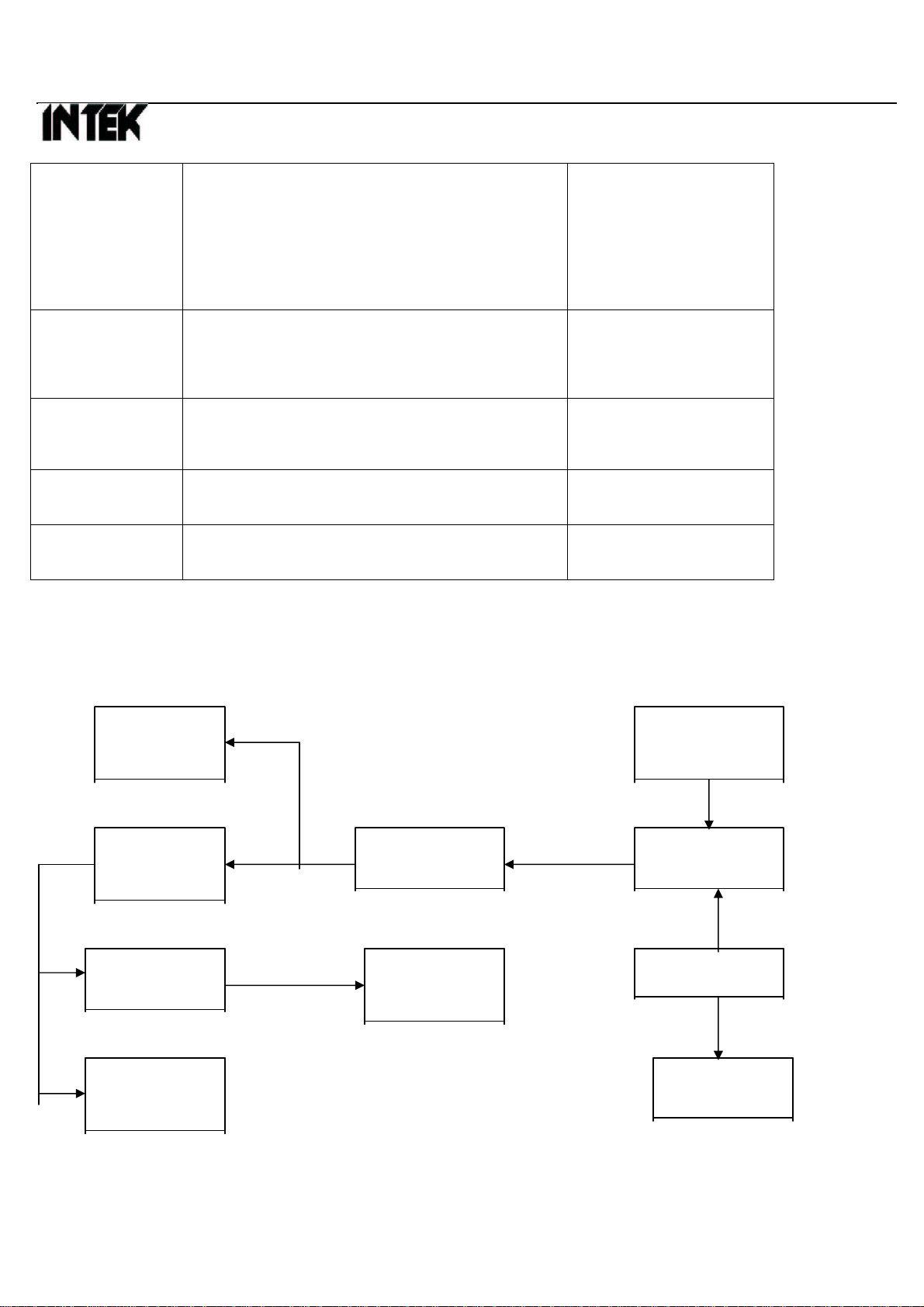
TROUBLESHOOTING HINTS
Symptom Probable Cause Remedy
Unit does not
work at all
•Defective power switch VR1. • Blown fuse. •
Broken DC power cord. • Defective IC5. •Replace • Replace •
Replace • Replace
No output from
speaker at all
• Defective external speaker jack. • Poor connection
on microphone connector • Defective push
switch on microphone. • Defective internal
speaker. • Defective VR1, IC8 other
components.
•Repair or replace •
Repair or replace •
Repair or replace •
Replace • Replace the
defective components.
No noise on
speaker
•Measure all the voltage of IC7 with voltage
chart • Defective squelch circuit components
(RV5,RV7,VR2 IC7)
•Replace • Replace
Squelch does not
work
•Defective VR2, RV5,RV7, IC3-D. •Replace the defective
components. • Re-adjust
Model No: M760 Plus
Customer:INTEK RevNo:A
7
No modulation
• Defective microphone. • Poor audio output and
defective modulation microphone amplifier
components (IC3). • Defective microphone
connector components. • Defective ALC circuit
D8,D9
•Replace • Replace the
defective components. •
Replace • Replace the
defective components.
LCD meter does
not work •Defective D11,D22 • Defective IC5. • Defective
RV2.RV6 •Replace • Replace •
Replace
LCD display does
not work •Defective RED wire fuse. • Defective IC5, . •Replace • Replace
Channel selector
does not work •Defective IC5. •Replace
EMG CH9.19
does not work •Defective EMG SW. • Defective IC5. •Replace • Replace
TEST EQUIPMENT SETUP
A. TX test equipment setup:
Spectrum Power
Analyzer Supply
Modulation Wattmeter Radio
Meter 10W U.U.T.
Oscilloscope Frequency AudioGen.
Counter
Distortion AC
Meter Voltmeter
Model No: M760 Plus
Customer:INTEK RevNo:A
8
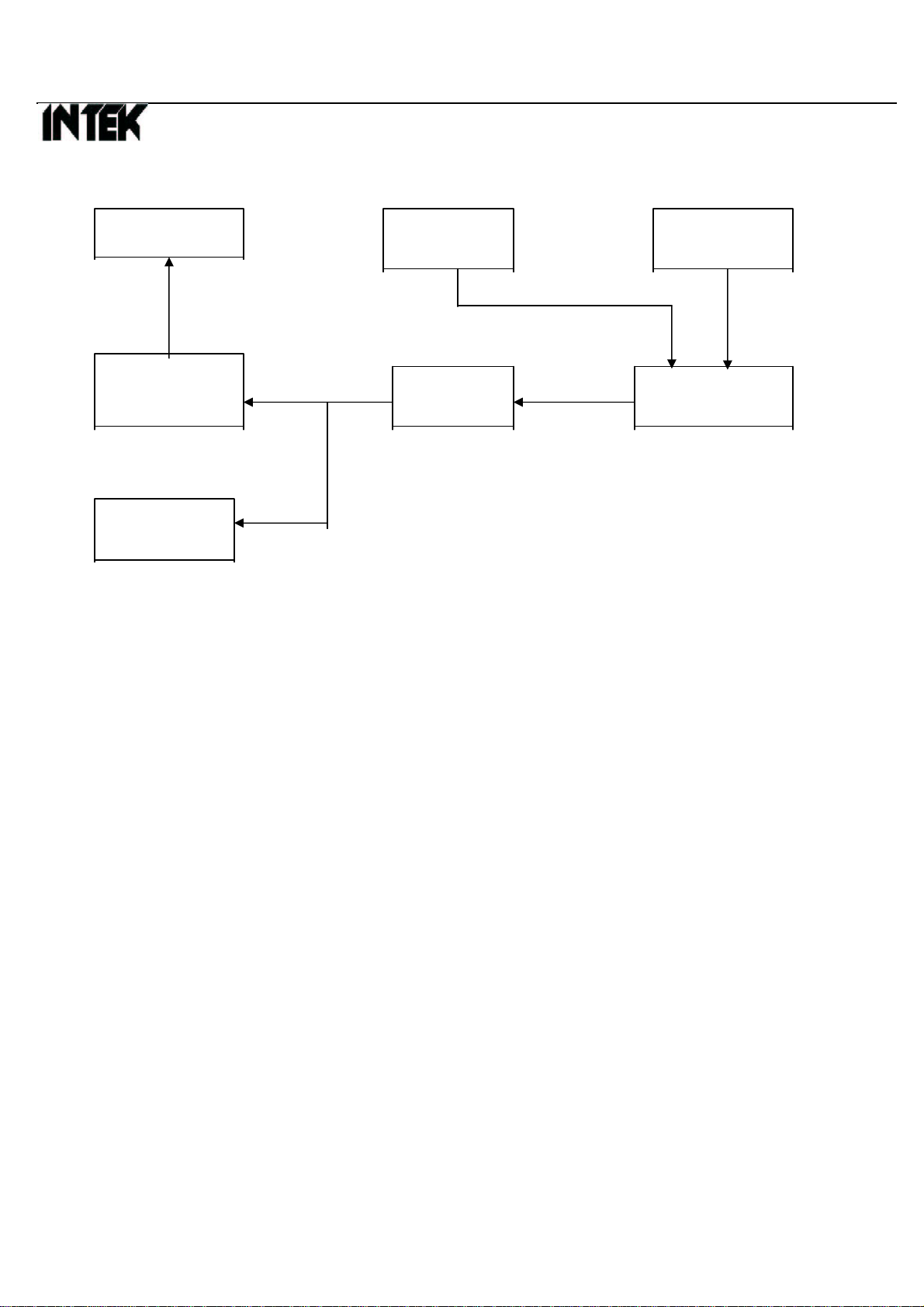
B. RX test equipment setup:
SINADMeter RFSignal Power
Generator Supply
Distortion 8ohm Radio
Meter loading U.U.T.
Oscilloscope
Note:U.U.T.=deviceundertest
Alignment Procedure.
4.1 VCO Adjust.
4.1.1 VCO Voltage Adjust:
Test point TP1 connect to the multi-meter,set UUT enter test mode. Press channel “UP” key to select CH01A of Poland
Band in FM mode.
1. Adjust IFT L17 for 1.0 ±0.1V on the Multi-meter read,and then checking CH40L of RU Band should be less than
3.8V, and then check AM mode CH01A ≥0.8V,CH40L ≤3.8 V
2. Set UUT for TX MODE:Check CH01A ≥0.8V,CH14D ≤3.8V; CH15D ≥0.8V, CH21G ≤3.8V; CH22G ≥0.8V,
CH40L ≤3.8V.
3. Turn to AM mode and repeat above item 2.
4.2 RX Section Alignment . ( FM and AM )
4.2.1 Audio Distortion Adjust:
1. UUT set to FM mode CH19,output of RF signal generator connect to TP2. Audio dummy load connect to EXT.
Speaker. (@8Ωload)
2. Set RF S.S.G Freq.: 10.695MHz,Mod.: ±1.2KHz,Fmod.: 1KHz, Output level:1mV.
3. Squelch Volume set to minimum position, volume control set to around middle position.
4. Adjust IFT L20 for maximum audio output and minimum distortion at the distortion meter. ( distortion less than 5%).
5. Set volume control to maximum position, audio output power shall be more than 3 Watts.
6. UUT set toAM mode CH19,output of RF signal generator connect to TP2. Audio dummy load connect to EXT.
Speaker. (@8Ωload)
Model No: M760 Plus
Customer:INTEK RevNo:A
9
7. Set RF S.S.G Freq.: 10.695MHz,Mod.: 60%,Fmod.: 1KHz, Output level:1mV.
8. Squelch Volume set to minimum position, volume control set to around middle position.
9. Adjust IFT L5 for maximum audio output and minimum distortion at the distortion meter. ( distortion less than 5%).
10. Set volume control to maximum position, audio output power shall be more than 3 Watts.
4.2.2 Sensitivity Adjust:
1. RX RF bandwidth alignment: Apply Spectrum analyzer’s Track Gen. Output connect to the UUT antenna terminal and
input connect to the UUT TP3 (Q26 Emitter), center frequency set 27MHz, span set 30MHz, adjust IFT L4, L21 & L22
refer to attached table curve, then short TP3 & TP4.
2. UUT set to FM mode CH22,output of RF signal generator connect to TP5 (Antenna).
3. Set RF S.S.G Freq.: 27.225MHz,Mod.: ±1.2KHz,Fmod.: 1KHz, Output level:0.5uV.
4. Adjust the volume control for 2V output on distortion meter read.
5. Adjust L2 & L3 for more than 12dB at SINAD meter.
6. Repeat as needed. Check all channels sensitivity must met the D.T.S. specifications.
7. UUT set to AM mode CH22,output of RF signal generator connect to TP5 (Antenna).
8. Set RF S.S.G Freq.: 27.185MHz,Mod.: 60%,Fmod.: 1KHz, Output level:0.5uV.
9. Adjust the volume control for 2V output on distortion meter read.
10. Adjust L2 & L3 for more than 12dB at SINAD meter.
11. Repeat as needed. Check all channels sensitivity must met the D.T.S. specifications.
4.2.3 T- Squelch SensitivityAdjust:
1. UUT set to AM CH22,output of RF signal generator to the antenna input terminal.
2. Set RF S.S.G Freq.: 27.225MHz,Mod.: 60%,Fmod.: 1KHz, Output level: -47dBm.
3. Volume control and Squelch control set to maximum position,(Full C.W)
4. Adjust the RV5 to mute the speaker, then turn the RF S.S.G. output level to –47dBm.
5. Slowly turn RV5 to a position that the audio output on the speaker just appears from no output. Turn the RF S.S.G.
output level to -57dBm, the audio must be off from the speaker.
Auto Squelch Adjust:
6. UUT set to AM CH22,output of RF signal generator to the antenna input terminal.
7. Set RF S.S.G Freq.: 27.225MHz,Mod.: 60%,Fmod.: 1KHz, Output level: -104dBm.
8. Squelch volume control set to minimum and Off position (Full C.C.W).
9. Adjust the RV7 to mute the speaker, Slowly turn RV7 to a position that the audio output on the speaker just appears
from no output. Turn the RF S.S.G. output level to -107dBm, the audio must be off from the speaker.
4.2.4 RX Signal Meter Display Adjust: (For M-760 Only)
1. UUT set to AM CH22,output of RF signal generator to antenna input terminal. RF Gain volume at maximum. Power
switch turn on.
Model No: M760 Plus
Customer:INTEK RevNo:A
10
2. Turn the RF S.S.G output for 100uV without modulation.
3. Adjust RV6 for 9 characters displayed at the RX signal strength of the LCD.
4. Turn the RF S.S.G level output increase 30dB, the RX signal strength should up to +30 position.
4.2.5 Maximum S/N Detector & ANLdetection:
1. UUT set to FM CH22,output of RF signal generator to antenna input terminal. RF Gain set to maximum, Squelch set
to minimum, compander set off. (M-150 W/O Compander)
2. Set RF S.S.G Freq.: 27.225MHz,Mod.: ±1.2KHz,Fmod.: 1KHz, Output level: 1mV.
3. The Volume control turn to 0.5 watts audio output for referenceA dB.
4. Then off the Modulation, here the audio output for reference B dB. A-B for S/N ≥35dB.
5. Compander set to On, repeat above item 3 and 4,A-B for S/N ≥50dB. (M-760 only)
6. UUT set to AM CH22, set RF S.S.G Mod. for 60%. Compander set Off. Repeat above item 3 and 4, A-B for S/N ≥
35dB; Compander set to On, repeat above item 3 and 4, A-B for S/N ≥50dB. (M-760 only)
7. UUT set to AM CH22, set RF S.S.G mod for 30%. RF level set 5.0uV. ESP set off. RF Gain set to maximum, Squelch
set to minimum. ANL set off, Noise generater (pulse 1us; width 100ms; output level 1.0Vrms) set to on and connect to
the antenna socket with network combinator.
8. Set audio output level for 0.8Vrms for 0dB reference, RF S.S.G MOD. turn off, set ANL to ON, the audio output
should be drop 6dB or below.
4.3 TX Section Alignment.
4.3.1 TX output power and Frequency Alignment:

1. UUT set to FM EU CH19,AntennaconnecttotheRFpower-meterinputterminal.
2. Set UUT to TX mode, adjust the IFT L8 and L9 for TX power output maximum, and then adjust the RV4 check the
output TX power for 4.0W.
3. Set UUT turn to AM mode, check the TX power output for 0.7 to 1.3W.
4. Change to channel to UK band “U40” (27.99125MHz), Adjust the trimmer capacitor CT1 to 27.99125MHz ±50Hz
on frequency counter. The UUT turn to EU CH19, check the TX carrier frequency should 27.185000 +/- 300Hz.
5. TX harmonics adjust and checking, turn to FM CH19, adjust L24 for 2nd harmonic -36dBm below.
4.3.2 TX Signal Meter IndicatorAlignment.
1. UUT set to AM CH19,input of power-meter to antenna input terminal.
2. Set UUT to TX mode, adjust the RV2 for “4” characters displayed at the TX signal strength of the LCD display.
4.3.3 TX modulation Deviation Alignment: