P/N 466-5308 • REV B • 16MAY18 9 / 17
Locations to Avoid
•In the garage. Products of combustion are present when
you start your automobile.
•Normal cooking may cause nuisance alarms. If a
kitchen detector is desired, it should have an alarm
silence feature or be a photoelectric type.
•Do not install within 6' of heating or cooking appliances.
•Less than 4" (10 cm) from the peak of an “A” frame type
ceiling.
•In dusty areas. Dust particles may cause nuisance
alarm or failure to alarm.
•In very humid areas (above 95% RH, non-condensing).
Moisture or steam can cause nuisance alarms.
•In insect-infested areas.
•In an area where the temperature may fall below 32ºF
(0C) or rise above 100ºF (37.8C), such as garages and
unfinished attics.
•Detectors should not be installed within 3' (0.9 m) of the
door to a bathroom containing a tub or shower, forced
air supply ducts used for heating or cooling, ceiling or
whole house ventilating fans, or other high air flow
areas.
•Do not install near vents, flues, chimneys or any
forced/unforced air ventilation openings.
•Do not install near fans, doors, windows or areas
directly exposed to the weather.
Note: Smoke detectors are not to be used with detector guards
unless the combination (detector and detector guard) have
been evaluated and found suitable for that purpose.
Smoke detectors cannot provide an alarm if smoke does not
reach the detector. Therefore, smoke detectors may not
sense fires starting in chimneys, walls, on roofs, on the other
side of a closed door or on a different floor.
Installation / Activation / Wireless
You do NOT need a home Wi-Fi system to use these units.
Multiple wireless units create their own independent wireless
detector network (wireless interconnect between multiple
detectors). In addition, these units can wirelessly
communicate with an appropriate control panel.
WARNING: THIS DETECTOR SHOULD BE INSTALLED BY A
CERTIFIED TECHNICIAN.
WARNING: FAILURE TO PROPERLY INSTALL AND ACTIVATE
THIS DETECTOR WILL PREVENT PROPER
OPERATION AND RESPONSE TO HAZARDS.
If you are installing detectors and will use the
wireless interconnect function, proceed to
section 9.1 “Set Up a Wireless Detector
Network (Wireless Interconnect)” If you are not
using the wireless detector-to-detector interconnect function,
then proceed with the following two steps, and then skip
ahead to the “Enrolling a Detector with a Panel” section.
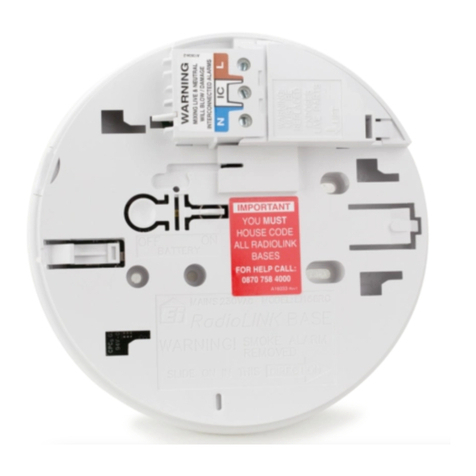
1. After selecting the proper location for the detector,
attach the mounting bracket (trim plate) to the wall or
ceiling. To ensure aesthetic alignment of the detector
with the hallway, or wall, the “A” line on the mounting
bracket (trim plate) must be parallel with the hallway
when ceiling mounted or horizontal when wall mounted.
2. Install the detector fully on the mounting bracket (trim
plate) by rotating the detector in a clockwise direction.
Note: Installing the detector on the mounting bracket (trim plate)
will automatically activate the battery. The power up
sequence is indicated by the LED ring slowly glowing
GREEN on/off one time.
Note: Detectors will emit a series of slow RED LED glowing on/off
as the detector searches for a wireless network. If you are
intending to use the detectors without the wireless
interconnect function, ignore these notifications, and the
wireless interconnect function will eventually turn off (~15
minutes) OR to immediately finish this process, push the
Test/Hush button until two beeps are heard (approximately 4
seconds). The LED will change to glowing GREEN on/off
every second. Repeat the button push/hold for another 4
seconds, until two beeps are heard, and then release the
button. This will close the network.
When the network has been closed, each detector’s
GREEN LED will change from glowing on/off every
second to flashing once every 60 seconds to indicate
normal operation.
Note: The battery activation is a one-time feature. After activation,
the battery cannot be turned off, and can only be
discharged at the end of unit life. If the detector is removed
from the mounting plate, the battery will remain active. See
“Permanently Disable Detector / Discharge Battery” section
to de-energize the detector.