USB: Syncing and Charging
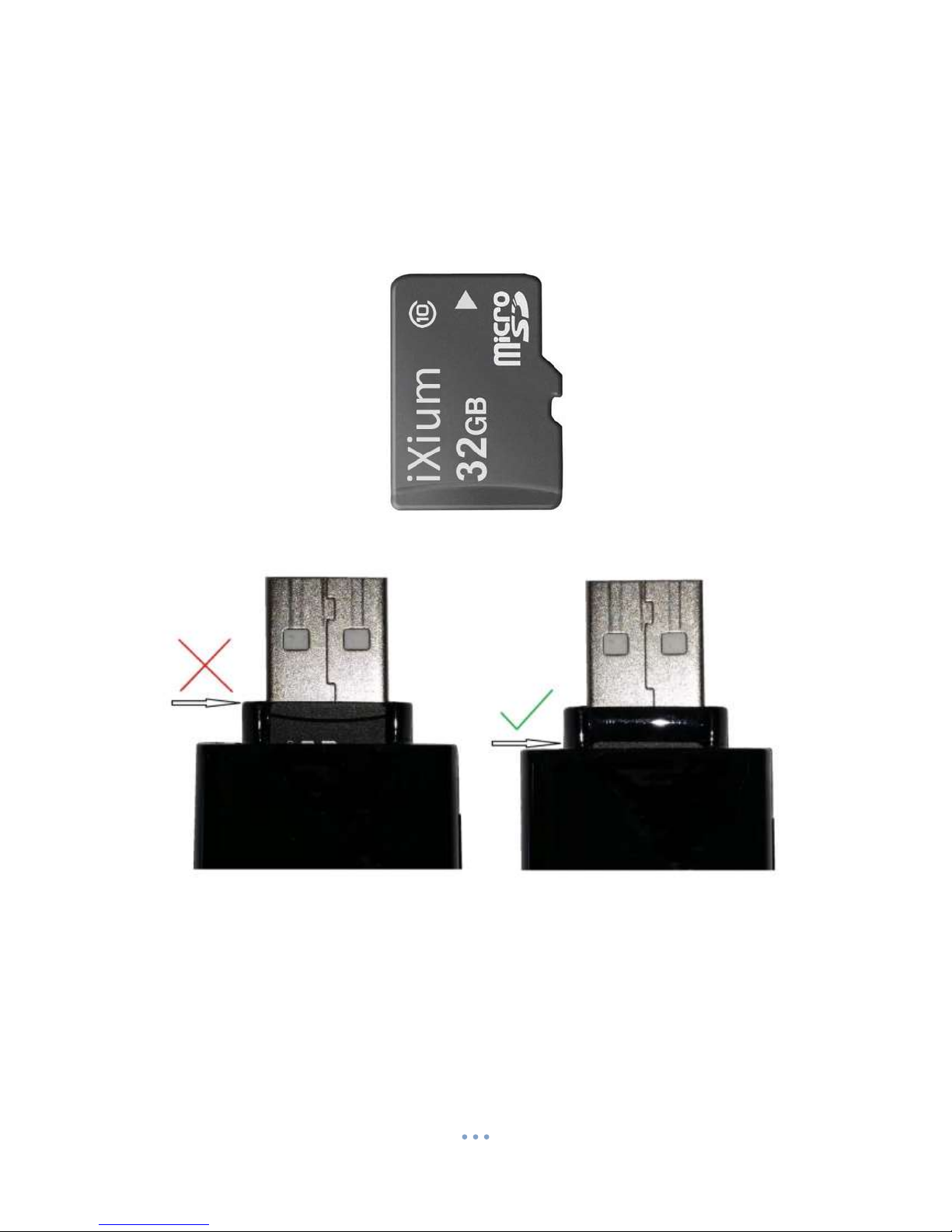
Supplied with the USB stick is a USB cable which enables you to charge the battery and transfer the
files that are saved on the Micro SD Card.
Power / Audio Capture
Turn On
Press and hold the Power / Audio Capture button until you can see the indicator has turned red (this
should only take 2 or 3 seconds).
Turn Off
Press and hold the Power / Audio Capture button until you can see the indicator goes out (this
should only take 2 or 3 seconds).
Audio Capture
Quickly press the Power / Audio Capture button and the indicator will flash blue and then go out.
This is now recording audio only.
To stop recording audio quickly press the Power / Audio Capture button again and the indicator light
will turn red again. You can turn the USB stick off from here or carry on to use one of the other
functions.
Photo / Video
This button enables you to switch between the camera and standard video features depending on
what you need.
Camera Mode
Turn the USB Stick on. Once the indicator has turned red then all you need to do is point the USB
Stick in the direction you wish to take a picture of and quickly press the Photo / Video button. The
Red light will go out momentarily and come back when ready to take the next picture.
When you are done taking pictures you can turn the USB Stick off or use one of the other functions.
Video Mode
Turn the USB Stick on. Once the indicator has turned red press and hold the Photo / Video button
and the indicator will then start flashing (this should only take 2 or 3 seconds) and then go out. It is
now recording video.
When you are done recording video press and hold the Power / Audio Capture button until you can
see the indicator flash blue and then go out (this should only take 2 or 3 seconds). The video has
now stopped recording and the USB stick turned off. You can turn the USB stick back on and record
another video or plug it into your computer and retrieve the files.
Motion Detection
Turn the USB Stick on. Quickly press the Motion Detection button and place where you want it to
record. It will record in short chunks of video. If there is still motion when one section ends then it
will start a new section.
To stop the USB Stick recording quickly press the Motion Detection button and it will stop recording.