7
Introduction
Cautionary Notes
Storage/usage location
■Do not use or store the unit in the following loca-
tions. Malfunction may occur as a result.
•Location outside the allowed operating tem-
perature range (0°C ~ 40°C) where the tem-
perature may become extremely hot or cold.
•Location outside the allowed operating humid-
ity range (30% ~ 80%) where the humidity is
high.
•Location with strong magnetic force such as
from a transformer, motor, etc.
•Location with presence of electric waves such
as from a transceiver, mobile phone, etc.
•Location that is dusty or sandy.
•Location with strong vibrations.
•Location with condensation.
•Location where radiation, x-ray or corrosive gas
is generated.
Handling
■To prevent the internal temperature from rising,
do not stack units when using.
■Do not place the unit on its side.
■Handle the unit with caution and do not apply ex-
cessive force.
■Wipe the unit with a soft cloth.
The surface may fog or even melt when wiped
with benzene or paint thinner. For stubborn dirt,
use neutral detergent diluted in water and then
dry wipe.
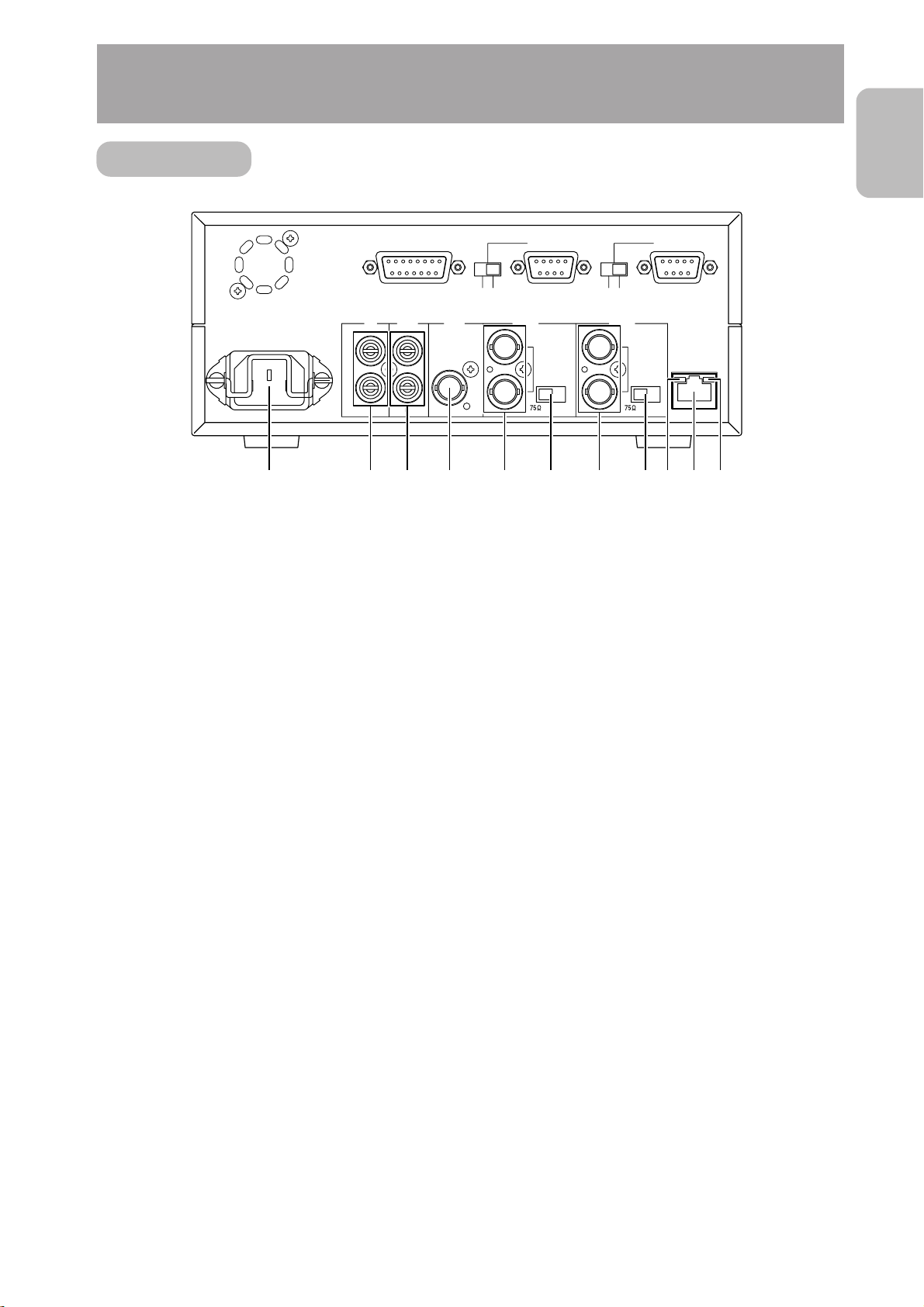
■To completely cut off the power, disconnect the
power cable from the wall outlet or remove the
power cord from the AC inlet (AC IN) of the unit.
Installation
■Be sure to ground the unit.
■Place the unit near a wall outlet.
■Always use the specified (included) power cord.
Use of a cord other than that specified or a cord
that has been damaged may result in fire or elec-
trical shock.
■Do not use the included power cord other than
with this unit.
■Do not place heavy objects such as a monitoring
television on top of the unit. Malfunction may oc-
cur as a result.
■Always request installation to the dealer of pur-
chase.
■About the echo canceller
The echo canceller of the unit is provided for the
prevention of howling. However, repeated echo-
ing of sound other than from a DM-NC40 may not
be suppressed sufficiently.
When using a speaker and a microphone at the
same time, place them apart, change the direc-
tion of the microphone or take caution so that the
playback sound from the speaker is not picked up
by the microphone.
When using a camcorder with audio AGC (Auto
Gain Control), the echo canceller may not work
properly. Please turn off the AGC.
Ifthe AGCfeaturecannot be turned off,use a sepa-
rate microphone amplifier with no AGC.
■When not using the unit for a long time, turn the
power of the unit off for conserving energy.
■About electrical interference
When using the unit near a television, radio re-
ceiver or transceiver, screen images may become
disturbed or noise may be heard. In this case, try
the following:
•Place the unit away from radios and televisions
or change the direction of the unit.
•If an indoor antenna is used, change the direc-
tion or the location of the antenna.
•Use a wall outlet other than the one used for
radios, televisions, etc.
•
Install a commercially-available noise filter be-
tween the wall output and power plug.
JVC assumes no responsibility whatsoever of
any effects that may occur as a result of
operating this unit.