manuals.online logo
Brands
  1. Home
  2. •
  3. Brands
  4. •
  5. Kenwood
  6. •
  7. Toaster
  8. •
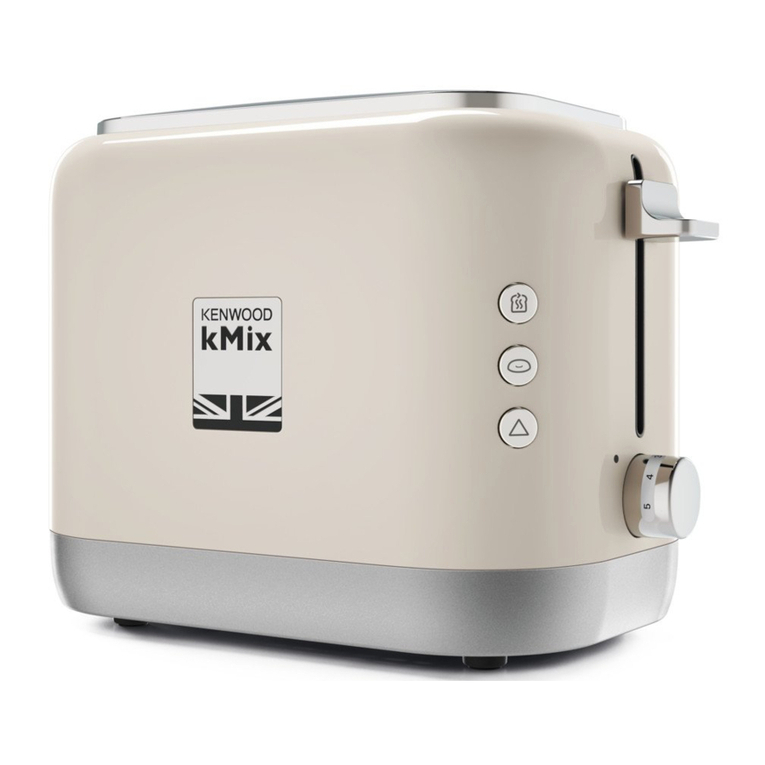
  9. Kenwood KMix TTM020Aseries User manual

Kenwood KMix TTM020Aseries User manual

Other Kenwood Toaster manuals

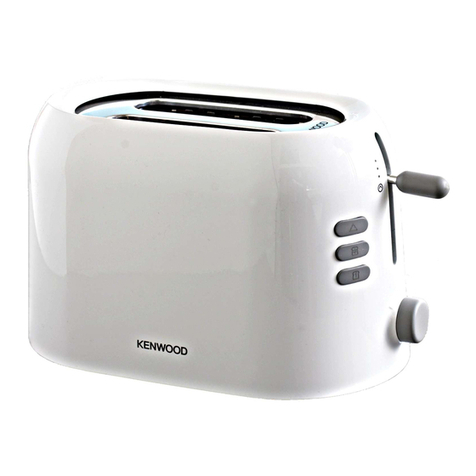
Kenwood TTP103 series User manual

Kenwood

Kenwood TTP103 series User manual

Kenwood TTM322 TTM400 User manual

Kenwood

Kenwood TTM322 TTM400 User manual

Kenwood Peek & View TTP310 Series User manual

Kenwood

Kenwood Peek & View TTP310 Series User manual

Kenwood ttm610 series User manual

Kenwood

Kenwood ttm610 series User manual

Kenwood TCM400 User manual

Kenwood

Kenwood TCM400 User manual

Kenwood ttm610 series User manual

Kenwood

Kenwood ttm610 series User manual

Kenwood TTM320A User manual

Kenwood

Kenwood TTM320A User manual

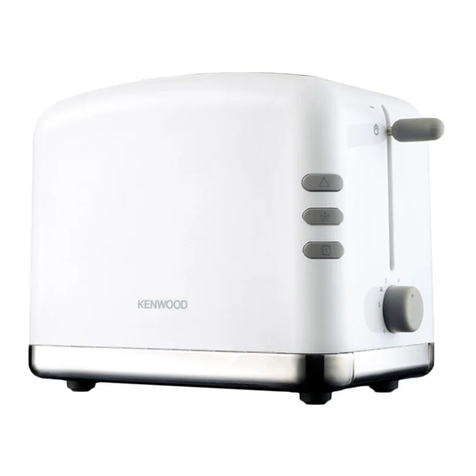
Kenwood TTM020 Series User manual

Kenwood

Kenwood TTM020 Series User manual

Kenwood TCM300CR User manual

Kenwood

Kenwood TCM300CR User manual

Kenwood TCM810WH User manual

Kenwood

Kenwood TCM810WH User manual

Kenwood TT500 series User manual

Kenwood

Kenwood TT500 series User manual

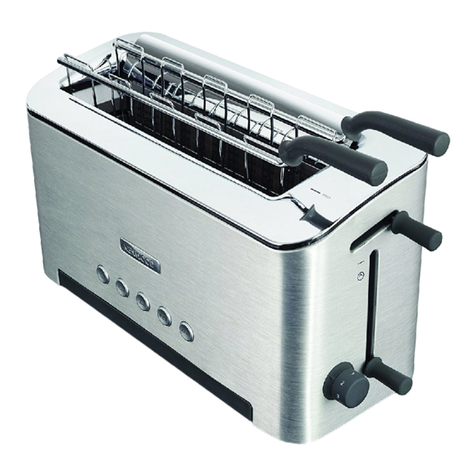
Kenwood kMix TFX750 User manual

Kenwood

Kenwood kMix TFX750 User manual

Kenwood TCX752 User manual

Kenwood

Kenwood TCX752 User manual

Kenwood TTM320A User manual

Kenwood

Kenwood TTM320A User manual

Kenwood kMix TFX750 User manual

Kenwood

Kenwood kMix TFX750 User manual

Kenwood TTM310 series User manual

Kenwood

Kenwood TTM310 series User manual

Kenwood TTM440 series User manual

Kenwood

Kenwood TTM440 series User manual

Kenwood TCX750 User manual

Kenwood

Kenwood TCX750 User manual

Kenwood TTP220 series User manual

Kenwood

Kenwood TTP220 series User manual

Kenwood TTM440 series User manual

Kenwood

Kenwood TTM440 series User manual

Kenwood ITP102 User manual

Kenwood

Kenwood ITP102 User manual

Kenwood TTP102 series User manual

Kenwood

Kenwood TTP102 series User manual

Kenwood TT960 Series User manual

Kenwood

Kenwood TT960 Series User manual

Kenwood ttm610 series User manual

Kenwood

Kenwood ttm610 series User manual

Popular Toaster manuals by other brands

West Bend SOHO Toaster instruction manual

West Bend

West Bend SOHO Toaster instruction manual

Philips HD2615/80 user manual

Philips

Philips HD2615/80 user manual

Taurus ARCTIC 960648 quick start guide

Taurus

Taurus ARCTIC 960648 quick start guide

KitchenAid KTT570 instructions

KitchenAid

KitchenAid KTT570 instructions

Redfox TO 920 G Instructions for installation and use

Redfox

Redfox TO 920 G Instructions for installation and use

Electrolux EAT978 Instruction book

Electrolux

Electrolux EAT978 Instruction book

SEVERIN SA 9275 manual

SEVERIN

SEVERIN SA 9275 manual

Breville the Big One BTS100 Instruction booklet

Breville

Breville the Big One BTS100 Instruction booklet

Sunbeam TA2540 user guide

Sunbeam

Sunbeam TA2540 user guide

ARENDO 305716 user manual

ARENDO

ARENDO 305716 user manual

Life Crispy AT-001 user manual

Life

Life Crispy AT-001 user manual

Beko TAM 6201 I user manual

Beko

Beko TAM 6201 I user manual

Zephir ZHC485 instruction manual

Zephir

Zephir ZHC485 instruction manual

H.Koenig TOS9 instruction manual

H.Koenig

H.Koenig TOS9 instruction manual

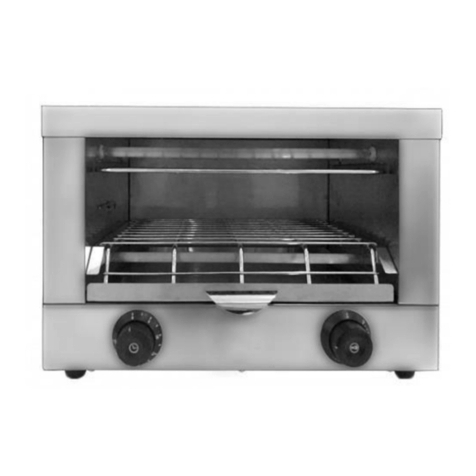
ZIEGELMULLER Ritter ET 10 Operating and assembly instructions

ZIEGELMULLER

ZIEGELMULLER Ritter ET 10 Operating and assembly instructions

HURAKAN HKN-TOP3 manual

HURAKAN

HURAKAN HKN-TOP3 manual

Magio MG-275 instruction manual

Magio

Magio MG-275 instruction manual

Philips HD2565 manual

Philips

Philips HD2565 manual

manuals.online logo
manuals.online logoBrands
  • About & Mission
  • Contact us
  • Privacy Policy
  • Terms and Conditions

Copyright 2025 Manuals.Online. All Rights Reserved.

Use the carriage lever to li t the
toast to Peek & View™ at any
time without cancelling the toasting
cycle.
be ore using your Kenwood
appliance
●Read these instructions care ully
and retain or uture re erence.
●Remove all packaging and any
labels.
sa ety
●Burnt ood can catch ire, so:
●●never leave your toaster on
unattended;
●●keep your toaster away rom
anything (eg curtains) that could
catch ire;
●●set the browning control lower or
thin or dry bread;
●●never warm ood with a topping or
illing (eg pizza): i it drips into the
toaster, it could catch ire.
●●Clean the crumb tray regularly:
crumbs can smoke or burn.
●To avoid electric shocks, never:
●●let the toaster, cord or plug get wet;
or
●●put your hand or anything metal,
eg a kni e or oil, into the toaster.
●Always unplug the toaster when not
in use, be ore cleaning or
attempting to clear jammed bread.
●Never cover your toaster with a
plate or anything else - it could
overheat and catch ire.
●Never let the cord hang down
where a child could grab it.
●We recommend that you do not
use your toaster directly under wall
cupboards.
●Do not move the toaster whilst it is
in operation.
●Never touch hot sur aces especially
the metal top area.
●Never use an unauthorised
attachment or accessory.
●Never use a damaged toaster. Get it
checked or repaired: see 'Service &
Customer Care'.
●This appliance is not intended to be
operated by means o an external
timer or separate remote-control
system.
●This appliance is not intended or
use by persons (including children)
with reduced physical, sensory or
mental capabilities, or lack o
experience and knowledge, unless
they have been given supervision or
instruction concerning use o the
appliance by a person responsible
or their sa ety.
●Children should be supervised to
ensure that they do not play with
the appliance.
●Only use the appliance or its
intended domestic use. Kenwood
will not accept any liability i the
appliance is subject to improper
use, or ailure to comply with these
instructions.
be ore plugging in
●Make sure your electricity supply is
the same as the one shown on the
underside o your toaster.
●This appliance con orms to EC
directive 2004/108/EC on
Electromagnetic Compatibility and
EC regulation no. 1935/2004 o
27/10/2004 on materials intended
or contact with ood.
Important – UK only
●The wires in the cord are coloured
as ollows:
Green and Yellow = Earth,
Blue = Neutral,
Brown = Live.
●The appliance must be protected
by a 13A approved (BS1362) use.
●WARNING: THIS APPLIANCE
MUST BE EARTHED.
Note:
●For non-rewireable plugs the use
cover MUST be re itted when
replacing the use. I the use cover
is lost then the plug must not be
used until a replacement can be
obtained. The correct use cover is
identi ied by colour and a
replacement may be obtained rom
your Kenwood Authorised Repairer
(see Service).
●I a non-rewireable plug is cut o it
must be DESTROYED
IMMEDIATELY. An electric shock
hazard may arise i an unwanted
non-rewireable plug is inadvertently
inserted into a 13A socket outlet.
be ore using or the irst time
1 Clip excess cord into the cord
storage clips in the base .
●Operate the toaster once on a
medium setting without bread. (The
lever will not stay down unless the
toaster is plugged in).
●As with all new heating elements,
your toaster may emit a slight
burning smell when it is irst
switched on. This is normal and not
a cause or concern.
key
햲removable warming rack/toast
rack
햳warming rack handle
햴Peek & View™ carriage lever
햵browning control
햶cancel button with indicator light
햷crumb tray
햸cord storage
to use your toaster
1Plug the toaster into the power
supply.
2 Move the browning control to the
desired setting. Use a low setting
or light toasting and or thin or dry
bread.
3 Insert the bread, mu ins, bagels
etc.
4 Lower the lever until it locks . The
‘cancel’ button will illuminate. (The
lever will not stay down unless the
toaster is plugged in).
●To toast rozen bread, move the
browning control to the de rost
position .
●Use the carriage lever to li t the
toast to Peek & View™ at any
time without cancelling the toasting
cycle.
●To stop toasting during the cycle,
press the ‘cancel’ button, the toast
will pop up and the ‘cancel’ button
light will go o .
5Your toast will pop up
automatically, to raise it higher, li t
the lever.
hints on using your
toaster
●Select a lower setting or light
browning, or toasting one slice only
or or dry bread.
●When toasting a single slice o
bread, you may notice a variation in
toast colour rom one side to the
other - this is normal.
●Dry/stale bread toasts more quickly
than resh bread and thinly sliced
bread toasts more quickly than
thickly sliced bread. There ore the
browning control should be set at a
lower setting than usual.
●For best results ensure that the
bread slices are o an even
thickness, reshness and size.




햸
햲
햳
햴
햶
햷
햵
TTM020A series
●In order to achieve uni orm
browning we recommend you wait
a minimum o 30 seconds
between each toasting so that the
control can automatically reset.
Alternatively select a lower setting
when additional toasting is carried
out.
warming rack sa ety
1 Never set the browning control
higher than 3 when using the
warming rack.
2 Never completely cover the
warming rack.
3 When using the warming rack,
never wrap the ood up. Plastic
wrapping will melt and could catch
ire. Foil will re lect heat, damaging
the toaster.
4 I you’re using the toaster slots,
always remove the warming rack
so it can’t burn you.
5 Always allow the warming rack to
cool be ore removing rom the
toaster. Never place a hot warming
rack on a work sur ace.
6 Never touch hot sur aces,
especially the metal areas o the
warming rack.
to use the warming
rack
1 Place the warming rack on top o
toaster .
2 Put your ood on top o the rack
(slicing thick items in hal will speed
up the warming process).
3 Set the browning control no
higher than 3 ().
4 Lower the lever.
5 At the completion o the warming
cycle the toaster will switch o
automatically. Turn the items over
and repeat the operation. Watch to
make sure they don’t burn.
6 To remove the warming rack, allow
the toaster to cool and unplug.
7 Li t o the warming rack.
hints or the warming
rack
●The warming rack can also be
used as a toast rack, but ensure it
is cool be ore removing rom the
toaster.
care and cleaning
1 Be ore cleaning, unplug your
toaster and let it cool down.
2 Slide out the crumb tray . Clean,
then replace. Do this regularly:
crumbs can smoke or even burn.
3 Wipe the outside o the toaster
and the warming rack with a damp
cloth, then dry. Do not use
abrasives.
service & customer
care
●I the cord is damaged it must, or
sa ety reasons, be replaced by
KENWOOD or an authorised
KENWOOD repairer.
I you need help with:
●using your toaster or
●servicing or repairs (in or out o
guarantee)
콯call Kenwood customer care on
023 9239 2333. Have your
model number ready - it's on
the underside o your toaster.
●spares and attachments
콯call 0870 2413653.
other countries
●Contact the shop where you
bought your toaster.
●Designed and engineered by
Kenwood in the UK.
●Made in China.
IMPORTANT INFORMATION FOR
CORRECT DISPOSAL OF THE
PRODUCT IN ACCORDANCE
WITH EC DIRECTIVE
2002/96/EC.
At the end o its working li e, the
product must not be disposed o as
urban waste.
It must be taken to a special local
authority di erentiated waste collection
centre or to a dealer providing this
service.
Disposing o a household appliance
separately avoids possible negative
consequences or the environment
and health deriving rom inappropriate
disposal and enables the constituent
materials to be recovered to obtain
signi icant savings in energy and
resources. As a reminder o the need
to dispose o household appliances
separately, the product is marked with
a crossed-out wheeled dustbin.
guarantee (UK only)
I your toaster goes wrong within
one year rom the date you bought
it, we will repair or replace it ree o
charge provided:
●you have not misused, neglected or
damaged it;
●it has not been modi ied (unless by
Kenwood);
●it is not second-hand;
●it has not been used commercially;
●you have not itted a plug
incorrectly; and
●you supply your receipt to
show when you bought it.
This guarantee does not a ect your
statutory rights.
Head O ice Address:
Kenwood Limited, New Lane, Havant, Hampshire PO9 2NH, UK
www.kenwoodworld.com
Designed and engineered by Kenwood in the UK
Made in China 19616/1