manuals.online logo
Brands
  1. Home
  2. •
  3. Brands
  4. •
  5. KETRON
  6. •
  7. Synthesizer
  8. •
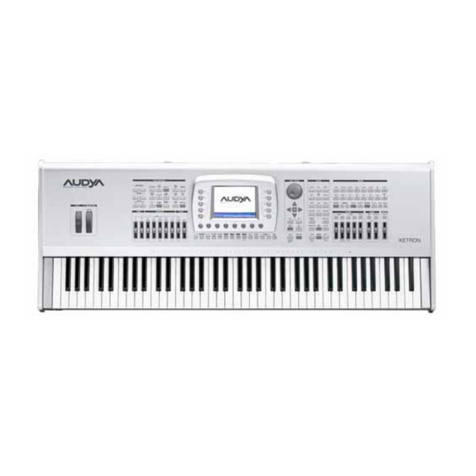
  9. KETRON AUDYA Series User manual

KETRON AUDYA Series User manual

Other manuals for AUDYA Series

2

Other KETRON Synthesizer manuals

KETRON SD1 User manual

KETRON

KETRON SD1 User manual

KETRON Audya 8 User manual

KETRON

KETRON Audya 8 User manual

KETRON SD7 User manual

KETRON

KETRON SD7 User manual

KETRON SD90 PRO live module User manual

KETRON

KETRON SD90 PRO live module User manual

KETRON SD9 User manual

KETRON

KETRON SD9 User manual

KETRON SD9 PRO live station User manual

KETRON

KETRON SD9 PRO live station User manual

KETRON X1 Wiring diagram

KETRON

KETRON X1 Wiring diagram

KETRON AUDYA Series User manual

KETRON

KETRON AUDYA Series User manual

KETRON AUDYA 4 User manual

KETRON

KETRON AUDYA 4 User manual

Popular Synthesizer manuals by other brands

NEON CAPTAIN Radioator user manual

NEON CAPTAIN

NEON CAPTAIN Radioator user manual

Roland JD-800 owner's manual

Roland

Roland JD-800 owner's manual

Joranalogue Contour 1 user manual

Joranalogue

Joranalogue Contour 1 user manual

Full Bucket Music Mono/Fury manual

Full Bucket Music

Full Bucket Music Mono/Fury manual

IK Multimedia UNO Synth PRO X user manual

IK Multimedia

IK Multimedia UNO Synth PRO X user manual

Kawai MP7 Software update

Kawai

Kawai MP7 Software update

Roland Gaia SH-01 Quick guidebook

Roland

Roland Gaia SH-01 Quick guidebook

Behringer DEEPMIND 12 quick start guide

Behringer

Behringer DEEPMIND 12 quick start guide

Yamaha S90 ES owner's manual

Yamaha

Yamaha S90 ES owner's manual

Roland GR-30 manual

Roland

Roland GR-30 manual

Moog Minitmoog 300A Owner's service manual

Moog

Moog Minitmoog 300A Owner's service manual

Gotharman Gotharman's anAmoNo-box user manual

Gotharman

Gotharman Gotharman's anAmoNo-box user manual

QuStream HDFS-550 Technical manual

QuStream

QuStream HDFS-550 Technical manual

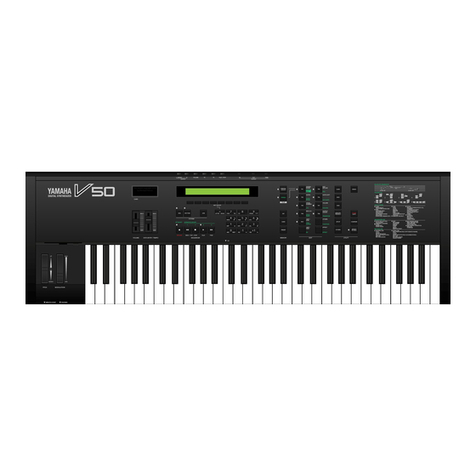
Yamaha V50 Authorized product manual

Yamaha

Yamaha V50 Authorized product manual

Akai AX80 Operator's manual

Akai

Akai AX80 Operator's manual

Roland GS-500 instructions

Roland

Roland GS-500 instructions

Octave Cat SRM Service manual

Octave

Octave Cat SRM Service manual

Dreadbox Murmux Initiate manual

Dreadbox

Dreadbox Murmux Initiate manual

manuals.online logo
manuals.online logoBrands
  • About & Mission
  • Contact us
  • Privacy Policy
  • Terms and Conditions

Copyright 2025 Manuals.Online. All Rights Reserved.

Audya Series
ISTRUZIONI PER IL MONTAGGIO DEL KIT SSD
INSTRUCTIONS TO INSTALL THE KIT SSD
ISTRUZIONI PER L’APERTURA DI AUDYA (FIG. 1)
1. Svitare le 4 viti poste sul fondo
2. Svitare le 2 viti poste sulle ancate laterali
3. Svitare le 8 viti poste sul lato posteriore
4. Alzare di alcuni centimetri il coperchio comandi verso l’alto facendo attenzione a non danneggiare
i cablaggi
5. Ruotare il coperchio comandi ed appoggiarlo su un piano
OPEN AUDYA INSTRUCTIONS (FIG. 1)
1. Remove all (4) screws placed on bottom
2. Remove (2) screws located on side panels
3. Remove (8) screws located on back panel
4. Lift up (for some inch) top panel and move it carefully to avoid unintentional unplug cable
5. Rotate top panel even to lean working area

ISTRUZIONI PER L’APERTURA DI AUDYA5 (FIG. 2)
1. Svitare le 3 viti poste sul fondo
2. Svitare le 2 viti poste sulle ancate laterali
3. Svitare le 7 viti poste sul lato posteriore
4. Alzare di alcuni centimetri il coperchio comandi verso l’alto facendo attenzione a non danneggiare
i cablaggi
5. Ruotare il coperchio comandi ed appoggiarlo su un piano
OPEN AUDYA5 INSTRUCTIONS (FIG. 2)
1. Remove all (3) screws placed on bottom
2. Remove (2) screws located on side panels
3. Remove (7) screws located on back panel
4. Lift up (for some inch) top panel and move it carefully to avoid unintentional unplug cable
5. Rotate top panel even to lean working area
In questa gura è indicata la zona di intervento.
In this picture it is shown the area of action.
Svitare le due viti di ssaggio dell’hard disk e scollegare il connettore allargando
contemporaneamente le due alette dello stesso connettore.
Remove both screws and washers securing the hard disk.
Eject the connector from the PCB by widening the two securing tabs.
Sollevare l’hard disk e slarlo dalla sede.
Lift the hard drive and remove it from the instrument.
Rovesciare l’hard disk e svitare le quattro viti che ssano il supporto all’hard disk facendo
attenzione a non perdere le quattro rondelle che si trovano tra il supporto e l’hard disk.
Turn over the hard drive assembly and remove the four screws that secure the hard disk.
Taking care not to lose the four bre washers that are located between the metal plate and
the hard disk.
Posizionare le quattro rondelle sulla SSD nuova come da gura.
Put the four washers on the new SSD as shown.
Posizionare e avvitere il supporto sulla SSD nuova facendo attenzione a non spostare le
rondelle posizionate precedentemente.
Place and screw the support of new SSD, taking care not move the washers positioned
previously.
Inlare la SSD completa di supporto nella sede e avvitare le due viti precedentemente tolte.
Per ultimo collegare il connettore posizionandolo in modo preciso e spingendolo verso il
basso.
Insert the complete SSD assembly into the instrument and attach with two screws and
washers previously removed.
Finally, install the connector into the PCB by carefully pushing it down into the PCB socket.
Chiudere lo strumento con cura e facendo attenzione.
Utilizzare le viti tolte in precedenza.
Carefully ret the top panel taking care not to trap cables.
Reassemble using the previously removed screws.