MA200TS Multi-process welder 7 | Page
4. Welding process selection button: MIG/STICK | TIG
5. Left knob: in MIG mode, preset wire feed speed when arc is off; adjust welding current
when arc is on.
In STICK mode, preset and adjust welding current.
6. Middle knob: in MIG mode, preset and adjust welding voltage.
In STICK mode, preset and adjust arc force
7. Inductance adjustment knob: Set the Arc control (inductance) knob to a start value
according to the voltage/wire feeding speed selection chart and you can adjust the knob
during welding to obtain best result. Inductance is the rate of current response to a change in
current. What this means is that when MIG welding with a short arc you can adjust how fast
current is applied to the shorts. The less inductance you have the crisper the arc will appear
and the wires will start easier. This will also make the bead taller and narrower. More
inductance will make the arc appear "softer" with a flatter wider appearance and if too much
is used, wires will stumble during starts. Typically when short arcing steel only a little
inductance is used in order to get a crisp arc. Low thermal conductivity materials such as
stainless need more inductance to get acceptable wetting when short arcing.
8. Digital Wire speed/ current meter display preset wire feeding speed when arc-off, display
actual welding current when arc-on.
9. Indication light wire feed speed: indicate the meter is displaying wire feeding speed.
10. Indication light current: indicate the meter is displaying welding current.
11. Digital voltage meter: MIG mode: display preset voltage when arc is off, display actual
welding voltage when arc is on.
STICK mode: display arc force.
12. Indication light voltage: indicate the meter is displaying voltage.
13. Indication light arc force: indicate the meter is displaying arc force.
14. Thermal overload light: The light will illuminate if the duty cycle of the Power Source has
been exceeded. When the thermal overload indicator illuminate the output of the power
source will be disabled. Once the unit cools down this light will go OFF. Please keep power
switch on to let fan run to help the unit cool down faster.
15. Power light: will illuminate when machine is turned on.
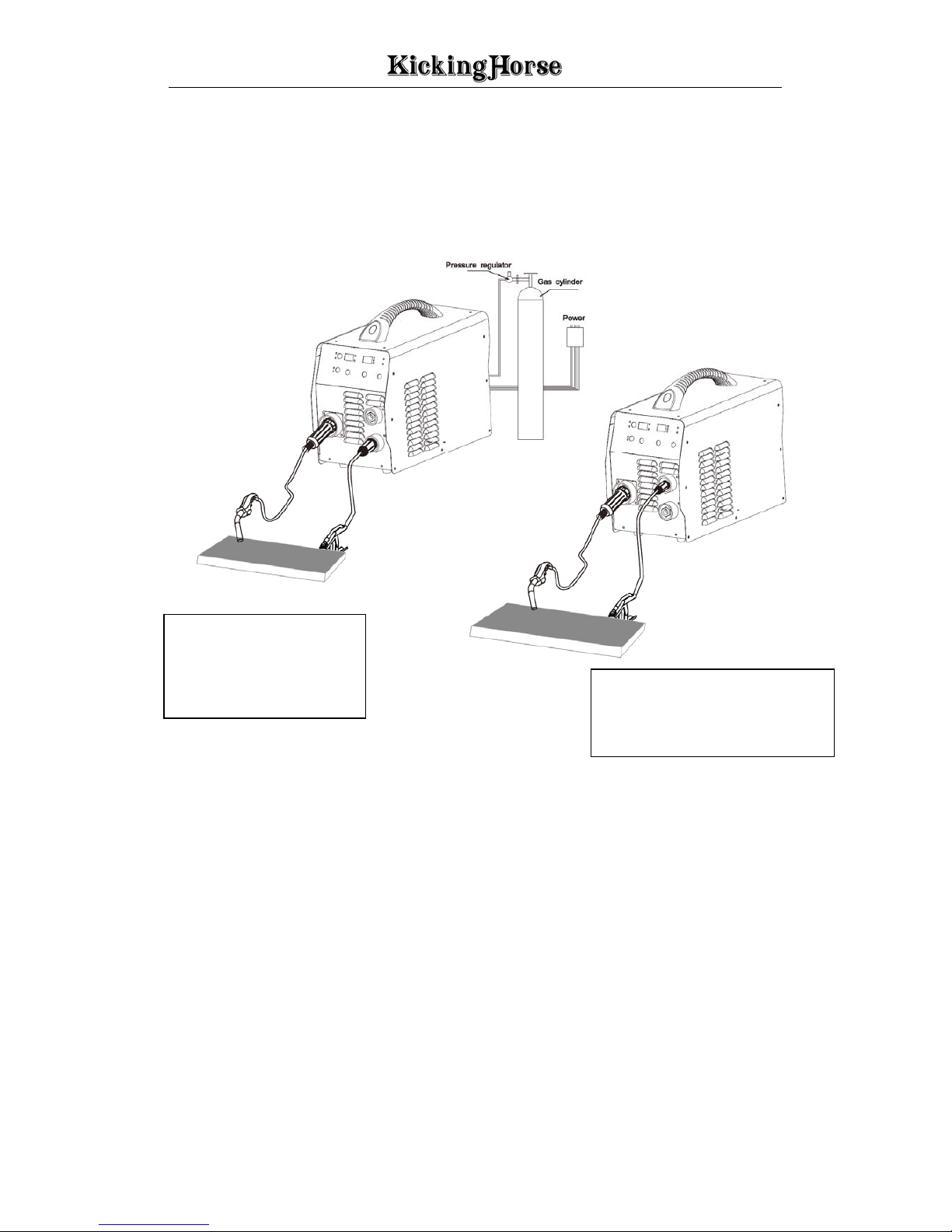
16. MIG Gun Polarity Lead: in MIG mode, connection positive output (+) is DCEP.
Connect to negative output (-) is DCEN. (see installation diagram).
5. Installation & Operation
The equipment protection level is IP23. Do not use in the rain!
The equipment must be turn off during installation!