•For peak beverage temperature, use the included heat-trapping lid to block the main source of heat loss from any mug.
•For optimal performance use thin-walled ceramic or glass mugs with flat bottoms. Do NOT use footed, thick-bottomed,
or double-insulated mugs, or mugs with more concave bottoms as their design prevents an efficient transfer of heat.
USER GUIDE & TIPS FOR BEST RESULTS
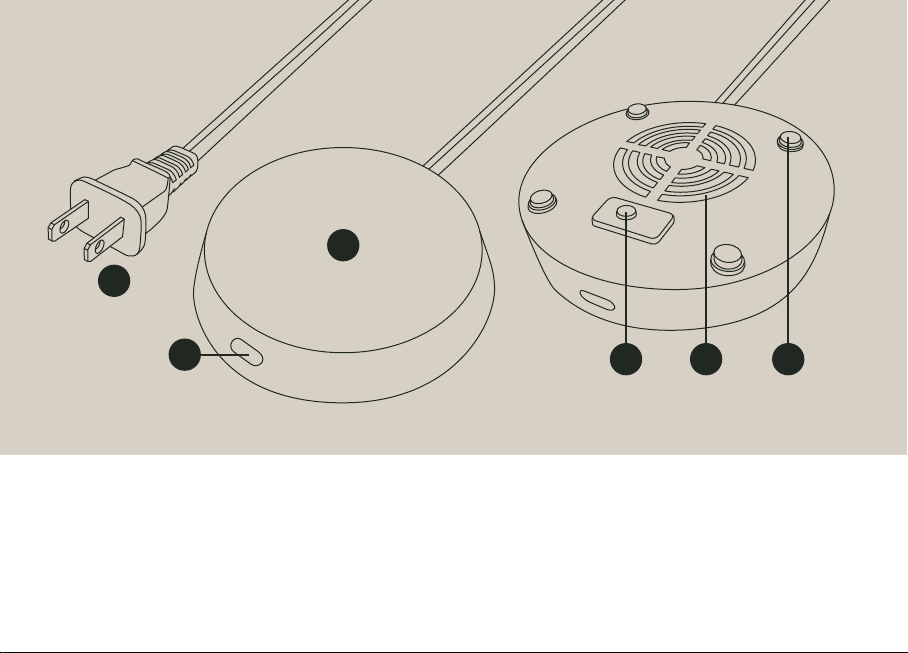
1. Remove protective film from the heating plate and
plug unit into wall outlet.
2. Place mug onto your Element Mug Warmer to activate
the gravity switch on the underside of the warmer.
(For safety, the unit will only turn on when the switch
detects sufficient weight on the heating plate.)
3. Tap the button once to turn Element on. It will default
to the highest heat setting, indicated by a red light.
4. Continue tapping the button to toggle between the
three heat settings as desired:
Red = High | Purple = Medium | Blue = Low
5. To shut off Element, tap the button until the light is
off. The warmer will remain off until it is manually
powered on again.
MANUAL ON/OFF AUTO ON/OFF
AUTO-OFF: Element will automatically turn off after 8
hours of continuous use, or 5 minutes after the gravity
switch is deactivated. When Element detects you have
removed your mug, the light will blink red until the mug
is replaced, or after 5 minutes—at which point the unit
will automatically shut down.
AUTO-ON: Anytime you remove your mug, Element will
go into standby and begin a 5-minute auto shut off
timer. If you return your mug to the heating plate, and
reactivate the gravity switch within this 5 minute
window, Element will automatically turn back on to it’s
last used heat setting, and begin a new 8-hour auto
shutoff cycle.