
Koheron DRV300 User manual

DRV300 User Guide
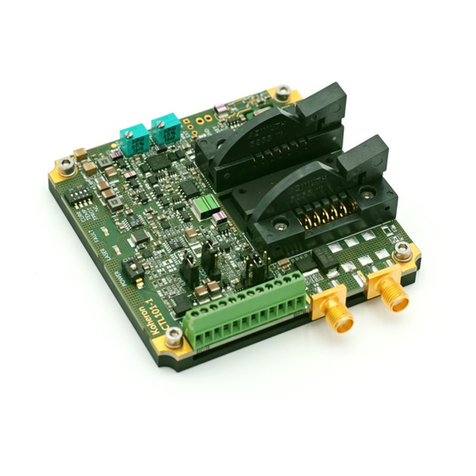
Connections
Terminal block
VCC: Supply input. Connect this pin to a 9V supply.
EN: Laser Enable pin. Apply a voltage between 2.2 V and 4.5 V to enable the laser current.
TRIM: Laser current trimming input with 2 kΩ input impedance, ± 2 V input voltage range and 10 Hz
bandwidth. Gain is 10 mA/V for the 200 mA version.
IMON: Laser current monitoring pin. The voltage at this pin is proportional to the laser current (5 V/A for
the 200 mA version).
LD+: Laser anode pin. Connect this pin to the laser anode.
GND: Ground. Connect this pin to the laser cathode.
Switch
EN: Enable / disable laser current.
ILIM: Set to ON/OFF for Low/High current limit.
G0 / G1: Set modulation gain as follows:
1 / 2
DRV300
www.koheron.com

G0 G1 Modulation gain
OFF OFF High (x 1)
ON OFF Medium (x 1/5)
OFF ON Low (x 1/25)
LED
The LED lights up when the laser driver is enabled.
Mounting multiple DRV300 in parallel
To mount the laser drivers in parallel, tie LD+ pins together as follows:
2 / 2
DRV300
www.koheron.com
Table of contents
Other Koheron Control Unit manuals
Popular Control Unit manuals by other brands

Festo
Festo Compact Performance CP-FB6-E Brief description

Elo TouchSystems
Elo TouchSystems DMS-SA19P-EXTME Quick installation guide

JS Automation
JS Automation MPC3034A user manual

JAUDT
JAUDT SW GII 6406 Series Translation of the original operating instructions

Spektrum
Spektrum Air Module System manual

BOC Edwards
BOC Edwards Q Series instruction manual

KHADAS
KHADAS BT Magic quick start

Etherma
Etherma eNEXHO-IL Assembly and operating instructions

PMFoundations
PMFoundations Attenuverter Assembly guide

GEA
GEA VARIVENT Operating instruction

Walther Systemtechnik
Walther Systemtechnik VMS-05 Assembly instructions

Altronix
Altronix LINQ8PD Installation and programming manual





