VS-62DT – Contents i
Contents
1Introduction 1
2Getting Started 2
2.1 Achieving the Best Performance 2
2.2 Safety Instructions 2
2.3 Recycling Kramer Products 3
3Overview 4
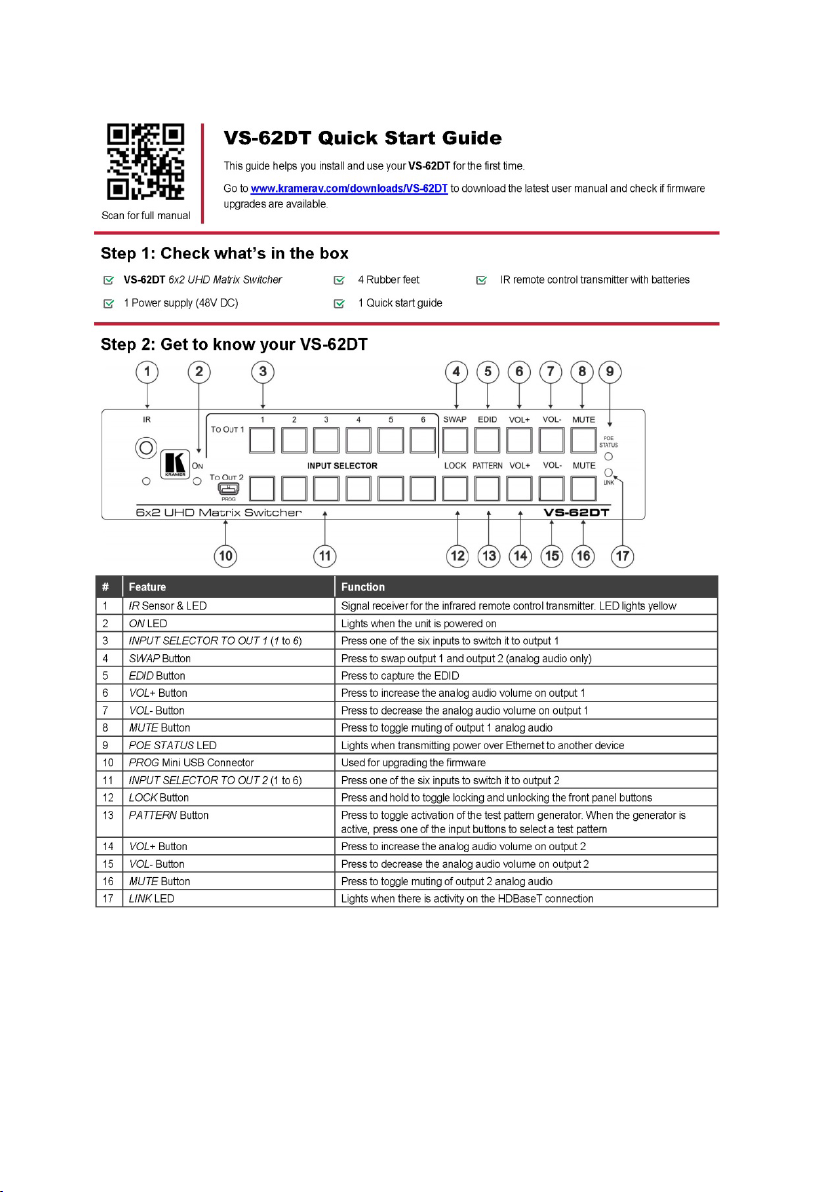
4Defining the VS-62DT 6x2 UHD Matrix Switcher 6
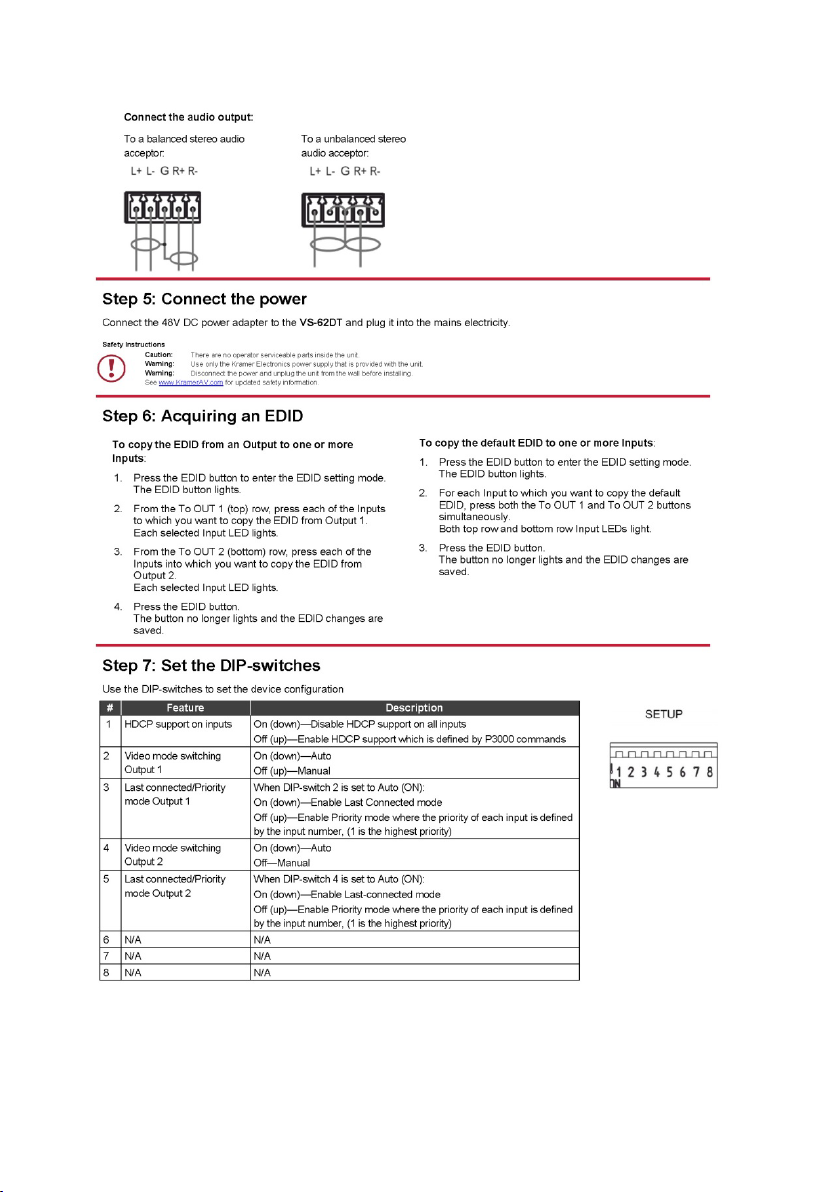
5Connecting the VS-62DT 6x2 UHD Matrix Switcher 8
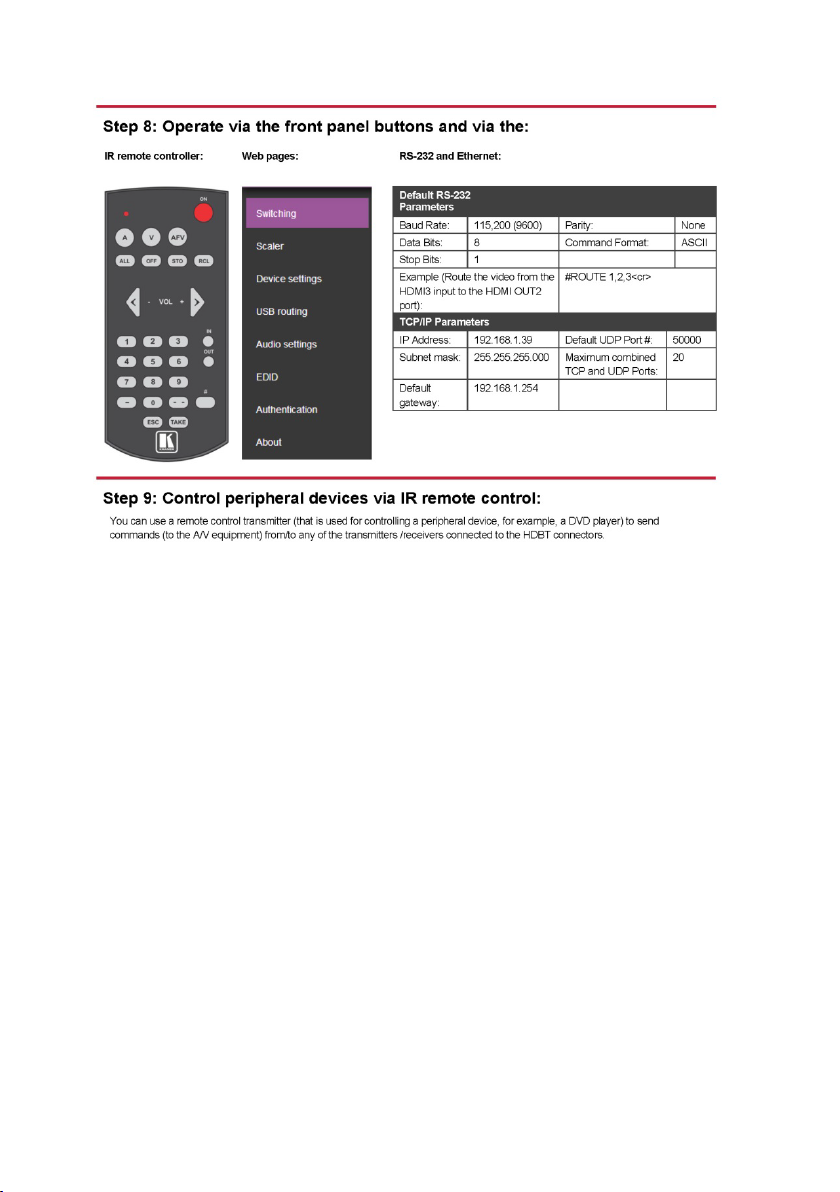
5.1 Connecting a Serial Controller to the VS-62DT via RS-232 9
5.2 Connecting to the VS-62DT via Ethernet 9
5.3 Connecting the Remote Contact-Closure Switches 12
6Principles of Operation 14
6.1 Automatic Signal Detection 14
6.2 Input Switching Modes 14
6.3 EDID Operation 15
6.4 Step-in Functionality 15
7Operating the VS-62DT 6x2 UHD Matrix Switcher 16
7.1 Switching an Input to an Output 16
7.2 Acquiring an EDID from an Output 16
7.3 Controlling Analog Audio 17
7.4 Locking and Unlocking the Front Panel Buttons 18
7.5 Generating a Test Pattern 18
8Configuring and Maintaining the VS-62DT 20
8.1 Setting the DIP-switches 20
8.2 Resetting the VS-62DT to Factory Default Settings 21
8.3 Upgrading the Firmware 21
9Operating the VS-62DT Remotely via the Web Pages 22
9.1 Accessing VS-62DT Web Pages 22
9.2 Selecting Input Signals 24
9.3 Adjusting Analog Audio Output 28
9.4 Managing the EDID 29
9.5 Setting Authentication 32
9.6 Setting Device Configurations 32
9.7 Upgrading the Firmware 35
9.8 About Kramer 36
10 Wiring the Twisted Pair RJ-45 Connectors 37
11 Technical Specifications 38
12 Default Communication Parameters 39
13 Default EDID 40
14 Protocol 3000 42
14.1 Understanding Protocol 3000 43
14.2 Kramer Protocol 3000 Syntax 44
15 Kramer Protocol 3000 Commands 46
15.1 System Commands - Mandatory 47
15.2 System Commands 52
15.3 Switching/Routing Commands 59