• The sensor is set by using the on/off button located on the control unit.
• Push and hold the on/off button for 5-7 seconds. The water flow will stop and the
red LED light will blink on.
• Release the on/off button and the red LED light will shut off. When the LED light
shuts off, you may proceed.
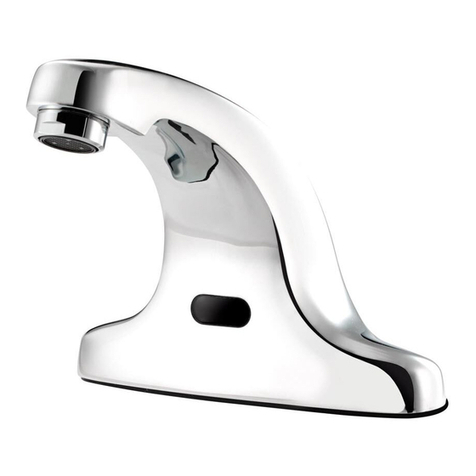
• Place hands at the normal hand washing distance and the LED light will turn on.
• Press the on/off button using the other hand. If done correctly, the LED will blink
5 times, signaling that the new sensor settings have been applied.
• The default sensor distance range is 5 1/2”, but is adjustable from 1/2” to 6 1/2”.
• Verify it is not a power supply failure. Check batteries and replace. If using optional AC
transformer, verify that the power is on.
• Verify hot & cold water supply stops are in the open position for water flow.
• Verify the black sensor cable that comes from the spout is properly connected to the
top of the control unit.
• The water line filter or the mixing valve on the left side of the control box may be clogged. The
first step is to turn the hot and cold water supply stops off, unscrew the black water filter cap
and remove the water filter. At the same time remove the Y-shaped mechanical or thermo-
static mixing valve that is below the filter and clean to ensure water flows through. Turn hot
and cold water stops back on and test.
• The electronic control unit may not be working. Press the push button located on the
bottom right side 10 for seconds, You should hear a click from the water solenoid inside the
control module and water should flow. If water does not flow you will need to replace the
control unit.
• If the water flows after pushing the push button from the above step the red sensor located in
front of the spout may not be working. Verify red sensor is clean and place a hand in front of
the sensor and wave left to right to activate. You will see a quick red flash inside the sensor to
verify activation. If the red LED light does not blink, replace the sensor in the faucet body.
It is very rare that the sensor needs to be replaced.
• If you are using batteries as your source of power, remove the 3 phillips screws on
the battery cover located on the front of the control unit. Install the (4) AA Alkaline
batteries that are included. It is very important to make sure each battery is placed
in the proper direction. Replace battery cover and screws.
• If you are using the optional AC adapter as your source of power, you will need to
remove the rubber plug on the control unit. Insert the small plug from the transformer
into the control unit. Plug transformer into wall outlet using appropriate caution.
• Turn on the hot and cold wall water stops to supply the faucet with water. Check all
connections for leaks.
Note: Before attempting a repair, turn off water supply to the faucet.
If the faucet will not turn ON...
STEP 4 • INSTALL MECHANICAL MIXING VALVE
STEP 5 • WATER CONNECTION
STEP 6 • SENSOR RANGE
INSTALLATION (con’t)
TROUBLESHOOTING