manuals.online logo
Brands
  1. Home
  2. •
  3. Brands
  4. •
  5. L&S
  6. •
  7. Remote Control
  8. •
  9. L&S Emotion User manual

L&S Emotion User manual

This manual suits for next models

2

Other L&S Remote Control manuals

L&S 5991805 User manual

L&S

L&S 5991805 User manual

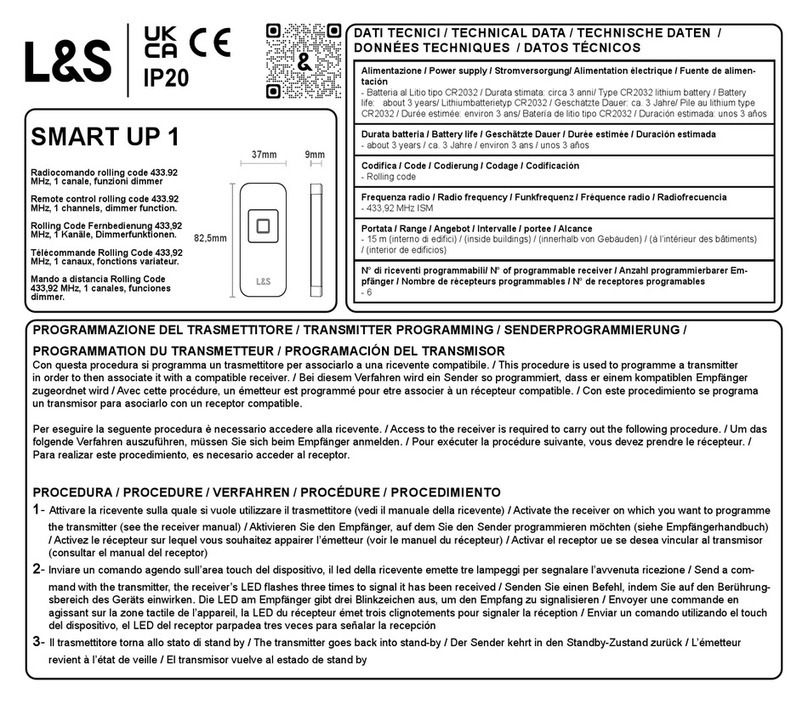
L&S SMART UP 1 User manual

L&S

L&S SMART UP 1 User manual

Popular Remote Control manuals by other brands

Bircher Reglomat RC Duo 2 user guide

Bircher Reglomat

Bircher Reglomat RC Duo 2 user guide

Emerson RCBT100 owner's manual

Emerson

Emerson RCBT100 owner's manual

BILDA Element-6 user manual

BILDA

BILDA Element-6 user manual

Absima CR7P manual

Absima

Absima CR7P manual

Mitsubishi Electric PAR-32MAAG Instruction book

Mitsubishi Electric

Mitsubishi Electric PAR-32MAAG Instruction book

RCA RCRTBL08BE1 quick start guide

RCA

RCA RCRTBL08BE1 quick start guide

US Electronics NOVARI user guide

US Electronics

US Electronics NOVARI user guide

Panasonic EUR7622KB0 Operation guide

Panasonic

Panasonic EUR7622KB0 Operation guide

Bang & Olufsen Beo4 user manual

Bang & Olufsen

Bang & Olufsen Beo4 user manual

Marantz RC101 user guide

Marantz

Marantz RC101 user guide

FUTABA 9ZAP - PART2 manual

FUTABA

FUTABA 9ZAP - PART2 manual

HR Matic HR MULTI 3 quick start guide

HR Matic

HR Matic HR MULTI 3 quick start guide

Anritsu MP1777A Operation manual

Anritsu

Anritsu MP1777A Operation manual

Niles WVC100 Installation & operating guide

Niles

Niles WVC100 Installation & operating guide

Bang & Olufsen BEO6 Getting started

Bang & Olufsen

Bang & Olufsen BEO6 Getting started

GE 94901 instruction manual

GE

GE 94901 instruction manual

FUTABA R7108SB Full manual

FUTABA

FUTABA R7108SB Full manual

Invacare G91S user manual

Invacare

Invacare G91S user manual

manuals.online logo
manuals.online logoBrands
  • About & Mission
  • Contact us
  • Privacy Policy
  • Terms and Conditions

Copyright 2025 Manuals.Online. All Rights Reserved.

Emotion remote controll system
4
L&S 2.08.0244.00.00
12 3
working frequency :2.4GHz
power:CR2032(3V)button lithium battery
Remote range:≤15m
Ta:0℃~35℃
Memory fuction: Last setting will be saved
Switching power: Up to 2.5A.
Application:To control the color temperature adjustable LED lamps
Load:DC 12V or 24V color temperature adjustable LED lamps
Rated supply Rated load
30W
60W
12VDC
24VDC
Battery installation
On/Off button Increases
brightness
Indicator
Color
Temperature
Wheel
6
6.a
6.b Press to decrease by 10% brightness,
there are 10 brightness levels.
Hold down to decrease brightness
gradually down to 10%.
6.c
Hold down to increase brightness
gradually down to 10%.
Press to increase by 10% brightness,
there are 10 brightness levels.
6.d
Warmwhite Coolwhite
Rotate to select the desired color temperature
with the indicator line.
5
ReceiverHolder
Remote-controller
Dimension in mm(inch)
transmitter,KZQ-8YKC-1 KZQ-9XJC
Lamp
LED Driver
Receiver
Distributor
L&S 2.08.0244.00.00
Slave
Receiver
Remote range ≤ 15m
7
Connect color temperature
adjustable LED lamps
The transmitter can control multi route color temperature adjustable LED Lamps
with receiver within the remote range
The indicator light turns on(The controller
will exit matching setting mode after 1
minute of inactivity, and indicator light will
turn off)
Press the On/Off button
for more than 5 seconds
If the indicator light flashes and
turns off, the transmitter works
well with the receiver.
Connect color temperature
adjustable LED lamps
Connect to power and press
the test button for 5 seconds The indicator light turn on
If the indicator light flashes
after 5 seconds, the transmitter
works well with the receiver
8.a
8 Match the slave receiver to transmitter
8.b
8.c8.d8.e
9Match the master receiver to transmitter
9.a
9.b
9.d
9.c
Memory function
Notice: Memory function will take effect under the receiver working well at
least 60s while rotating the color wheel.
Sleeping function
The remote will go dormant after 60 seconds of inactivity.
Press any button to reactivate the remote.
Master receiver setting function
Notice: Only one master receiver allowed in the wireless network.
If the salve receiver need to be setted as master, it can be setted
according to the “Match the master receiver to transmitter”step, and
the original master receiver should be power on.
!
LED Driver
Connect to power and
press the test button
LED Driver
If you need this function , please go with step8 and step9.
Lamp
LED
Driver
Master
Receiver
Distributor
Slave Receiver
Slave Receiver
Slave Receiver

Slave Receiver
Remote range ≤ 15m
Lamp
LED
Driver
Master
Receiver
Distri butor
Slave
Receiver
Slave
Receiver

Slave
Receiver