manuals.online logo
Brands
  1. Home
  2. •
  3. Brands
  4. •
  5. Lectronics
  6. •
  7. Batteries Pack
  8. •
  9. Lectronics Long Ranger LRIII-MB Reference manual

Lectronics Long Ranger LRIII-MB Reference manual

This manual suits for next models

1

Popular Batteries Pack manuals by other brands

Acumentrics PACK-POWER SYSTEM Quick reference guide

Acumentrics

Acumentrics PACK-POWER SYSTEM Quick reference guide

ACDC Dynamics SPF12-50 user manual

ACDC Dynamics

ACDC Dynamics SPF12-50 user manual

Aegis ABL-72020P user manual

Aegis

Aegis ABL-72020P user manual

Dyness TowerESS user manual

Dyness

Dyness TowerESS user manual

Growatt APX 5.0P-S0-US user manual

Growatt

Growatt APX 5.0P-S0-US user manual

CyberPower BCA Series installation manual

CyberPower

CyberPower BCA Series installation manual

Dometic PLB40 operating manual

Dometic

Dometic PLB40 operating manual

V-TAC VT-48280-W2 instruction manual

V-TAC

V-TAC VT-48280-W2 instruction manual

Valence RT user guide

Valence

Valence RT user guide

Nikon MB-D14 user manual

Nikon

Nikon MB-D14 user manual

Clas Ohlson PW-290A quick start guide

Clas Ohlson

Clas Ohlson PW-290A quick start guide

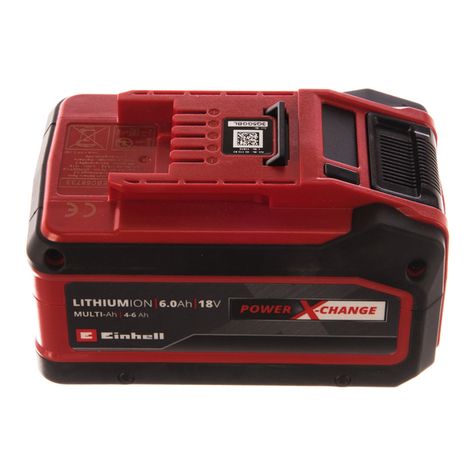
EINHELL MULTI-Ah Power X-Change Plus Original operating instructions

EINHELL

EINHELL MULTI-Ah Power X-Change Plus Original operating instructions

IOGear GBP24V Series user manual

IOGear

IOGear GBP24V Series user manual

Samsung EB-U3300 quick start guide

Samsung

Samsung EB-U3300 quick start guide

ECTIVE LC Series instruction manual

ECTIVE

ECTIVE LC Series instruction manual

Narada 12REXC70 Operation manual

Narada

Narada 12REXC70 Operation manual

Festool BP 12 Original instructions

Festool

Festool BP 12 Original instructions

Simons Voss Technologies CR2450 quick guide

Simons Voss Technologies

Simons Voss Technologies CR2450 quick guide

manuals.online logo
manuals.online logoBrands
  • About & Mission
  • Contact us
  • Privacy Policy
  • Terms and Conditions

Copyright 2025 Manuals.Online. All Rights Reserved.

SB1001: Service Bulletin
Release: 3 Jan 2007
By: Bruce Jones
581 Laser Road
Rio Rancho, NM, 87124
(505) 892-4501
web: www.lectrosonics.com
Sales: [email protected]
Service: service.repair@lectrosonics.com
Long Ranger Battery Pack Update
NOTE: IF YOUR LONG RANGER HAS A
TELESCOPING ANTENNA, THIS UPDATE MUST
BE DONE AT THE FACTORY.
To remove the old battery pack remove the
screws in front of the battery and the screw on
the rear upright panel of the chassis.
CAUTION
Do not short
the battery
terminals to
the screws or
chassis while
removing the
battery pack.
Remove the battery assembly and cut the wires
as close as possible to the negative and positive
battery terminals (leaving the wires as long as
possible).
LRIII-MB
LRIII-MB0R
Replace this
battery pack
with this one.
1.
2.
NOTE: DISPOSE OF OLD BATTERIES PROPERLY.
CHECK FOR LOCAL RECYCLER OR RETURN TO
THE FACTORY
DANGER:
RISK OF SEVERE INJURY
Wires connecting the battery must be placed
for correct polarity! If you are not 100% certain,
contact the factory before proceeding.
Wear safety glasses and use extreme caution to
prevent battery terminals from being shorted.
If the batteries become warm to the touch,
disconnect all battery terminals IMMEDIATELY
and contact the factory.
CAUTION:
Replace battery only with Lectrosonics Part No.
“LRIIIBATT”. Due to the fast charge circuitry,
you must use this specific battery. Any other
battery will quickly fail.
Included with LRIII-MB0R
replacement battery

Strip the insulation back approximately 1/8 inch
and twist the bare strands for easier insertion into
terminals as shown in step 4.
3.
The connectors should look like this after crimp-
ing. The red wire must have the larger terminal
attached.
Small terminal
5.
Remove the terminal cover and the retaining
bracket from the new battery assembly.
6.
Push the battery out of the mounting assembly
from the side opposite the retaining bracket.
7.
Insert wires into the terminals and crimp them
firmly with a crimping tool.
NOTE: To ensure proper polarity for the new battery
pack, the Red wire (+) must be attached to the large
terminal and the Green or Black wire (-) must be
attached to the small terminal.
4.
Install the new mounting bracket assembly to
the Long Ranger and tighten the screws.
8.
Attach the terminal cover as shown. The screw
secures the terminal cover and the battery retainer
to the mounting bracket.
Slide the new battery into the mounting bracket as
shown. Keep the wiring connectors from touching
the battery terminals while installing the battery.
9.
Attach the battery retainer to mounting bracket
with two screws as shown.
10.
12.
Connect battery wires to the lugs on the battery.
Slide the connectors all the way onto the lugs.
11.
See note
below
NOTE: The neg (-) connector does not slide
onto the lug as far as the pos (+) connector. The
appearance in the photo above is normal when both
connectors are correctly attached
Filename: M-LRIII-MB0R