EnglishDeutsch
 logo
Brands
  1. Home
  2. •
  3. Brands
  4. •
  5. Lenovo
  6. •
  7. Laptop
  8. •
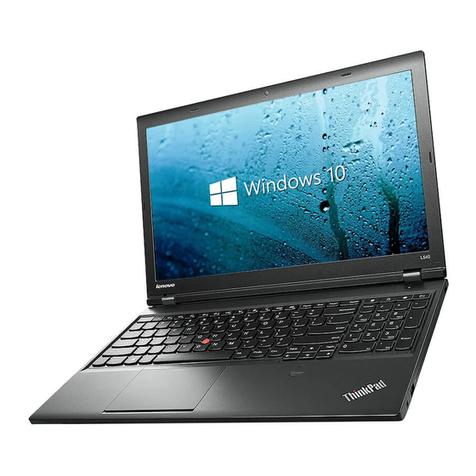
  9. Lenovo ThinkPad E14 Gen 2 User manual

Lenovo ThinkPad E14 Gen 2 User manual

Other manuals for ThinkPad E14 Gen 2

12

This manual suits for next models

8

Other Lenovo Laptop manuals

Lenovo 21AR000RIX User manual

Lenovo

Lenovo 21AR000RIX User manual

Lenovo ThinkPad E14 Gen2 User manual

Lenovo

Lenovo ThinkPad E14 Gen2 User manual

Lenovo Yoga Book 9i User manual

Lenovo

Lenovo Yoga Book 9i User manual

Lenovo V200 User manual

Lenovo

Lenovo V200 User manual

Lenovo ThinkPad X1 User manual

Lenovo

Lenovo ThinkPad X1 User manual

Lenovo IdeaPad S740-15IRH Owner's manual

Lenovo

Lenovo IdeaPad S740-15IRH Owner's manual

Lenovo ThinkPad Yoga 12 Owner's manual

Lenovo

Lenovo ThinkPad Yoga 12 Owner's manual

Lenovo B475 Operation and maintenance manual

Lenovo

Lenovo B475 Operation and maintenance manual

Lenovo ThinkPad T410s 2901 Owner's manual

Lenovo

Lenovo ThinkPad T410s 2901 Owner's manual

Lenovo 21BV00HDCA User manual

Lenovo

Lenovo 21BV00HDCA User manual

Lenovo ThinkPad T530 User manual

Lenovo

Lenovo ThinkPad T530 User manual

Lenovo ThinkPad T410S User manual

Lenovo

Lenovo ThinkPad T410S User manual

Lenovo THINKPAD T60 - User manual

Lenovo

Lenovo THINKPAD T60 - User manual

Lenovo N200 Owner's manual

Lenovo

Lenovo N200 Owner's manual

Lenovo ThinkPad G41 Instruction sheet

Lenovo

Lenovo ThinkPad G41 Instruction sheet

Lenovo ThinkPad Edge E130 User manual

Lenovo

Lenovo ThinkPad Edge E130 User manual

Lenovo THINKPAD R50E - User manual

Lenovo

Lenovo THINKPAD R50E - User manual

Lenovo ThinkPad Z60t 2513 Owner's manual

Lenovo

Lenovo ThinkPad Z60t 2513 Owner's manual

Lenovo ThinkPad L440 Owner's manual

Lenovo

Lenovo ThinkPad L440 Owner's manual

Lenovo IdeaPad Y580 User manual

Lenovo

Lenovo IdeaPad Y580 User manual

Lenovo THINKPAD W700 Owner's manual

Lenovo

Lenovo THINKPAD W700 Owner's manual

Lenovo IdeaPad 3 Owner's manual

Lenovo

Lenovo IdeaPad 3 Owner's manual

Lenovo ThinkPad Edge E135 Guide

Lenovo

Lenovo ThinkPad Edge E135 Guide

Lenovo THINKPAD X30 Training manual

Lenovo

Lenovo THINKPAD X30 Training manual

Popular Laptop manuals by other brands

HP ze2401xt - Pavilion Notebook PC datasheet

HP

HP ze2401xt - Pavilion Notebook PC datasheet

Velocity NoteMagix M10 quick start guide

Velocity

Velocity NoteMagix M10 quick start guide

Dell Alienware 17 R2 Service manual

Dell

Dell Alienware 17 R2 Service manual

Toshiba A105-S2236 Specifications

Toshiba

Toshiba A105-S2236 Specifications

HP ENVY 17 Maintenance and service guide

HP

HP ENVY 17 Maintenance and service guide

Winbook LM user guide

Winbook

Winbook LM user guide

Dell Inspiron 1464 Setup guide

Dell

Dell Inspiron 1464 Setup guide

Dell Inspiron 15R 5537 quick start guide

Dell

Dell Inspiron 15R 5537 quick start guide

HP PROBOOK 4520S Maintenance and service guide

HP

HP PROBOOK 4520S Maintenance and service guide

Dell Latitude ATG D620 Service manual

Dell

Dell Latitude ATG D620 Service manual

Dell Latitude 7310 Service manual

Dell

Dell Latitude 7310 Service manual

Dell Precision GU806 Quick reference guide

Dell

Dell Precision GU806 Quick reference guide

Sony VAIO PCG-R505JLK user guide

Sony

Sony VAIO PCG-R505JLK user guide

HP Compaq tc4200 Software guide

HP

HP Compaq tc4200 Software guide

Toshiba mini NB300 specification

Toshiba

Toshiba mini NB300 specification

Sony VGN-T240P VAIO Specifications

Sony

Sony VGN-T240P VAIO Specifications

Compaq Armada E700 Series reference guide

Compaq

Compaq Armada E700 Series reference guide

Fujitsu Lifebook A6230 Specifications

Fujitsu

Fujitsu Lifebook A6230 Specifications

https://manuals.online logo
https://manuals.online logoBrands
  • About & Mission
  • Contact us
  • Privacy Policy
  • Terms and Conditions

Copyright 2026 Manuals.Online. All Rights Reserved.

E14 Gen 4 / E15 Gen 4
For FSC Mix logo only
PN: SP41G78372 Printed inChina
* For selected models I Bizonyos modellek esetén I Pentru modelele selectate I I Untuk model tertentu
- 1 -
* Lenovo USB-C to
VGA Adapter
* Lenovo USB-C to
DisplayPort Adapter
* Lenovo USB-C to
HDMI Adapter
- 2 -
ThinkPad E14 Gen 4
Power button with or without fingerprint reader
Főkapcsoló ujjlenyomat-olvasóval vagy anélkül
Buton de alimentare cu sau fără cititor de amprentă

Tombol daya dengan atau tanpa pembaca sidik jari
USB 3.2
USB 2.0
HDMI™
- 3 -
ThinkPad E15 Gen 4
Power button with or without fingerprint reader
Főkapcsoló ujjlenyomat-olvasóval vagy anélkül
Buton de alimentare cu sau fără cititor de
amprentă

Tombol daya dengan atau tanpa pembaca
sidik jari
USB 3.2
USB 2.0
HDMI
ThinkPad Integrated Earbuds
-4 -
Lenovo Vantage*
Settings | Gépház | Setări
 | Pengaturan
Smart Assist | Intelligens segítség
Asistent inteligent | Smart Assist
Bantuan Cerdas
Update | Frissítés | Actualizare
 | Pembaruan
WiFi Security | Biztonságos WiFi | Securitate WiFi
 WiFi |Keamanan WiFi
Support & Warranty | Támogatás és jótállás
Asistență și garanție | 
Dukungan & Garansi
- 5 -
Intelligent Cooling
|Adjust Lenovo Intelligent Cooling through Windows Power Slider (Windows
10) or power and battery settings (Windows 11) to get the best mix of battery
life, computer performance, and fan speed.
| A Lenovo intelligens hűtésének beállítása a Windows energiagazdálkodási
csúszkájával (Windows 10) vagy az energiagazdálkodási és
akkumulátorbeállításokban (Windows 11) az akkumulátoros üzemidő,
a számítógép-teljesítmény és a ventilátorsebesség lehető legjobb
keverékének kiválasztásához.
| Reglați răcirea inteligentă Lenovo cu ajutorul glisorului de alimentare
Windows (Windows 10) sau din setările pentru alimentare și baterie (Windows
11) pentru a obține cea mai bună combinație între durata de funcționare a
bateriei, performanța computerului și viteza ventilatorului.
|  (Intelligent Cooling)  Lenovo
 Windows (Windows 10) 
(Windows 11) 

| Sesuaikan Pendinginan Cerdas Lenovo melalui Windows Power Slider
(Windows 10) atau pengaturan daya dan baterai (Windows 11) untuk
mendapatkan perpaduan terbaik antara daya tahan baterai, kinerja komputer,
dan kecepatan kipas.
- 6 -
[English]
USB transfer rate
Read the statement on USB transfer rate in the User Guide. To access the User Guide, go to
https://pcsupport.lenovo.com.
Specific absorption rate (SAR)
YOUR DEVICE MEETS INTERNATIONAL GUIDELINES FOR EXPOSURE TO RADIO WAVES.
Refer to the following for 10g SAR limit and maximum reported SAR values:
10g SAR limit: 2 W/kg (body-worn SAR); 4 W/kg (limb SAR)
Maximum SAR with 0 mm separation distance:
Product name
Body-worn SAR value
Limb SAR value
ThinkPad E14 Gen 4
0.584 W/kg
0.584 W/kg
ThinkPad E15 Gen 4
0.716 W/kg
0.716 W/kg
For more information about SAR, refer to the Safety and Warranty Guide that came with your
device.
European Union (EU) / United Kingdom (UK) — radio frequency
and power
This radio equipment operates with the following frequency bands and maximum radio-
frequency power:
Technology Frequency [MHz] / band
Maximum transmit
power
WLAN 802.11b/g/n/ax
2400 - 2483.5
< 20 dBm
WLAN 802.11a/n/ac/ax
5150 - 5725
< 23 dBm
WLAN 802.11a/n/ac/ax
5725 - 5875
< 13.98 dBm
WLAN 802.11ax
5945 - 6425
< 23 dBm
Bluetooth BR/EDR/LE
2400 - 2483.5
< 20 dBm
Note: Not all wireless bands may be enabled depending on your product configuration.
Usage of this device is limited to indoor locations in the bands 5150 - 5350 MHz and 5945 -
6425 MHz.
[Magyar]
USB-s átviteli sebesség
Az USB átviteli sebességére vonatkozó nyilatkozat a Felhasználói kézikönyvben található.
A Felhasználói kézikönyv eléréséhez keresse fel a https://pcsupport.lenovo.com weboldalt.
Fajlagos energiaelnyelési tényező (SAR)
AZ ESZKÖZ MEGFELEL A RÁDIÓHULLÁMOKNAK VALÓ KITETTSÉGRE VONATKOZÓ
NEMZETKÖZI IRÁNYELVEKNEK.
Az alábbiakban további információkat tudhat meg a 10g SAR-határértékről és a legmagasabb
jelentett SAR-értékekről:
10g SAR-határérték: 2 W/kg (határérték testen viselés esetén); 4 W/kg (határérték végtagok
esetében)
Maximális SAR 0 mm távolság esetén:
A termék neve Fajlagos energiaelnyelési
érték testen való viseléskor
Fajlagos
energiaelnyelési érték
végtagon való
viseléskor
ThinkPad E14 Gen 4
0,584 W/kg
0,584 W/kg
ThinkPad E15 Gen 4
0,716 W/kg
0,716 W/kg
A SAR-értékről a készülékhez mellékelt Biztonsági és jótállási útmutatóban talál további
információt.
Európai Unió (EU) / Egyesült Királyság (UK) – rádiófrekvencia és
teljesítmény
Ez a rádióberendezés a következő frekvenciasávokat és maximális rádiófrekvenciás
teljesítményt használja:
Technológia Frekvencia [MHz]/sáv
Maximális átviteli
teljesítmény
WLAN 802.11b/g/n/ax
2400 - 2483,5
< 20 dBm
WLAN 802.11a/n/ac/ax
5150 - 5725
< 23 dBm
WLAN 802.11a/n/ac/ax
5725 - 5875
< 13,98 dBm
WLAN 802.11ax
5945 - 6425
< 23 dBm
Bluetooth BR/EDR/LE
2400 - 2483,5
< 20 dBm
Megjegyzés: A termékkonfigurációtól függően előfordulhat, hogy nem minden vezeték nélküli
sáv engedélyezett.
Az eszköz használata beltérre, az 5150 – 5350 MHz és a 5945 – 6425 MHz
frekvenciatartományra korlátozódik.
[Română]
Rată transfer USB
Citiți declarația privind rata de transfer USB din Ghidul utilizatorului. Pentru a accesa Ghidul
utilizatorului, vizitați https://pcsupport.lenovo.com.
Rata specifică de absorbție (SAR)
DISPOZITIVUL DUMNEAVOASTRĂ RESPECTĂ REGULILE INTERNAȚIONALE PRIVIND
EXPUNEREA LA UNDELE RADIO.
Pentru limita SAR 10g și pentru valorile maxime raportate SAR, consultați următoarele:
Limita SAR 10g: 2 W/kg (limita SAR pentru dispozitive purtate asupra corpului); 4 W/kg (limita
SAR pentru membre)
Limita maximă SAR la o distanță de separare de 0 mm:

- 7 -
Numele produsului
Valoarea SAR pentru
dispozitive purtate asupra
corpului
Valoarea SAR pentru
membre
ThinkPad E14 Gen 4
0,584 W/kg
0,584 W/kg
ThinkPad E15 Gen 4
0,716 W/kg
0,716 W/kg
Pentru mai multe informații despre SAR, consultați Ghidul pentru măsuri de siguranță și garanție
primit odată cu dispozitivul.
Uniunea Europeană (UE)/Regatul Unit (UK) – frecvență radio și
putere
Acest echipament radio funcționează cu următoarele benzi de frecvență și puteri maxime ale
frecvenței radio:

Tehnologie Frecvență [MHz]/bandă
Puterea maximă de
transmisie
WLAN 802.11b/g/n/ax
2400 - 2483,5
< 20 dBm
WLAN 802.11a/n/ac/ax
5150 - 5725
< 23 dBm
WLAN 802.11a/n/ac/ax
5725 - 5875
< 13,98 dBm
WLAN 802.11ax
5945 - 6425
< 23 dBm
Bluetooth BR/EDR/LE
2400 - 2483,5
< 20 dBm
Notă: este posibil ca nu toate benzile wireless să fie activate, în funcție de configurația produsului.
Folosirea acestui dispozitiv este limitată la locațiile interioare, în benzile de 5150 - 5350 MHz și
5945 - 6425 MHz.
[ภาษาไทย]
อัตราการถ่ายโอนข้อมูลผ่าน USB
 USB คู่มือผู้ใช้  คู่มือผู้ใช้ 
https://pcsupport.lenovo.com
[Bahasa Indonesia]
Kecepatan transfer USB
Baca pernyataan tentang kecepatan transfer USB di Panduan Pengguna. Untuk mengakses
Panduan Pengguna, kunjungi https://pcsupport.lenovo.com.
First Edition (February 2022)
© Copyright Lenovo 2022.
LIMITEDAND RESTRICTED RIGHTS NOTICE: If data or software is delivered pursuant to a General Services Administration
“GSA” contract, use, reproduction, or disclosure is subject to restrictions set forth in Contract No. GS-35F-05925.
LENOVO, LENOVO logo, THINKPAD, and THINKPAD logo are trademarks of Lenovo. Intel and Thunderbolt are trademarks
of Intel Corporation or its subsidiaries in the U.S. and/or other countries. The terms HDMI and HDMI High-
Definition Multimedia
Interface are trademarks or registered trademarks of HDMI Licensing LLC in the United States and other countries. USB-Cis a
registered trademark of USB Implementers Forum. All other trademarks are the property of their respective owners.