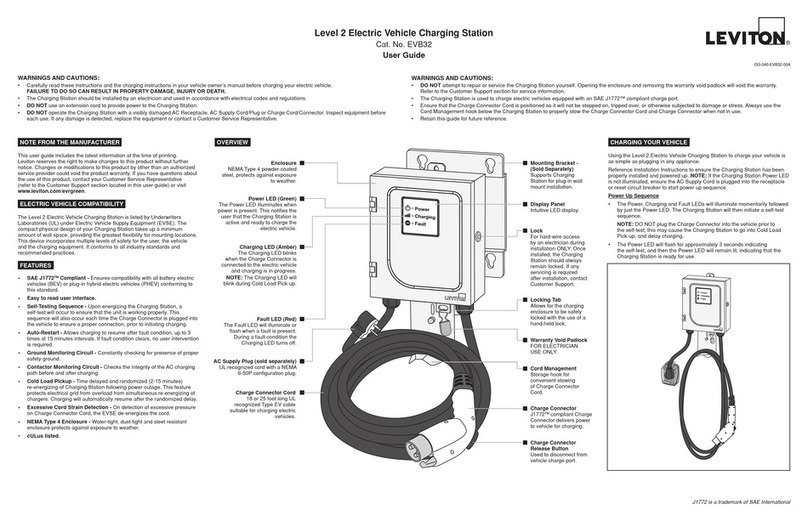
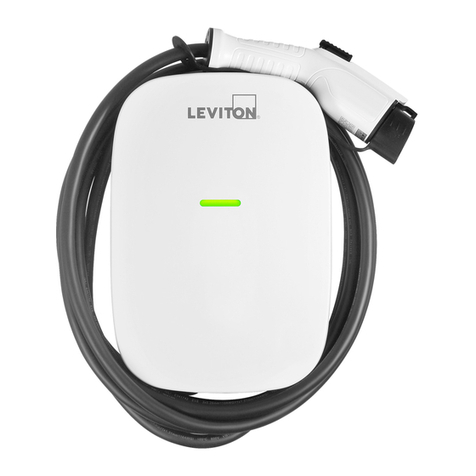
Level 2 Electric Vehicle Charging Station
Cat. No. EVB22
Installation Instructions
WARNINGS AND CAUTIONS:
• Iftheinformationinthisinstructionsheetisnotfollowedexactly,SHOCK OR FIRE MAY RESULT CAUSING PROPERTY DAMAGE, PERSONAL INJURY OR DEATH.
• Connecttoa120/240VAC,60Hzdedicatedbranchcircuit.
• Foroutdoorinstallations,hardwireconnectionisrequiredtomaintainNEMA4weatherproofrating.
• Hard-wireinstallationandservicemustbeperformedbyanelectrician.
• IMPORTANT:Savetheseinstructionsforlocalelectricalinspector’suseandfuturereference.
DG-420-EVB22-00B
ThankyouforpurchasingtheLevel216AElectricVehicleChargingStation.This
installationsheetincludesthelatestinformationatthetimeofprinting.Leviton
reservestherighttomakechangestothisproductwithoutfurthernotice.Changesor
modicationstothisproductbyotherthananauthorizedserviceprovidercouldvoid
theproductwarranty.Ifyouhavequestionsabouttheuseofthisproduct,contactyour
CustomerServiceRepresentative.RefertotheCustomerSupportsectionlocatedin
theseinstructions.
Important Notes to the Installer:
• Readallinstructionscontainedintheseinstallationinstructionsbeforeinstalling
hard-wiredversionoftheChargingStation.
• Theinstallerisresponsibleforverifyingthatthewallstructure/surfacewillsafely
supportatotalloadof200lbs.
• Observeallgoverningcodesandordinances.
• Besuretoleavetheseinstructionswiththeconsumer.
Important Notes to the Consumer:
• KeeptheseinstructionswithyourUserGuideforfuturereference.
• EnsuretheChargingStationisinstalledbyanelectricianorservicetechnician.
INTRODUCTION
MOUNTING LOCATION
TheChargingStationshouldbelocatedincloseproximitytotheelectricvehicle’s
parkinglocation.TheChargingStationmustconnecttotheelectricvehicleviaa
ChargeConnectorandChargeConnectorCord.NOTE:ThepathfromtheCharging
Stationtotheelectricvehicleshouldbefreefromobstacles,andbewithintherange
oftheChargeConnectorCord(18feetstandardlength).
TherecommendedmountingheightoftheChargingStationisnottoexceed48
inches,butnotlessthan42inches.Thisprovidesconvenientaccessandoperation
oftheChargingStation,andmeetsADArequirementsforaccess.
NOTE:TheareasurroundingtheChargingStationenclosureshouldbefreefrom
obstruction.Recommendedclearancearoundstation:5"aboveand3-1/2"oneitherside.
MOUNTING INSTALLATION
SelectalocationthatissuitableformountingtheChargingStationbasedon
thecriteriapresentedintheMOUNTINGLOCATIONsection.Forstudwalls,the
ChargingStationcanbemountedtobarestudsorwallswithdrywall.Formetalstudor
solidwallapplications,youwillneedtoprocurewallanchorsfortheChargingStation,
capableofsupportingamaximumallowableloadof200lbs.Forsolidwallapplications
youwillalsoneedtoprocureappropriateconduitandappropriatewallanchors.
NOTE:ThePlug-InChargingStationmustbeinstalledwithaLevitonPre-WireKit
(sold separately).Failuretodosomeansthestationnolongercomplieswithits
ULlisting.Thelistingrequiresthestationberemovablewithouttools.Referto
Pre-WireKitinstructionsrstifamountinglocationhasnotbeenestablished.
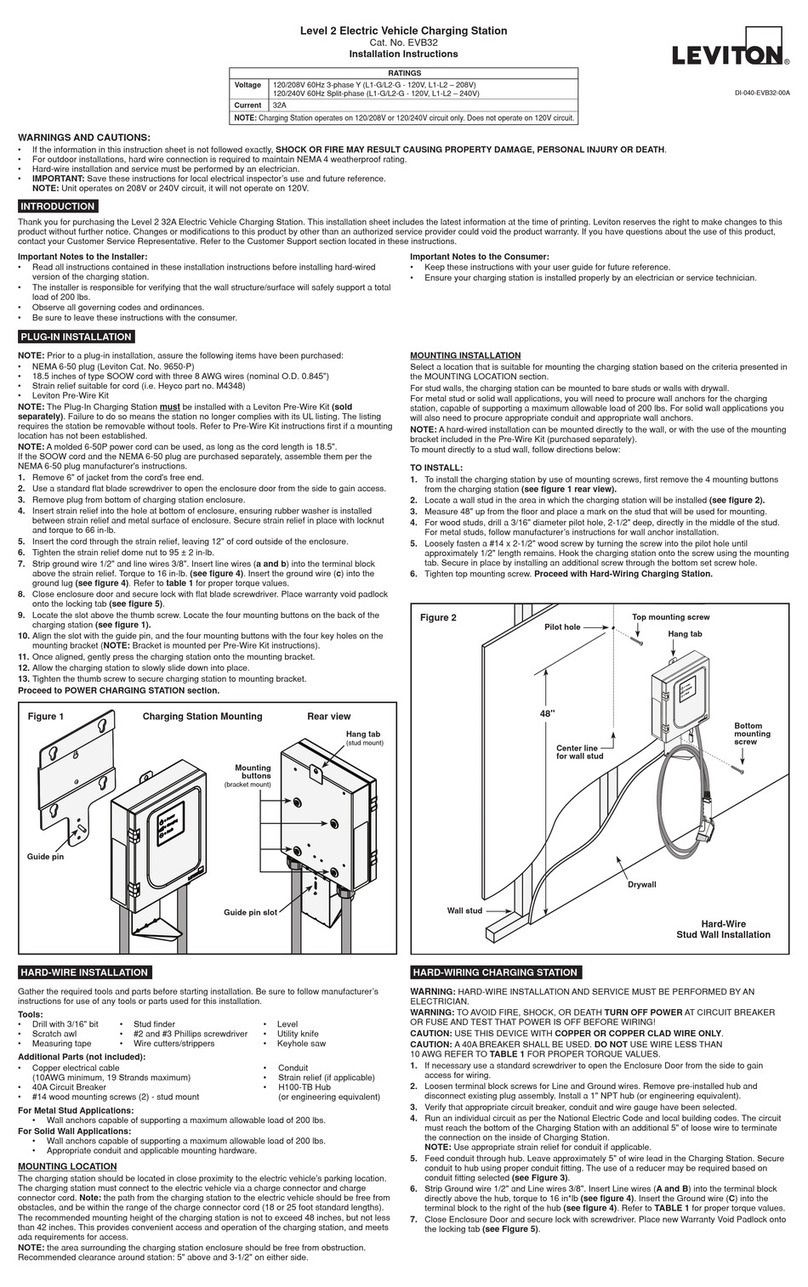
1.Locatetheslotabovethethumbscrew.LocatethefourMountingButtonsonthe
backoftheChargingStation(see Figure 1).
2.Aligntheslotwiththeguidepin,andthefourMountingButtonswiththefourkey
holesontheMountingBracket.
3. Oncealigned,gentlypresstheChargingStationontotheMountingBracket.
4.AllowtheChargingStationtoslowlyslidedownintoplace.
5.TightenthethumbscrewtosecureChargingStationtoMountingBracket.
Proceed to POWER CHARGING STATION section.
PLUG-IN INSTALLATION
Gathertherequiredtoolsandpartsbeforestartinginstallation.Besuretofollow
manufacturer’sinstructionsforuseofanytoolsorpartsusedforthisinstallation.
Tools:
• Drillwith3/16"bit • Studnder • Level
• Scratchawl • #2and#3Phillipsscrewdriver • Utilityknife
• Measuringtape • Wirecutters/strippers • Keyholesaw
Additional Parts (not included):
• Copperelectricalcable(12AWGminimum) • Conduit
• 20ACircuitbreaker • Strainrelief(ifapplicable)
• #14woodmountingscrews(2)-studmount • H100-TBHub
(orengineeringequivalent)
For Metal Stud Applications:
• Wallanchorscapableofsupportingamaximumallowableloadof200lbs.
For Solid Wall Applications:
• Wallanchorscapableofsupportingamaximumallowableloadof200lbs.
• Appropriateconduitandapplicablemountinghardware.
HARD-WIRE INSTALLATION
TO INSTALL:
1.Toinstallthechargingstationbyuseofmountingscrews,rstremovethe
4mountingbuttonsfromthechargingstation(see Figure 1 - Rear view).
2.LocateawallstudintheareainwhichtheChargingStationwillbeinstalled
(see Figure 2).
3.Measure48"upfromtheoorandplaceamarkonthestudthatwillbeused
formounting.
4.
Forwoodstuds,drilla3/16"diameterpilothole,2-1/2"deep,directlyinthemiddleof
thestud.Formetalstuds,followmanufacturer’sinstructionsforwallanchorinstallation.
5.Looselyfastena#14x2-1/2"Lwoodscrewbyturningthescrewintothepilothole
untilapproximately1/2"lengthremains.HooktheChargingStationontothescrew
usingthetopkeyholeslot.Secureinplacebyinstallinganadditionalscrewthrough
thebottomsetscrewhole.
6.CutoffandremoveWarrantyVoidPadlock(see Figure 5).
7.
UseastandardscrewdrivertoopentheEnclosureDoorfromthesidetogainaccess
andtightentopmountingscrew.ProceedwithHard-Wiring Charging Station.
Top
mounting
screw
Bottom
mounting
screw
Pilot hole
for mounting
screw
Center line
for wall stud
Wall stud
Drywall Stud Wall Installation
Figure 2
48"
Mounting
bracket
(mounted
to wall)
Guide pin
Thumb
screw
Keyhole (stud mount)
Charging Station Mounting
Rear view
Mounting buttons
(bracket mount)
Figure 1
NOTE:Ahard-wiredinstallationcanbemountedtothewallwithuseoftheMounting
BracketincludedinthePre-WireKit(purchasedseparately).
Tomountdirectlytoastudwall,followdirectionsbelow:
RATINGS
120/240V60HzSplit-phase(L1-G/L2-G–120V,L1-L2–240V)
16A
Voltage
Current
NOTE:ChargingStationoperateson120/240Vcircuitonly.Doesnotoperateon120Vcircuit.