manuals.online logo
Brands
  1. Home
  2. •
  3. Brands
  4. •
  5. Liebert
  6. •
  7. Control Unit
  8. •
  9. Liebert INTELLISLOT RDU101 User manual

Liebert INTELLISLOT RDU101 User manual

Other Liebert Control Unit manuals

Liebert PX018 User manual

Liebert

Liebert PX018 User manual

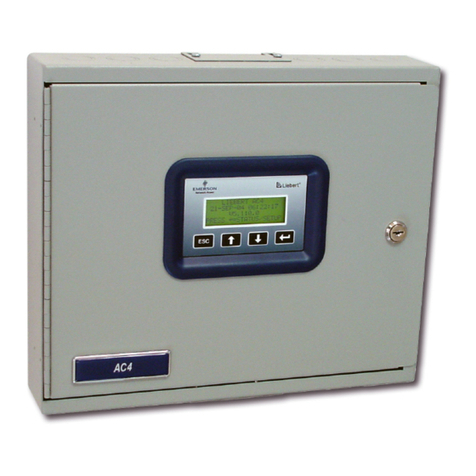
Liebert AC4 User manual

Liebert

Liebert AC4 User manual

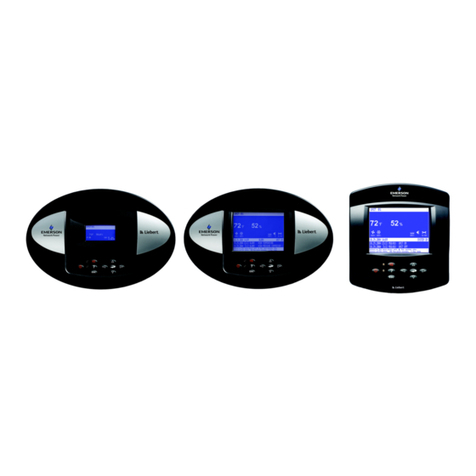
Liebert Liebert iCOM User manual

Liebert

Liebert Liebert iCOM User manual

Popular Control Unit manuals by other brands

Seitz 14A80 user manual

Seitz

Seitz 14A80 user manual

Wilo RS485 Installation and operating instructions

Wilo

Wilo RS485 Installation and operating instructions

Becker CentralControl CC41 Commissioning Instruction

Becker

Becker CentralControl CC41 Commissioning Instruction

SICK CDB650 operating instructions

SICK

SICK CDB650 operating instructions

Panduit NetKey NKP5E88M Series installation instructions

Panduit

Panduit NetKey NKP5E88M Series installation instructions

MX Options Concentric Petite Fitting instructions

MX

MX Options Concentric Petite Fitting instructions

Clean Water Systems Fleck 2510 Installation & start?up guide

Clean Water Systems

Clean Water Systems Fleck 2510 Installation & start?up guide

Fairchild FSB44104A user guide

Fairchild

Fairchild FSB44104A user guide

LEGRAND Wattstopper LMIN-104 installation instructions

LEGRAND

LEGRAND Wattstopper LMIN-104 installation instructions

PMK ATT10BNCS instruction manual

PMK

PMK ATT10BNCS instruction manual

Tektronix TDS3FFT user manual

Tektronix

Tektronix TDS3FFT user manual

Woodward easYgen Technical manual

Woodward

Woodward easYgen Technical manual

Balluff BNI EIP-502-105-R015 user guide

Balluff

Balluff BNI EIP-502-105-R015 user guide

NXP Semiconductors TWR-LS1021A Getting started

NXP Semiconductors

NXP Semiconductors TWR-LS1021A Getting started

Advantech PCM-3117 Startup manual

Advantech

Advantech PCM-3117 Startup manual

Danfoss MCO 101 manual

Danfoss

Danfoss MCO 101 manual

Moons' Lin Engineering R701P user manual

Moons'

Moons' Lin Engineering R701P user manual

Aventics RV1 operating instructions

Aventics

Aventics RV1 operating instructions

manuals.online logo
manuals.online logoBrands
  • About & Mission
  • Contact us
  • Privacy Policy
  • Terms and Conditions

Copyright 2025 Manuals.Online. All Rights Reserved.

LIEBERT® INTELLISLOT™ RDU101™
COMMUNICATIONS CARD
Quick Installation Guide
590-2176-501A/SL-31321_REV0 1
The Liebert IntelliSlot RDU101
Communications Card enables
SNMP management of Liebert
equipment. To integrate the card
into a SNMP system, compile the
Liebert Global Products MIB on the
network management station
(NMS). The Liebert Global
Products MIB supports both
Microsoft®Windows® and Unix file
formats. The MIB files can be
downloaded at https://www.
vertivco.com/en-us/support/
1. Mounting the IntelliSlot
card
NOTE: The bay may have a
plastic cover.
Insert the card into the
IntelliSlot bay on your Liebert
equipment and secure the card
using the screws supplied with
the Liebert equipment.
2. Connecting to Card
If using DHCP or BootP,
connect a LAN cable to the
card’s Ethernet port. If using
Static IP, proceed to step 4.
3. Using DHCP or BootP
Address
Allow time for the card to boot
and acquire an address.
Get the address from the
network administrator based on
the card’s MAC address (from
the label on the card’s
faceplate). If the network
administrator is unavailable, the
DHCP address can be obtained
by accessing the card with a
link local connection. This is a
direct PC-to-card Ethernet
connection. The PC acquires a
local address and the card is
accessed at 169.254.24.7.
Navigate to the
Communications-tab menu:
Support > Active Networking >
IPv4 Address.
4. Using a Static IP Address
Access the card using a link-
local connection. This is a
direct PC-to-card Ethernet
connection. The PC acquires a
local address and the card is
accessed at 169.254.24.7
Click the Communications tab,
then in the Communications-tab
menu, select Configuration >
Network > IPv4 or IPv6.
Select the IP protocol folder to
configure, click the Edit button
in the details panel,
and enter the default user name
and password:
• Default user name: Liebert
• Default password: Liebert.
Check the enabled box, and
enter the address information,
then click Save. The settings
take eect when the card is
restarted.
Connect the card to the LAN
and confirm access.
You can
return to the Web UI and
customize the configuration
including changing the user
names and passwords.
4
4
Liebert® IntelliSlotTM RDU101TM Communications Card
2

To contact Vertiv Technical Support: visit www.VertivCo.com
© 2019 Vertiv Co. All rights reserved. Vertiv and the Vertiv logo are trademarks or registered trademarks of Vertiv Co. All other names and logos referred to are trade names,
trademarks or registered trademarks of their respective owners. While every precaution has been taken to ensure accuracy and completeness herein, Vertiv Co. assumes no
responsibility, and disclaims all liability, for damages resulting from use of this information or for any errors or omissions. Specifications are subject to change without notice.
LIEBERT® INTELLISLOT™ RDU101™ COMMUNICATIONS CARD
Quick Installation Guide
2 590-2176-501A/SL-31321_REV0
5. Change the user names
andpasswords
NOTE: We recommend
changing the administrative
and general user names and
passwords immediately to
safeguard the protected
configuration and control
options of the card.
On the Web UI, click the
Communications tab, then in
the
Communications -tab menu,
select Configuration > Local
Users.
• Select Local Users [1].
• Click Edit and enter the
default user name and
password (default user name
Liebert and password
Liebert).
• Enter the new Administrator
name.
• Enter and confirm the new
administrator password, then
click Save.
• Select Local Users [2].
• Click Edit and enter the new
General user name.
• Enter and confirm the new
general user password, then
click Save.
The settings take eect
when the card is restarted.
ONLINE USER MANUAL
This quick-installation guide
provides the information to install
and configure the RDU101 card. We
highly recommend that you consult
the user manual, Liebert IntelliSlot
RDU101 Communications Card
Installer/User Guide, available on
the product page at
www.Vertivco.com.