(DT-605)
Jumbo Night Glow Digital Thermometer
Jumbo back-lit display for easy nighttime reading
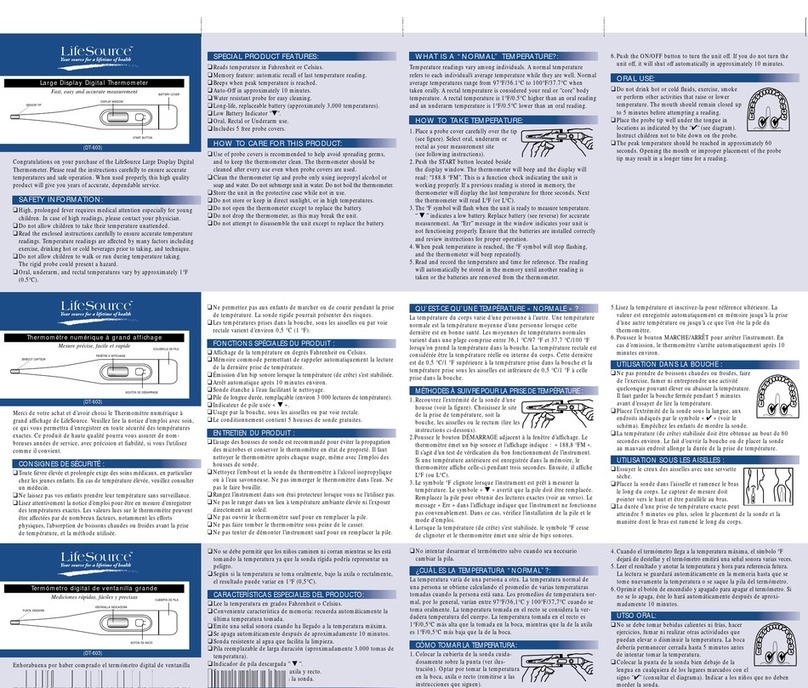
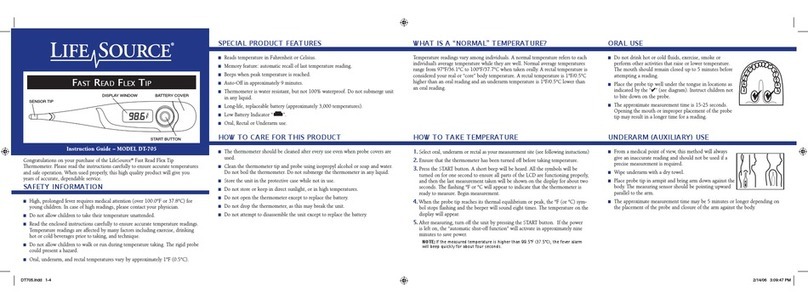
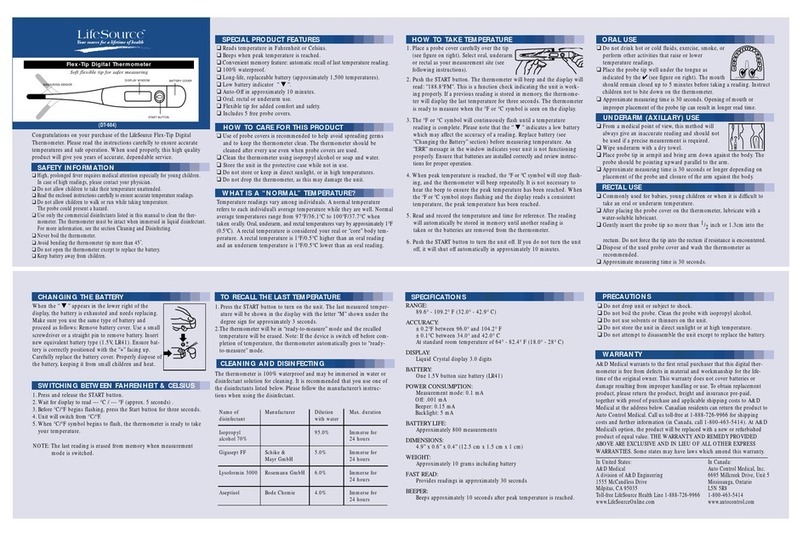
MEASURING SENSOR
START BUTTON
BATTERY COVER
DISPLAY WINDOW
Congratulations on your purchase of the LifeSource Jumbo Night Glow
Digital Thermometer. Please read the instructions carefully to ensure
accurate temperatures and safe operation. When used properly, this high
quality product will give you years of accurate, dependable service.
SAFETY INFORMATION
❑High, prolonged fever requires medical attention especially for young children. In
case of high readings, please contact your physician.
❑Do not allow children to take their temperature unattended.
❑Read the enclosed instructions carefully to ensure accurate temperature readings.
❑Do not allow children to walk or run while taking temperature.
The probe could present a hazard.
❑Never boil the thermometer.
❑Do not open the thermometer except to replace the battery.
❑Keep battery away from children.
SPECIAL PRODUCT FEATURES
❑Reads temperature in Fahrenheit or Celsius.
❑Beeps when peak temperature is reached.
❑“Nite Glow” feature for easy nighttime reading.
❑Thermometer is water resistant, but not 100% water proof. Do not
submerge unit in any liquid.
❑Convenient memory feature: automatic recall of last temperature reading.
❑Easy-to-read Jumbo display.
❑Long-life, replaceable battery (approximately 1,500 temperatures).
❑Low Battery Indicator “▼”.
❑Auto-Off in approximately 10 minutes.
❑Oral, rectal or underarm use.
❑Includes 5 free probe covers.
HOW TO CARE FOR THIS PRODUCT
❑Use of probe covers is recommended to help avoid spreading germs, and
to keep the thermometer clean. The thermometer should be cleaned
after every use even when probe covers are used.
❑Clean the thermometer using isopropyl alcohol or soap and water. Do
not submerge unit in water. Do not boil the thermometer.
❑Store the unit in the protective case while not in use.
❑Do not store or keep in direct sunlight or in high temperatures.
❑Do not drop the thermometer, as this may damage the unit.
❑Do not attempt to disassemble the unit except to replace the battery.
WHAT IS A “NORMAL” TEMPERATURE?
Temperature readings vary among individuals. A normal temperature refers
to each individual’s average temperature while they are well. Normal aver-
age temperatures range from 97°F/36.1°C to 100°F/37.7°C when taken
orally. Oral, underarm, and rectal temperatures vary by approximately 1°F
(0.5°C). A rectal temperature is considered your real or “core” body tem-
perature. A rectal temperature is 1°F/0.5°C higher than an oral reading and
an underarm temperature is 1°F/0.5°C lower than an oral reading.
HOW TO TAKE TEMPERATURE
1.Place a probe cover carefully over the tip
(see figure on right). Select oral, underarm
or rectal as your measurement site (see
following instructions).
2.Firmly push the START button. The thermometer will beep and the
display will read: “188.8°FM”. This is a function check indicating the
unit is working properly. If a previous reading is stored in memory,
the thermometer will display the last temperature for three seconds.
The night-glow feature automatically lights up when the thermometer
is turned on.
3. The °F or °C symbol will flash when the unit is ready to measure
temperature. “ ▼ ” indicates a low battery. Replace battery (see
“Changing the Battery” section) for accurate measurement. An “ERR”
message in the window indicates your unit is not functioning proper-
ly. Ensure that the batteries are installed correctly and review instruc-
tions for proper operation.
4.When peak temperature is reached, the °F or °C symbol will stop
flashing, and the thermometer will beep repeatedly. It is not necessary
to hear the beep to ensure the peak temperature has been reached.
When the °For°C symbol stops flashing and the display reads a
consistent temperature, the peak temperature has been reached.
5.Read and record the temperature and time for reference. The reading
will automatically be stored in the memory until another reading is
taken or the batteries are removed from the thermometer.
6.Push the START button to turn the unit off. If you do not turn the
unit off, it will shut off automatically in approximately 10 minutes.
ORAL USE
❑Do not drink hot or cold fluids, exercise, smoke or
perform other activities that raise or lower temperature.
The mouth should remain closed up to 5 minutes
before attempting a reading.
❑Place the probe tip well under the tongue in locations
as indicated by the “✔” (see figure on right). Instruct
children not to bite down on the thermometer.
❑Approximate measuring time is 30 seconds. Opening of mouth or
improper placement of the probe tip can result in longer read time.
UNDERARM (AXILLARY) USE
❑From a medical point of view, this method will
always give an inaccurate reading and should not be
used if a precise measurement is required.
❑Wipe underarm with a dry towel.
❑Place probe tip in armpit and bring arm down against
the body. The probe should be pointing upward parallel to the arm.
❑Approximate measuring time is 30 seconds or longer depending on
placement of the probe and closure of the arm against the body.
RECTAL USE
❑Commonly used for babies, young children or when it is difficult to
take an oral or underarm temperature.
❑After placing the probe cover on the thermometer, lubricate with a
water-soluble lubricant.
❑Gently insert the probe tip no more than 1/2inch or 1.3cm into the
rectum. Do not force the tip into the rectum if resistance is encountered.
❑Dispose of the used probe cover and wash the thermometer as recom-
mended.
❑Approximate measuring time is 30 seconds.
SPECIFICATIONS
RANGE:
32.0°C - 43.9°C
89.6°F - 109.9° F
ACCURACY:
± 0.1°C between 35.0° and 40.0°C, ± 0.2°C under 35.0° or over 40°C
± 0.2°F between 96.0° and 104.2°F, ± 0.4°F under 96.0° or over 104.2°F
At standard room temperature between 18.0-28.0° C (64.4-82.4° F)
DISPLAY:
Liquid Crystal display 3.5 digits
BATTERY:
One 1.55V button size battery (SR41)
POWER CONSUMPTION:
Measurement mode: 0.1 mA
Off: .001 mA
Beeper: 0.15 mA
Backlight: 5 mA
BATTERY LIFE:
Approximately 600 measurements
DIMENSIONS:
5.7” x 0.8” x 0.4” (14.5 cm x 2 cm x 1 cm)
WEIGHT:
Approximately 10 grams including battery
FAST READ:
Provides readings in approximately 30 seconds
BEEPER:
Beeps approximately 10 seconds after peak temperature is reached.
PRECAUTIONS
❑Do not drop unit or subject to shock.
❑Do not soak the thermometer in water.
❑Do not boil the probe. Clean the probe with isopropyl alcohol.
❑Do not use solvents or thinners on the unit.
❑Do not store the unit in direct sunlight or at high temperature.
❑Do not attempt to disassemble the unit except to replace the battery.
WARRANTY
A&D Medical warrants to the first retail purchaser that this digital ther-
mometer is free from defects in material and workmanship for the lifetime
of the original owner. This warranty does not cover batteries or damage
resulting from improper handling or use. To obtain replacement product,
please return the product, freight and insurance pre-paid, together with
proof of purchase and applicable shipping costs to A&DMedical at the
address below. Canadian residents can return the product to Auto Control
Medical. Call us toll-free at 1-888-726-9966 for shipping costs and further
information (in Canada, call 1-800-463-5414). At A&D Medical’s option,
the product will be replaced with a new or refurbished product of equal
value. THE WARRANTY AND REMEDY PROVIDED ABOVE ARE EXCLU-
SIVE AND IN LIEU OF ALL OTHER EXPRESS WARRANTIES. Some
states may have laws which amend this warranty.
CHANGING THE BATTERY
When the “ ▼” appears in the lower right of the
display, the battery is exhausted and needs replacing.
Make sure you use the same type of battery and
proceed as follows: Remove battery cover. Use a small
screwdriver or a straight pin to remove
battery. Insert new equivalent battery type (1.55V,
SR41). Ensure battery is correctly positioned with the
“+” facing up. Carefully replace the battery
cover. Properly dispose of the battery, keeping it from
small children and heat.
SWITCHING BETWEEN FAHRENHEIT & CELSIUS*
1.Press and release the START button.
2.Wait for display to read --- °C / --- °F (approx. 5 seconds) .
3.Before °C/°F begins flashing, press the START button for three seconds.
4.Unit will switch from °C and °F.
5.When°C/°F symbol begins to flash, the thermometer is ready to take
your temperature.
NOTE: The last reading is erased from memory when measurement
mode is switched.
TO RECALL THE LAST TEMPERATURE
1.Press the START button while turning on the unit. The last measured
temperature will be shown in the display with the letter “M” shown
under the degree sign for approximately 3 seconds.
2.The thermometer will be in “ready-to-measure” mode and the recalled
temperature will be erased. Note: If the device is switched off before
completion of temperature, the thermometer automatically goes to
“ready-to-measure” mode.
CLEANING AND DISINFECTING
After each use, clean the thermometer using isopropyl alcohol (70%) or
soap and water. The thermometer is water resistant, but not 100% water-
proof. Do not submerse the thermometer in any liquid.
LifeSource is a trademark of A&D Medical. ©2003 A&D Medical. All rights reserved.
Specifications subject to change without notice. Made in China
In United States: In Canada:
A&D Medical Auto Control Medical, Inc.
A division of A&D Engineering 6695 Millcreek Drive, Unit 5
1555 McCandless Drive Mississauga, Ontario
Milpitas, CA 95035 L5N 5R8
Toll-free LifeSource Health Line 1-888-726-9966 1-800-463-5414
www.LifeSourceOnline.com www.autocontrol.com
U.S. Patent #6,419,388