manuals.online logo
Brands
  1. Home
  2. •
  3. Brands
  4. •
  5. Lumineux
  6. •
  7. Floodlight
  8. •
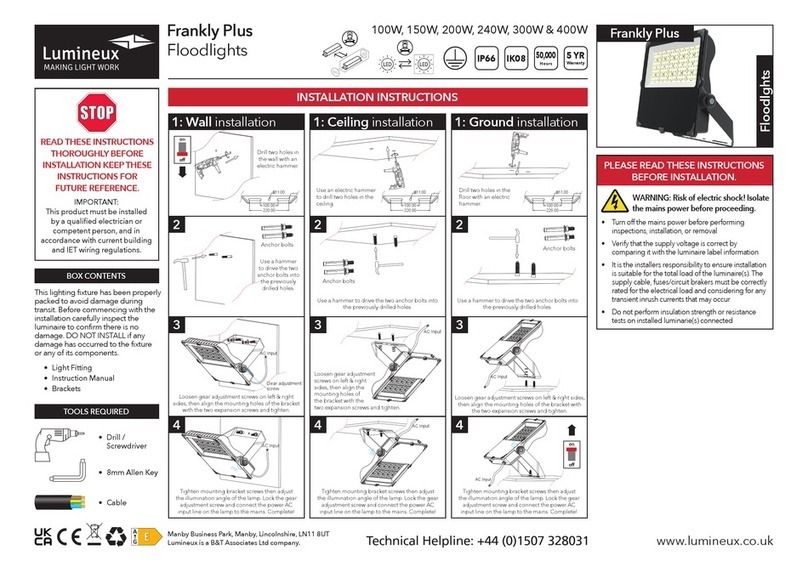
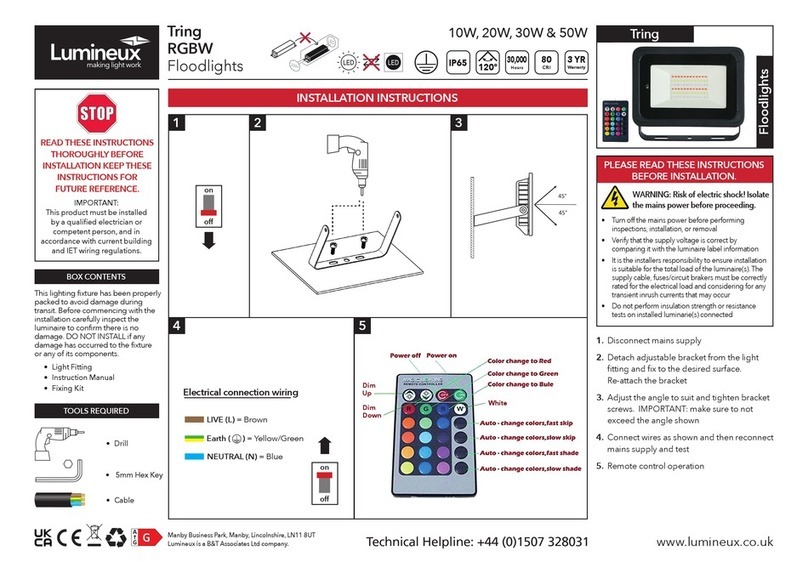
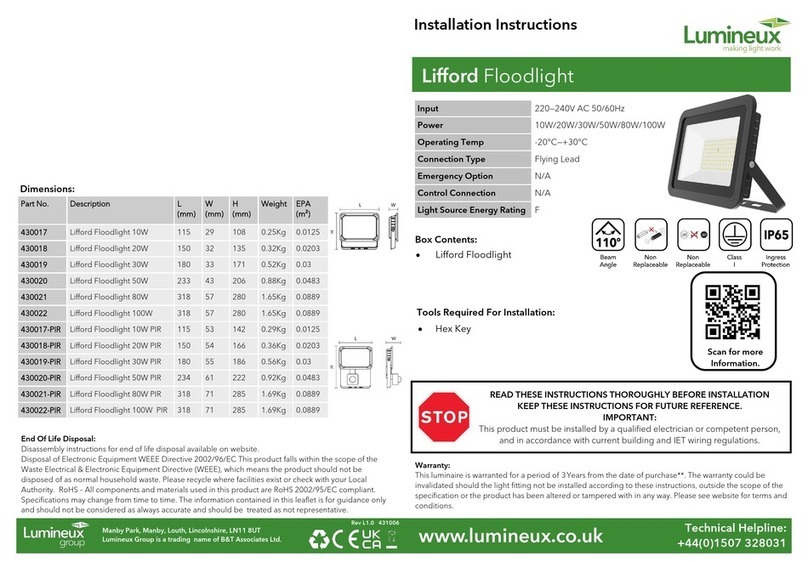
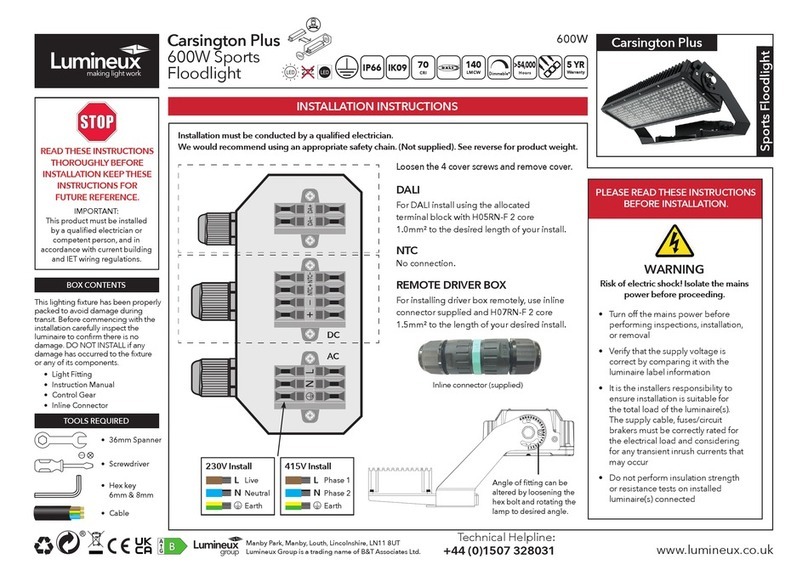
  9. Lumineux LIFFORD User manual

Lumineux LIFFORD User manual

READ THESE INSTRUCTIONS THOROUGHLY BEFORE
INSTALLATION KEEP THESE INSTRUCTIONS FOR
FUTURE REFERENCE
IMPORTANT: This product must be installed by a qualified
electrician or competent person, and in accordance with
current building and IEE wiring regulations.
GENERAL:
This lighng xture is designed for permanent connecon to xed
wiring which must have suitable circuit protecon by the means of the
appropriate MCB or fuse.
The product is suitable for installaon on surfaces with normal
ammability e.g. wood, plasterboard and masonry. It is not suitable for
highly ammable surfaces such as polystyrene or texles.
LED Chips can be suscepble to damage by vapours, gases, etc emied
by other materials, especially rubber, which can cause a reducon in
light output performance.
Therefore DO NOT introduce any parts such as alternave grommets
etc. to the inside of this xture, other than what has been provided.
Failing to observe this and any damage caused thereby, may invalidate
the warranty.
MAINTENANCE:
To avoid personal injury or damage to equipment, disconnect the
power to the light ng before conducng any maintenance
WARNING: No user serviceable parts inside of the xture, risk of
electric shock.
Clean the lens periodically as needed to ensure connued light output
performance. Clean only with non-abrasive cloth and mild detergent if
required.
WARRANTY:
This luminaire is warranted for a period of 3 years from the date of
purchase. The warranty could be invalidated should the light ng not
be installed according to these instrucons, outside the scope of the
specicaon or the product has been altered or tampered with in any
way. Please see website for terms and condions.
DISPOSAL:
The light source of this unit is not replaceable; when the light source
reaches its end of life the whole luminaire shall be replaced.
Disposal of Electronic Equipment WEEE Directive 2002/96/EC This
product falls within the scope of the Waste Electrical & Electronic
Equipment Direcve (WEEE), which means the product should not be
disposed of as normal household waste. Please recycle where facilies
exist or check with your Local Authority . RoHS – All components and
materials used in this product are RoHS 2002/95/EC compliant.
*Specicaons may change from me to me. The informaon
contained in this leaet is for guidance only and should not be consid-
ered as always accurate and should be treated as not representave.
UNPACKING:
This lighting fixture has been properly packed to avoid damage
during transit. Before commencing with the installation carefully
inspect the luminaire to confirm there is no damage. DO NOT
INSTALL if any damage has occurred to the fixture or any of its
components.
CARTON CONTENTS:
INSTALLATION :
WARNING: Risk of damage to the light fitting! Isolate the AC
power before proceeding.
1. Select the position as required for the floodlight.
2. Remove the mounting bracket from the floodlight (bracket can
be left on the fitting)
3. Secure the luminaire mounting bracket to the surface location
using the appropriate screws and wall plugs. (2)
4. Re-assemble the luminaire to the fixing bracket using the original
fasteners and ensuring no cables are trapped between the bracket
and the light fitting. (3)
5. Connect the floodlight to the AC supply, with an appropriate
junction box or connection fitting, making sure any exposed
connections and joints are sufficiently weatherproofed. Use an
IP65 rated junction box if located outside.
6. Make the electrical connections as follows: (4)
BROWN = LIVE
BLUE = NEUTRAL
GREEN/YELLOW = EARTH
7. Adjust the angle of the floodlight by the retaining/adjustment
bolt, making sure the bolt is re-tightened when completed.
Do not exceeding the mounting angle limits (5).
8. Switch the AC power on to check the light fitting illuminates.
9. (PIR Model) Adjust PIR settings to your preference.
PRODUCT SPECIFICATIONS:
•Fixture •Instruction Sheet
Luminaire Type: LED Floodlight
Model Liord
Operang Temp: -20°C to +30°
IP Rang: IP65
Input Voltage 220-240VAC
LIFFORD Floodlight
10W - 100W Standard
10W - 80W PIR

PIR Set up
Daylight sengs:
The sensor detects the level of ambient light before the lamp turns on, this can be adjusted via the dial with the “sun and moon” symbol.
Turning the dial fully (towards the sun) will enable operaon during daylight and night-me (high and low LUX levels)
Turning the dial fully (towards the moon) will enable operaon during darkness only. (Low LUX levels)
Turning the dial half way will enable operaon from dusk ll dawn.
It is recommended to set the dial at dusk, or at the light level at which you want the unit to begin to operate at, you can do this by rotang
the dial fully towards the moon posion then gradually turning the dial the opposite way unl the unit illuminates, the unit should now only
operate once the LUX level has dropped below the ambient light just set.
Time Seng:
This is adjustable from 10 (+/-5) seconds to 7 (+/-2) minutes, rotate the control to increase/decrease the illuminated me.
Sensivity Control:
Increase/decrease the detecon distance by rotang the dial, this ranges from 2-8 meters, Note: the detecon rates will reduce the further
the distance is set.
45°
45°
LIVE = Brown
NEUTRAL = Blue
GND = Green/Yellow
Manby Business Park, Manby, Lincolnshire, LN11 8UT
Lumineux is a B&T Associates Ltd company.
Revision 2
PIR Set up
Daylight sengs:
The sensor detects the level of ambient light before the lamp turns on, this can be adjusted via the dial with the “sun and moon” symbol.
Turning the dial fully (towards the sun) will enable operaon during daylight and night-me (high and low LUX levels)
Turning the dial fully (towards the moon) will enable operaon during darkness only. (Low LUX levels)
Turning the dial half way will enable operaon from dusk ll dawn.
It is recommended to set the dial at dusk, or at the light level at which you want the unit to begin to operate at, you can do this by rotang
the dial fully towards the moon posion then gradually turning the dial the opposite way unl the unit illuminates, the unit should now only
operate once the LUX level has dropped below the ambient light just set.
Time Seng:
This is adjustable from 10 (+/-5) seconds to 7 (+/-2) minutes, rotate the control to increase/decrease the illuminated me.
Sensivity Control:
Increase/decrease the detecon distance by rotang the dial, this ranges from 2-8 meters, Note: the detecon rates will reduce the further
the distance is set.
45°
45°
LIVE = Brown
NEUTRAL = Blue
GND = Green/Yellow
PIR Set up
Daylight sengs:
The sensor detects the level of ambient light before the lamp turns on, this can be adjusted via the dial with the “sun and moon” symbol.
Turning the dial fully (towards the sun) will enable operaon during daylight and night-me (high and low LUX levels)
Turning the dial fully (towards the moon) will enable operaon during darkness only. (Low LUX levels)
Turning the dial half way will enable operaon from dusk ll dawn.
It is recommended to set the dial at dusk, or at the light level at which you want the unit to begin to operate at, you can do this by rotang
the dial fully towards the moon posion then gradually turning the dial the opposite way unl the unit illuminates, the unit should now only
operate once the LUX level has dropped below the ambient light just set.
Time Seng:
This is adjustable from 10 (+/-5) seconds to 7 (+/-2) minutes, rotate the control to increase/decrease the illuminated me.
Sensivity Control:
Increase/decrease the detecon distance by rotang the dial, this ranges from 2-8 meters, Note: the detecon rates will reduce the further
the distance is set.
45°
45°
LIVE = Brown
NEUTRAL = Blue
GND = Green/Yellow

Other Lumineux Floodlight manuals

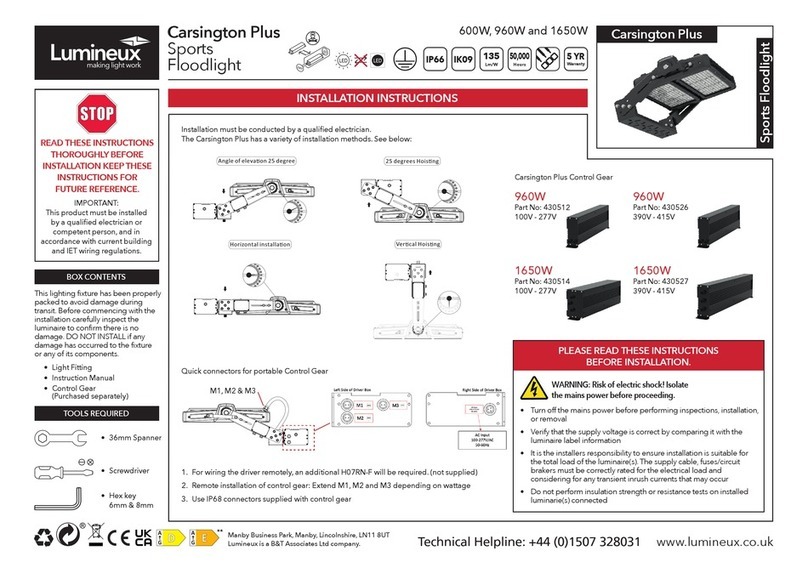
Lumineux Carsington Plus Sports User manual

Lumineux

Lumineux Carsington Plus Sports User manual

Lumineux Carsington Plus User manual

Lumineux

Lumineux Carsington Plus User manual

Lumineux Carsington Plus User manual

Lumineux

Lumineux Carsington Plus User manual

Lumineux Frankly Plus User manual

Lumineux

Lumineux Frankly Plus User manual

Lumineux Lifford User manual

Lumineux

Lumineux Lifford User manual

Lumineux Tring RGBW 10W User manual

Lumineux

Lumineux Tring RGBW 10W User manual

Popular Floodlight manuals by other brands

Spaulding Lighting ARF Series installation instructions

Spaulding Lighting

Spaulding Lighting ARF Series installation instructions

Arlux lighting PEARL 200507 manual

Arlux lighting

Arlux lighting PEARL 200507 manual

Hugo Lahme VitaLight PAR 56 user manual

Hugo Lahme

Hugo Lahme VitaLight PAR 56 user manual

BEGA 84 292K3 Instructions for use

BEGA

BEGA 84 292K3 Instructions for use

LEDLITE LTUSF10PIR Installation sheet

LEDLITE

LEDLITE LTUSF10PIR Installation sheet

Showline SL ParBlazer 100 UV Installation & user manual

Showline

Showline SL ParBlazer 100 UV Installation & user manual

Solight WM-30W-FEL instructions

Solight

Solight WM-30W-FEL instructions

LumX LM 201 instruction manual

LumX

LumX LM 201 instruction manual

Wooshin Press WSMAHA user guide

Wooshin Press

Wooshin Press WSMAHA user guide

Beamz MHL1912 user manual

Beamz

Beamz MHL1912 user manual

DTS SCENA LED 200 CT FR user manual

DTS

DTS SCENA LED 200 CT FR user manual

Lottworx LW1-06S Installation instructions & owner's manual

Lottworx

Lottworx LW1-06S Installation instructions & owner's manual

Hubbell FSL installation instructions

Hubbell

Hubbell FSL installation instructions

Platek TARSIUS Assembly instructions

Platek

Platek TARSIUS Assembly instructions

Cariboni KOSMOS quick start guide

Cariboni

Cariboni KOSMOS quick start guide

1st-Relief 220S Series manual

1st-Relief

1st-Relief 220S Series manual

Beamz BeamzPro StarColor 72 user manual

Beamz

Beamz BeamzPro StarColor 72 user manual

Christie Matrix StIM Setup guide

Christie

Christie Matrix StIM Setup guide

manuals.online logo
manuals.online logoBrands
  • About & Mission
  • Contact us
  • Privacy Policy
  • Terms and Conditions

Copyright 2025 Manuals.Online. All Rights Reserved.