USB D/A CONVERTER DA-250
6
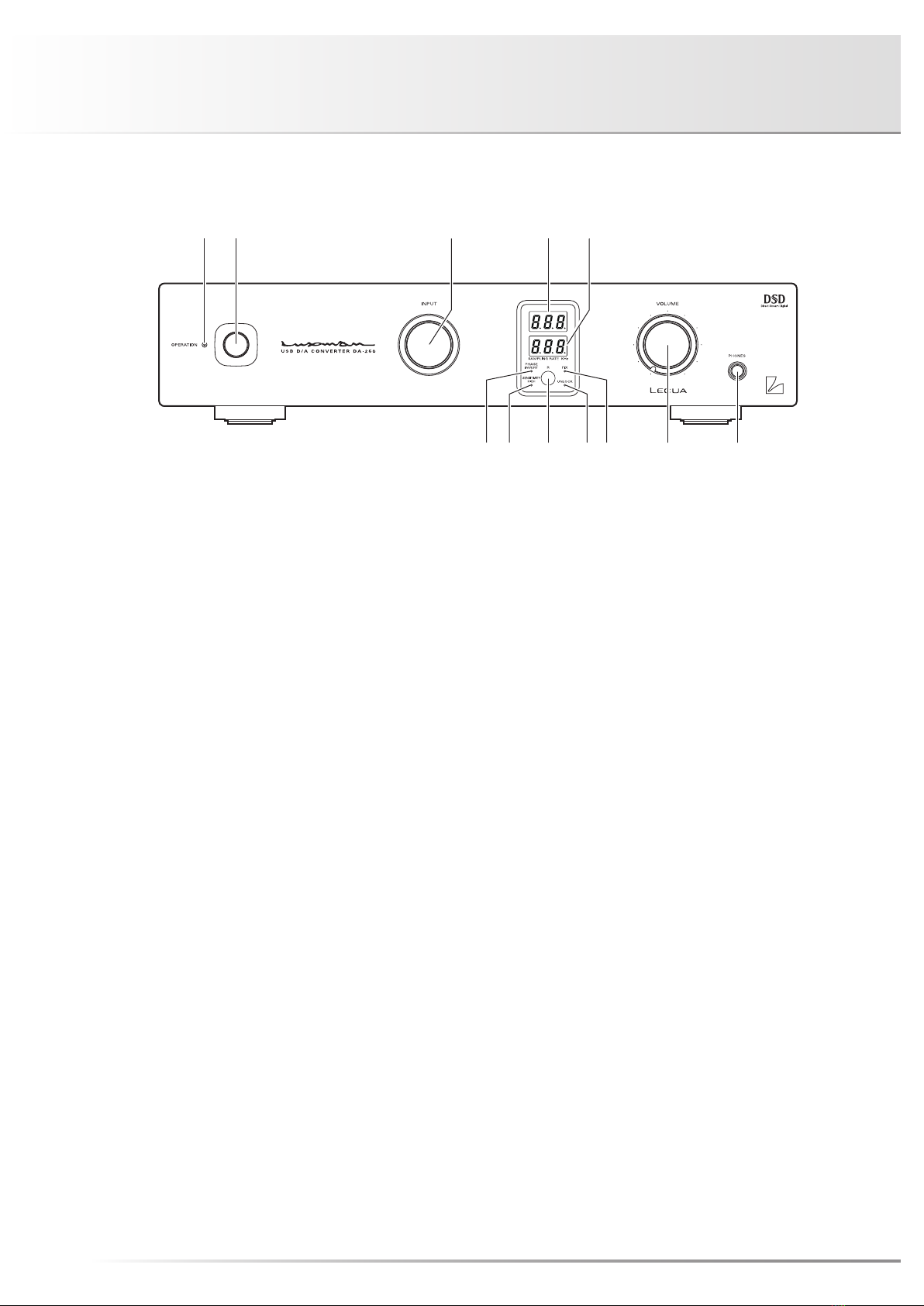
This LED indicates the current volume level in steps of 1 dB
during sound volume adjustment.
• "- - -" shows the mute state. No sound is generated.
• The minimum volume level is shown as "–87 dB", and the
maximum volume level is shown as "0 dB".
The following sampling frequencies can be displayed.
Input from the USB
terminal
PCM : 32 kHz, 44.1 kHz, 48 kHz,
88.2kHz, 96 kHz, 176.4 kHz,
192 kHz
DSD : 2.8224 MHz, 5.6448 MHz
Input from OPT/
COAX terminals
: 32 kHz, 44.1 kHz, 48 kHz,
88.2 kHz, 96 kHz, 176.4 kHz,
192 kHz
First 3 digits are displayed on the LED.
6. Phase invert indicator (PHASE INVERT)
Lights up when the analog output phase is inverted by
pressing the phase invert changeover switch (PHASE) on
the remote control.
The following shows balanced output phases:
When the [Light is off]
1. GROUND
2. COLD (–)
3. HOT (+)
When the [Light is on]
1. GROUND
2. HOT (+)
3. COLD (–)
Both the unbalanced output and headphone output are in-
verted.
7. Headphone terminal sensitivity
indicator (SENSITIVITY HIGH)
Lights up when the headphone terminal sensitivity selection
switch (SENS.) is set to HIGH.
When the [Light is off]
NORMAL: Sensitivity setting 0 dB
When the [Light is on]
HIGH: Sensitivity setting +9 dB
8. Remote control infrared receiver (R)
Receives signals from the accessory remote control.
9. Digital signal unlock indicator
(UNLOCK)
Lights up when a digital input is selected from USB/COAX/
OPT 1/OPT 2 with the input selector and the digital input
signal from the digital device is not synchronized with this
unit.
10. Analog output level fix indicator (FIX)
Lights up when the analog output level fix/variable selection
switch (FIX/VARIABLE) on the rear panel is set to FIX.
At this moment, the volume control cannot adjust the ana-
log output level. (The sound volume of the headphones can
be adjusted regardless of the status of the selection switch.)
11. Volume control (VOLUME)
Adjusts the sound volume of the headphones, and the
sound volume of the device connected to the analog un-
balanced output terminals (RCA) or balanced output termi-
nals (XLR) when the analog output level fix/variable selection
switch (FIX/VARIABLE) on the rear panel is set to VARI-
ABLE. Sound is not generated when this control is rotated
counterclockwise to the end, and then, the sound volume
gradually becomes higher when the control is slowly rotated
clockwise.
When the analog output level fix/variable selection switch
(FIX/VARIABLE) on the rear panel is set to FIX, the analog
output level is not changed even if the volume control is
rotated.
12. Headphone jack (PHONES)
When listening to the playback sound of this unit with ste-
reo headphones, insert the headphone standard plug in this
output jack.
If the plug of your headphones is mini, use a mini-to-stan-
dard adapter that comes with the headphones or available
on the market.
The phase can be changed with the analog output phase
selection switch (PHASE) on the remote control.
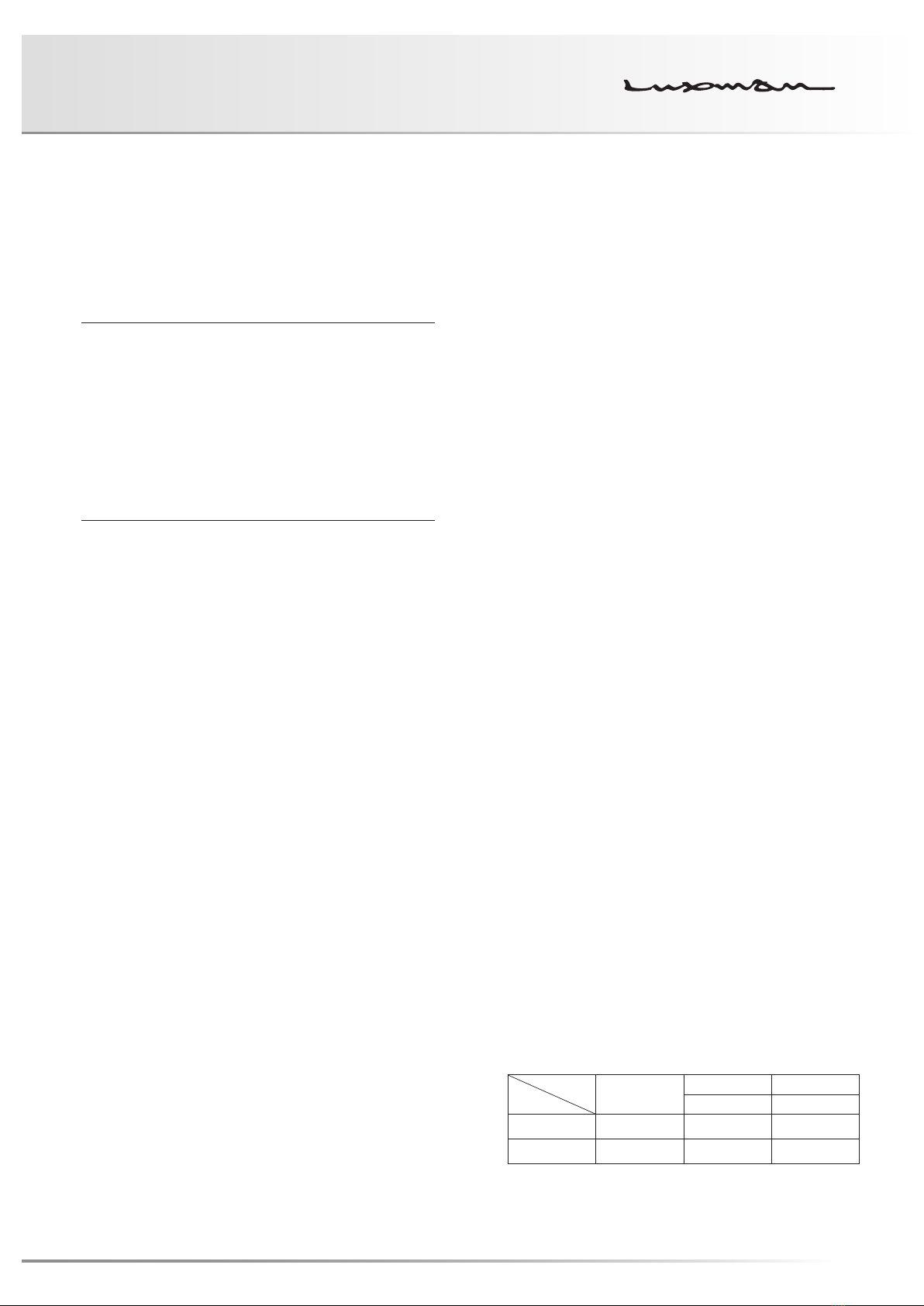
DA-250 FIX/VARIABLE setting table
Output
Setting
Headphone
output
Analog output Digital output
RCA/XLR OPT/COAX
FIX Variable Fixed ○(Fixed)
VARIABLE Variable Variable ○(Fixed)