9.1 Memory Function
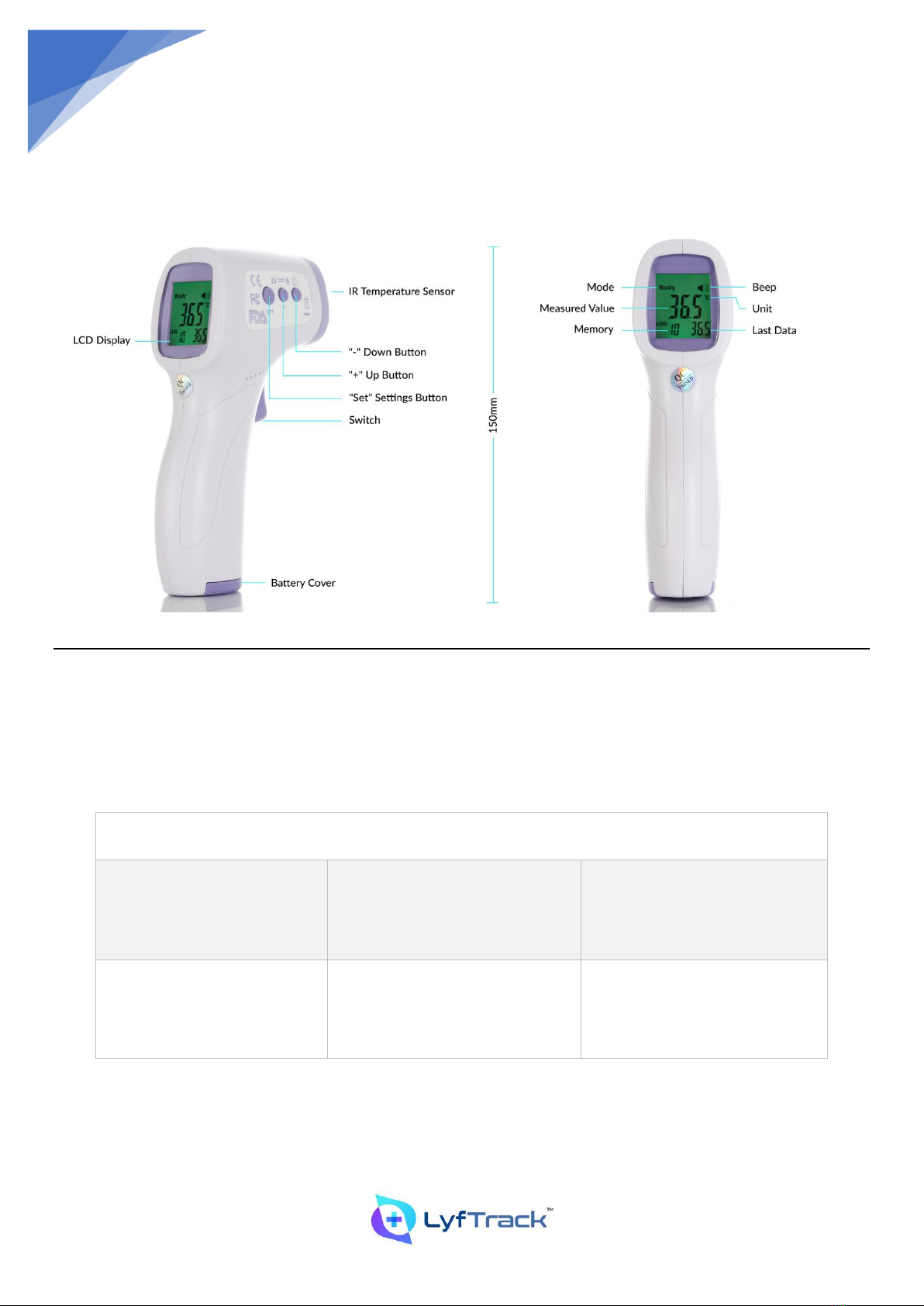
In the power-on state, press the [+] Plus Sign key to enter the memory value view.
1) The greater the value of the memory number, the earlier the measured value, and the smaller the value, the more
recent the measured value.
2) If there is no memorized value, “————” is displayed.
3) The thermometer can store up to 50 sets of most recent measured values, and the values of more than 50 sets
are automatically overwritten in chronological order.
Memory Clearing: In the power-on state, press and hold the [+] Plus Sign key for about 3s, the LED displays "CLr"
character, after about 2s the memory deletion is completed.
9.2 Maintenance and Precautions
•Keep the inner cavity of the sensor and probe clean, otherwise it will affect the measurement accuracy.
Cleaning method:
1. Surface Cleaning: Use a clean soft cloth or cotton swab to stick a little medical alcohol or water to wipe the dirt.
2. Sensor and Probe Cavity Clearing: Use a clean software cloth or cotton swab with a little medical alcohol to gently wipe
the probe cavity or the top of the sensor. Do not use until the alcohol has completely evaporated.
•Immersion of the thermometer in any liquid is prohibited. Prolonged exposure to excessively high or low
temperatures is prohibited.
•Collision, falling and mixing with sharp objects are prohibited. Disassembly is prohibited.
•Infrared thermometers shall not be used in sunlight or water.
•Do not use in strong electromagnetic interference environment.
•Place the infrared thermometer out of the reach of children.
•It is recommended that you practice many times to be familiar with the measurement method and try not to
change the ex-factory setting.
•The measurements shall not be a substitute for the engineer's diagnosis.
•No special maintenance is required during use. Please contact the seller or manufacturer if there is any problem.
•Please dispose of the waste and residue at the end of the life of the product according to the local laws and
regulations.