10
Operation
The A/D and D/A sections of the Flying Cow operate
simultaneously, even though you may sometimes choose to use
only one or the other at any given time. The A/D and D/A are
both set up from the Flying Cow’s front panel.
Selecting Modes
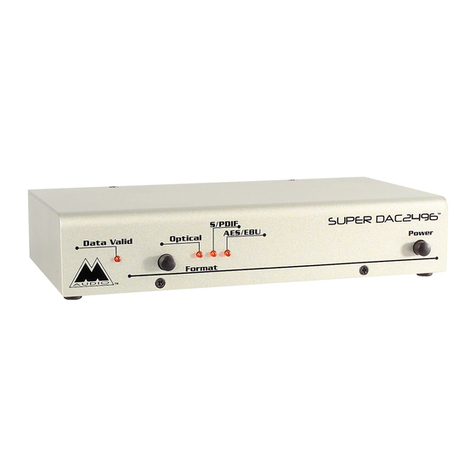
The Mode Select button is used to select the A/D Sample Rate
and the Digital Audio Format. As the Mode Select button is
repeatedly pressed, the Flying Cow cycles between the four
Sample Rate settings: 48 kHz, 44.1 kHz, 32 kHz, and EXT. After
every four presses of the button the Digital Format will also
change — between AES/EBU and S/PDIF settings. Therefore, it
should never take more than 8 presses of the button to get to
your desired setup.
As they are changed, the Sample Rate and Digital Format settings
are stored inside the Flying Cow. When the Flying Cow is turned
off and then back on, these changed settings will be retained.
D/A Operation
The Flying Cow D/A converter is compatible with 24bit, 20bit,
18bit, and even 16bit digital data — the more bits per data word,
the better the dynamic range of the output signal — and
therefore, the better the audio quality. The D/A converter
receives a continuous digital audio stream from either the
AES/EBU In or S/PDIF In jack, depending on the setting of the
Digital Format on the Flying Cow’s front panel. The digital data
is converted to stereo analog audio, and output through the left
and right Analog Out jacks. The Analog Out jacks can accept
either XLR connections or 1/4” connections. On the XLR audio
out connections, the audio is balanced; on the 1/4” audio out
connections, the audio is unbalanced.
The D/A does not require you to manually select a sample rate.
Instead, it automatically detects the sample rate of the incoming
digital audio data and adjusts it accordingly. If a valid digital
stream is detected, the front panel “D/A Valid” LED will light.