Market Central, Inc.
R6000 GANGED A/B SWITCHING SYSTEM Page 8 of 24
3.2 Config ring A/B Switch Cards
There are no jumpers or switch settings that need to be configured on the A/B Switch Cards that fit in the R6000
Ganged A/B Switching System chassis except for the AC Power A/B Switch Cards with SNMP Reporting. These
switch cards have address DIP switches to allow an SNMP manager to directly query these cards for status. Please
see the user manual for the AC Power A/B Switch Card for additional information.
4. Installation
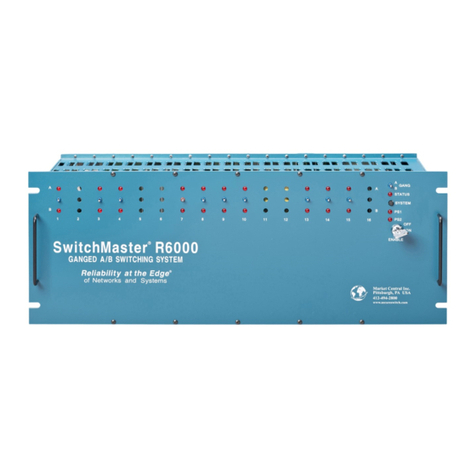
The A/B switch cards and the Controller Card are installed from the rear of the rack.
4.1. Initial Installation
4.1.1 For each rack that contains an RS232 Controller Card, or an SNMP Controller Card, you must first set the
Controller Card’s address using the address DIP switch on the controller card.
4.1.2 Using the card guides, carefully slide each card into the rack. Use caution to guide the switches and LED
indicators as they go through the holes in the front panel. Fully insert the card until it makes connection to
the card edge connector on the rack backplane.
4.1.3 Secure the card to the rack at the top and bottom of the card, using the screws provided.
4.1.4 If daisy chaining multiple racks together use a standard RJ11 male/male crossover cable to connect the
GANG-OUT port from one rack to the GANG-IN port on the next rack. Repeat this step until all racks have
been connected.
4.1.5 If you are going to remotely manage the R6000 over an Ethernet network, you must first set the IP address,
subnet mask and gateway address parameters on the Controller Card using the serial port connection. You
should set these parameters before attaching a cable to the NETWORK port, as the default parameters may
not work or could interfere with the operation of your Ethernet network. See section 6 for more information
regarding IP setup.
4.1.6 Apply power to each rack, using the 12 VDC regulated power supply provided with your system. The ramp
on the power supply connector should face the tab on the power supply entry header. When first installed,
each switch should be cycled from A to B and back. It is possible for the latching relays to have changed state
during shipping. Cycling the switch will assure that all relays on the card are in the same state.
4.1.7 Connect cables between the A, B and C ports on the switch cards and your devices. The A/B Switch cards
provide straight thru connections and are bidirectional, i.e. they have no preference to signal direction. If
your application requires a cross-over cable, use only 1 cross-over cable in that path. Use a straight through
cable on the other side of the switch card.
4.2. Adding a rack to an installed m lti-rack system
The following procedure was developed to prevent inadvertent system switching when adding a rack to an
installed system of daisy-chained racks.
4.2.1 If the new rack contains an RS232 Controller Card, you must first set the Controller Card’s address. The
address for the new rack should be unique – see .Section 3.1 for setting the Controller Card’s address DIP
switch.
4.2.2 Remove power from the last rack in the existing multi-rack system. All of the A/B Switch Cards in the R6000
Ganged A/B Switching System use latching relays or latching optical switching mechanisms, so the
equipment connected thru the rack that is powered down will continue to operate normally.
4.2.3 Connect from the GANG-OUT port on the last rack in the system to the GANG-IN port on the new rack,
using a standard RJ11 male/male crossover cable
4.2.4 Apply power to both racks, using the 12 VDC regulated power supply provided with each unit. The ramp on
the power supply connector should face the tab on the power supply entry header.
4.2.5 After the new rack has been powered up the first time, it is recommended that all of the A/B Switch Cards in
the rack be switched from A to B or B to A to insure that all of the latching relays and optical switching
mechanisms are in a known state. Once this has been done the system will be ready for use.