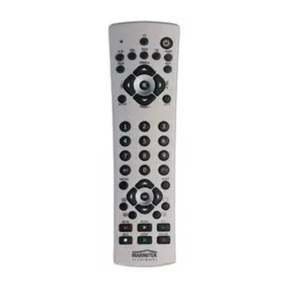
8 SILVERLINE 8
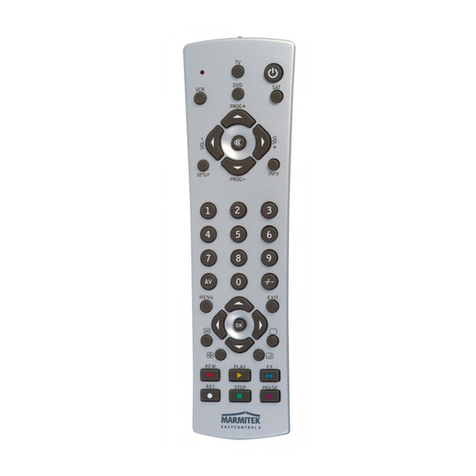
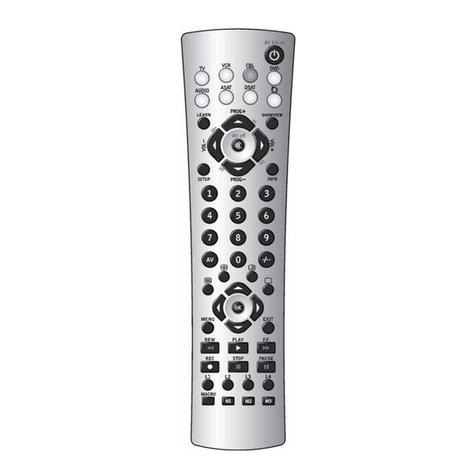
3. Press the mode button (3) that matches the
equipment you wish to control.
The LED (2) blinks once.
4. Press Prog+ (5) once. After a few seconds the
remote starts stepping through the code library
(fast search, 1 code per second). When the device
responds, you can press Prog+ (5) to switch to slow
search (1 code per 3 seconds). You can step back
by pressing Prog- (5) (you can step forward by
pressing Prog+ (5) in case you went too far back).
As soon as the device responds again, press the -/--
key (11) to store the code you found.
Remark:
if some functions of your equipment don’t
work, you need to try another code for your brand. The
search function starts after the last confirmed code. For
example, if it was 030, the search function starts at 031,
and it will keep on trying until the last possible code.
4.4. Manual code search
Note: as you can dedicate any appliance (TV, DVD,
SAT...) to the VCR, CBL, DVD, CD, ASAT, DSAT or AUX
keys, you first need to enter any 3 digit code for the
kind of appliance you wish to control (found in the
code book), i.e.: If you want to program a SAT under
the AUX key, enter ANY SAT code found in the code
book and then follow the steps below
1. Make sure your equipment is switched on.
2. Press and hold SETUP (8) until the LED indicator
lights steadily. Release SETUP
3. Press the mode key (3) that matches the equipment
you want to control (for example TV).
4. Press Prog+ (5) repeatedly until the channel
changes.
If you step past the correct code use Prog- (5) to
go back to the right code.
5. When the equipment you want to control reacts,
press -/-- (11) to confirm the code.
Note: If your equipment doesn't have Prog+ you can
use PLAY (VCR or DVD) (19) or POWER (1) key.
The search starts after the last registered code. If that
was 030, the search starts at 031 until the last possible
code and then goes from 000 to 029. Note: if certain
functions of your equipment can’t be controlled you will
have to find a different code for your brand.
4.5. Identifying codes found
If the batteries are taken out of the remote for a longer
period, the programmed codes can be erased from the
memory. Therefore it is wise to write down the codes,
so you will be able to reprogram the remote control
quickly If you don’t know the code (for example
because you found the code by autosearch) you can
identify it as described below:
1. Press and hold SETUP (8) until the LED indicator (2)
lights steadily. Release SETUP.
2. Press the mode key (3) for the equipment you want
to identify (VCR, CBL, DVD, CD, ASAT, DSAT or
AUX). The LED blinks once.
3. Press again SETUP. The LED blinks once.