SETTING UP THE CHILLER
Confirm the chiller is on, if not press the
power button for 3 seconds. Then wait 10
minutes to adjust the temperature. This
10-minute window was designed to give
you time to connect to the app in Step 9.
To change the temperature, press the up or
down buttons accordingly.
You can press the “M” button to switch between the heating and cooling modes.
TEMPERATURE ADJUSTMENT
It’s exciting and tough to wait, but give your cold tub a couple hours between
water temperature checks. The cooling or heating capabilities will vary depending
on the ambient temperature conditions, ventilation air flow and the current water
temperature. Your cold tub will need some time to cool. Your hot tub water will heat
approximately 3 to 4 degrees Fahrenheit per hour (1 to 2 degrees Celsius) with the cover
placed on your Valaris.
Adjust water chemistry in hot and cold sections according to the instructions provided
in the Water Maintenance section of your owner’s manual.
SCAN TO
ACCESS HOW
TO VIDEOS
6927 Lincoln Parkway, Fort Wayne, IN 46804
877-ChillyGOAT
ChillyGOATtubs.com
Stay Connected, Keep in Touch
Master Spas® reserves the right to change product specifications or features without notice. Master Spas is a manufacturer of spas and related products, and we stand
behind every product we produce pursuant to those representations which are stated in our written limited warranty. Your dealer is an independent businessperson
or company and not an employee or agent of Master Spas, LLC. We cannot and do not accept any responsibility or liability for any other representations, statements
or contracts made by any dealer beyond the provisions of our written limited warranty. Apple is a trademark of Apple Inc., registered in the U.S. and other countries.
Google Play is a trademark of Google, LLC. Master Spas is a registered trademark of Master Spas, LLC.
POP23CGVALQSG ©2023 Master Spas, LLC Rev. 231106
CONNECTING TO THE SMART LIFE APP AND
CONTROLLING YOUR COLD TUB
Your Valaris has a 2.4GHz Wi-Fi connectivity option. You can
take advantage of this feature to control your chiller and
temperature setting on the cold tub side.
To get started, download the Smart Life app, which is available
on the Google Play or Apple App stores. Sign up and register
to create your account.
With your cold tub turned on, make sure that the circulation pump is moving water
through the chiller.
You can connect to the Smart Life app during the first 10 minutes of the start-up
period while the word “NET” is flashing on the chiller.
Open the Smart Life app on your phone and log in to your account. Click the “+” in the
upper right corner and select “Add Device.” Follow the directions on the app to add
“Pool Heat Pump.” Reattach the access panel to complete the set-up.
NOTE: It might take several times to pair your cold tub depending on the strength of your
Wi-Fi signal. Retry as needed or provide a stronger 2.4GHz Wi-Fi signal to the area where the
cold tub is located.
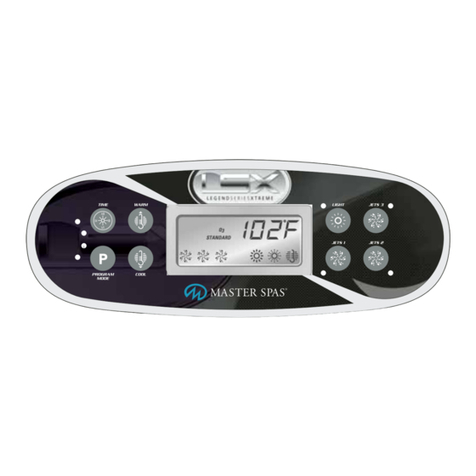
Chiller Control Panel
SCAN
TO GET
SMART
LIFE APP