2
ENGLISH
To ADD a User code (Option 2):
1Press and release red setup
button on the inside of
the door near the hinge.
The green light on the
keypad will flash and
beep twice.
2While the green light is on. Enter a 5 digit user code of
your choice. The light will turn off.
Programming the Secondary Code
To ADD a Secondary code:
1Press the “Prog” key two times.
2Enter the 5 digit user code previously programmed.
The green light will remain on.
3Enter the 5 digit secondary code of your choice.
The light will turn off.
NOTE: To enter a new secondary code, repeat the above steps.
To DELETE a Secondary code:
1Press the “Prog” key two times.
2Enter the 5 digit user code.
3Enter 0,0,0,0,0.
Bolt Down Instructions
1Set a suitable and convenient location for your safe.
2Set the safe in place and use the holes provided in the bottom or
back of the safe to mark the location of the holes to be drilled in
the floor or wall.
NOTE: It is not recommended to attempt to bolt to both floor and wall.
If bolting to a wall, please ensure that the safe is resting on a
supported surface, i.e. floor, table, or shelf.
3Move the safe away and drill holes of the appropriate diameter
and depth for the type of hardware being used and the
mounting surface.
4Place the safe back over the holes and install the fasteners
as required.
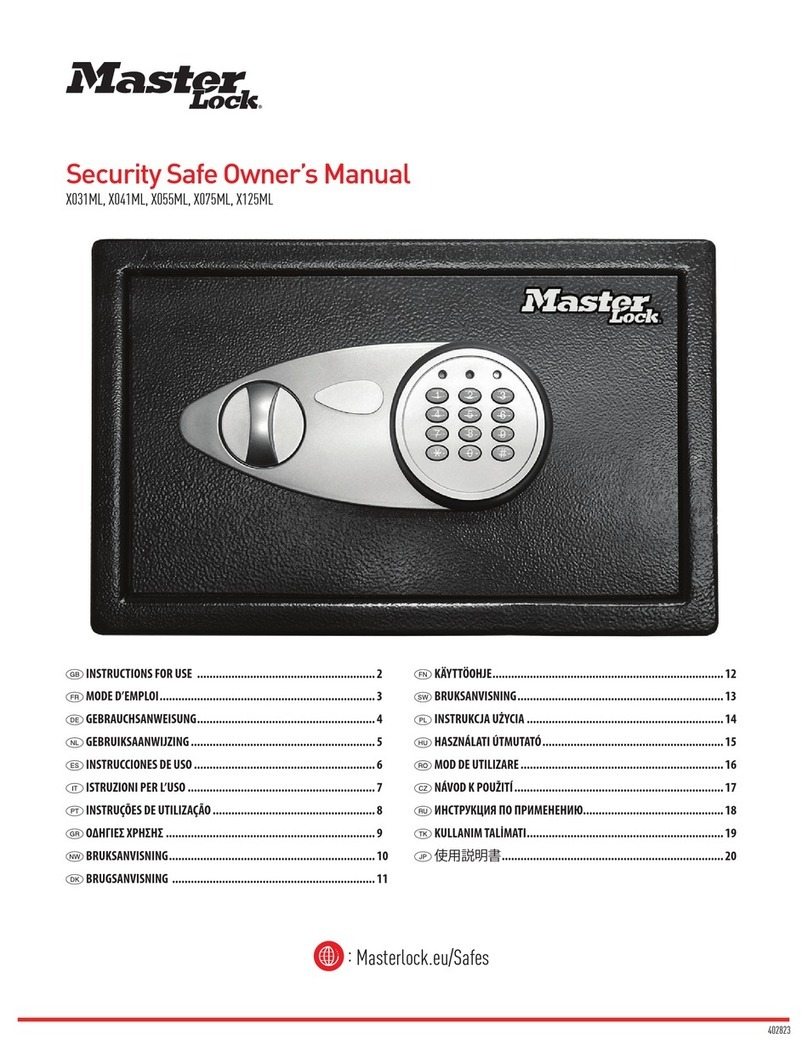
Security Safe
Thank you for choosing Master Lock to store all your important documents and valuables.
We hope that this product will help you stay organized and provide you with the peace-of-mind of knowing the things most important to you are protected.
Warning
Your safe is only part of your total security protection.
Master Lock recommends that you store your safe in a closet, office,
basement, bedroom or any other location that is convenient for you but
out of direct line of sight from prying eyes. The location of the safe does
not affect the safe’s ability to protect your valuables inside.
Preparing Your Safe for the
First Time
Installing Your Batteries
NOTE: Do not use rechargeable batteries or any other type of
non-alkaline battery. Do not mix old and new batteries.
Do not mix alkaline with standard batteries.
1Remove the keypad by rotating
the cover counter-clockwise and
pulling towards you.
2Insert your override key
(skeleton key) in the hole
and rotate clockwise.
3Open the door using the lever
handle of the safe.
4Locate the key hook plate
located on the inside back of
the door. Remove the plate by
sliding the cover upwards and
then pull towards you.
5Insert four (4) alkaline AA
batteries as indicated.
6Replace the key hook plate on
the back of the door.
NOTE: This override key can be used to access the safe in case of a
forgotten combination or low battery power. DO NOT store the
override key inside the safe.
Using Your Safe
1
M100TEST
SN100TEST01*
12345
Enter the five digit factory code
(located on last page of this
owner’s manual).
2Push lever down and pull
open door.
NOTE: The lock automatically enters a two-minute delay mode after
an invalid code has been entered three consecutive times.
Programming Safe Features
Your Digital Lock
Factory code:
The safe will ALWAYS unlock using this 5 digit code (found on the back
of the owner’s manual). This code cannot be deleted.
User code:
A 5 digit programmable code of your choosing that can be changed.
Secondary code:
A second 5 digit programmable code of your choosing that can be
changed or deleted. Can only be programmed after a user code has
been activated.
Programming a User Code
NOTE: Always test your combination several times with the door open
before placing valuables inside the safe.
To ADD a User code (Option 1):
1Press the “Prog” key.
2Enter the 5 digit factory code found on the back of your
owner’s manual. The green light will remain on.
3Enter a 5 digit user code of your choice. The light will turn off.
NOTE: To change the user code, repeat the above steps.
Troubleshooting
THE PROBLEM: WHY IT IS HAPPENING: THE SOLUTION:
Red LED light + three (3) beeps 1. You pressed program key out of sequence
2. You have entered an invalid code
3. You have let five (5) seconds or more elapse
between key entries
Try entering your factory, user or secondary code again.
Yellow LED light Indicates a low battery Replace the four (4) AA alkaline batteries in your safe.
NOTE: When the new batteries are installed, the yellow
LED may come ON and stay ON during the first
lock operation before it turns off.
Safe won’t open An invalid code has been entered three
consecutive times which has activated the time
delay mode
Wait for 2-minutes and then try entering your factory,
user or secondary code again.
Got a question?
If you ever have any questions regarding your Master Lock product, please visit our website masterlock.eu/safes.