5
2. TO GET READY IN SEVEN STEPS
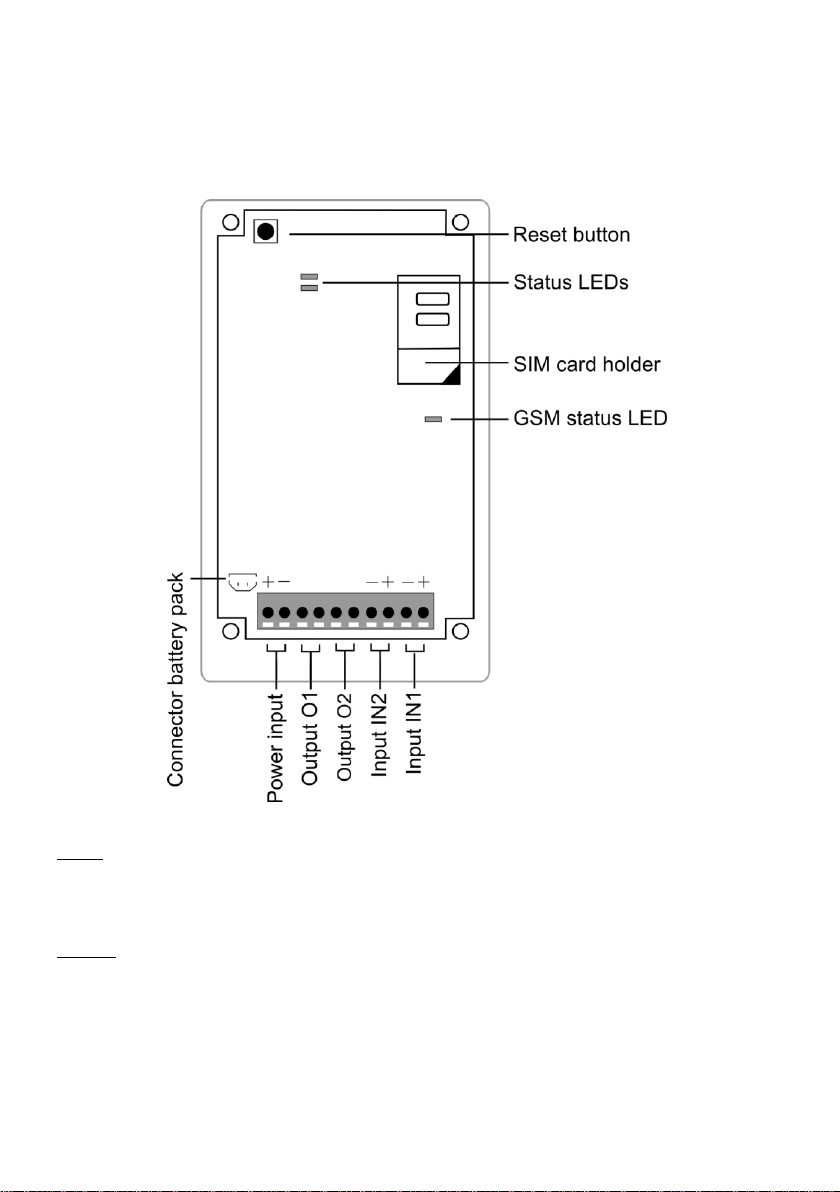
To get started with the Mobeye MS100EK seven easy steps are needed.
1. Place the SIM card
2. Connect a sensor to the input
3. Connect the power supply
4. Connect the back-up battery (optionally)
5. Enter at least one phone number
6. Check the settings
7. Switching on
2.1 PLACE THE SIM CARD
To use the Mobeye MS100EK a SIM card from any network is needed.
On this SIM card, the PIN code security needs to be disabled or 0000. If
you have a SIM card with PIN code, you can disable or change this
using any mobile phone and change the PIN code security. Please
consult the manual for that mobile phone for the procedure.
The SIM card needs to be inserted before the power is connected.
When using a prepaid SIM card, take note of the available credit.
Additionally it is wise to set a recurrent test message in the menu so the
card will be used at least once a month.
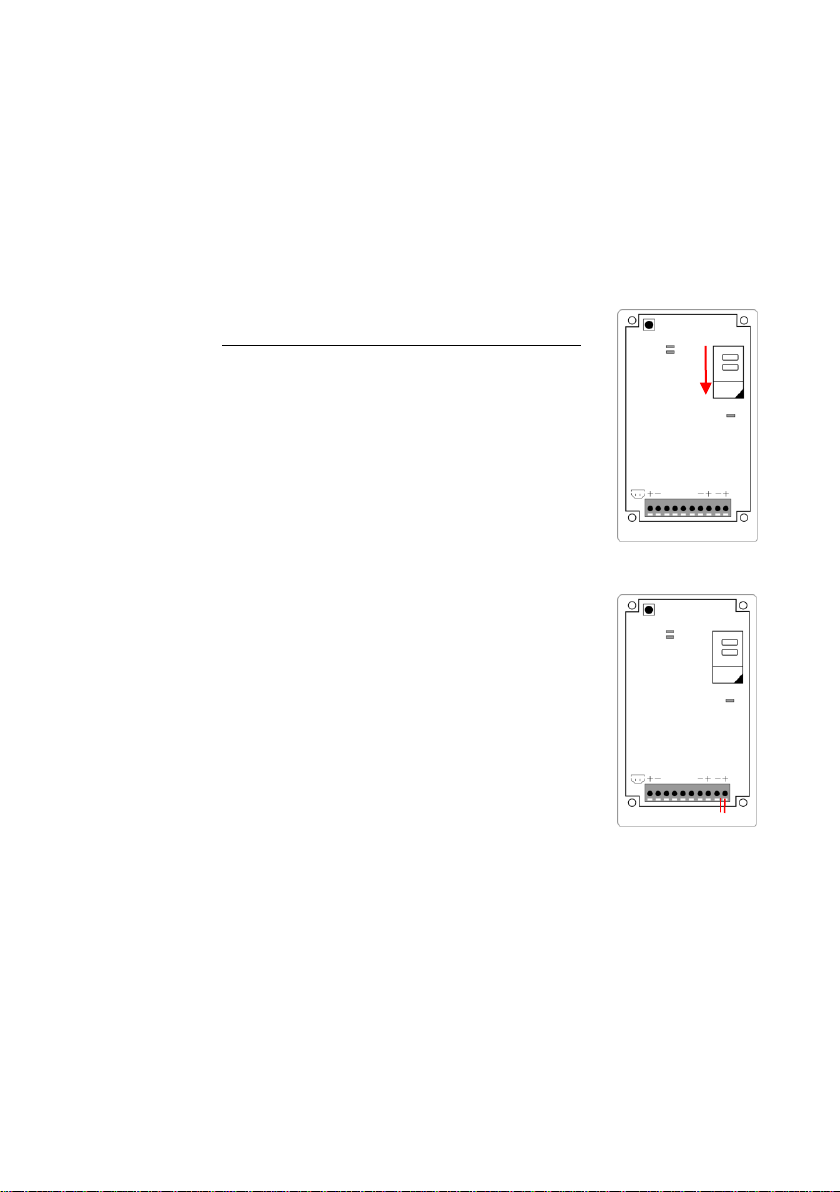
•Open the back cover
•Insert the SIM card in the holder. For opening/closing, move the
cover slightly.
2.2 CONNECT A SENSOR
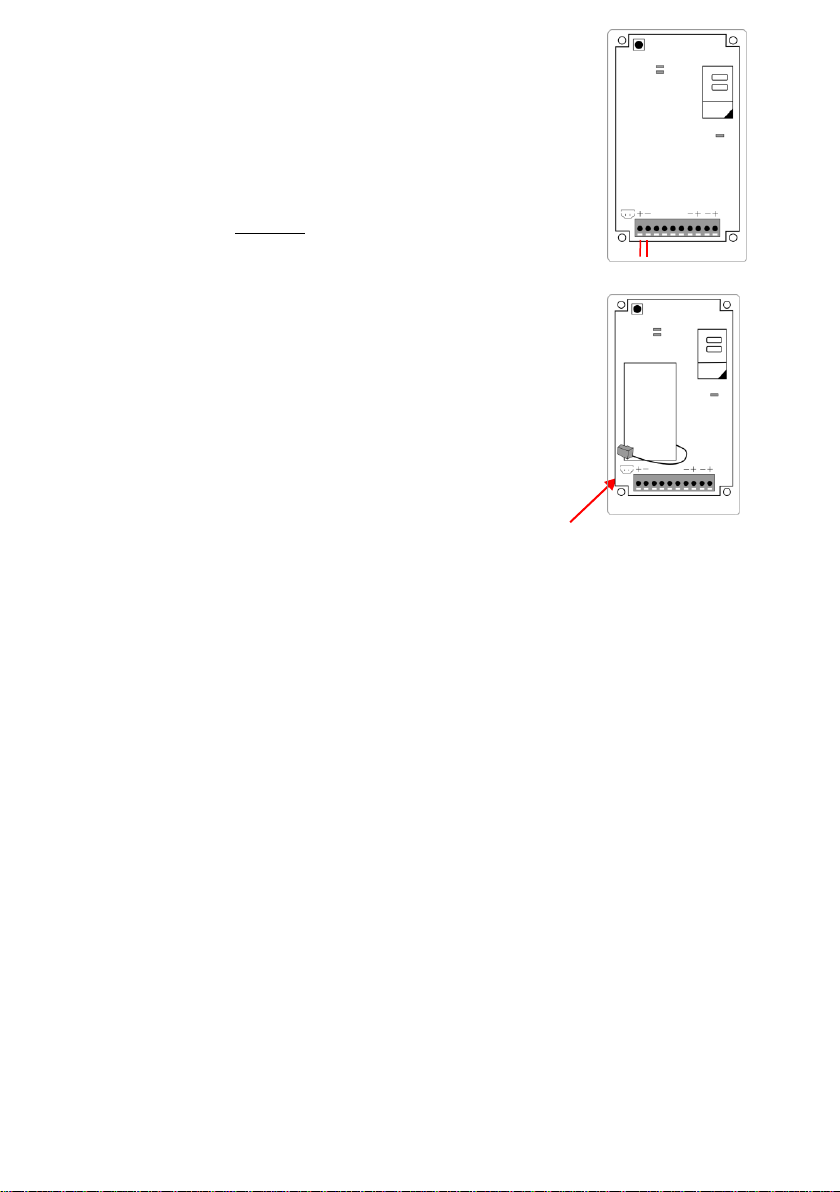
Open the hole in the enclosure and insert the 2 wires of an external
sensor through the hole of the enclosure to the inside part and next in
the two connectors of input 1 (press the orange pins for connecting the
wires). It does not matter which wire is connected to which connector. If
necessary the wires can be extended using appropriate wire material.
If the sensor should be closed in normal situation (and be opened in the
event of an alarm), the input type should be changed (please refer to
paragraph 5.11).
2.3 CONNECT THE POWER SUPPLY
The Mobeye MS100EK is designed to run on an external power supply (9-32VDC). The module
will always be in connection with the GSM network. This gives following features: possibility to
receive power failure messages (using a back-up battery) and the possibility to perform remote
actions, such as arm/disarm, switch the outputs, ask status reports and to program it via SMS-
commands.