7. Granting a family member access to the video doorbell
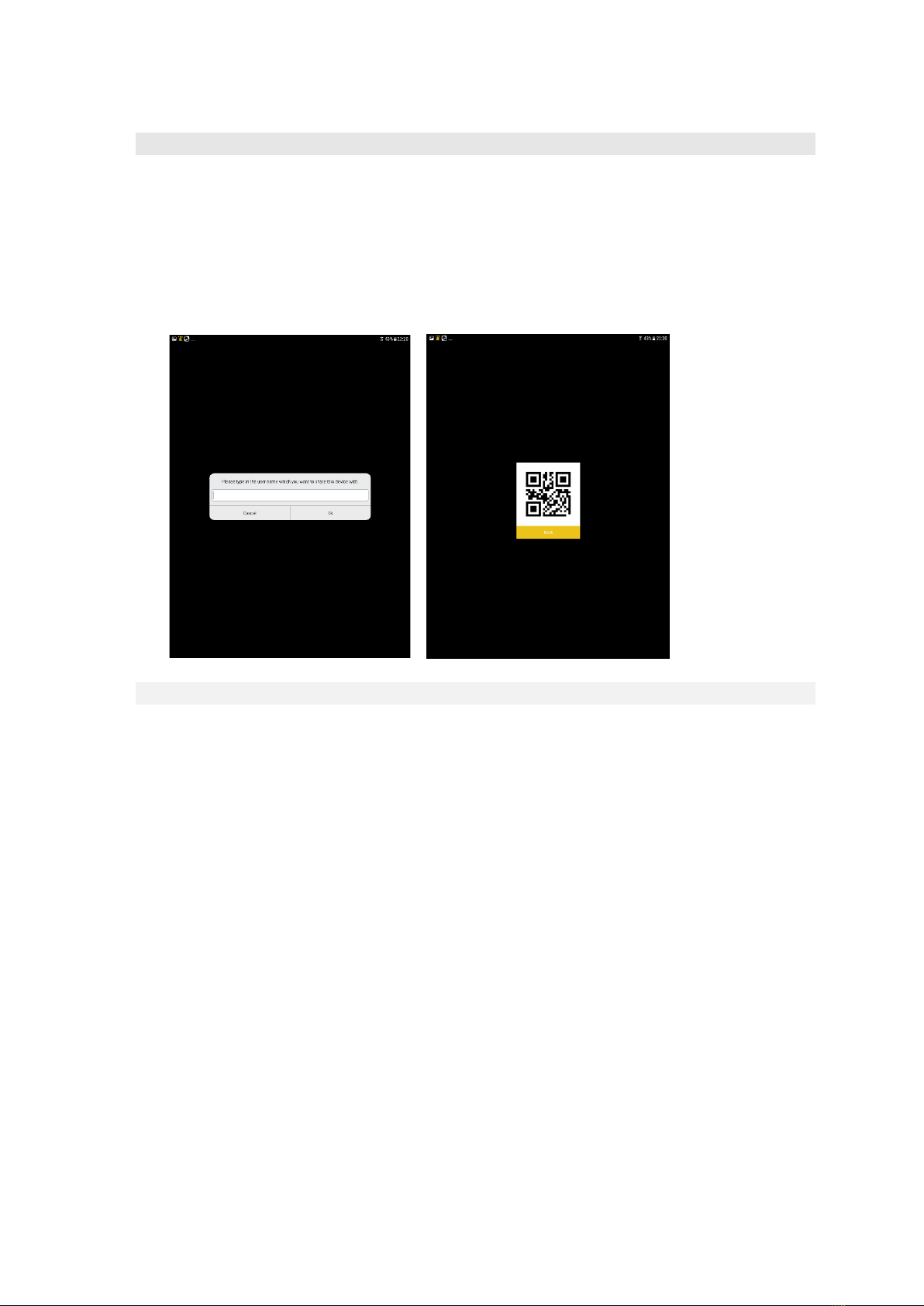
You can have multiple members of your family connected to the doorbell. To connect
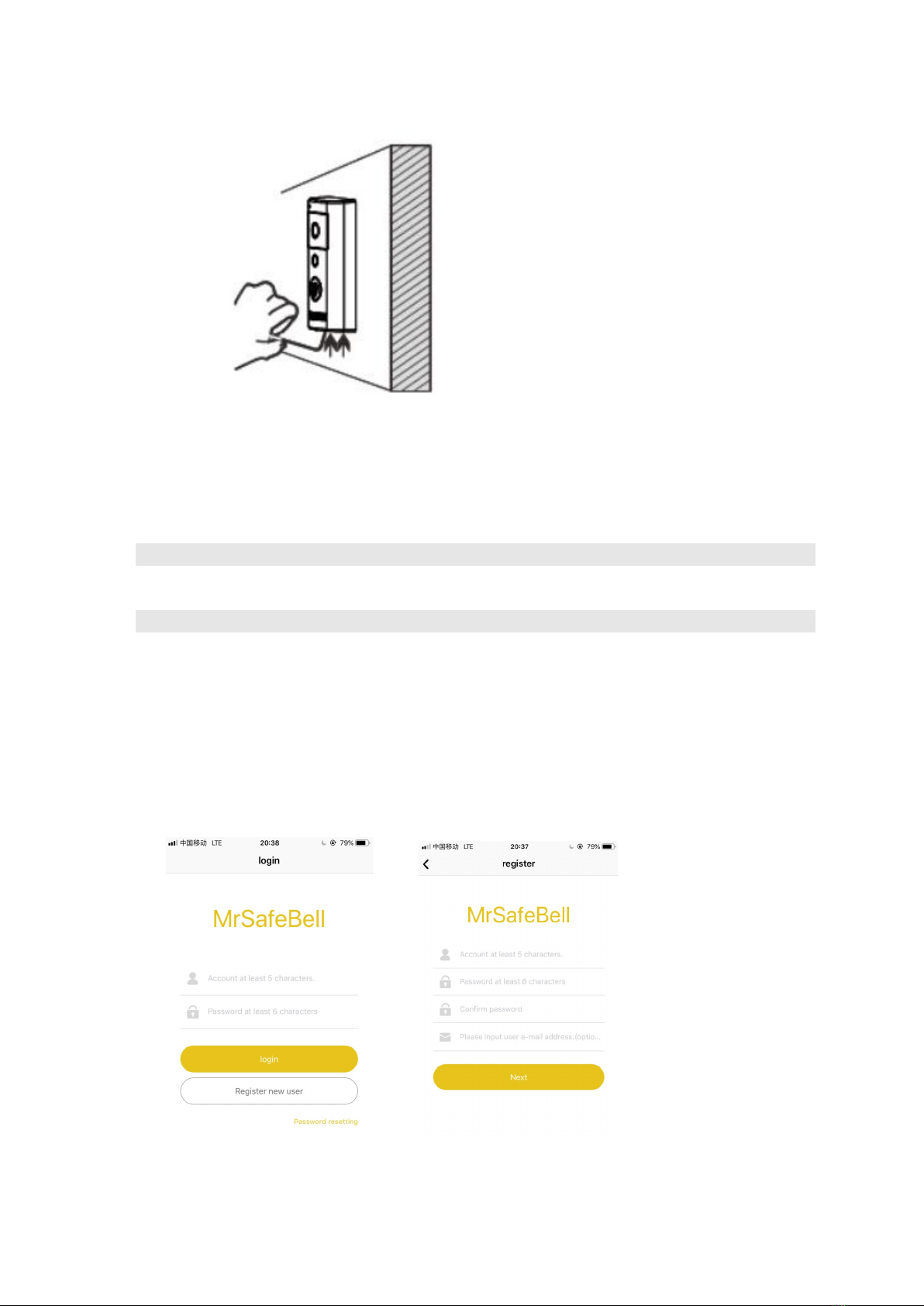
someone, start by downloading the MrSafeBell app on the member’s smartphone. The new
member has to register his user name, password and e-mail address.
The administrator has to add this new user name, and then the new user can scan the QR code
generated by the administrators app.
8. Changing the settings of your linked doorbell
Press the settings icon of your linked doorbell and change the following parameters:
-Doorbell name
-System settings: here you can change the waiting duration of the call that the doorbell
makes and you can reboot the doorbell from a distance here.
-Member management: see which members of your family have access to this doorbell /
video feed
-Motion detection: Turn the motion detection on or off and specify the sensitivity of the
motion detection.
-Lock settings: here you can setup the automated unlocking if you have a Smart Lock on
your door.
-Equipment time settings: here you can set the time and date of your doorbell, or sync it
up to your smartphone.
-Push settings: here you can change whether you wish to receive push notifications on
your smartphone
-Wifi settings: check the connectivity of your doorbell here
-SDCard settings: change the settings of your recording to SD Card here, or format it from
a distance.
-Firmware update: Here you can check if you have the latest firmware version of the
doorbell firmware.