9
Page
ENTR™ User Manual
• TurningtheENTR™lockON or OFF.
2.3.1 Switching the ENTR™ ON
BeforeswitchingtheENTR™ ON verifythatthedoorisshut.
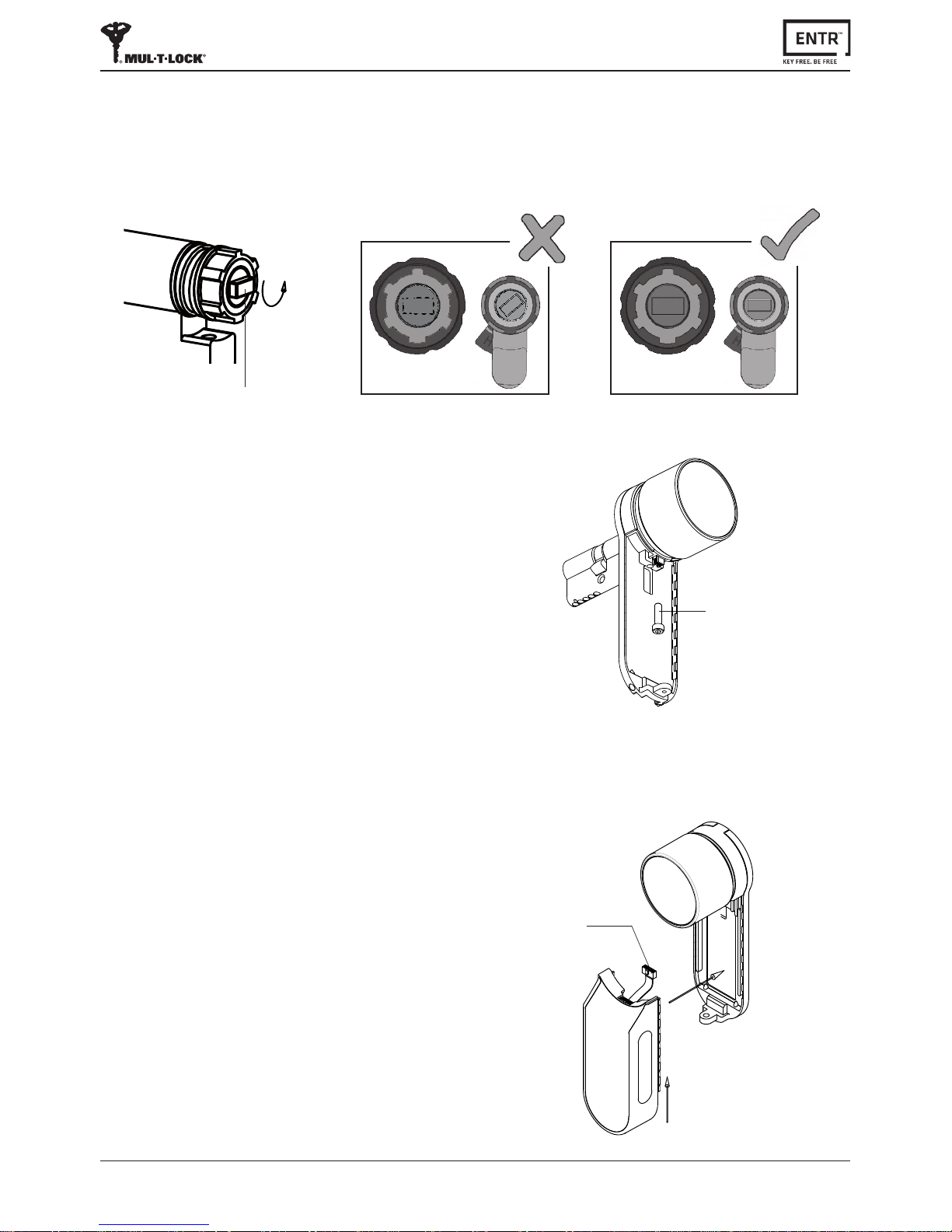
• MovetheswitchtoONposion.Makesurethattheknobisin
zeroposion(seeillustraon).
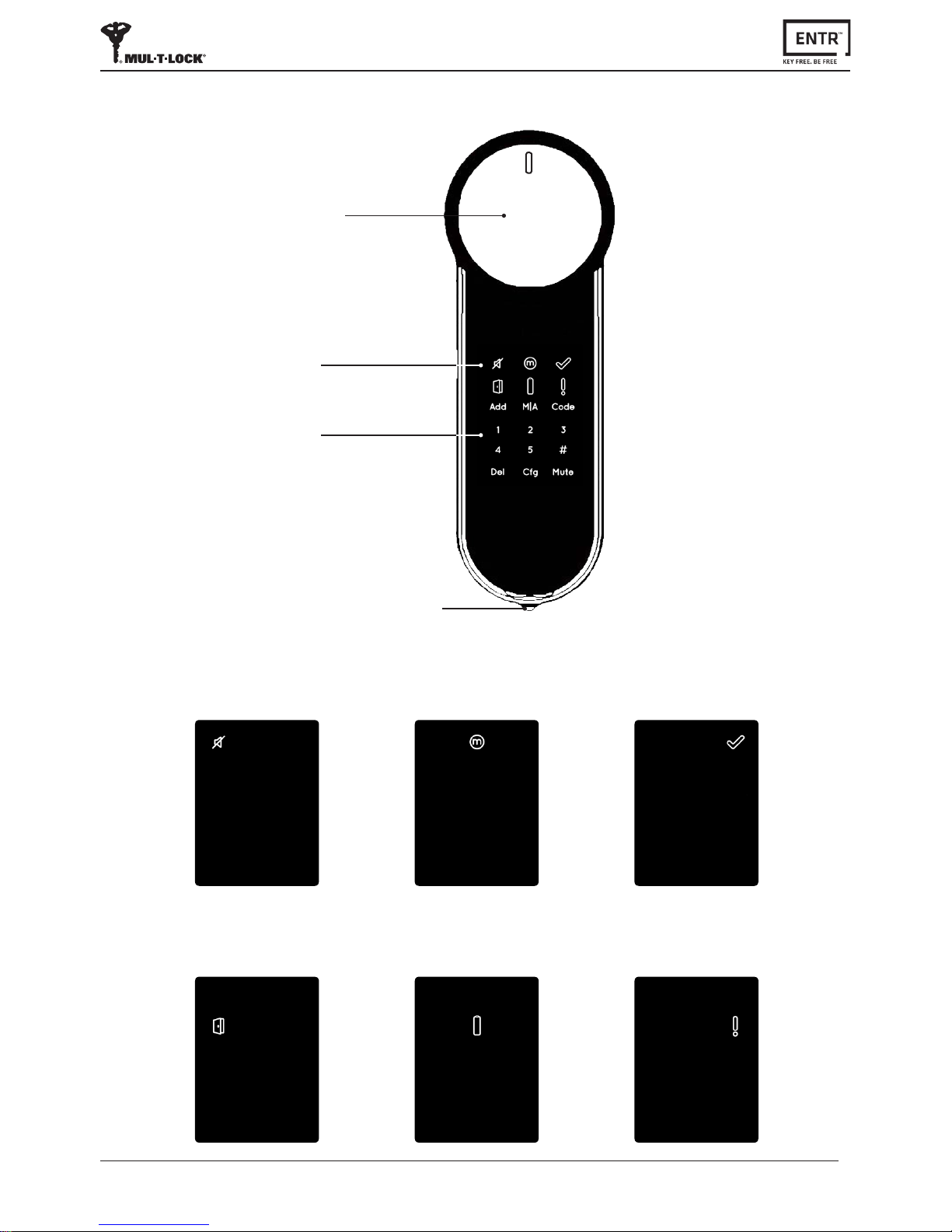
• Funconandnumericbuonsblinksonce.
• Hazardbeepsoundemiedanderrorindicaonblinksonce.
• TheENTR™willgointooperang mode.
Note:
• AerswitchingtheENTR™ONavoidtouchingtheENTR™unl
beepsoundends.
• AerswitchingtheENTR™ONthedoorisshutbutnotlocked.
2.3.2 Switching the ENTR™ OFF
• MovetheswitchtoOFFposion.
2.3.3 Low baery indicaon
Warningsignalblinkingrapidlyandlongbeepemiedoneverylock/unlock
acon.
2.3 ON/OFF switch
2.4 Iniang the lock
Iniatethelockbytouchingthescreenwithpalmorngersfor3seconds.
• Programingbuonsandbaerystatusindicaonilluminatesfor15seconds,
waingforuseracon.
• Aeraperiodof15secondsofinacvitytheENTR™willgoidle.
2.5 Default PIN code
The lock is supplied with a default PIN code: 1 2 3 4 5 #
Note:
• DefaultPINcodemustbechangedbeforestarngconguraonprocess.
• ThePINcodemayconsistof4-10digits,eachhavingavalueof1-5.
• Only [Code] and [Mute]funconswilloperateunlchangingthedefaultPINcode.
OFFON
•
Zeroposion